
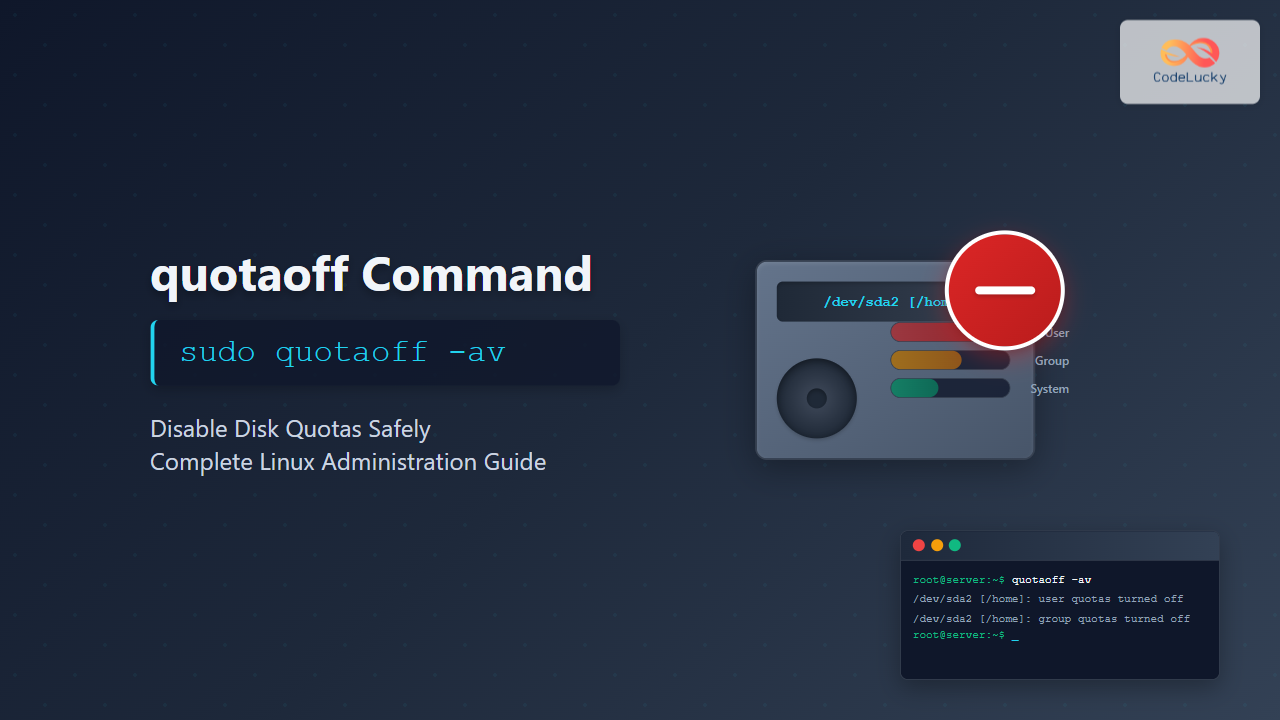
The quotaoff command is a crucial Linux system administration tool used to disable disk quotas on file systems. When you need to turn off quota enforcement temporarily or permanently, this command provides a safe and controlled way to deactivate quota limits without losing quota information stored in quota files.
What is the quotaoff Command?
The quotaoff command disables quota enforcement on specified file systems while preserving quota databases. Unlike deleting quota files, this command maintains all quota information intact, allowing you to re-enable quotas later using the quotaon command without losing existing quota configurations.
Key Features
- Safely disables quota enforcement without data loss
- Preserves quota databases and user limits
- Works with both user and group quotas
- Supports multiple file systems simultaneously
- Provides verbose output for monitoring operations
Basic Syntax
quotaoff [options] filesystem...The basic syntax requires specifying the file system path where you want to disable quotas. You can also use device names or mount points.
Common Options and Parameters
| Option | Description |
|---|---|
-a |
Turn off quotas for all file systems in /etc/fstab |
-g |
Turn off group quotas only |
-u |
Turn off user quotas only |
-v |
Verbose mode – display detailed information |
-x |
Turn off XFS project quotas |
-f |
Force operation even if quota files are corrupted |
Practical Examples
Example 1: Disable Quotas on a Specific File System
sudo quotaoff /homeExpected Output:
# No output indicates successful operationThis command disables both user and group quotas on the /home file system. The absence of error messages indicates successful execution.
Example 2: Disable Quotas with Verbose Output
sudo quotaoff -v /homeExpected Output:
/dev/sda2 [/home]: group quotas turned off
/dev/sda2 [/home]: user quotas turned off
The verbose flag provides detailed information about which types of quotas were disabled on which devices.
Example 3: Disable Only User Quotas
sudo quotaoff -u /homeExpected Output:
# Silent success, only user quotas disabledThis command specifically disables user quotas while leaving group quotas active on the file system.
Example 4: Disable Only Group Quotas
sudo quotaoff -g /varThis targets group quotas exclusively, useful when you need to maintain user quota enforcement while disabling group restrictions.
Example 5: Disable Quotas on All File Systems
sudo quotaoff -aExpected Output:
# Silent operation affecting all quota-enabled file systemsThe -a flag reads /etc/fstab and disables quotas on all file systems that have quota options configured.
Example 6: Verbose Disable on All File Systems
sudo quotaoff -avExpected Output:
/dev/sda2 [/home]: group quotas turned off
/dev/sda2 [/home]: user quotas turned off
/dev/sda3 [/var]: group quotas turned off
/dev/sda3 [/var]: user quotas turned off
Combining -a and -v provides comprehensive feedback about quota operations across all configured file systems.
Advanced Usage Scenarios
Checking Quota Status Before Disabling
Before using quotaoff, verify current quota status:
sudo quotaon -p /homeExpected Output:
group quota on /home (/dev/sda2) is on
user quota on /home (/dev/sda2) is on
Then disable quotas:
sudo quotaoff -v /homeSelective Quota Disabling for Maintenance
During system maintenance, you might need to disable quotas temporarily:
# Check current status
sudo repquota /home

# Disable quotas for maintenance
sudo quotaoff /home

# Perform maintenance tasks
# (file system checks, quota file repairs, etc.)

# Re-enable quotas
sudo quotaon /home
Force Disable Corrupted Quotas
When quota files are corrupted, use the force option:
sudo quotaoff -f /homeThis bypasses quota file integrity checks and forces the disable operation.
Integration with System Scripts
Shutdown Script Integration
Add quota disable commands to shutdown scripts:
#!/bin/bash
# Safely disable quotas before shutdown
echo "Disabling disk quotas..."
quotaoff -a
echo "Quotas disabled successfully"
Maintenance Mode Script
#!/bin/bash
# maintenance.sh - Enter maintenance mode

echo "Entering maintenance mode..."

# Disable quotas on critical file systems
quotaoff -v /home
quotaoff -v /var

# Perform maintenance tasks
echo "Quotas disabled. Ready for maintenance."
Error Handling and Troubleshooting
Common Error Messages
Error: quotaoff: cannot stat /home: Permission denied
Solution: Run the command with sudo privileges.
Error: quotaoff: Quota format not supported in kernel
Solution: Ensure quota support is compiled into the kernel or loaded as modules.
Error: quotaoff: No such file system in /etc/fstab
Solution: Verify the file system path exists and is correctly specified.
Verification Commands
After disabling quotas, verify the operation:
# Check quota status
sudo quotaon -p /home

# Verify quota files still exist
ls -la /home/aquota.*
Expected Output:
group quota on /home (/dev/sda2) is off
user quota on /home (/dev/sda2) is off

-rw------- 1 root root 8192 Aug 25 08:30 /home/aquota.group
-rw------- 1 root root 8192 Aug 25 08:30 /home/aquota.user
Best Practices
Safety Considerations
- Always backup quota files before major operations
- Use verbose mode to monitor operations
- Check quota status before and after operations
- Document quota disable reasons for system logs
Performance Impact
- Disabling quotas can improve file system performance
- No immediate impact on existing files and directories
- Users can temporarily exceed previous limits
- Monitor disk usage closely when quotas are disabled
Security Implications
- Users may consume excessive disk space
- System stability could be affected by disk space exhaustion
- Implement alternative monitoring during quota downtime
- Set up alerts for disk usage thresholds
Integration with Other Commands
Quota Management Workflow
# Complete quota management sequence
sudo repquota -a          # Check current usage
sudo quotaoff -a          # Disable quotas
sudo quotacheck -avug     # Check and repair quota files
sudo quotaon -a           # Re-enable quotas
sudo repquota -a          # Verify operation
System Monitoring Integration
# Monitor disk usage while quotas are disabled
df -h
du -sh /home/*

# Set up temporary alerts
watch -n 60 'df -h | grep -E "(home|var)"'
Conclusion
The quotaoff command is an essential tool for Linux system administrators managing disk quotas. Its ability to safely disable quota enforcement while preserving quota databases makes it invaluable for maintenance operations, troubleshooting, and temporary quota suspension. By understanding its options, proper usage, and integration with other system tools, administrators can effectively manage disk quotas and maintain system stability.
Remember to always use quotaoff responsibly, monitor disk usage when quotas are disabled, and have a clear plan for re-enabling quotas to maintain system resource control.
Related Posts
quotaon Command Linux: Enable and Manage Disk Quotas Effectively
The quotaon command is a powerful Linux utility that enables disk quota enforcement on file systems. It allows system administrators...
quota Command Linux: Complete Guide to Display and Manage Disk Usage Quotas
The quota command is an essential Linux system administration tool that displays disk usage and quota information for users and...
quotacheck Command Linux: Check Filesystem Quotas Explained with Examples
In Linux system administration, maintaining and monitoring disk usage is critical. Without proper checks, uncontrolled disk consumption can lead to...
repquota Command Linux: Complete Guide to Disk Quota Reporting and Management
The repquota command is an essential Linux system administration tool used to report disk quota usage for users and groups...
edquota Command Linux: Complete Guide to Manage User Disk Quotas
The edquota command is a powerful Linux system administration tool that allows you to edit user and group disk quotas...
shred Command Linux: Complete Guide to Securely Delete Files and Protect Data
When you delete files in Linux using the standard rm command, the data isn't actually removed from your storage device....
rm Command in Linux: Complete Guide to Delete Files and Directories Safely
The rm command is one of the most powerful and potentially dangerous commands in Linux. It stands for "remove" and...
wipe Command Linux: Complete Guide to Secure File Deletion and Data Wiping
The wipe command in Linux is a powerful utility designed for secure file deletion that goes far beyond the standard...
umount Command Linux: Complete Guide to Safely Unmounting Filesystems
The umount command is an essential Linux utility that allows you to safely disconnect filesystems from the directory tree. Whether...
df Command in Linux: Complete Guide to Check Disk Space Usage
The df command is one of the most essential tools in a Linux system administrator's toolkit. Standing for "disk free,"...
rmdir Command in Linux: Complete Guide to Remove Empty Directories Safely
The rmdir command is a fundamental Linux utility designed specifically for removing empty directories. Unlike the more powerful rm -r...

File System Types: FAT32, NTFS, ext4 and Modern Linux Filesystems Explained
Understanding File Systems: The Foundation of Data Storage A file system is the method and data structure that an operating...





