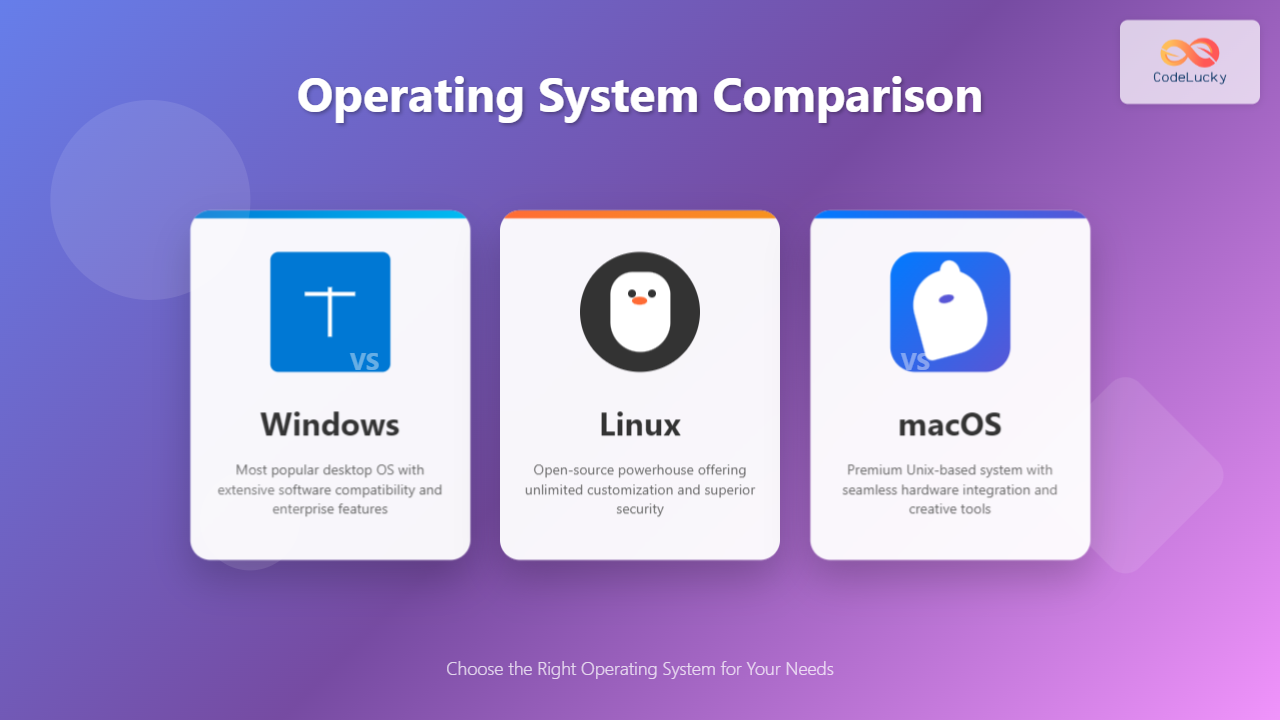
Choosing the right operating system is one of the most crucial decisions for both personal and professional computing environments. In today’s digital landscape, three major players dominate the market: Microsoft Windows, Linux distributions, and Apple’s macOS. Each operating system brings unique strengths, limitations, and design philosophies that cater to different user needs and preferences.
This comprehensive guide will explore every aspect of these three operating systems, from their architectural foundations to real-world performance scenarios, helping you make an informed decision based on your specific requirements.
Overview of Major Operating Systems
Understanding the fundamental characteristics of each operating system provides the foundation for making meaningful comparisons. Let’s examine the core identity of each platform.

Windows: The Market Leader
Microsoft Windows has maintained its position as the world’s most widely used desktop operating system since the 1990s. Built on a proprietary architecture, Windows prioritizes ease of use, broad software compatibility, and enterprise integration. The current version, Windows 11, represents Microsoft’s vision of modern computing with enhanced security features, improved performance, and tighter cloud integration.
Windows excels in providing a consistent user experience across diverse hardware configurations, making it the go-to choice for business environments and casual users alike. Its extensive driver support and software ecosystem ensure compatibility with virtually any peripheral or application.
Linux: The Open Source Champion
Linux represents the pinnacle of open-source operating system development. Unlike its proprietary counterparts, Linux offers complete transparency, allowing users to examine, modify, and distribute the source code freely. This philosophy has resulted in hundreds of distributions (distros) tailored for specific use cases, from beginner-friendly Ubuntu to security-focused Kali Linux.
The Linux ecosystem thrives on community collaboration and technical excellence. Its modular architecture allows for unprecedented customization, making it equally suitable for embedded systems, servers, and desktop environments.
macOS: The Premium Experience
Apple’s macOS combines the power of Unix with an intuitive, aesthetically pleasing interface. Designed exclusively for Apple hardware, macOS offers a tightly integrated ecosystem where software and hardware work in perfect harmony. This approach results in exceptional performance optimization and a premium user experience.
macOS emphasizes simplicity without sacrificing functionality, making it particularly popular among creative professionals, developers, and users who value design and user experience above customization options.
User Interface and User Experience
The user interface serves as the primary gateway between users and their operating system. Each platform has developed distinct design languages and interaction paradigms that significantly impact daily usability.
Windows Interface Evolution
Windows 11 introduces a centered Start menu, rounded corners, and translucent effects that modernize the traditional Windows aesthetic. The interface maintains familiar elements while incorporating contemporary design trends:
- Start Menu: Simplified design with recommended files and recently used applications
- Taskbar: Centered icons with improved grouping and virtual desktop integration
- File Explorer: Updated with new icons and improved navigation
- Settings App: Redesigned for better organization and accessibility
Windows excels in providing multiple ways to accomplish tasks, offering both GUI and command-line interfaces. The Windows Terminal application brings modern command-line capabilities with support for PowerShell, Command Prompt, and Windows Subsystem for Linux.
Linux Desktop Environments
Linux’s strength lies in its variety of desktop environments, each offering unique approaches to user interaction:
- GNOME: Clean, minimalist interface focusing on productivity and simplicity
- KDE Plasma: Highly customizable with Windows-like familiarity
- XFCE: Lightweight and traditional, perfect for older hardware
- Cinnamon: Modern take on traditional desktop metaphors
The command line remains central to the Linux experience, with powerful shells like Bash and Zsh providing extensive scripting capabilities. Package managers like APT, YUM, and Pacman streamline software installation and system maintenance.
macOS Refined Simplicity
macOS Big Sur and Monterey showcase Apple’s commitment to visual consistency and intuitive design. Key interface elements include:
- Dock: Persistent application launcher with visual indicators
- Menu Bar: Global menu system that changes based on active applications
- Finder: File management with column view and quick preview capabilities
- Mission Control: Comprehensive window and desktop management
macOS integrates seamlessly with other Apple devices through features like Handoff, Universal Clipboard, and AirDrop, creating a cohesive ecosystem experience.
Performance and Resource Management
Performance characteristics vary significantly between operating systems, influenced by kernel design, resource allocation strategies, and optimization priorities.

Windows Performance Profile
Windows 11 implements several performance improvements over its predecessors:
- Memory Compression: Reduces physical memory usage by compressing inactive pages
- Hardware Acceleration: Leverages modern CPU features for improved responsiveness
- Background App Management: Intelligently suspends unnecessary processes
- DirectStorage: Reduces game loading times through optimized storage access
However, Windows tends to consume more system resources due to background services, telemetry, and graphical effects. On average, Windows 11 requires 4GB of RAM for basic functionality, with 8GB recommended for optimal performance.
Linux Efficiency Advantages
Linux distributions typically demonstrate superior resource efficiency:
- Minimal Base System: Core installations consume as little as 512MB of RAM
- Process Management: Efficient scheduling and resource allocation
- No Background Bloat: Users control which services run at startup
- Customizable Resource Usage: Choose components based on system capabilities
Lightweight Linux distributions like Lubuntu or Puppy Linux can run effectively on hardware with 1GB of RAM, making them ideal for older systems or resource-constrained environments.
macOS Optimization Excellence
Apple’s control over both hardware and software enables exceptional optimization:
- Metal Graphics API: Direct hardware access for improved graphics performance
- Core Animation: Hardware-accelerated UI rendering
- Power Management: Intelligent CPU throttling and sleep states
- Memory Pressure System: Dynamic memory allocation based on application needs
macOS particularly excels on Apple Silicon Macs, where the unified memory architecture and custom processors deliver impressive performance per watt ratios.
Security Features and Architecture
Security approaches differ dramatically between operating systems, reflecting their target audiences and architectural philosophies.
Windows Security Evolution
Microsoft has significantly enhanced Windows security through multiple layers of protection:
- Windows Defender: Built-in antivirus with real-time protection and cloud-based scanning
- BitLocker: Full disk encryption for data protection
- Windows Hello: Biometric authentication using fingerprints or facial recognition
- Secure Boot: Ensures only trusted software loads during system startup
- Application Guard: Isolates potentially dangerous applications in virtual containers
Despite these improvements, Windows remains a primary target for malware due to its large user base and legacy compatibility requirements. Regular security updates and user education remain crucial for maintaining system security.
Linux Security by Design
Linux security benefits from its architectural foundation and open-source nature:
- Permission System: Granular file and process permissions prevent unauthorized access
- SELinux/AppArmor: Mandatory access controls for enhanced security policies
- Package Verification: Cryptographic signatures ensure software integrity
- Firewall Integration: Built-in iptables and ufw for network security
- Minimal Attack Surface: Install only necessary components
The open-source model allows security researchers worldwide to examine and improve the code, leading to rapid vulnerability discovery and patching. Most Linux distributions receive security updates within days of vulnerability disclosure.
macOS Security Through Integration
Apple’s integrated approach provides comprehensive security features:
- System Integrity Protection: Prevents modification of critical system files
- Gatekeeper: Verifies digital signatures before allowing application execution
- FileVault: Full disk encryption with hardware-accelerated performance
- Sandboxing: Applications run in isolated environments with limited system access
- Secure Enclave: Hardware-based secure key storage on modern Macs
macOS benefits from a smaller desktop market share, making it a less attractive target for malware developers. However, this “security through obscurity” should not be the sole reliance for protection.

Software Compatibility and Ecosystem
Software availability and compatibility often determine operating system choice, particularly for professional and specialized applications.
Windows Software Dominance
Windows maintains the largest software ecosystem with extensive compatibility:
- Business Applications: Microsoft Office, Adobe Creative Suite, AutoCAD
- Gaming: Largest game library with DirectX support and hardware optimization
- Legacy Support: Backward compatibility with decades of software
- Development Tools: Visual Studio, .NET Framework, extensive IDE options
- Enterprise Software: Comprehensive business and industry-specific applications
The Windows ecosystem benefits from Microsoft’s developer partnerships and extensive documentation, ensuring broad third-party support across all software categories.
Linux Open Source Alternatives
Linux offers robust open-source alternatives and growing commercial support:
- Office Suites: LibreOffice, OnlyOffice provide Microsoft Office compatibility
- Creative Tools: GIMP, Blender, Inkscape for graphic design and 3D modeling
- Development Environment: Comprehensive programming language support and tools
- Server Applications: Apache, Nginx, Docker, Kubernetes for enterprise deployment
- Scientific Computing: R, Python, MATLAB alternatives for research and analysis
While Linux may lack some commercial applications, the open-source ecosystem provides powerful alternatives. Additionally, compatibility layers like Wine enable running some Windows applications on Linux systems.
macOS Creative Professional Focus
macOS excels in creative and professional applications:
- Creative Suite: Final Cut Pro, Logic Pro, Adobe Creative Cloud optimization
- Development Tools: Xcode for iOS development, excellent Unix-based development environment
- Design Applications: Sketch, Figma, Affinity Designer
- Professional Audio: Pro Tools, Ableton Live with low-latency audio performance
- Cross-platform Apps: Growing support from major software vendors
The Mac App Store provides curated software distribution, while support for iOS and iPadOS development makes macOS essential for Apple ecosystem development.
Cost Analysis and Licensing
Total cost of ownership varies significantly between operating systems, encompassing initial licensing, hardware requirements, and ongoing maintenance costs.

Windows Licensing Structure
Windows operates on a traditional proprietary licensing model:
- Home Edition: $139 for basic features and functionality
- Pro Edition: $199 with additional business and security features
- Enterprise Licensing: Volume licensing for organizations with per-device or per-user pricing
- Subscription Options: Microsoft 365 includes Windows licenses with cloud services
Additional costs include antivirus software, productivity suites, and specialized applications. However, the broad hardware compatibility allows for cost-effective hardware choices.
Linux Cost Advantages
Linux provides significant cost benefits through its open-source model:
- Free Operating System: No licensing fees for most distributions
- Open Source Applications: Comprehensive software suite without licensing costs
- Commercial Support: Optional paid support from vendors like Red Hat and Canonical
- Hardware Flexibility: Run on diverse hardware configurations, extending device lifespan
While the software is free, organizations may invest in training, support contracts, and custom development. These costs are often offset by the elimination of licensing fees.
macOS Premium Positioning
macOS costs are integrated into Apple hardware pricing:
- Hardware Bundle: Operating system included with Mac purchase
- Free Updates: Major macOS versions provided at no additional cost
- Premium Hardware: Higher initial investment but longer device lifespan
- Ecosystem Integration: Value derived from seamless device interaction
While Mac hardware commands premium pricing, the total cost of ownership can be competitive due to longer replacement cycles and higher resale values.
Hardware Requirements and Compatibility
Hardware compatibility and requirements significantly impact operating system deployment and performance across different device categories.
Windows Hardware Flexibility
Windows supports the broadest range of hardware configurations:
- Minimum Requirements: 4GB RAM, 64GB storage, UEFI firmware
- Processor Support: Intel, AMD, and ARM processors
- Device Categories: Desktops, laptops, tablets, and embedded systems
- Legacy Support: Compatibility with older hardware through driver libraries
- Custom Builds: Support for enthusiast and specialized hardware configurations
This flexibility allows users to choose hardware based on budget and performance requirements while maintaining operating system consistency.
Linux Universal Compatibility
Linux demonstrates exceptional hardware adaptability:
- Resource Efficiency: Runs on systems with as little as 512MB RAM
- Architecture Support: x86, x64, ARM, RISC-V, and embedded processors
- Legacy Hardware: Extends life of older computers through lightweight distributions
- Custom Kernels: Tailored configurations for specific hardware optimization
- Open Source Drivers: Community-developed support for diverse hardware
Linux particularly excels in server and embedded environments where hardware optimization and resource efficiency are paramount.
macOS Hardware Integration
macOS runs exclusively on Apple hardware, enabling deep optimization:
- Apple Silicon: Custom M-series processors with unified memory architecture
- Intel Compatibility: Rosetta 2 translation for x86 applications
- Optimized Performance: Hardware and software co-design for efficiency
- Quality Control: Consistent experience across limited hardware configurations
- Longevity: Extended support lifecycle for compatible devices
While limiting hardware choice, this approach ensures optimal performance and reliability across the Mac lineup.
Use Case Scenarios and Recommendations
Selecting the appropriate operating system depends on specific use cases, user requirements, and environmental constraints.

Business and Enterprise Environments
Windows Recommendation: Ideal for organizations requiring:
- Microsoft Office and SharePoint integration
- Active Directory domain management
- Extensive third-party business application support
- Familiar user interface reducing training costs
Linux Recommendation: Perfect for enterprises needing:
- Server infrastructure and cloud deployment
- Cost reduction through eliminated licensing fees
- High security and customization requirements
- DevOps and containerization workflows
Creative and Design Professionals
macOS Recommendation: Optimal for:
- Video editing with Final Cut Pro and DaVinci Resolve
- Audio production with Logic Pro and Pro Tools optimization
- Graphic design with native Retina display support
- Color-accurate displays and professional workflows
Windows Alternative: Consider for:
- Adobe Creative Suite with GPU acceleration
- 3D modeling and rendering applications
- Cost-effective workstation configurations
- Game development and motion graphics
Software Development
Linux Recommendation: Excellent for:
- Web development and server-side programming
- Open source project contribution
- Container and microservice development
- Command-line workflow optimization
macOS Recommendation: Essential for:
- iOS and macOS application development
- Unix-based development with commercial tool support
- Cross-platform mobile development
- Design-focused development workflows
Gaming and Entertainment
Windows Dominance: Unmatched for:
- Latest AAA game compatibility and performance
- DirectX optimization and hardware acceleration
- Gaming peripheral and VR headset support
- Streaming and content creation tools
Linux Gaming Growth: Improving through:
- Steam Proton compatibility layer
- Native indie and open-source games
- Emulation and retro gaming capabilities
- Performance optimization for competitive gaming
Future Trends and Developments
The operating system landscape continues evolving with emerging technologies and changing user expectations shaping future development directions.
Windows Evolution
Microsoft focuses on cloud integration and AI enhancement:
- Cloud Integration: Deeper Microsoft 365 and Azure connectivity
- AI Features: Copilot integration across system functions
- ARM Support: Enhanced compatibility with ARM-based processors
- Security Improvements: Zero-trust architecture and advanced threat protection
Linux Advancement
Linux continues expanding into new domains:
- Desktop Adoption: Improved user experience and commercial support
- Gaming Platform: Steam Deck and gaming-focused distributions
- Edge Computing: IoT and embedded system deployment
- Containerization: Kubernetes and cloud-native technologies
macOS Innovation
Apple emphasizes ecosystem integration and performance:
- Apple Silicon: Continued processor optimization and efficiency
- Cross-device Features: Universal Control and Continuity enhancements
- AR/VR Integration: Support for spatial computing applications
- Privacy Focus: Enhanced user data protection and transparency
Making the Right Choice
Selecting the optimal operating system requires careful consideration of multiple factors including technical requirements, budget constraints, user expertise, and long-term strategic goals.
Choose Windows if you need:
- Maximum software compatibility and enterprise integration
- Gaming performance and peripheral support
- Familiar interface with extensive third-party support
- Cost-effective hardware options across all price ranges
Choose Linux if you prefer:
- Complete control over system configuration and privacy
- Cost-effective deployment without licensing fees
- Open-source philosophy and community support
- Server, development, or specialized computing applications
Choose macOS if you value:
- Premium user experience with seamless hardware integration
- Creative professional applications and color-accurate displays
- Apple ecosystem integration across devices
- Unix-based development with commercial tool support
The best operating system is ultimately the one that aligns with your specific needs, technical expertise, and workflow requirements. Consider starting with trial installations or virtual machines to experience each platform before making final decisions.
As technology continues evolving, the boundaries between operating systems blur through cloud services, web applications, and cross-platform tools. The future may see less emphasis on the underlying operating system as applications become increasingly platform-agnostic and cloud-based.
Understanding the strengths and limitations of Windows, Linux, and macOS empowers you to make informed decisions that optimize productivity, security, and cost-effectiveness for your specific computing environment.