
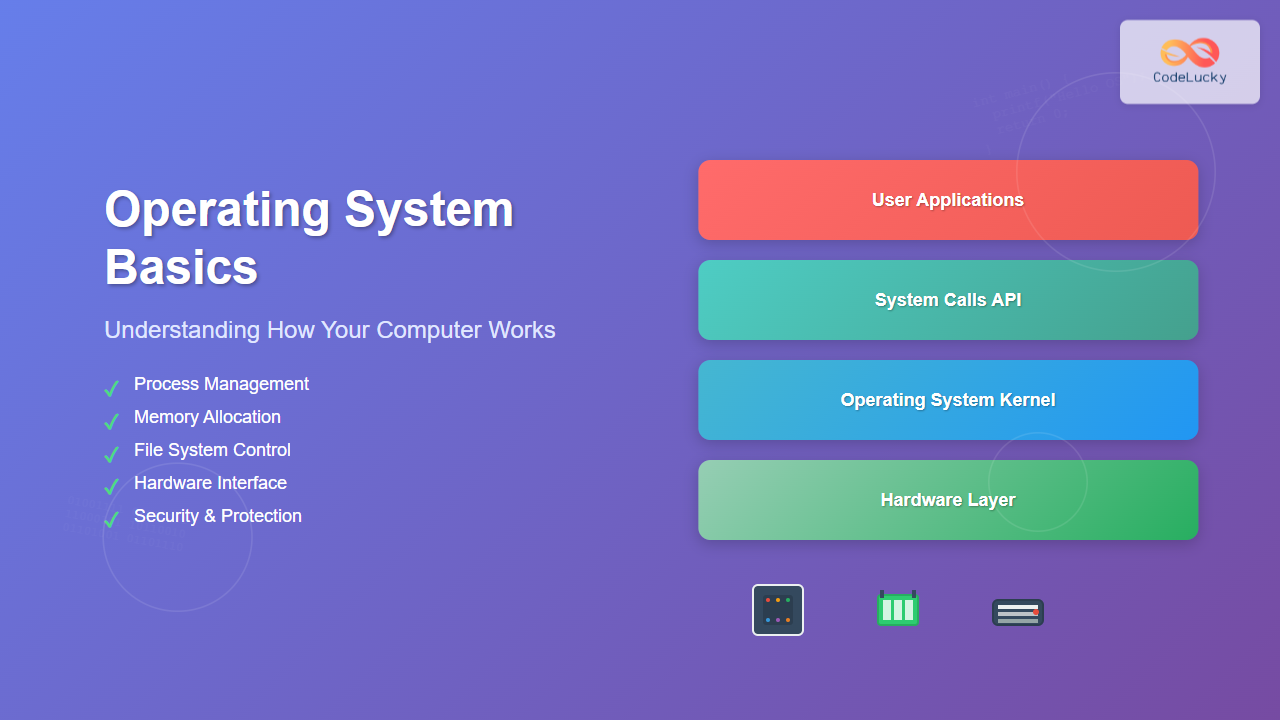
An operating system (OS) is the fundamental software that manages computer hardware and software resources, acting as an intermediary between users and computer hardware. It provides a platform for other programs to run and ensures efficient utilization of system resources while maintaining security and stability.
What is an Operating System?
An operating system is a collection of programs that controls the execution of application programs and acts as an interface between applications and computer hardware. Think of it as the manager of your computer – it decides which programs get to use the CPU, how much memory each program gets, and how they can access files and network resources.

Core Functions of an Operating System
1. Process Management
The OS manages all running processes, deciding which process gets CPU time and for how long. This includes:
- Process scheduling – Determining execution order
- Process creation and termination – Starting and stopping programs
- Process synchronization – Coordinating between processes
- Inter-process communication – Allowing processes to exchange data

2. Memory Management
The operating system allocates and deallocates memory space for programs and data. Key responsibilities include:
- Memory allocation – Assigning memory to processes
- Memory deallocation – Reclaiming unused memory
- Virtual memory management – Using disk space as extended RAM
- Memory protection – Preventing programs from accessing unauthorized memory
Example: When you open a web browser, the OS allocates a specific amount of RAM for it. If you open multiple tabs, the OS may use virtual memory (swap space) if physical RAM runs low.
3. File System Management
The OS provides a structured way to store, organize, and retrieve data:
- File creation, deletion, and modification
- Directory structure management
- File permissions and security
- Backup and recovery operations
4. Device Management
The operating system controls and coordinates hardware devices through device drivers:
- Input devices – Keyboard, mouse, touchscreen
- Output devices – Monitor, printer, speakers
- Storage devices – Hard drives, SSDs, USB drives
- Network devices – Ethernet, Wi-Fi adapters
Types of Operating Systems
1. Batch Operating Systems
These systems process jobs in batches without user interaction. Jobs are collected and processed sequentially. Example: Early mainframe computers used batch processing for payroll and billing systems.
2. Time-Sharing Operating Systems
Multiple users can use the computer simultaneously through time slicing. Each user gets a small time slice of CPU time. Example: UNIX systems in universities where multiple students could log in simultaneously.
3. Real-Time Operating Systems (RTOS)
These systems guarantee response within specified time constraints. Critical for applications where timing is crucial:
- Hard Real-Time: Missing deadlines causes system failure (aircraft control systems)
- Soft Real-Time: Missing deadlines degrades performance (video streaming)
4. Distributed Operating Systems
Manage a collection of independent computers and make them appear as a single coherent system. Example: Google’s distributed systems that process search queries across thousands of servers.
5. Network Operating Systems
Designed to manage network resources and provide services to network clients. Examples: Windows Server, Linux server distributions.
Operating System Architecture

Kernel Types
1. Monolithic Kernel
All OS services run in kernel space as a single large program. Advantages: High performance due to direct function calls. Examples: Linux, traditional UNIX systems.
2. Microkernel
Only essential functions run in kernel space; other services run in user space. Advantages: Better security and stability. Examples: QNX, Minix.
3. Hybrid Kernel
Combines features of monolithic and microkernels. Examples: Windows NT, macOS.
System Calls and APIs
System calls are the interface between user programs and the operating system kernel. They allow programs to request services from the OS:
Common System Call Categories
- Process Control:
fork(),exec(),wait() - File Management:
open(),read(),write(),close() - Device Management:
ioctl(), device-specific calls - Information Maintenance:
getpid(),time() - Communication:
pipe(),socket()
System Call Example
When a program wants to write data to a file:
// C program example
#include <unistd.h>
#include <fcntl.h>

int main() {
    int fd = open("example.txt", O_WRONLY | O_CREAT, 0644);
    write(fd, "Hello, World!", 13);
    close(fd);
    return 0;
}
This program makes three system calls: open(), write(), and close().
Process Management in Detail
Process States

Process Control Block (PCB)
Each process has a PCB containing:
- Process ID (PID) – Unique identifier
- Program Counter – Next instruction address
- CPU Registers – Current register values
- Memory Management Information – Page tables, segments
- I/O Status Information – Open files, devices
- Accounting Information – CPU time used, time limits
CPU Scheduling Algorithms
First Come First Serve (FCFS)
Processes are executed in the order they arrive. Simple but can lead to poor average waiting time if long processes arrive first.
Shortest Job First (SJF)
Execute the process with the smallest execution time first. Minimizes average waiting time but requires knowing execution times in advance.
Round Robin (RR)
Each process gets a fixed time slice (quantum). When the quantum expires, the process is moved to the back of the ready queue.
Example: With quantum = 4ms and processes P1(10ms), P2(3ms), P3(7ms):
Time 0-4:   P1 runs (6ms remaining)
Time 4-7:   P2 runs (0ms remaining, completes)
Time 7-11:  P3 runs (3ms remaining)
Time 11-15: P1 runs (2ms remaining)
Time 15-18: P3 runs (0ms remaining, completes)
Time 18-20: P1 runs (0ms remaining, completes)
Memory Management Techniques
Paging
Physical memory is divided into fixed-size blocks called frames, and logical memory is divided into blocks of the same size called pages. This eliminates external fragmentation.
Segmentation
Memory is divided into variable-size segments that correspond to logical units like functions, data structures, or objects.
Virtual Memory
Allows programs to use more memory than physically available by using disk storage as an extension of RAM. Pages are swapped between RAM and disk as needed.
Example: A computer with 8GB RAM can run programs that collectively require 12GB by storing less-frequently-used pages on disk.
Popular Operating Systems
Desktop Operating Systems
- Windows: Most popular desktop OS, user-friendly interface, extensive software compatibility
- macOS: Apple’s UNIX-based OS, known for design and integration with Apple ecosystem
- Linux: Open-source, highly customizable, popular among developers and servers
Mobile Operating Systems
- Android: Linux-based, open-source, largest mobile market share
- iOS: Apple’s mobile OS, closed-source, known for security and user experience
Server Operating Systems
- Linux Server Distributions: Ubuntu Server, CentOS, Red Hat Enterprise Linux
- Windows Server: Enterprise-focused with Active Directory integration
- Unix Variants: AIX, Solaris for high-performance computing
Security in Operating Systems
Access Control
Operating systems implement various access control mechanisms:
- User Authentication: Passwords, biometrics, multi-factor authentication
- Authorization: File permissions, role-based access control
- Auditing: Logging access attempts and system events
Protection Mechanisms
- Memory Protection: Preventing processes from accessing unauthorized memory
- File Protection: Access permissions (read, write, execute)
- Process Isolation: Preventing processes from interfering with each other
Performance Optimization
System Monitoring
Modern operating systems provide tools to monitor system performance:
- CPU Usage: Track which processes consume the most CPU time
- Memory Usage: Monitor RAM consumption and identify memory leaks
- Disk I/O: Analyze read/write operations and identify bottlenecks
- Network Activity: Monitor bandwidth usage and connection statistics
Optimization Techniques
- Caching: Store frequently accessed data in faster storage
- Prefetching: Load data before it’s requested
- Load Balancing: Distribute work across multiple processors or cores
- Resource Scheduling: Prioritize critical processes and operations
Future of Operating Systems
Operating systems continue to evolve with technological advances:
Cloud-Native Operating Systems
Designed specifically for cloud computing environments, focusing on containerization and microservices architecture. Examples include Container Linux and Bottlerocket.
IoT Operating Systems
Lightweight systems designed for Internet of Things devices with limited resources. Examples include FreeRTOS, Contiki, and Riot OS.
Quantum Operating Systems
Emerging field focused on managing quantum computing resources, handling quantum algorithms, and interfacing with classical systems.
Conclusion
Operating systems are the backbone of modern computing, providing essential services that enable applications to run efficiently and securely. Understanding OS fundamentals helps developers write better software, system administrators manage resources effectively, and users make informed decisions about their computing needs.
From simple batch processing systems to complex distributed environments, operating systems have evolved to meet changing technological demands while maintaining core principles of resource management, security, and user interaction. As computing continues to advance into areas like cloud computing, IoT, and quantum systems, operating systems will adapt to provide the foundation for these new paradigms.
Related Posts
Operating System Functions: Core Components and System Responsibilities
An operating system (OS) serves as the fundamental software layer that manages computer hardware resources and provides essential services to...
Windows Operating System: Complete Guide to Architecture and Core Components
The Windows Operating System stands as one of the most widely used operating systems globally, powering billions of devices from...
Kernel in Operating System: Core Functions and Memory Management
The kernel stands as the fundamental cornerstone of any operating system, serving as the critical bridge between hardware components and...
Distributed Operating System: Complete Guide to Network-based OS Architecture
What is a Distributed Operating System? A distributed operating system is a sophisticated software system that manages and coordinates multiple...
Process in Operating System: Complete Guide to Definition, States and Lifecycle
What is a Process in Operating System? A process is a program in execution that consists of the program code...
Process Creation in OS: Fork, Exec and Process Spawning Complete Guide
Introduction to Process Creation in Operating Systems Process creation is one of the fundamental concepts in operating systems that enables...
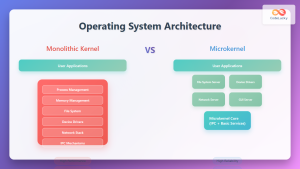
Operating System Architecture: Monolithic vs Microkernel Design Patterns
Introduction to Operating System Architecture Operating system architecture defines how the core components of an OS are organized and interact...
Multithreading in Operating Systems: Benefits, Challenges, and Implementation Guide
What is Multithreading in Operating Systems? Multithreading is a fundamental concept in modern operating systems that allows a single process...
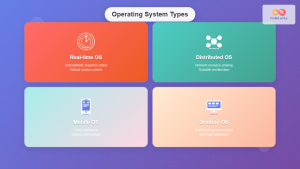
Operating System Types: Real-time, Distributed, Mobile and Desktop Systems Explained
Operating systems serve as the crucial bridge between computer hardware and software applications, but not all operating systems are created...
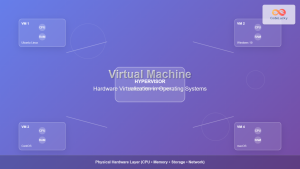
Virtual Machine in Operating System: Complete Guide to Hardware Virtualization Technology
What is a Virtual Machine in Operating System? A Virtual Machine (VM) is a software-based emulation of a physical computer...
Thread in Operating System: Lightweight Processes and Multithreading Explained
What are Threads in Operating Systems? A thread is the smallest unit of execution within a process that can be...
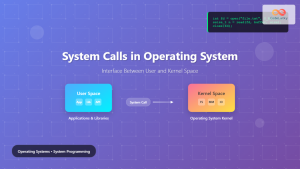
System Calls in Operating System: Complete Guide to User-Kernel Interface
System calls serve as the fundamental bridge between user applications and the operating system kernel, enabling programs to request services...





