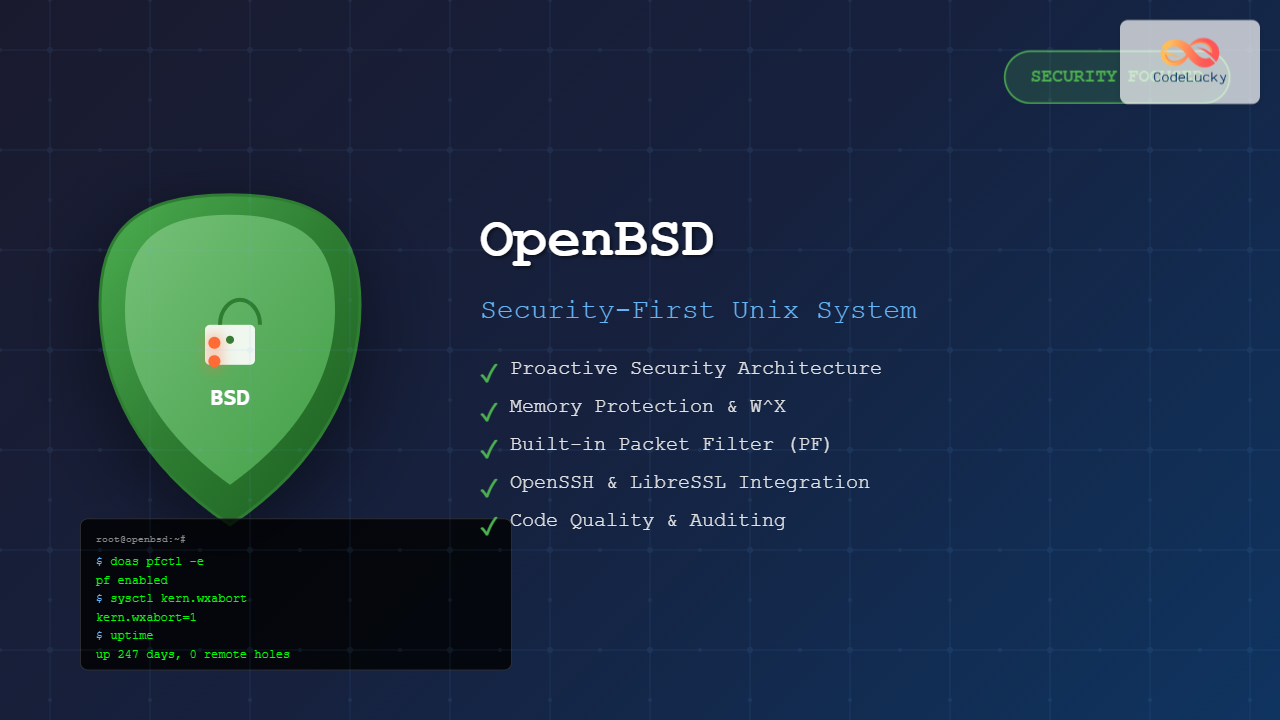
OpenBSD stands as one of the most security-focused operating systems in the world, prioritizing correctness and security above all else. Developed by Theo de Raadt in 1995, this Unix-like operating system has gained a reputation for its proactive security measures, clean code, and innovative security technologies.
What is OpenBSD?
OpenBSD is a free and open-source Unix-like operating system descended from Berkeley Software Distribution (BSD). Unlike other BSD variants, OpenBSD places security as its primary focus, with the project motto being “Only two remote holes in the default install, in a heck of a long time!”
Key Characteristics
- Security-First Design: Every component is audited for security vulnerabilities
- Proactive Security: Implements security measures before they become industry standard
- Code Quality: Emphasis on clean, readable, and maintainable code
- Documentation: Comprehensive and accurate manual pages
- Licensing: Uses permissive BSD license
OpenBSD Security Features

W^X (Write XOR Execute)
OpenBSD implements W^X protection, ensuring that memory pages are either writable or executable, but never both simultaneously. This prevents many buffer overflow exploits.
# Check W^X status
$ sysctl kern.wxabort
kern.wxabort=1

# View memory mapping with W^X protection
$ procmap $$
Start    End      Size     Offset   rwxSepc  RWX  I/W/A Dev   Inode - File
08048000-08049000     4096          0 r-x--   rwx  COW   1:0      - [text]
08049000-0804a000     4096      4096 rw---   rwx  COW   1:0      - [data]
Address Space Layout Randomization (ASLR)
ASLR randomizes the memory locations of key program components, making it difficult for attackers to predict memory addresses for exploitation.
# Enable ASLR (default on OpenBSD)
$ sysctl kern.aslr.enable=1

# Check randomization
$ for i in {1..3}; do /bin/sh -c 'cat /proc/self/maps | head -1'; done
7f8b2c000000-7f8b2c021000 r-xp 00000000 08:01 1048577    /bin/sh
7f9a3d000000-7f9a3d021000 r-xp 00000000 08:01 1048577    /bin/sh
7fb14e000000-7fb14e021000 r-xp 00000000 08:01 1048577    /bin/sh
Installation and Setup
System Requirements
- Minimum RAM: 64MB (512MB recommended)
- Storage: 1GB minimum (4GB recommended)
- Architecture: amd64, arm64, i386, and many others
Installation Process
OpenBSD’s installation is straightforward and security-focused by default:
# Boot from installation media
Welcome to the OpenBSD/amd64 7.4 installation program.
(I)nstall, (U)pgrade, (A)utoinstall or (S)hell? I

# Follow prompts for disk partitioning
Available disks are: sd0.
Which disk is the root disk? ('?' for details) [sd0] sd0

# Default partitioning scheme
Use (W)hole disk MBR, whole disk (G)PT, or (E)dit the MBR? [whole] W
Use (A)uto layout, (E)dit auto layout, or create (C)ustom layout? [a] A

# Network configuration
Network interface to configure? (name, lladdr, '?', or 'none') [em0] em0
IPv4 address for em0? (or 'none' or 'dhcp') [dhcp] dhcp

# User setup
Setup a user? (enter a lower-case loginname, or 'no') [no] admin
Full name for user admin? [admin] Admin User
Password for user admin? [will not echo]
Package Management with pkg_add
OpenBSD uses a simple but effective package management system:
# Search for packages
$ pkg_info -Q firefox
firefox-118.0.2
firefox-esr-115.4.0

# Install packages
$ doas pkg_add firefox
quirks-6.159 signed on 2023-10-15T10:26:25Z
firefox-118.0.2:gtk+3-3.24.38 signed on 2023-10-15T10:26:25Z
firefox-118.0.2 signed on 2023-10-15T10:26:25Z

# List installed packages
$ pkg_info
firefox-118.0.2    Mozilla web browser
gtk+3-3.24.38      multi-platform GUI toolkit

# Remove packages
$ doas pkg_delete firefox
Security Configuration Examples
Packet Filter (PF) Configuration
OpenBSD’s Packet Filter is one of the most powerful firewalls available:
# /etc/pf.conf - Basic firewall configuration
# Macros
ext_if = "em0"
int_if = "em1"
icmp_types = "echoreq"

# Options
set block-policy return
set loginterface $ext_if

# Normalization
match in all scrub (no-df random-id max-mss 1440)

# Default deny
block in log all
pass out keep state

# Allow SSH
pass in on $ext_if proto tcp from any to any port 22 keep state

# Allow HTTP/HTTPS
pass in on $ext_if proto tcp from any to any port { 80, 443 } keep state

# Allow ping
pass in inet proto icmp icmp-type $icmp_types keep state

# Load and enable rules
$ doas pfctl -f /etc/pf.conf
$ doas pfctl -e
OpenSSH Configuration
Secure SSH configuration example:
# /etc/ssh/sshd_config
Protocol 2
Port 22
ListenAddress 0.0.0.0

# Authentication
PermitRootLogin no
PasswordAuthentication no
PubkeyAuthentication yes
AuthorizedKeysFile .ssh/authorized_keys

# Security settings
AllowUsers admin
MaxAuthTries 3
MaxSessions 2
ClientAliveInterval 300
ClientAliveCountMax 2

# Disable dangerous features
PermitEmptyPasswords no
PermitUserEnvironment no
AllowAgentForwarding no
AllowTcpForwarding no
X11Forwarding no

# Restart SSH service
$ doas rcctl restart sshd
System Administration
Service Management with rcctl
# List all available services
$ rcctl ls all

# Check service status
$ rcctl check httpd
httpd(ok)

# Enable and start a service
$ doas rcctl enable httpd
$ doas rcctl start httpd

# Disable and stop a service
$ doas rcctl stop httpd
$ doas rcctl disable httpd

# View service configuration
$ rcctl get httpd
httpd_class=daemon
httpd_flags=
httpd_logger=
httpd_rtable=0
httpd_timeout=30
httpd_user=root
User Management and doas
OpenBSD uses ‘doas’ instead of ‘sudo’ for privilege escalation:
# /etc/doas.conf configuration
permit persist :wheel
permit nopass admin as root cmd /usr/sbin/pkg_add
permit nopass admin as root cmd /usr/sbin/pkg_delete

# Add user to wheel group
$ doas usermod -G wheel admin

# Test doas configuration
$ doas -C /etc/doas.conf
/etc/doas.conf is valid

# Use doas for privileged commands
$ doas pkg_add vim
$ doas rcctl restart httpd
Networking and Security Tools
Network Security Scanning
# Port scanning with nmap (install first)
$ doas pkg_add nmap
$ nmap -sS -O localhost
Starting Nmap 7.94 ( https://nmap.org )
Nmap scan report for localhost (127.0.0.1)
Host is up (0.00050s latency).
Not shown: 998 closed ports
PORT   STATE SERVICE
22/tcp open  ssh
80/tcp open  http

# Network connection monitoring
$ netstat -an | grep LISTEN
tcp  0  0  *.22     *.*      LISTEN
tcp6 0  0  *.22     *.*      LISTEN

# Active connections
$ fstat | grep internet
admin    firefox    3  internet stream tcp 192.168.1.100:49152 -> 216.58.194.174:443
System Security Auditing
# Check for security updates
$ doas syspatch
001_pf
002_ssh
Get/Verify syspatch001_pf.tgz 100% |****| 15432      00:00
Installing patch 001_pf
Get/Verify syspatch002_ssh.tgz 100% |****| 8765       00:00
Installing patch 002_ssh

# File integrity checking
$ doas mtree -f /etc/mtree/special -p /etc
/etc/hostname.em0: modification time (Tue Oct 17 10:30:22 2023, Tue Oct 17 10:45:15 2023)

# System log analysis
$ doas grep "authentication failure" /var/log/authlog
Oct 17 10:15:32 openbsd sshd[12345]: authentication failure; logname= uid=0 euid=0 tty=ssh ruser= rhost=192.168.1.50  user=root
Development Environment Setup

Setting up Development Tools
# Install development packages
$ doas pkg_add git vim python3 node

# Verify installations
$ cc --version
OpenBSD clang version 13.0.0
$ git --version
git version 2.41.0
$ python3 --version
Python 3.11.5

# Create development workspace
$ mkdir -p ~/projects/c-project
$ cd ~/projects/c-project

# Sample C program with security considerations
$ cat > secure_example.c << 'EOF'
#include
#include
#include
#include

int main(int argc, char *argv[]) {
    char buffer[256];

    // Secure input handling
    if (argc != 2) {
        fprintf(stderr, "Usage: %s \n", argv[0]);
        return 1;
    }

    // Use strlcpy instead of strcpy for safety
    if (strlcpy(buffer, argv[1], sizeof(buffer)) >= sizeof(buffer)) {
        fprintf(stderr, "Input too long\n");
        return 1;
    }

    printf("Secure message: %s\n", buffer);
    return 0;
}
EOF

# Compile with security flags
$ cc -Wall -Wextra -fstack-protector-strong -D_FORTIFY_SOURCE=2 -o secure_example secure_example.c

# Test the program
$ ./secure_example "Hello OpenBSD"
Secure message: Hello OpenBSD
Performance and Monitoring
System Performance Monitoring
# System resource usage
$ top -d1
load averages:  0.15,  0.25,  0.18    openbsd 07:42:22
25 processes: 24 idle, 1 on processor
CPU states:  2.1% user,  0.0% nice,  1.4% system,  0.7% interrupt, 95.8% idle
Memory: 487M used (89M wired), 537M free, 1.0G total

# Memory usage details
$ vmstat 1 5
 procs    memory       page                    disks    traps      cpu
 r b w    avm     fre  flt  re  pi  po  fr  sr wd0 wd1  int   sys   cs us sy id
 0 0 0  89520  549716   24   0   0   0   0   0   0   0   67   198   89  1  1 98

# Disk usage and I/O
$ df -h
Filesystem     Size    Used   Avail Capacity  Mounted on
/dev/sd0a      985M    156M    780M    17%    /
/dev/sd0f      1.9G    2.0K    1.8G     0%    /home
/dev/sd0d      1.9G    6.0K    1.8G     0%    /tmp
/dev/sd0e      7.8G    1.1G    6.3G    15%    /usr

$ iostat 1 3
      tty            wd0             cpu
 tin tout  KB/t tps  MB/s   us ni sy in id
   0   34 16.00   1  0.02    1  0  1  1 97
   0   34  0.00   0  0.00    0  0  0  0100
   0   34  0.00   0  0.00    0  0  0  0100
Security Best Practices

System Hardening Checklist
# 1. Keep system updated
$ doas syspatch
$ doas pkg_add -u

# 2. Configure secure file permissions
$ doas chmod 600 /etc/ssh/ssh_host_*_key
$ doas chmod 644 /etc/ssh/ssh_host_*_key.pub

# 3. Secure /tmp with noexec
# Add to /etc/fstab
swap /tmp mfs rw,nodev,nosuid,noexec,-s=100m 0 0

# 4. Enable process accounting
$ doas touch /var/account/acct
$ doas accton /var/account/acct

# 5. Configure log retention
# /etc/newsyslog.conf
/var/log/messages    644  5     1000  *     Z

# 6. Set up intrusion detection
$ doas pkg_add aide
$ doas aide --init
$ doas mv /var/lib/aide/aide.db.new /var/lib/aide/aide.db

# Run daily checks
$ doas aide --check
Troubleshooting Common Issues
Network Connectivity Issues
# Check network interface status
$ ifconfig em0
em0: flags=8843 mtu 1500
        lladdr 52:54:00:12:34:56
        inet 192.168.1.100 netmask 0xffffff00 broadcast 192.168.1.255

# Test connectivity
$ ping -c 3 8.8.8.8
PING 8.8.8.8 (8.8.8.8): 56 data bytes
64 bytes from 8.8.8.8: icmp_seq=0 ttl=116 time=12.345 ms

# Check routing table
$ route show
Routing tables
Internet:
Destination        Gateway            Flags   Refs      Use   Mtu  Prio Iface
default            192.168.1.1        UGS        2       18     -     8 em0
192.168.1/24       link#1             UC         1        0     -     4 em0
Service Issues
# Debug service startup issues
$ doas rcctl -d start httpd
doing _rc_parse_conf
doing _rc_quirks
httpd_flags empty, using default ><
doing _rc_wait start
doing _rc_check
httpd(ok)
(ok)

# Check service logs
$ doas tail -f /var/log/daemon
Oct 17 10:30:15 openbsd httpd[23456]: startup
Oct 17 10:30:15 openbsd httpd[23456]: server default started
Conclusion
OpenBSD represents the pinnacle of secure operating system design, offering unparalleled security features and code quality. Its proactive security approach, comprehensive documentation, and powerful built-in tools make it an excellent choice for security-conscious developers and system administrators.
The operating system’s emphasis on correctness over features ensures a stable and secure platform for critical applications. Whether you’re building secure network infrastructure, developing security-focused applications, or learning about system security, OpenBSD provides an excellent foundation.
By following the examples and best practices outlined in this guide, you can leverage OpenBSD’s security features to build robust, secure systems that stand up to modern security challenges. The investment in learning OpenBSD pays dividends in understanding fundamental security principles that apply across all computing platforms.