
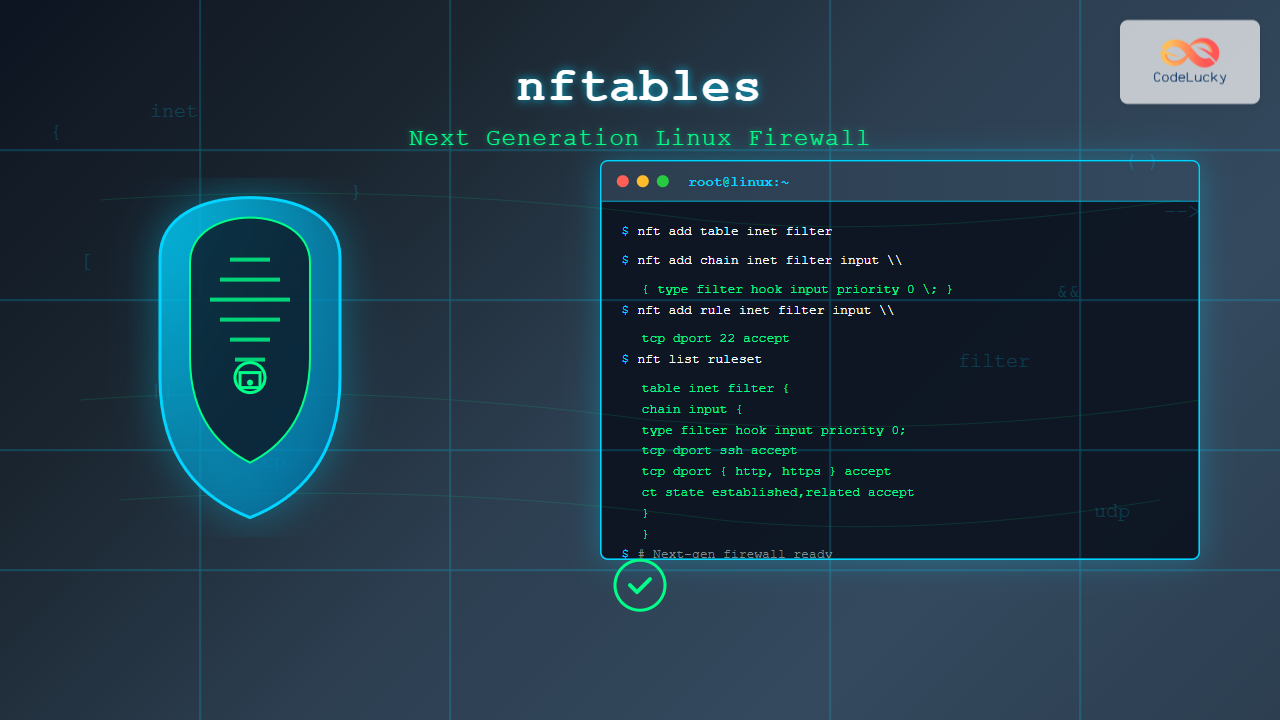
nftables is a modern Linux kernel subsystem that provides packet classification and filtering capabilities, serving as the next-generation replacement for the legacy iptables framework. Introduced in Linux kernel 3.13, nftables offers improved performance, simplified syntax, and enhanced flexibility for network security management.
What is nftables?
nftables is a comprehensive netfilter framework that combines the functionality of iptables, ip6tables, arptables, and ebtables into a single, unified interface. It uses a new kernel API that provides better performance and more intuitive rule management compared to its predecessors.
Key Advantages of nftables
- Unified Framework: Single tool for IPv4, IPv6, ARP, and bridge filtering
- Improved Performance: More efficient rule processing and lookup mechanisms
- Simplified Syntax: Human-readable configuration language
- Atomic Rule Updates: Rules are updated atomically, reducing security gaps
- Better Scripting Support: Native JSON support and improved automation capabilities
Installing nftables
Most modern Linux distributions include nftables by default. Here’s how to install it on different systems:
Ubuntu/Debian
sudo apt update
sudo apt install nftables
CentOS/RHEL/Fedora
sudo dnf install nftablesArch Linux
sudo pacman -S nftablesBasic nftables Concepts
Core Components
- Tables: Container for chains, similar to iptables tables
- Chains: Container for rules, defining when rules are processed
- Rules: Individual filtering statements with match criteria and actions
- Sets: Named collections of elements for efficient matching
- Maps: Key-value pairs for advanced packet processing
nftables Command Syntax
The basic nftables command structure follows this pattern:
nft [options] command [family] [table] [chain] [rule]Address Families
ip– IPv4 packetsip6– IPv6 packetsinet– IPv4 and IPv6 packetsarp– ARP packetsbridge– Bridge packetsnetdev– Network device packets
Basic nftables Commands
Viewing Current Configuration
# List all rules
nft list ruleset

# List specific table
nft list table inet filter

# List specific chain
nft list chain inet filter input
Creating Tables and Chains
# Create a new table
nft add table inet filter

# Create a new chain
nft add chain inet filter input { type filter hook input priority 0 \; }

# Create output chain
nft add chain inet filter output { type filter hook output priority 0 \; }
Common nftables Examples
Example 1: Basic Firewall Setup
Let’s create a basic firewall configuration:
# Create main table
nft add table inet filter

# Create input chain with drop policy
nft add chain inet filter input { type filter hook input priority 0 \; policy drop \; }

# Create output chain with accept policy
nft add chain inet filter output { type filter hook output priority 0 \; policy accept \; }

# Allow loopback traffic
nft add rule inet filter input iif lo accept

# Allow established and related connections
nft add rule inet filter input ct state established,related accept

# Allow SSH (port 22)
nft add rule inet filter input tcp dport 22 accept

# Allow HTTP (port 80)
nft add rule inet filter input tcp dport 80 accept

# Allow HTTPS (port 443)
nft add rule inet filter input tcp dport 443 accept
Expected Output:
$ nft list ruleset
table inet filter {
    chain input {
        type filter hook input priority filter; policy drop;
        iif "lo" accept
        ct state established,related accept
        tcp dport 22 accept
        tcp dport 80 accept
        tcp dport 443 accept
    }

    chain output {
        type filter hook output priority filter; policy accept;
    }
}
Example 2: Port Range and Multiple Ports
# Allow port range (8000-8999)
nft add rule inet filter input tcp dport 8000-8999 accept

# Allow multiple specific ports
nft add rule inet filter input tcp dport { 80, 443, 8080, 8443 } accept

# Allow UDP DNS queries
nft add rule inet filter input udp dport 53 accept
Example 3: IP Address Filtering
# Allow specific IP address
nft add rule inet filter input ip saddr 192.168.1.100 accept

# Block specific IP address
nft add rule inet filter input ip saddr 192.168.1.200 drop

# Allow subnet
nft add rule inet filter input ip saddr 10.0.0.0/24 accept

# Block private networks from internet interface
nft add rule inet filter input iifname "eth0" ip saddr { 10.0.0.0/8, 172.16.0.0/12, 192.168.0.0/16 } drop
Advanced nftables Features
Using Sets for Efficient Rule Management
# Create a set of allowed IPs
nft add set inet filter allowed_ips { type ipv4_addr \; }

# Add IPs to the set
nft add element inet filter allowed_ips { 192.168.1.10, 192.168.1.20, 10.0.0.5 }

# Use the set in a rule
nft add rule inet filter input ip saddr @allowed_ips accept

# Create a set of blocked ports
nft add set inet filter blocked_ports { type inet_service \; }
nft add element inet filter blocked_ports { 23, 135, 139, 445 }
nft add rule inet filter input tcp dport @blocked_ports drop
Rate Limiting
# Limit SSH connection attempts
nft add rule inet filter input tcp dport 22 ct state new limit rate 3/minute accept

# Limit ping requests
nft add rule inet filter input icmp type echo-request limit rate 1/second accept

# Advanced rate limiting with burst
nft add rule inet filter input tcp dport 80 limit rate over 20/second burst 5 packets drop
Logging
# Log dropped packets
nft add rule inet filter input log prefix "\"INPUT-DROP: \"" level info drop

# Log specific protocol
nft add rule inet filter input tcp dport 22 log prefix "\"SSH-ACCESS: \"" accept

# Log with rate limiting
nft add rule inet filter input limit rate 1/second log prefix "\"RATE-LIMITED: \"" drop
NAT Configuration with nftables
Basic NAT Setup
# Create NAT table
nft add table ip nat

# Create prerouting chain for DNAT
nft add chain ip nat prerouting { type nat hook prerouting priority -100 \; }

# Create postrouting chain for SNAT/Masquerading
nft add chain ip nat postrouting { type nat hook postrouting priority 100 \; }

# Masquerade outgoing traffic
nft add rule ip nat postrouting oifname "eth0" masquerade

# Port forwarding (DNAT)
nft add rule ip nat prerouting iifname "eth0" tcp dport 8080 dnat to 192.168.1.100:80
Managing nftables Rules
Rule Insertion and Deletion
# Insert rule at beginning of chain
nft insert rule inet filter input tcp dport 25 drop

# Add rule with handle for easy management
nft --handle list chain inet filter input

# Delete rule by handle
nft delete rule inet filter input handle 5

# Replace existing rule
nft replace rule inet filter input handle 3 tcp dport 443 accept
Flushing Rules
# Flush all rules in a chain
nft flush chain inet filter input

# Flush entire table
nft flush table inet filter

# Delete entire table
nft delete table inet filter
Saving and Loading Configurations
Exporting Configuration
# Save current ruleset to file
nft list ruleset > /etc/nftables.conf

# Export in JSON format
nft -j list ruleset > nftables.json
Loading Configuration
# Load from file
nft -f /etc/nftables.conf

# Load from JSON
nft -j -f nftables.json
Enable Persistent Rules
# Enable nftables service
sudo systemctl enable nftables
sudo systemctl start nftables

# Verify service status
sudo systemctl status nftables
Debugging and Troubleshooting
Testing Rules
# Check syntax without applying
nft --check -f test-rules.nft

# Trace packet processing
nft add rule inet filter input meta nftrace set 1
nft monitor trace

# View detailed statistics
nft list ruleset -a -n
Common Issues and Solutions
- Permission Denied: Always use sudo for nftables commands
- Syntax Errors: Check semicolons and bracket placement
- Chain Priority: Ensure proper priority values for hook chains
- Rule Conflicts: Order rules from specific to general
Migration from iptables
nftables provides translation tools to help migrate from iptables:
# Translate iptables rule to nftables
iptables-translate -A INPUT -p tcp --dport 22 -j ACCEPT

# Output: nft add rule ip filter INPUT tcp dport 22 accept

# Translate entire iptables-save output
iptables-save > iptables-rules.txt
iptables-restore-translate -f iptables-rules.txt > nftables-rules.nft
Best Practices
Security Guidelines
- Always set a default DROP policy for input chains
- Allow loopback traffic explicitly
- Use connection tracking for stateful filtering
- Implement rate limiting for public services
- Log suspicious activities for monitoring
Performance Optimization
- Use sets for multiple elements instead of individual rules
- Place frequently matched rules at the beginning
- Utilize maps for complex matching scenarios
- Avoid unnecessary rule complexity
Conclusion
nftables represents a significant advancement in Linux firewall technology, offering improved performance, simplified syntax, and enhanced flexibility compared to iptables. Its unified framework approach makes it easier to manage complex network security policies while providing powerful features like sets, maps, and atomic rule updates.
Whether you’re migrating from iptables or starting fresh with nftables, understanding its core concepts and command structure is essential for effective network security management. The examples and configurations provided in this guide offer a solid foundation for implementing robust firewall policies using nftables.
As nftables continues to evolve and become the standard firewall framework in modern Linux distributions, mastering its capabilities will be crucial for system administrators and security professionals working with Linux systems.
Related Posts
iptables Advanced Linux: Complete Guide to Advanced Firewall Rules and Security Configuration
iptables is the most powerful and flexible firewall solution available for Linux systems, offering granular control over network traffic through...
UFW Advanced Linux: Complete Guide to Advanced Firewall Configuration and Security Management
UFW (Uncomplicated Firewall) serves as Ubuntu's default firewall configuration tool, providing a user-friendly interface to manage iptables rules. While UFW...

iptables Command Linux: Complete Guide to Configure Firewall Rules
The iptables command is one of the most powerful and essential tools for managing firewall rules in Linux systems. As...
ip6tables Command Linux: Complete Guide to IPv6 Firewall Management and Security
The ip6tables command is the IPv6 counterpart to the popular iptables firewall utility in Linux. As IPv6 adoption continues to...
ufw Command Linux: Complete Guide to Uncomplicated Firewall Management
The Uncomplicated Firewall (ufw) is a user-friendly frontend for managing iptables firewall rules in Linux systems. Designed to simplify firewall...
firewalld Linux: Complete Dynamic Firewall Management Guide
firewalld is a powerful, dynamic firewall management tool for Linux systems that provides a flexible and user-friendly interface for managing...
packetbeat Linux: Complete Network Packet Analysis Tool Guide
Network packet analysis is crucial for system administrators, security professionals, and developers who need to monitor, troubleshoot, and secure network...
tcpdump Command Linux: Complete Guide to Network Packet Capture and Analysis
The tcpdump command is one of the most powerful network analysis tools available in Linux systems. It allows system administrators...
iptraf Command Linux: Complete Interactive Network Monitoring Guide
The iptraf command is a powerful console-based network monitoring utility for Linux systems that provides real-time IP LAN monitoring capabilities....
ip Command Linux: Complete Guide to Advanced Network Configuration and Management
The ip command is one of the most powerful and versatile networking tools in Linux, serving as the modern replacement...
Wireshark Command Linux: Complete Network Protocol Analyzer Guide
Wireshark is the world's most popular network protocol analyzer, providing deep visibility into network traffic and communication protocols. While most...
nmap Command Linux: Complete Guide to Network Mapping and Port Scanning
The nmap (Network Mapper) command is one of the most powerful and versatile network discovery and security auditing tools available...





