
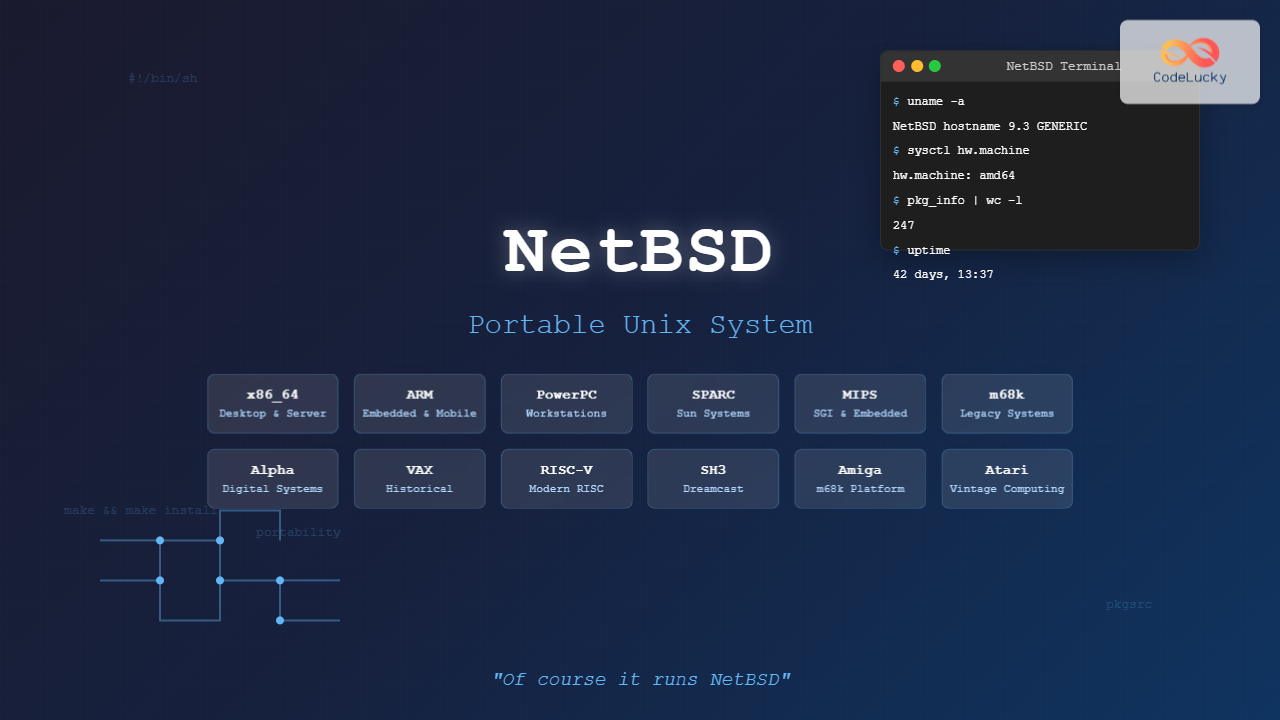
NetBSD stands as one of the most remarkable achievements in operating system design, embodying the philosophy “Of course it runs NetBSD.” This Unix-like operating system has earned its reputation through exceptional portability, running on more hardware platforms than any other operating system in existence. From embedded systems to mainframes, NetBSD demonstrates that good design transcends architectural boundaries.
What is NetBSD?
NetBSD is a free, fast, secure, and highly portable Unix-like open source operating system. It’s available for a wide range of platforms, from 64-bit x86 servers and desktop systems to handheld and embedded devices. The project emphasizes clean design, well-written code, and adherence to standards.
Originally derived from the Berkeley Software Distribution (BSD), NetBSD was first released in 1993 and has since evolved into a robust, production-ready operating system suitable for both academic research and commercial deployment.
Key Features and Characteristics
Exceptional Portability
NetBSD’s claim to fame is its unparalleled portability. The system supports over 70 different hardware platforms, including:
- Desktop and Server Architectures: x86, x86_64, ARM, PowerPC, SPARC
- Embedded Systems: Various ARM boards, MIPS devices, microcontrollers
- Legacy Systems: VAX, Alpha, m68k, and many discontinued architectures
- Exotic Hardware: Dreamcast, Amiga, Acorn, and specialized industrial systems

Clean Architecture
NetBSD follows a microkernel-inspired design while maintaining monolithic kernel performance. The system emphasizes:
- Modularity: Well-separated subsystems with clear interfaces
- Standards Compliance: POSIX and other Unix standards adherence
- Code Quality: Rigorous code review and testing processes
- Documentation: Comprehensive man pages and technical documentation
Advanced Networking
NetBSD includes sophisticated networking capabilities:
- IPv4 and IPv6 support with advanced routing
- IPsec implementation for secure communications
- Packet filtering with NPF (NetBSD Packet Filter)
- Network stack optimization for various workloads
System Architecture Overview

Installation and Getting Started
System Requirements
NetBSD’s minimal system requirements vary by architecture, but generally include:
- Memory: 32MB minimum (128MB recommended)
- Disk Space: 250MB minimum (1GB recommended for development)
- Processor: Any supported CPU architecture
Installation Process
The NetBSD installation process is straightforward and consistent across platforms:
- Download Installation Media: Obtain the appropriate ISO or installation files for your target architecture
- Boot Installation System: Start from CD, USB, or network boot
- Partition Configuration: Use the built-in partitioning tools
- Base System Installation: Install the core system components
- Configuration: Set up networking, users, and services
Example Installation Commands
During installation, you’ll encounter familiar Unix commands. Here’s an example of the partitioning process:
# List available disks
dmesg | grep -E '^[ws]d[0-9]'

# Create disk label
disklabel -e wd0

# Format file system
newfs /dev/rwd0a

# Mount and proceed with installation
mount /dev/wd0a /mnt
Package Management with pkgsrc
NetBSD uses pkgsrc, a highly portable package management system that works across multiple operating systems. This system provides access to over 20,000 third-party packages.
Basic pkgsrc Usage
# Update package database
pkg_add -u

# Search for packages
pkg_info -Q firefox

# Install a package
pkg_add firefox

# Remove a package
pkg_delete firefox

# List installed packages
pkg_info
Building from Source
One of pkgsrc’s strengths is building packages from source:
# Navigate to package directory
cd /usr/pkgsrc/www/firefox

# Build and install
make install

# Clean build artifacts
make clean
Development Environment
Native Development Tools
NetBSD provides a complete development environment:
- Compiler Suite: GCC and Clang support
- Debugger: GDB integration
- Build System: BSD make with advanced features
- Version Control: CVS (native) and Git (via pkgsrc)
Cross-Development Capabilities
NetBSD excels at cross-development, allowing you to build for different architectures:
# Build cross-compilation tools for ARM
./build.sh -T /usr/cross -m evbarm tools

# Build kernel for target architecture
./build.sh -T /usr/cross -m evbarm kernel=GENERIC

# Build userland
./build.sh -T /usr/cross -m evbarm distribution

System Administration
Service Management
NetBSD uses a traditional init system with rc scripts:
# Start a service
/etc/rc.d/sshd start

# Stop a service
/etc/rc.d/sshd stop

# Check service status
/etc/rc.d/sshd status

# Enable service at boot
echo 'sshd=YES' >> /etc/rc.conf
User Management
# Add a user
useradd -m -s /bin/sh username

# Modify user
usermod -G wheel username

# Delete user
userdel -r username

# Password management
passwd username
File System Management
NetBSD supports various file systems with robust management tools:
# Check file system
fsck /dev/rwd0a

# Mount file system
mount -t ffs /dev/wd0e /home

# Unmount
umount /home

# Show mounted file systems
mount
Security Features
Built-in Security
NetBSD incorporates numerous security features:
- Kernel Security: W^X (Write XOR Execute) memory protection
- Stack Protection: Stack smashing protection (SSP)
- ASLR: Address Space Layout Randomization
- Privilege Separation: Many system services run with minimal privileges
Network Security
Advanced networking security features include:
- NPF (NetBSD Packet Filter): Modern, efficient packet filtering
- IPsec: Built-in support for secure communications
- Cryptographic Framework: Hardware-accelerated crypto operations
Example NPF Configuration
# Basic NPF configuration
$ext_if = "wm0"
$int_if = "wm1"

# Default deny policy
block all

# Allow loopback
pass on lo0

# Allow established connections
pass stateful out on $ext_if all

# Allow SSH
pass in on $ext_if proto tcp to port ssh

# Enable NAT
nat on $ext_if from $int_if/24 -> $ext_if
Performance and Optimization
System Tuning
NetBSD provides extensive tuning options through sysctl:
# View current settings
sysctl -a | grep vm

# Adjust virtual memory settings
sysctl -w vm.max_map_count=65536

# Persistent changes in /etc/sysctl.conf
echo 'vm.max_map_count=65536' >> /etc/sysctl.conf
Kernel Configuration
Custom kernel building for optimal performance:
# Copy kernel configuration
cd /usr/src/sys/arch/amd64/conf
cp GENERIC MYKERNEL

# Edit configuration
vi MYKERNEL

# Build kernel
config MYKERNEL
cd ../compile/MYKERNEL
make depend && make

# Install new kernel
cp netbsd /netbsd.new
mv /netbsd.new /netbsd

Use Cases and Applications
Embedded Systems
NetBSD’s small footprint and portability make it ideal for embedded applications:
- IoT devices and sensors
- Network appliances and routers
- Industrial control systems
- Medical devices
Research and Education
Academic institutions favor NetBSD for:
- Operating system research
- Computer architecture studies
- Network protocol development
- Security research platforms
Legacy System Support
NetBSD excels in maintaining older hardware:
- Vintage computer restoration
- Industrial equipment modernization
- Historical system preservation
- Specialized hardware platforms
Community and Development
Project Governance
NetBSD operates under a core team model:
- Core Team: Technical leadership and project direction
- Developers: Commit access to source repository
- Contributors: Bug reports, patches, and documentation
- Users: Testing, feedback, and community support
Getting Involved
Ways to contribute to NetBSD:
- Submit bug reports and patches
- Port software to new architectures
- Improve documentation
- Test on various hardware platforms
- Participate in mailing list discussions
Comparison with Other BSD Systems

| Aspect | NetBSD | FreeBSD | OpenBSD |
|---|---|---|---|
| Primary Focus | Portability | Performance | Security |
| Supported Platforms | 70+ | 13 | 17 |
| Package System | pkgsrc | ports/pkg | ports/pkg_add |
| Release Cycle | ~2 years | ~4 months | 6 months |
Future Developments
Ongoing Projects
NetBSD continues evolving with several active development areas:
- Kernel Improvements: SMP scalability enhancements
- Hardware Support: New architecture ports and driver development
- Security Enhancements: Advanced mitigation techniques
- Performance Optimization: Network stack and file system improvements
Emerging Technologies
NetBSD adapts to new technological trends:
- Container and virtualization support
- ARM64 and RISC-V architecture support
- Modern file system integration
- Cloud and embedded deployment tools
Conclusion
NetBSD represents the pinnacle of portable Unix design, demonstrating that quality software transcends hardware boundaries. Its commitment to clean code, standards compliance, and broad platform support makes it an excellent choice for diverse computing environments.
Whether you’re managing embedded systems, conducting research, maintaining legacy hardware, or simply appreciate well-engineered software, NetBSD offers a robust, reliable foundation. The project’s emphasis on portability doesn’t compromise functionality—it enhances it by ensuring consistent behavior across platforms.
As computing continues diversifying across architectures and form factors, NetBSD’s philosophy becomes increasingly relevant. The system proves that good design, careful implementation, and community dedication can create software that truly runs everywhere.
For developers, system administrators, and technology enthusiasts seeking an operating system that combines Unix heritage with modern capabilities while maintaining exceptional portability, NetBSD stands as an exemplary choice in the contemporary computing landscape.





