Mobile operating systems form the backbone of modern smartphones, with Android and iOS dominating the market with over 99% combined market share. Understanding their architecture is crucial for developers, system administrators, and technology enthusiasts who want to grasp how these sophisticated systems manage resources, security, and user interactions.
What is a Mobile Operating System?
A mobile operating system is specialized software that manages hardware resources, provides user interface, and runs applications on mobile devices. Unlike desktop operating systems, mobile OS are optimized for touch interfaces, battery efficiency, and limited processing power while maintaining security and performance.
Key Characteristics of Mobile Operating Systems
- Touch-optimized interface – Designed for finger-based navigation
- Power management – Advanced battery optimization algorithms
- App sandboxing – Isolated execution environments for applications
- Hardware abstraction – Unified interface for diverse hardware components
- Real-time capabilities – Responsive user interaction handling
Android Architecture: Layer by Layer Analysis
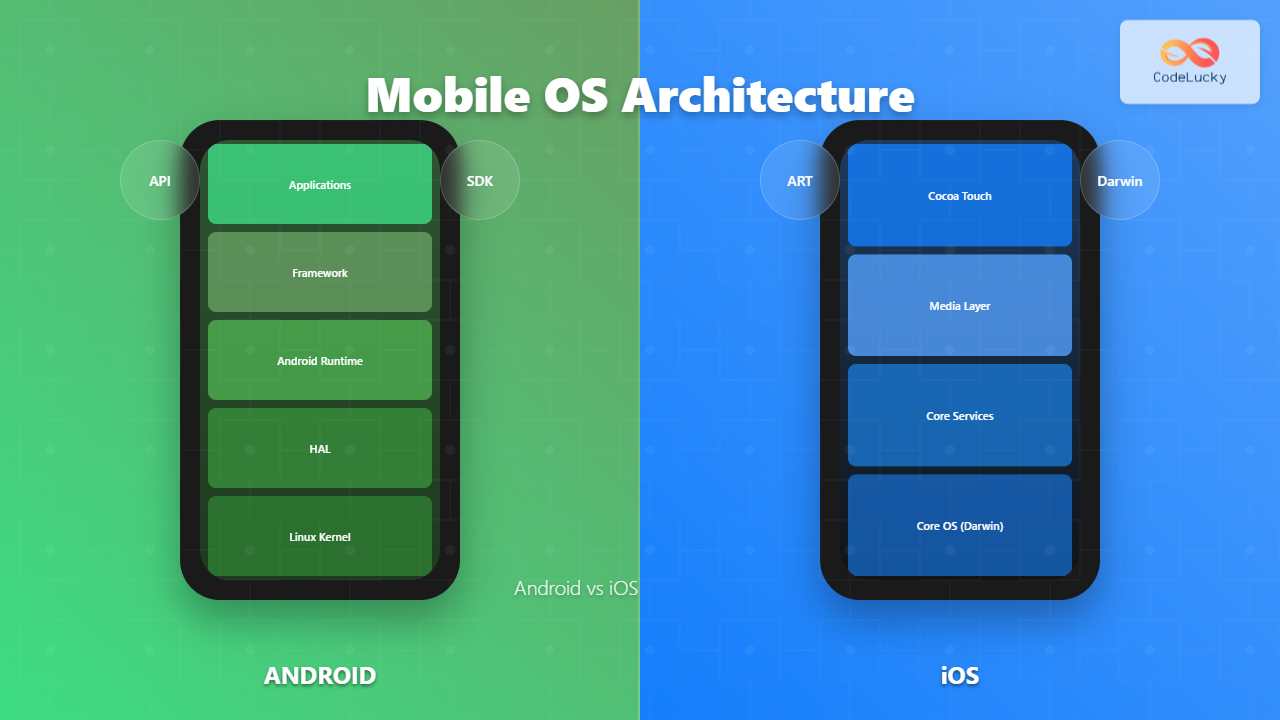
Android follows a layered architecture built on top of the Linux kernel, providing a robust foundation for mobile applications. Let’s examine each layer in detail:

Linux Kernel Layer
At the foundation, Android uses a modified Linux kernel that provides:
- Process Management – Handles application lifecycle and memory allocation
- Device Drivers – Interfaces with camera, display, audio, and sensors
- Security – User-based permissions and process isolation
- Power Management – Battery optimization and CPU scaling
// Example: Android process creation
public class MainActivity extends Activity {
    @Override
    protected void onCreate(Bundle savedInstanceState) {
        super.onCreate(savedInstanceState);
        // Process created by Zygote fork mechanism
        Log.d("Process", "PID: " + android.os.Process.myPid());
    }
}
Hardware Abstraction Layer (HAL)
The HAL provides a standard interface between Android framework and hardware-specific drivers. This layer enables Android to run on various hardware configurations without modifying the upper layers.
Android Runtime (ART)
ART replaced Dalvik as Android’s runtime environment, offering significant improvements:
- Ahead-of-Time (AOT) compilation – Apps compiled during installation
- Improved garbage collection – Reduced app pause times
- Better debugging support – Enhanced developer tools integration
Application Framework
This layer provides high-level services and APIs that applications use:
- Activity Manager – Controls application lifecycle
- Content Providers – Data sharing between applications
- Resource Manager – Access to non-code resources
- Location Manager – GPS and network-based location services
iOS Architecture: Darwin Foundation
iOS architecture is built on Darwin, combining Mach microkernel with BSD components, creating a sophisticated and secure mobile operating system.

Core OS Layer (Darwin)
Darwin provides the foundation with several key components:
- Mach Kernel – Microkernel handling memory management and IPC
- BSD Layer – POSIX compliance and networking stack
- IOKit – Object-oriented device driver framework
- Security Framework – Cryptographic services and keychain access
Core Services Layer
This layer provides fundamental system services:
// Example: Core Data usage in iOS
import CoreData

class DataManager {
    lazy var persistentContainer: NSPersistentContainer = {
        let container = NSPersistentContainer(name: "DataModel")
        container.loadPersistentStores { _, error in
            if let error = error {
                fatalError("Core Data error: \(error)")
            }
        }
        return container
    }()
}
Media Layer
Handles graphics, audio, and video processing:
- Core Graphics – 2D rendering engine
- OpenGL ES – 3D graphics rendering
- Core Animation – Hardware-accelerated animations
- AVFoundation – Audio and video playback/recording
Cocoa Touch Layer
The top layer provides the user interface framework and high-level features that developers interact with directly.
Security Architecture Comparison
Both Android and iOS implement robust security models, but with different approaches:

Android Security Model
Android implements defense-in-depth security:
- Application Sandboxing – Each app runs in its own process with unique UID
- Runtime Permissions – Users grant permissions when needed
- SELinux – Mandatory access controls for system processes
- Verified Boot – Ensures system integrity from bootloader to kernel
// Android permission request example
if (ContextCompat.checkSelfPermission(this, Manifest.permission.CAMERA)
    != PackageManager.PERMISSION_GRANTED) {
    ActivityCompat.requestPermissions(this,
        new String[]{Manifest.permission.CAMERA},
        REQUEST_CAMERA_PERMISSION);
}
iOS Security Model
iOS focuses on proactive security measures:
- Code Signing – All apps must be digitally signed
- App Store Review – Manual review process for all apps
- Hardware Security Module – Secure Enclave for sensitive operations
- Address Space Layout Randomization – Makes exploitation difficult
Memory Management Strategies
Memory management differs significantly between the two platforms:
Android Memory Management
Android uses a combination of approaches:
- Low Memory Killer – Terminates background processes when memory is low
- Garbage Collection – ART automatically manages heap memory
- Process Priority – Foreground apps get highest priority
iOS Memory Management
iOS employs Automatic Reference Counting (ARC):
// iOS ARC example
class ViewController: UIViewController {
    var dataManager: DataManager?

    override func viewDidLoad() {
        super.viewDidLoad()
        dataManager = DataManager() // Reference count: 1
    } // Reference automatically released when out of scope
}
Application Lifecycle Management
Understanding how each platform manages application states is crucial for developers:

Android Activity Lifecycle
public class MainActivity extends AppCompatActivity {
    @Override
    protected void onCreate(Bundle savedInstanceState) {
        super.onCreate(savedInstanceState);
        // Initialize activity
    }

    @Override
    protected void onResume() {
        super.onResume();
        // Activity becomes visible and interactive
    }

    @Override
    protected void onPause() {
        super.onPause();
        // Activity partially obscured
    }
}
iOS Application States
iOS manages five distinct application states with specific transition rules and limitations for background processing.
Performance Optimization Techniques
Android Optimization
- Profile-Guided Optimization – ART optimizes based on usage patterns
- Background App Limits – Restricts background services in newer versions
- Doze Mode – Reduces battery consumption when device is stationary
iOS Optimization
- Metal Performance Shaders – GPU-accelerated computing
- Background App Refresh – Intelligent background updates
- Energy Efficiency – Hardware-software co-optimization
Development Ecosystem Comparison

Android Development
Android offers flexibility with multiple development approaches:
- Native Development – Java/Kotlin with Android SDK
- Cross-platform – Flutter, React Native, Xamarin
- Open Source – AOSP allows customization and forking
iOS Development
iOS maintains a more controlled development environment:
- Native Development – Swift/Objective-C with iOS SDK
- Unified Toolchain – Xcode provides comprehensive development suite
- Strict Guidelines – App Store requirements ensure consistency
Future Trends and Evolution
Both platforms continue evolving with emerging technologies:
Android Future Directions
- Project Treble – Modular architecture for faster updates
- Foldable Display Support – Adaptive UI for flexible screens
- 5G Integration – Enhanced connectivity capabilities
iOS Future Directions
- SwiftUI Evolution – Declarative UI framework advancement
- AR/VR Integration – Enhanced reality experiences
- Machine Learning – Core ML improvements and optimization
Choosing the Right Platform
When deciding between Android and iOS development, consider these factors:
| Factor | Android | iOS |
|---|---|---|
| Market Share | ~71% globally | ~28% globally |
| Development Cost | Generally lower | Higher due to hardware requirements |
| Revenue per User | Lower average | Higher average |
| Customization | High flexibility | Limited customization |
| Security | Open model, more vulnerable | Closed ecosystem, more secure |
Conclusion
Android and iOS represent two distinct approaches to mobile operating system design. Android’s open, flexible architecture built on Linux provides extensive customization and hardware variety, while iOS’s integrated approach with Darwin foundation offers optimized performance and security. Understanding these architectural differences helps developers make informed decisions about platform selection and enables better application design that leverages each platform’s strengths.
Both platforms continue evolving rapidly, incorporating new technologies like AI, AR/VR, and advanced security measures. The choice between Android and iOS development should align with project requirements, target audience, budget constraints, and long-term maintenance considerations.
As mobile technology advances, both operating systems will likely converge in some areas while maintaining their unique characteristics that have made them successful in the competitive mobile market.
Related Posts
Operating System Types: Real-time, Distributed, Mobile and Desktop Systems Explained
Operating systems serve as the crucial bridge between computer hardware and software applications, but not all operating systems are created...
Embedded Operating System: Complete Guide to Resource-Constrained Environments
Embedded operating systems form the backbone of countless devices we interact with daily, from smart home appliances to automotive control...
Windows Operating System: Complete Guide to Architecture and Core Components
The Windows Operating System stands as one of the most widely used operating systems globally, powering billions of devices from...
Operating System Architecture: Monolithic vs Microkernel Design Patterns
Introduction to Operating System Architecture Operating system architecture defines how the core components of an OS are organized and interact...
Microkernel Operating System: Modular Architecture for Enhanced System Reliability
What is a Microkernel Operating System? A microkernel operating system represents a minimalist approach to kernel design where only the...
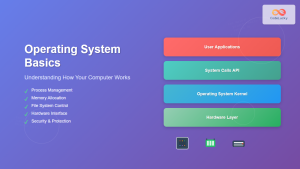
Operating System Basics: Complete Guide to What is an OS and How it Works
An operating system (OS) is the fundamental software that manages computer hardware and software resources, acting as an intermediary between...
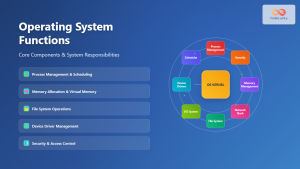
Operating System Functions: Core Components and System Responsibilities
An operating system (OS) serves as the fundamental software layer that manages computer hardware resources and provides essential services to...
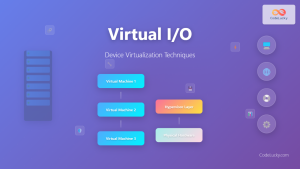
Virtual I/O: Complete Guide to Device Virtualization Techniques and Implementation
Introduction to Virtual I/O and Device Virtualization Virtual Input/Output (Virtual I/O) represents one of the most critical components in modern...
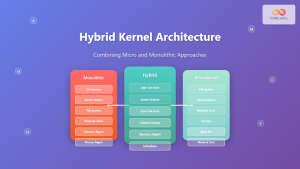
Hybrid Kernel: Complete Guide to Combining Micro and Monolithic Kernel Architectures
A hybrid kernel represents an evolutionary approach in operating system design that strategically combines elements from both microkernel and monolithic...
Kernel in Operating System: Core Functions and Memory Management
The kernel stands as the fundamental cornerstone of any operating system, serving as the critical bridge between hardware components and...

mdev Command Linux: Complete Guide to Minimal Device Manager Configuration
The mdev command is a lightweight device manager for Linux systems, particularly popular in embedded environments and minimal distributions. As...
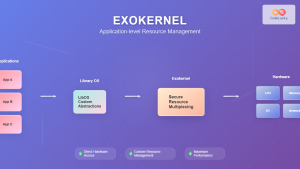
Exokernel: Application-level Resource Management Architecture in Operating Systems
Introduction to Exokernel Architecture The exokernel represents a revolutionary approach to operating system design that fundamentally challenges traditional kernel architectures....