
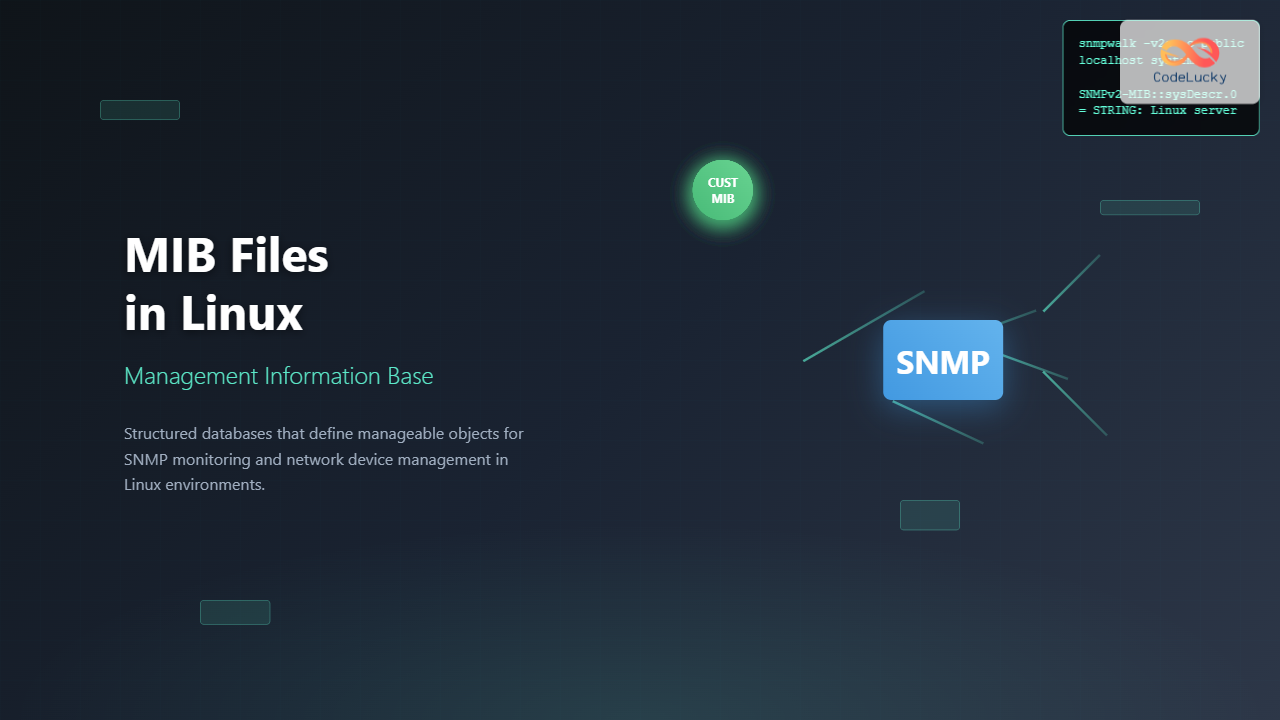
Management Information Base (MIB) files are essential components in Linux system administration and network monitoring. These structured databases define the management information available through the Simple Network Management Protocol (SNMP), enabling administrators to monitor and manage network devices effectively.
What are MIB Files in Linux?
MIB files are text-based databases that contain definitions of manageable objects in a network device. They serve as blueprints that describe what information can be retrieved from or configured on SNMP-enabled devices. In Linux systems, MIB files are crucial for:
- Network device monitoring and management
- System performance tracking
- Hardware status monitoring
- Custom application metrics collection
Understanding MIB Structure and Syntax
MIB files follow the Abstract Syntax Notation One (ASN.1) format and contain Object Identifier (OID) definitions. Each OID represents a specific piece of information that can be queried via SNMP.
Basic MIB File Structure
EXAMPLE-MIB DEFINITIONS ::= BEGIN

IMPORTS
    OBJECT-TYPE, MODULE-IDENTITY, enterprises
        FROM SNMPv2-SMI;

exampleMIB MODULE-IDENTITY
    LAST-UPDATED "202508260000Z"
    ORGANIZATION "Example Organization"
    DESCRIPTION "Example MIB for demonstration"
    ::= { enterprises 12345 }

exampleObjects OBJECT IDENTIFIER ::= { exampleMIB 1 }

systemStatus OBJECT-TYPE
    SYNTAX INTEGER { up(1), down(2), maintenance(3) }
    ACCESS read-only
    STATUS mandatory
    DESCRIPTION "Current system status"
    ::= { exampleObjects 1 }

END
Installing and Managing MIB Files on Linux
Installing SNMP and MIB Tools
First, install the necessary SNMP packages on your Linux system:
# Ubuntu/Debian
sudo apt update
sudo apt install snmp snmp-mibs-downloader

# CentOS/RHEL/Fedora
sudo yum install net-snmp net-snmp-utils
# or for newer versions
sudo dnf install net-snmp net-snmp-utils
MIB File Locations
Linux systems store MIB files in standard directories:
/usr/share/snmp/mibs/– System-wide MIB files~/.snmp/mibs/– User-specific MIB files/etc/snmp/mibs/– Local MIB files
Viewing Available MIB Files
# List all available MIB files
ls -la /usr/share/snmp/mibs/

# Check MIB search path
net-snmp-config --default-mibdirs
Expected Output:
/usr/share/snmp/mibs:/usr/share/snmp/mibs/iana:/usr/share/snmp/mibs/ietfWorking with MIB Files: Practical Examples
Translating OIDs Using MIB Files
The snmptranslate command converts between numeric OIDs and their textual representations:
# Translate numeric OID to textual name
snmptranslate 1.3.6.1.2.1.1.1.0

# Translate textual name to numeric OID
snmptranslate -On system.sysDescr.0

# Get detailed information about an OID
snmptranslate -Td system.sysDescr.0
Sample Output:
system.sysDescr.0
1.3.6.1.2.1.1.1.0

system.sysDescr.0
sysDescr OBJECT-TYPE
  -- FROM	SNMPv2-MIB
  SYNTAX	DisplayString (SIZE (0..255))
  MAX-ACCESS	read-only
  STATUS	current
  DESCRIPTION	"A textual description of the entity"
Browsing MIB Trees
Explore the MIB tree structure to understand available objects:
# Walk through the entire MIB tree
snmptranslate -Tp

# Browse a specific branch
snmptranslate -Tp system

# Show all objects under a specific node
snmptranslate -Tp 1.3.6.1.2.1.1
SNMP Queries Using MIB Information
Basic SNMP Queries
Use MIB-defined names for more readable SNMP queries:
# Get system description using textual name
snmpget -v2c -c public localhost system.sysDescr.0

# Get system uptime
snmpget -v2c -c public localhost system.sysUpTime.0

# Walk through system information
snmpwalk -v2c -c public localhost system
Example Output:
SNMPv2-MIB::sysDescr.0 = STRING: Linux server01 5.4.0-72-generic #80-Ubuntu
SNMPv2-MIB::sysUpTime.0 = Timeticks: (123456789) 14 days, 6:56:07.89
SNMPv2-MIB::sysContact.0 = STRING: [email protected]
Advanced MIB-Based Monitoring
Create monitoring scripts that leverage MIB definitions:
#!/bin/bash
# System monitoring script using MIB objects

HOST="localhost"
COMMUNITY="public"

echo "=== System Information ==="
snmpget -v2c -c $COMMUNITY $HOST system.sysDescr.0 | cut -d: -f2-

echo "=== Network Interfaces ==="
snmpwalk -v2c -c $COMMUNITY $HOST interfaces.ifTable.ifEntry.ifDescr | \
    while read line; do
        echo $line | cut -d: -f2-
    done

echo "=== Memory Usage ==="
snmpget -v2c -c $COMMUNITY $HOST \
    UCD-SNMP-MIB::memTotalReal.0 \
    UCD-SNMP-MIB::memAvailReal.0
Custom MIB Development
Creating a Custom MIB File
Develop custom MIB files for application-specific monitoring:
MYAPP-MIB DEFINITIONS ::= BEGIN

IMPORTS
    OBJECT-TYPE, MODULE-IDENTITY, Integer32, enterprises
        FROM SNMPv2-SMI
    DisplayString
        FROM SNMPv2-TC;

myAppMIB MODULE-IDENTITY
    LAST-UPDATED "202508260000Z"
    ORGANIZATION "My Organization"
    CONTACT-INFO "[email protected]"
    DESCRIPTION "Custom MIB for MyApp monitoring"
    ::= { enterprises 54321 }

-- Define application objects
myAppObjects OBJECT IDENTIFIER ::= { myAppMIB 1 }

myAppVersion OBJECT-TYPE
    SYNTAX DisplayString (SIZE (0..32))
    MAX-ACCESS read-only
    STATUS current
    DESCRIPTION "Application version string"
    ::= { myAppObjects 1 }

myAppConnections OBJECT-TYPE
    SYNTAX Integer32
    MAX-ACCESS read-only
    STATUS current
    DESCRIPTION "Number of active connections"
    ::= { myAppObjects 2 }

END
Compiling and Installing Custom MIBs
# Validate MIB syntax
smilint MYAPP-MIB.txt

# Install custom MIB
sudo cp MYAPP-MIB.txt /usr/share/snmp/mibs/

# Test the custom MIB
snmptranslate -m MYAPP-MIB myAppVersion
MIB File Configuration and Optimization
SNMP Configuration for MIB Loading
Configure SNMP to load specific MIBs efficiently:
# Edit /etc/snmp/snmp.conf
mibs +ALL
mibdirs /usr/share/snmp/mibs:/home/user/custom-mibs

# Or load specific MIBs only
mibs SNMPv2-MIB:IF-MIB:HOST-RESOURCES-MIB
Performance Optimization
# Check loaded MIBs
snmptranslate -M /usr/share/snmp/mibs -m ALL -Tz

# Load only required MIBs for better performance
export MIBS="SNMPv2-MIB:IF-MIB:HOST-RESOURCES-MIB"

# Create MIB cache for faster access
net-snmp-create-v3-user -ro myuser
Troubleshooting MIB Issues
Common MIB Problems and Solutions
Address frequent MIB-related issues:
# Check for MIB loading errors
snmptranslate -M /usr/share/snmp/mibs -m ALL 2>&1 | grep -i error

# Verify MIB syntax
smilint -s -l 6 /usr/share/snmp/mibs/RFC1213-MIB

# Debug MIB resolution
snmptranslate -D mib -m ALL system.sysDescr.0
MIB Dependency Resolution
# Find missing dependencies
snmptranslate -M /usr/share/snmp/mibs -m MY-CUSTOM-MIB -Tp 2>&1 | \
    grep "Cannot find module"

# List MIB dependencies
smidump -f tree INET-ADDRESS-MIB
Security Considerations for MIB Files
MIB Access Control
Implement proper security measures when working with MIBs:
# Restrict MIB file permissions
sudo chmod 644 /usr/share/snmp/mibs/*
sudo chown root:root /usr/share/snmp/mibs/*

# Configure SNMP access control
# In /etc/snmp/snmpd.conf
view systemview included 1.3.6.1.2.1.1
view systemview included 1.3.6.1.2.1.25.1
rocommunity public default -V systemview
Integration with Monitoring Tools
Using MIBs with Nagios
# Nagios plugin using MIB objects
define command{
    command_name check_snmp_custom
    command_line $USER1$/check_snmp -H $HOSTADDRESS$ -C $ARG1$ -o $ARG2$ -w $ARG3$ -c $ARG4$
}

# Service definition
define service{
    use generic-service
    host_name server01
    service_description Custom App Connections
    check_command check_snmp_custom!public!myAppConnections!50!100
}
Zabbix MIB Integration
# Create Zabbix item using MIB object
ItemType: SNMP agent
Key: myAppConnections
SNMP OID: MYAPP-MIB::myAppConnections.0
Type of information: Numeric (unsigned)
Best Practices for MIB Management
MIB Organization and Maintenance
- Version Control: Keep MIB files under version control
- Documentation: Maintain clear documentation for custom MIBs
- Testing: Thoroughly test MIB definitions before deployment
- Naming Conventions: Use consistent naming for MIB objects
- Regular Updates: Keep standard MIBs updated
MIB Performance Optimization
# Create MIB compilation cache
echo 'mibs +ALL' > ~/.snmp/snmp.conf
echo 'mibdirs /usr/share/snmp/mibs' >> ~/.snmp/snmp.conf

# Pre-compile frequently used MIBs
for mib in SNMPv2-MIB IF-MIB HOST-RESOURCES-MIB; do
    snmptranslate -m $mib -Tp > /dev/null
done
Conclusion
MIB files are fundamental to effective Linux system and network monitoring through SNMP. Understanding how to install, configure, and utilize MIB files enables administrators to build robust monitoring solutions. Whether working with standard MIBs or developing custom ones, proper MIB management ensures reliable and efficient network monitoring capabilities.
By following the practices and examples outlined in this guide, you can leverage MIB files to create comprehensive monitoring solutions that provide valuable insights into your Linux systems and network infrastructure. Regular maintenance and security considerations will ensure your MIB-based monitoring remains effective and secure.
Related Posts
snmpwalk Command Linux: Complete Guide to SNMP Management Information Retrieval
The snmpwalk command is a powerful Linux utility that allows you to retrieve management information from SNMP-enabled devices on your...
SNMP Command Linux: Complete Guide to Simple Network Management Protocol Configuration and Usage
Introduction to SNMP Command in Linux Simple Network Management Protocol (SNMP) is a fundamental protocol used for monitoring and managing...
snmpget Command Linux: Complete Guide to Retrieving SNMP Variables
The snmpget command is a powerful Linux utility that allows network administrators to retrieve specific SNMP (Simple Network Management Protocol)...
nm Command Linux: Complete Guide to Display Symbol Tables from Object Files
The nm command is a powerful utility in Linux that displays the symbol table of object files, executables, shared libraries,...
snmpset Command Linux: Complete Guide to Setting SNMP Variables
The snmpset command is a powerful Linux utility that allows network administrators to modify SNMP (Simple Network Management Protocol) variables...

stat Command Linux: Complete Guide to Display File and Filesystem Status Information
The stat command is a powerful Linux utility that displays detailed information about files and filesystems. Unlike basic commands like...

File System in Operating System: Complete Guide to Structure and Organization
Introduction to File Systems A file system is a fundamental component of any operating system that provides a structured way...
file Command Advanced Linux: Master Detailed File Type Analysis and Detection
The file command is one of the most powerful and underutilized utilities in Linux for determining file types and analyzing...
ManageEngine Linux: Complete Network Monitoring Solutions Guide
Network monitoring is crucial for maintaining optimal performance and security in Linux environments. ManageEngine provides powerful network monitoring solutions specifically...
hexdump Command Linux: Complete Guide to Display File Contents in Hexadecimal Format
The hexdump command is a powerful Linux utility that displays the contents of files in hexadecimal format, making it an...

Directory Structure: Single-level, Two-level, and Tree Structure in Operating Systems
Understanding Directory Structures in Operating Systems Directory structures are fundamental components of file systems that organize and manage files in...
LibreNMS Linux: Complete Network Monitoring System Setup and Configuration Guide
LibreNMS is a powerful, open-source network monitoring platform that provides comprehensive visibility into network infrastructure. Built on PHP and MySQL,...





