
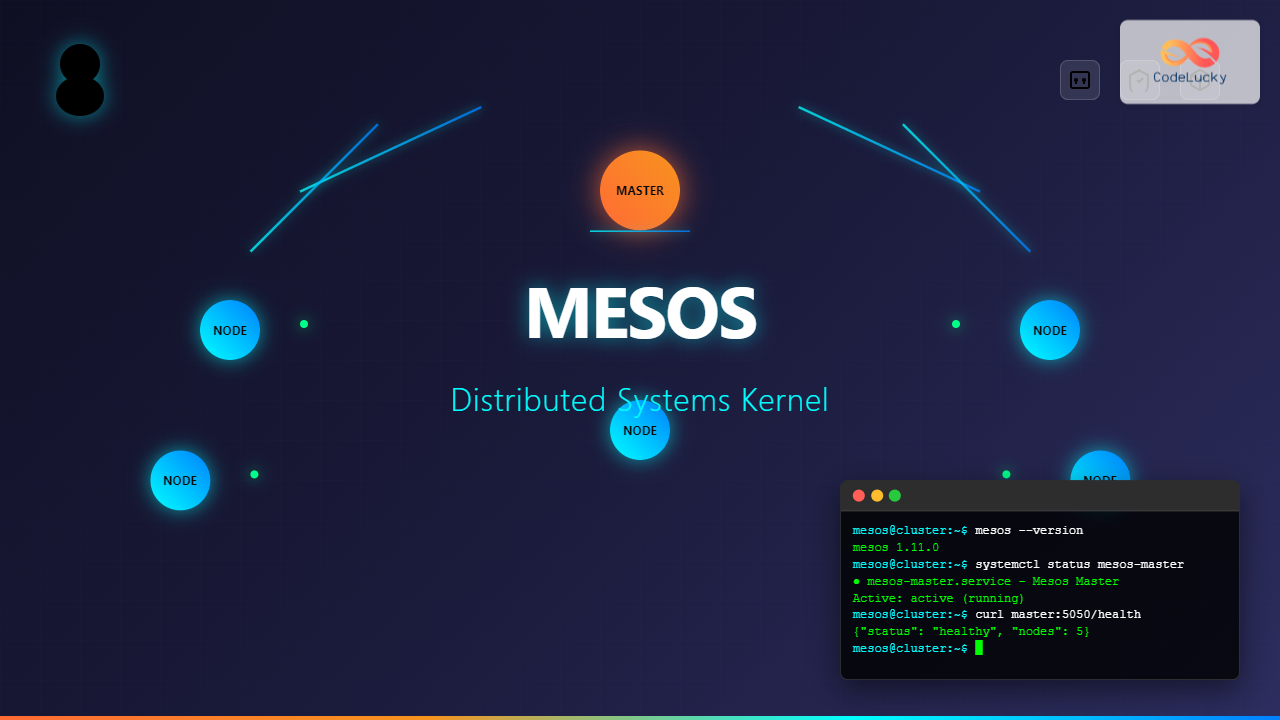
Apache Mesos is a powerful distributed systems kernel that abstracts CPU, memory, storage, and other compute resources across machines, enabling fault-tolerant and elastic distributed systems. Originally developed at UC Berkeley and later adopted by Twitter, this revolutionary technology has become the backbone of many large-scale distributed computing environments.
What is Apache Mesos?
Apache Mesos is a cluster manager that provides efficient resource isolation and sharing across distributed applications or frameworks. It acts as a distributed systems kernel, running on every machine and providing a unified interface for resource management across the entire cluster.
Key Features of Mesos
- Resource Abstraction: Treats cluster resources as a single pool
- Framework Agnostic: Supports multiple frameworks simultaneously
- High Availability: Built-in fault tolerance and leader election
- Scalability: Proven to scale to tens of thousands of nodes
- Multi-tenancy: Secure resource isolation between applications
Mesos Architecture Components
Master Nodes
The Mesos master is responsible for managing slave nodes and making resource offers to frameworks. It maintains the cluster state and handles framework registration and task scheduling.
# Check Mesos master status
curl http://master-ip:5050/master/state.json | jq '.leader'

# Expected output:
{
  "id": "[email protected]:5050",
  "hostname": "mesos-master-01",
  "port": 5050,
  "pid": "[email protected]:5050"
}
Agent Nodes (Slaves)
Mesos agents run on each worker node and are responsible for launching and monitoring tasks. They report available resources to the master and execute framework tasks.
# View agent resources
curl http://agent-ip:5051/slave(1)/state.json | jq '.resources'

# Output shows available resources:
{
  "cpus": 4.0,
  "mem": 8192.0,
  "disk": 100000.0,
  "ports": "[31000-32000]"
}
Frameworks
Frameworks are applications that run on top of Mesos, such as Marathon, Chronos, or Apache Spark. They receive resource offers from the master and launch tasks on agent nodes.
Installing Apache Mesos on Linux
Prerequisites
Before installing Mesos, ensure your system meets the following requirements:
- Linux distribution (Ubuntu 18.04+, CentOS 7+, or RHEL 7+)
- Java 8 or later
- Python 2.7 or 3.x
- At least 2GB RAM and 10GB disk space
Installation on Ubuntu
# Update package repository
sudo apt-get update

# Install required dependencies
sudo apt-get install -y software-properties-common

# Add Mesosphere repository
sudo apt-key adv --keyserver hkp://keyserver.ubuntu.com:80 --recv E56151BF
echo "deb http://repos.mesosphere.com/ubuntu focal main" | sudo tee /etc/apt/sources.list.d/mesosphere.list

# Update package list
sudo apt-get update

# Install Mesos
sudo apt-get install -y mesos

# Verify installation
mesos --version
Installation on CentOS/RHEL
# Install EPEL repository
sudo yum install -y epel-release

# Add Mesosphere repository
sudo rpm -Uvh http://repos.mesosphere.com/el/7/noarch/RPMS/mesosphere-el-repo-7-3.noarch.rpm

# Install Mesos
sudo yum install -y mesos

# Start and enable Mesos services
sudo systemctl start mesos-master
sudo systemctl enable mesos-master
Configuring Mesos Master
Basic Master Configuration
Create the master configuration directory and set up essential parameters:
# Create configuration directory
sudo mkdir -p /etc/mesos-master

# Set cluster name
echo "mesos-cluster" | sudo tee /etc/mesos-master/cluster

# Set quorum (should be majority of masters)
echo "1" | sudo tee /etc/mesos-master/quorum

# Set work directory
echo "/var/lib/mesos" | sudo tee /etc/mesos-master/work_dir

# Set log directory
echo "/var/log/mesos" | sudo tee /etc/mesos-master/log_dir
High Availability Configuration
For production environments, configure ZooKeeper for leader election:
# Install ZooKeeper
sudo apt-get install -y zookeeperd

# Configure ZooKeeper connection
echo "zk://zk1:2181,zk2:2181,zk3:2181/mesos" | sudo tee /etc/mesos/zk

# Start Mesos master with HA
sudo systemctl start mesos-master
sudo systemctl enable mesos-master
Configuring Mesos Agents
Agent Configuration
# Create agent configuration directory
sudo mkdir -p /etc/mesos-slave

# Set master connection
echo "zk://master1:2181,master2:2181,master3:2181/mesos" | sudo tee /etc/mesos/zk

# Configure containerizers
echo "docker,mesos" | sudo tee /etc/mesos-slave/containerizers

# Set resource limits
echo "cpus:4;mem:8192;disk:50000" | sudo tee /etc/mesos-slave/resources

# Enable Docker support
echo "5mins" | sudo tee /etc/mesos-slave/executor_registration_timeout
Starting Mesos Services
# Start and enable Mesos agent
sudo systemctl start mesos-slave
sudo systemctl enable mesos-slave

# Check service status
sudo systemctl status mesos-slave

● mesos-slave.service - Mesos Slave
   Loaded: loaded (/lib/systemd/system/mesos-slave.service; enabled)
   Active: active (running) since Tue 2025-08-26 08:30:15 IST; 2min ago
 Main PID: 12345 (mesos-slave)
   CGroup: /system.slice/mesos-slave.service
           └─12345 /usr/sbin/mesos-slave --master=zk://localhost:2181/mesos
Managing Frameworks with Mesos
Installing Marathon Framework
Marathon is a production-grade container orchestration platform for Mesos:
# Install Marathon
sudo apt-get install -y marathon

# Configure Marathon
sudo mkdir -p /etc/marathon/conf

# Set master connection
echo "zk://master1:2181,master2:2181,master3:2181/mesos" | sudo tee /etc/marathon/conf/master

# Set ZooKeeper state
echo "zk://master1:2181,master2:2181,master3:2181/marathon" | sudo tee /etc/marathon/conf/zk

# Start Marathon
sudo systemctl start marathon
sudo systemctl enable marathon
Deploying Applications with Marathon
Create an application definition file:
# Create app definition
cat << EOF > nginx-app.json
{
  "id": "/nginx-app",
  "instances": 2,
  "cpus": 0.5,
  "mem": 512,
  "container": {
    "type": "DOCKER",
    "docker": {
      "image": "nginx:latest",
      "network": "BRIDGE",
      "portMappings": [
        {
          "containerPort": 80,
          "hostPort": 0,
          "protocol": "tcp"
        }
      ]
    }
  },
  "healthChecks": [
    {
      "protocol": "HTTP",
      "path": "/",
      "portIndex": 0,
      "timeoutSeconds": 10,
      "gracePeriodSeconds": 10,
      "intervalSeconds": 2,
      "maxConsecutiveFailures": 10
    }
  ]
}
EOF

# Deploy application
curl -X POST http://marathon-host:8080/v2/apps -d @nginx-app.json -H "Content-type: application/json"
Monitoring and Troubleshooting
Web UI Interfaces
Mesos provides web interfaces for monitoring cluster health:
- Master UI: http://master-ip:5050
- Agent UI: http://agent-ip:5051
- Marathon UI: http://marathon-ip:8080
Command Line Monitoring
# Check cluster state
mesos-resolve `cat /etc/mesos/zk`

# View running tasks
curl -s http://master:5050/master/tasks | jq '.tasks[] | {id: .id, state: .state, slave_id: .slave_id}'

# Monitor resource utilization
curl -s http://agent:5051/slave(1)/monitor/statistics | jq '.[] | {executor_id: .executor_id, cpus_user_time_secs: .cpus_user_time_secs, mem_rss_bytes: .mem_rss_bytes}'
Log Analysis
# View Mesos master logs
sudo journalctl -u mesos-master -f

# View Mesos agent logs
sudo journalctl -u mesos-slave -f

# Check specific application logs
sudo ls /var/log/mesos/
# Navigate to specific executor directory for application logs
Performance Optimization
Resource Management Tuning
# Optimize resource allocation
echo "cpu,mem" | sudo tee /etc/mesos-slave/isolation

# Set resource reservation
echo "cpus(role):2;mem(role):4096" | sudo tee /etc/mesos-slave/resources

# Configure garbage collection
echo "1days" | sudo tee /etc/mesos-slave/gc_delay
echo "3days" | sudo tee /etc/mesos-slave/executor_shutdown_grace_period
Network Configuration
# Configure network isolation
echo "network/cni" | sudo tee /etc/mesos-slave/isolation

# Set up network plugin path
echo "/opt/cni/bin" | sudo tee /etc/mesos-slave/network_cni_plugins_dir

# Configure DNS
echo "/etc/mesos-dns" | sudo tee /etc/mesos-slave/network_cni_config_dir
Security Best Practices
SSL/TLS Configuration
# Generate SSL certificates
sudo mkdir -p /etc/mesos/ssl

# Configure SSL for master
echo "true" | sudo tee /etc/mesos-master/ssl_enabled
echo "/etc/mesos/ssl/master.key" | sudo tee /etc/mesos-master/ssl_key_file
echo "/etc/mesos/ssl/master.crt" | sudo tee /etc/mesos-master/ssl_cert_file

# Configure authentication
echo "true" | sudo tee /etc/mesos-master/authenticate_frameworks
echo "/etc/mesos/credentials" | sudo tee /etc/mesos-master/credentials
Access Control
# Set up authorization
echo "true" | sudo tee /etc/mesos-master/authorize_frameworks
echo "/etc/mesos/acls.json" | sudo tee /etc/mesos-master/acls

# Create ACL file
cat << EOF > /etc/mesos/acls.json
{
  "run_tasks": [
    {
      "principals": {
        "type": "ANY"
      },
      "users": {
        "values": ["mesos-user"]
      }
    }
  ]
}
EOF
Advanced Use Cases
GPU Resource Management
# Enable GPU isolation
echo "cgroups/devices,gpu/nvidia" | sudo tee /etc/mesos-slave/isolation

# Configure GPU resources
echo "gpus:2" | sudo tee -a /etc/mesos-slave/resources

# Restart agent to apply changes
sudo systemctl restart mesos-slave
Multi-Framework Deployment
Deploy multiple frameworks on the same cluster:
# Install Chronos for job scheduling
sudo apt-get install -y chronos

# Configure Chronos
echo "zk://master1:2181/mesos" | sudo tee /etc/chronos/conf/master
echo "zk://master1:2181/chronos" | sudo tee /etc/chronos/conf/zk_state

# Start Chronos
sudo systemctl start chronos
Backup and Disaster Recovery
State Backup
# Backup ZooKeeper state
sudo systemctl stop zookeeper
sudo tar -czf zk-backup-$(date +%Y%m%d).tar.gz /var/lib/zookeeper/
sudo systemctl start zookeeper

# Backup Mesos master state
sudo tar -czf mesos-master-backup-$(date +%Y%m%d).tar.gz /var/lib/mesos/

# Create automated backup script
#!/bin/bash
BACKUP_DIR="/opt/backups"
DATE=$(date +%Y%m%d_%H%M%S)

mkdir -p $BACKUP_DIR
tar -czf $BACKUP_DIR/mesos-state-$DATE.tar.gz /var/lib/mesos/
find $BACKUP_DIR -name "*.tar.gz" -mtime +7 -delete
Common Issues and Solutions
Framework Registration Issues
# Check framework status
curl -s http://master:5050/master/frameworks | jq '.frameworks[] | {name: .name, active: .active, connected: .connected}'

# Debug authentication issues
sudo tail -f /var/log/mesos/mesos-master.log | grep -i "auth"

# Solution: Verify credentials and SSL configuration
Resource Allocation Problems
# Check resource offers
curl -s http://master:5050/master/state | jq '.slaves[] | {hostname: .hostname, resources: .resources, used_resources: .used_resources}'

# Monitor resource reservation
mesos-ps --master=master:5050
Migration and Upgrades
Upgrading Mesos
# Backup current installation
sudo systemctl stop mesos-master mesos-slave
sudo cp -r /etc/mesos* /opt/mesos-backup/

# Update package repository
sudo apt-get update

# Upgrade Mesos
sudo apt-get install --only-upgrade mesos

# Verify upgrade
mesos --version

# Start services
sudo systemctl start mesos-master mesos-slave
Apache Mesos provides a robust foundation for building distributed systems at scale. Its resource abstraction layer and framework-agnostic approach make it an excellent choice for organizations running diverse workloads across large clusters. By following the configuration guidelines and best practices outlined in this article, you can successfully deploy and manage Mesos in production environments while ensuring high availability and optimal resource utilization.
Whether you’re running containerized applications, big data processing jobs, or traditional services, Mesos offers the flexibility and scalability needed for modern distributed computing environments. The key to success lies in proper planning, monitoring, and adherence to security best practices throughout your Mesos deployment lifecycle.
Related Posts

Marathon Linux: Complete Guide to Container Orchestration Platform
Marathon is a powerful container orchestration platform built on top of Apache Mesos that enables you to deploy, manage, and...
Distributed Operating System: Complete Guide to Network-based OS Architecture
What is a Distributed Operating System? A distributed operating system is a sophisticated software system that manages and coordinates multiple...

ganglia Linux: Complete Guide to Distributed Monitoring System
Ganglia is a powerful, open-source distributed monitoring system designed specifically for high-performance computing clusters, grids, and cloud infrastructures. Originally developed...

memcached Linux: Complete Guide to High-Performance Caching System
Memcached is a high-performance, distributed memory object caching system that dramatically improves application performance by storing frequently accessed data in...
Cloud Operating System: Complete Guide to Virtualized Infrastructure Management
Cloud Operating Systems represent a paradigm shift in how we manage and orchestrate computing resources across distributed environments. Unlike traditional...
Microkernel Operating System: Modular Architecture for Enhanced System Reliability
What is a Microkernel Operating System? A microkernel operating system represents a minimalist approach to kernel design where only the...
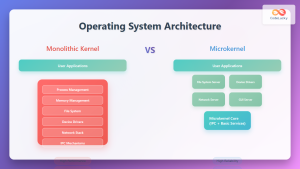
Operating System Architecture: Monolithic vs Microkernel Design Patterns
Introduction to Operating System Architecture Operating system architecture defines how the core components of an OS are organized and interact...

Zookeeper Linux: Complete Guide to Centralized Service Configuration Management
Apache Zookeeper is a centralized service for maintaining configuration information, naming, providing distributed synchronization, and providing group services in distributed...

Kubernetes Linux: Complete Guide to Container Orchestration Platform
Kubernetes has revolutionized how we deploy, manage, and scale containerized applications on Linux systems. As the leading container orchestration platform,...
Zenoss Linux: Complete Guide to IT Infrastructure Monitoring and Management
What is Zenoss and Why Use it on Linux? Zenoss is a powerful, open-source IT infrastructure monitoring platform that provides...
nomad Linux: Complete Guide to HashiCorp’s Workload Orchestrator
What is HashiCorp Nomad? HashiCorp Nomad is a simple yet powerful workload orchestrator that enables organizations to deploy and manage...
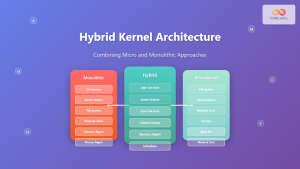
Hybrid Kernel: Complete Guide to Combining Micro and Monolithic Kernel Architectures
A hybrid kernel represents an evolutionary approach in operating system design that strategically combines elements from both microkernel and monolithic...





