Introduction to Memory Management
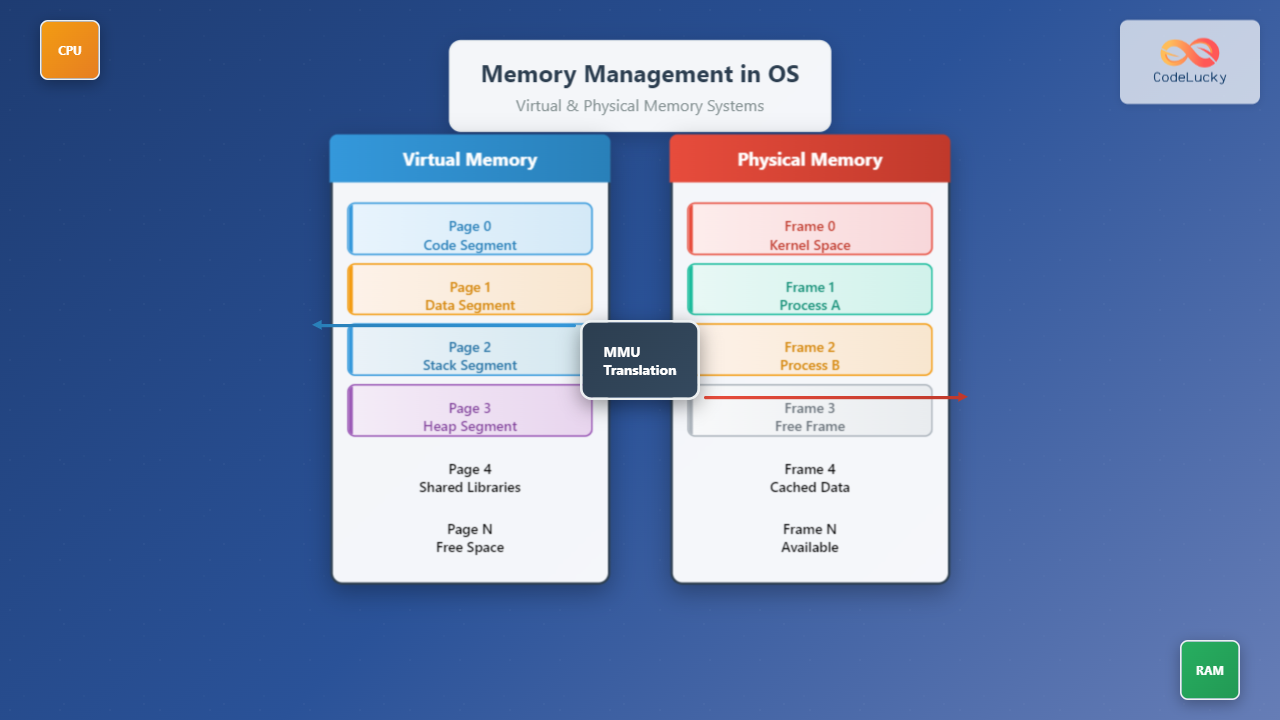
Memory management is one of the most critical functions of an operating system, responsible for efficiently allocating, tracking, and deallocating memory resources. Modern operating systems handle two primary types of memory: physical memory (actual RAM installed in your computer) and virtual memory (an abstraction that provides each process with its own memory space).
Understanding memory management is essential for system administrators, developers, and anyone working with computer systems. This comprehensive guide explores the fundamental concepts, mechanisms, and practical implementations of memory management in operating systems.
Physical Memory: The Hardware Foundation
Physical memory refers to the actual Random Access Memory (RAM) chips installed in your computer. This is the hardware component where data and programs are temporarily stored for quick access by the CPU.
Physical Memory Characteristics
- Volatile Storage: Data is lost when power is removed
- Direct Access: CPU can directly address physical memory locations
- Limited Capacity: Finite amount based on installed RAM modules
- Fast Access: Much faster than storage devices like hard drives or SSDs
Physical Memory Layout
Physical memory is organized into addressable units called frames or page frames. Each frame has a unique physical address that the CPU uses to access data.
# View physical memory information on Linux
cat /proc/meminfo

# Example output:
MemTotal:       16777216 kB
MemFree:         8388608 kB
MemAvailable:   12582912 kB
Buffers:          524288 kB
Cached:          3145728 kB

Virtual Memory: The Abstraction Layer
Virtual memory is a memory management technique that provides each process with its own virtual address space, independent of the actual physical memory layout. This abstraction offers numerous benefits including memory protection, efficient memory utilization, and the ability to run programs larger than available physical memory.
Key Benefits of Virtual Memory
- Memory Isolation: Each process operates in its own virtual address space
- Memory Protection: Processes cannot access each other’s memory directly
- Efficient Memory Usage: Multiple processes can share physical memory efficiently
- Large Address Space: Programs can use more memory than physically available
- Memory Fragmentation Reduction: Virtual addresses don’t need to be contiguous in physical memory
Virtual Memory Address Translation
The Memory Management Unit (MMU) translates virtual addresses to physical addresses using translation tables. This process is transparent to running programs.

Paging: The Foundation of Modern Memory Management
Paging is the most common memory management scheme used in modern operating systems. It divides both virtual and physical memory into fixed-size blocks called pages (virtual memory) and frames (physical memory).
How Paging Works
When a process accesses a virtual memory address, the system:
- Extracts the page number from the virtual address
- Uses the page number to index into the page table
- Retrieves the corresponding frame number
- Combines the frame number with the offset to form the physical address
// Example: Virtual address breakdown (32-bit system)
// Virtual Address: 0x12345678
// Page Number: 0x12345 (upper 20 bits)
// Offset: 0x678 (lower 12 bits)
// Page Size: 4KB (2^12 bytes)

#include <stdio.h>
#include <stdint.h>

void parse_virtual_address(uint32_t virtual_addr) {
    uint32_t page_size = 4096;  // 4KB pages
    uint32_t page_number = virtual_addr / page_size;
    uint32_t offset = virtual_addr % page_size;

    printf("Virtual Address: 0x%08X\n", virtual_addr);
    printf("Page Number: 0x%05X\n", page_number);
    printf("Offset: 0x%03X\n", offset);
}

int main() {
    parse_virtual_address(0x12345678);
    return 0;
}
Page Table Structure
Page tables store the mapping between virtual pages and physical frames. Each entry contains:
- Frame Number: Physical frame where the page is stored
- Present Bit: Indicates if the page is in physical memory
- Read/Write Bits: Permission flags
- User/Supervisor Bit: Access level control
- Dirty Bit: Indicates if the page has been modified
- Accessed Bit: Set when the page is accessed

Segmentation: Alternative Memory Organization
Segmentation divides memory into variable-sized segments based on logical divisions of a program, such as code segment, data segment, and stack segment.
Segment Types
- Code Segment: Contains executable program instructions
- Data Segment: Stores global and static variables
- Stack Segment: Contains local variables and function call information
- Heap Segment: Used for dynamic memory allocation
# View process memory segments on Linux
cat /proc/[PID]/maps

# Example output for process with PID 1234:
# Address Range    Perms  Offset   Dev   Inode    Pathname
08048000-08052000 r-xp 00000000 08:01 1234567  /bin/bash    # Code segment
08052000-08053000 r--p 00009000 08:01 1234567  /bin/bash    # Read-only data
08053000-08054000 rw-p 0000a000 08:01 1234567  /bin/bash    # Data segment
bffdf000-c0000000 rw-p 00000000 00:00 0        [stack]     # Stack segment
Memory Allocation Strategies
Operating systems employ various strategies to allocate memory efficiently:
First Fit Algorithm
Allocates the first available block that is large enough to satisfy the request.
def first_fit(memory_blocks, request_size):
    """
    First Fit memory allocation algorithm
    """
    for i, block in enumerate(memory_blocks):
        if block['free'] and block['size'] >= request_size:
            # Allocate memory
            if block['size'] > request_size:
                # Split the block
                new_block = {
                    'address': block['address'] + request_size,
                    'size': block['size'] - request_size,
                    'free': True
                }
                memory_blocks.insert(i + 1, new_block)

            block['size'] = request_size
            block['free'] = False
            return block['address']

    return None  # No suitable block found

# Example usage
memory_blocks = [
    {'address': 0, 'size': 100, 'free': True},
    {'address': 100, 'size': 50, 'free': False},
    {'address': 150, 'size': 200, 'free': True}
]

allocated_address = first_fit(memory_blocks, 80)
print(f"Allocated at address: {allocated_address}")
Best Fit Algorithm
Allocates the smallest available block that can accommodate the request, minimizing wasted space.
Worst Fit Algorithm
Allocates the largest available block, leaving a large remaining block for future allocations.
Memory Management Unit (MMU)
The MMU is a hardware component that handles virtual-to-physical address translation. It works closely with the operating system to provide efficient memory management.
MMU Functions
- Address Translation: Converts virtual addresses to physical addresses
- Memory Protection: Enforces access permissions
- Cache Management: Manages Translation Lookaside Buffer (TLB)
- Page Fault Handling: Triggers OS intervention when pages aren’t in memory

Swapping and Virtual Memory Management
When physical memory becomes insufficient, the operating system moves inactive pages to secondary storage (swap space) to free up RAM for active processes.
Swap Space Configuration
# Check current swap usage
free -h

# View swap devices
cat /proc/swaps

# Create a swap file (1GB)
sudo fallocate -l 1G /swapfile
sudo chmod 600 /swapfile
sudo mkswap /swapfile
sudo swapon /swapfile

# Make swap permanent
echo '/swapfile none swap sw 0 0' | sudo tee -a /etc/fstab
Page Replacement Algorithms
When memory is full and a new page needs to be loaded, the system must choose which page to evict:
- Least Recently Used (LRU): Removes the page that hasn’t been accessed for the longest time
- First In, First Out (FIFO): Removes the oldest page in memory
- Optimal: Theoretical algorithm that removes the page that won’t be used for the longest time
- Clock Algorithm: Approximation of LRU using reference bits
Memory Management in Practice
Monitoring Memory Usage
System administrators can monitor memory usage using various tools:
# Detailed memory information
cat /proc/meminfo

# Process-specific memory usage
ps aux --sort=-%mem | head -10

# Real-time memory monitoring
htop

# Memory statistics with vmstat
vmstat 1 5

# Output explanation:
# procs: r(running), b(blocked)
# memory: swpd(swap), free, buff(buffers), cache
# swap: si(swap in), so(swap out)
# io: bi(blocks in), bo(blocks out)
# system: in(interrupts), cs(context switches)
# cpu: us(user), sy(system), id(idle), wa(wait), st(steal)
Memory Optimization Techniques
Developers and system administrators can implement several strategies to optimize memory usage:
- Memory Pooling: Pre-allocate memory blocks to reduce allocation overhead
- Garbage Collection: Automatic memory cleanup in managed languages
- Memory Mapping: Map files directly into memory for efficient I/O
- Copy-on-Write: Share memory pages until modification occurs
// Example: Memory mapping a file
#include <sys/mman.h>
#include <sys/stat.h>
#include <fcntl.h>
#include <stdio.h>
#include <unistd.h>

int main() {
    int fd = open("data.txt", O_RDONLY);
    if (fd == -1) {
        perror("open");
        return 1;
    }

    struct stat sb;
    if (fstat(fd, &sb) == -1) {
        perror("fstat");
        return 1;
    }

    // Map file into memory
    char *mapped = mmap(NULL, sb.st_size, PROT_READ,
                       MAP_PRIVATE, fd, 0);
    if (mapped == MAP_FAILED) {
        perror("mmap");
        return 1;
    }

    // Access file contents directly through memory
    printf("File contents: %.100s\n", mapped);

    // Cleanup
    munmap(mapped, sb.st_size);
    close(fd);

    return 0;
}
Advanced Memory Management Concepts
Non-Uniform Memory Access (NUMA)
In multi-processor systems, memory access times may vary depending on the memory location relative to the processor. NUMA-aware memory management optimizes allocation based on processor topology.
# Check NUMA topology
numactl --hardware

# Run a process on specific NUMA node
numactl --cpunodebind=0 --membind=0 your_program

# Show NUMA memory usage
numastat
Memory Compression
Modern systems can compress inactive memory pages to reduce swap usage and improve performance.
Huge Pages
Using larger page sizes reduces TLB misses and improves performance for memory-intensive applications:
# Check huge page configuration
cat /proc/meminfo | grep Huge

# Configure huge pages
echo 1024 | sudo tee /proc/sys/vm/nr_hugepages

# Mount hugetlbfs
sudo mkdir /mnt/huge
sudo mount -t hugetlbfs nodev /mnt/huge
Conclusion
Memory management is a cornerstone of operating system functionality, providing the foundation for efficient, secure, and reliable computing. Understanding the interplay between virtual and physical memory, along with the various allocation strategies and optimization techniques, is crucial for system administrators, developers, and computer science professionals.
Modern memory management systems continue to evolve with hardware advances, incorporating technologies like memory compression, NUMA awareness, and specialized memory types. As applications become more memory-intensive and systems more complex, effective memory management remains critical for optimal system performance and resource utilization.
The concepts covered in this guide provide a comprehensive foundation for understanding how operating systems manage one of computing’s most precious resources: memory. Whether you’re debugging memory leaks, optimizing system performance, or designing memory-efficient applications, these fundamental principles will serve as your guide to effective memory management.
Related Posts

Windows Memory Management: Virtual Memory Implementation and Optimization Guide
Introduction to Windows Virtual Memory Windows virtual memory is a sophisticated memory management system that allows programs to use more...

Virtual Memory in OS: Complete Guide to Paging, Segmentation and Address Translation
Virtual memory is one of the most fundamental concepts in modern operating systems, enabling efficient memory management and providing crucial...
Memory Protection: Hardware and Software Mechanisms for Secure Computing
Understanding Memory Protection in Modern Computing Memory protection is a fundamental security mechanism that prevents programs from accessing memory regions...

Memory Allocation Techniques: Contiguous vs Non-contiguous Management Strategies
Memory allocation is a fundamental aspect of operating system design that determines how programs and data are stored and accessed...
Garbage Collection in Operating System: Complete Guide to Automatic Memory Management
What is Garbage Collection in Operating Systems? Garbage collection is an automatic memory management technique used by operating systems and...
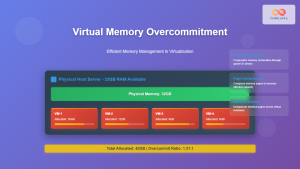
Virtual Memory in Virtualization: Memory Overcommitment Strategies and Implementation
Introduction to Memory Overcommitment Memory overcommitment is a fundamental virtualization technique that allows hypervisors to allocate more virtual memory to...

Process in Operating System: Complete Guide to Definition, States and Lifecycle
What is a Process in Operating System? A process is a program in execution that consists of the program code...

C Memory Management: Advanced Techniques and Best Practices
Memory management is a critical aspect of C programming that can make or break your application's performance and reliability. In...
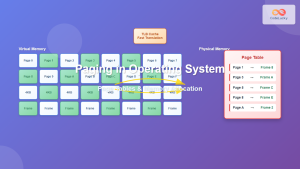
Paging in Operating System: Complete Guide to Memory Management and Page Tables
What is Paging in Operating Systems? Paging is a memory management scheme that allows the operating system to store and...

Java Memory Management: Understanding Garbage Collection
Java's automatic memory management is one of its most powerful features, freeing developers from the burden of manual memory allocation...
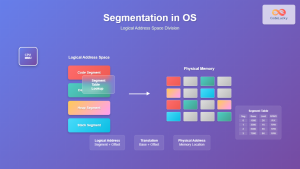
Segmentation in OS: Memory Management Through Logical Address Space Division
Introduction to Segmentation in Operating Systems Segmentation is a fundamental memory management technique in operating systems that divides the logical...
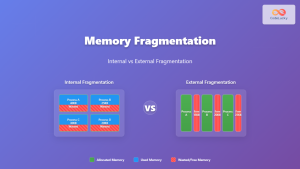
Memory Fragmentation: Internal vs External Fragmentation in Operating Systems
Memory fragmentation is one of the most critical challenges in operating system memory management, directly impacting system performance and resource...