
Introduction to Access Control Models
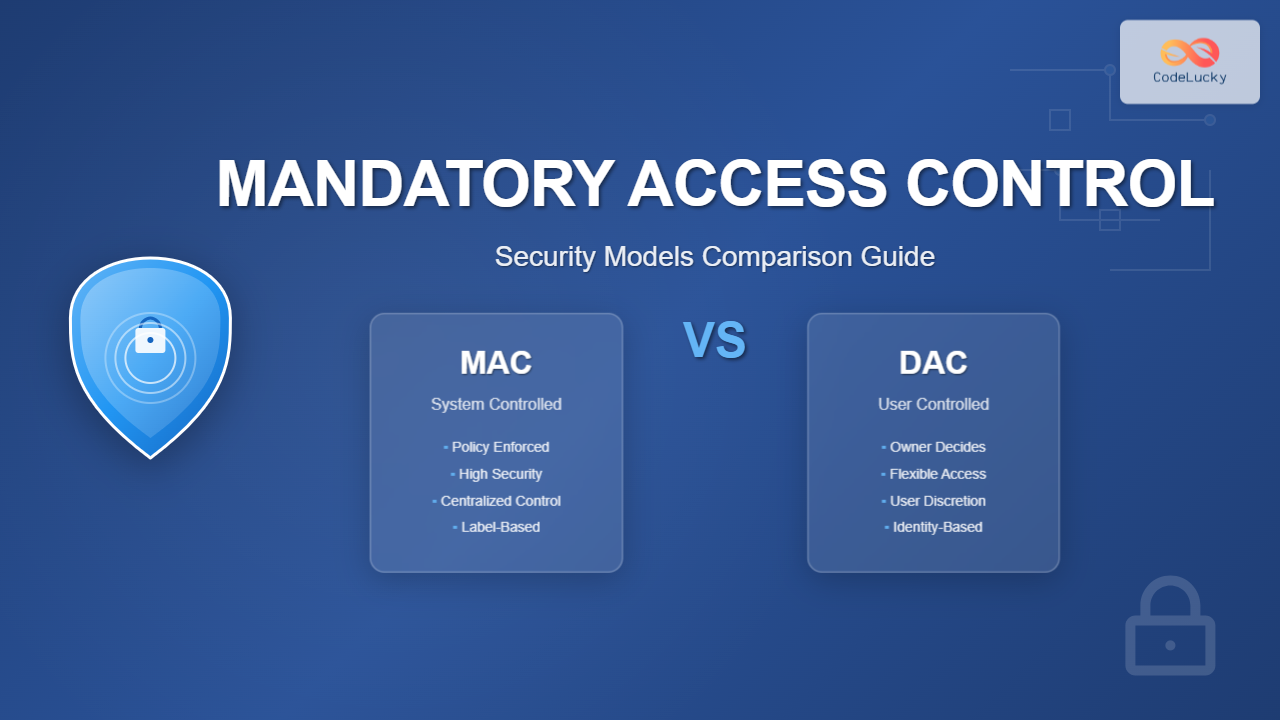
Access control is the cornerstone of computer security, determining who can access what resources and under what circumstances. In operating systems, two primary access control models dominate the security landscape: Mandatory Access Control (MAC) and Discretionary Access Control (DAC). Understanding these models is crucial for system administrators, security professionals, and developers working with secure systems.
This comprehensive guide explores both models in detail, comparing their strengths, weaknesses, and real-world applications to help you choose the right security approach for your organization.
What is Discretionary Access Control (DAC)?
Discretionary Access Control (DAC) is a security model where resource owners have full control over access permissions to their files and resources. In DAC systems, the creator or owner of a file can decide who gets access and what level of access they receive.
Key Characteristics of DAC
- Owner-based control: File owners determine access permissions
- Flexibility: Easy to modify permissions as needed
- User discretion: Users can share resources at their discretion
- Identity-based: Access decisions based on user identity
How DAC Works
In DAC systems, each resource has an associated Access Control List (ACL) or permission set that specifies which users or groups can access the resource and what operations they can perform.

DAC Implementation Example
Let’s examine a typical Unix/Linux file system using DAC:
# Create a file
$ echo "Confidential data" > secret.txt

# Check initial permissions (owner: read/write, group: read, others: read)
$ ls -l secret.txt
-rw-r--r-- 1 alice staff 17 Aug 28 15:30 secret.txt

# Owner (alice) changes permissions to restrict access
$ chmod 600 secret.txt
$ ls -l secret.txt
-rw------- 1 alice staff 17 Aug 28 15:30 secret.txt

# Alice can grant access to specific users
$ chmod 640 secret.txt  # Group can now read
$ setfacl -m u:bob:r secret.txt  # Give bob read access
Advantages of DAC
- Simplicity: Easy to understand and implement
- Flexibility: Quick permission changes without administrator intervention
- User autonomy: Users control their own resources
- Widespread adoption: Standard in most commercial operating systems
Disadvantages of DAC
- Security vulnerabilities: Users may inadvertently grant excessive permissions
- No central control: Difficult to enforce organization-wide security policies
- Trojan horse attacks: Malicious programs can access resources with user’s permissions
- Inconsistent security: Varying security levels across different users
What is Mandatory Access Control (MAC)?
Mandatory Access Control (MAC) is a security model where access permissions are controlled by the system based on predefined security policies. Users cannot modify these permissions, ensuring consistent security enforcement across the entire system.
Key Characteristics of MAC
- System-enforced: Central authority controls all access decisions
- Policy-based: Access determined by system-wide security policies
- Non-discretionary: Users cannot override security decisions
- Label-based: Resources and subjects assigned security labels
How MAC Works
MAC systems assign security labels to both subjects (users, processes) and objects (files, resources). Access decisions are made by comparing these labels against system security policies.

MAC Security Models
Bell-LaPadula Model
The Bell-LaPadula model focuses on confidentiality with two main rules:
- Simple Security Property (No Read Up): A subject cannot read objects at a higher security level
- Star Property (No Write Down): A subject cannot write to objects at a lower security level

Biba Model
The Biba model focuses on integrity with rules that prevent contamination:
- Simple Integrity Property: No read down (don’t read from lower integrity levels)
- Star Integrity Property: No write up (don’t write to higher integrity levels)
MAC Implementation Example: SELinux
Security-Enhanced Linux (SELinux) is a prominent MAC implementation. Here’s how it works:
# Check SELinux status
$ sestatus
SELinux status:                 enabled
Current mode:                   enforcing
Mode from config file:          enforcing

# View file security context (MAC labels)
$ ls -Z /etc/passwd
-rw-r--r--. root root system_u:object_r:passwd_file_t:s0 /etc/passwd

# View process security context
$ ps -eZ | grep httpd
system_u:system_r:httpd_t:s0    1234 ?        00:00:05 httpd

# SELinux policy determines access
# httpd process (httpd_t) can only access files labeled as web content
$ getsebool -a | grep httpd
httpd_can_network_connect --> off
httpd_enable_homedirs --> off

# Attempting unauthorized access is blocked
$ echo "test" > /etc/passwd
bash: /etc/passwd: Permission denied
Advantages of MAC
- Enhanced security: Prevents unauthorized disclosure and modification
- Consistent enforcement: System-wide security policy compliance
- Protection against malware: Limits damage from compromised processes
- Regulatory compliance: Meets strict security requirements
Disadvantages of MAC
- Complexity: Difficult to configure and maintain
- Reduced flexibility: Hard to accommodate changing business needs
- Administrative overhead: Requires specialized knowledge
- User frustration: May block legitimate operations
MAC vs DAC: Detailed Comparison

| Aspect | MAC | DAC |
|---|---|---|
| Control Authority | System/Administrator | Resource Owner |
| Flexibility | Low – Policy-driven | High – User discretion |
| Security Level | High – Consistent enforcement | Variable – User dependent |
| Implementation Complexity | High – Requires expertise | Low – Straightforward |
| Administrative Overhead | High – Continuous monitoring | Low – Minimal intervention |
| User Experience | Restrictive but secure | Flexible but risky |
| Scalability | Good with proper planning | Challenging in large environments |
Role-Based Access Control (RBAC): A Hybrid Approach
Role-Based Access Control (RBAC) combines elements of both MAC and DAC, providing a middle-ground solution. In RBAC, permissions are assigned to roles rather than individual users, and users are assigned to appropriate roles.

RBAC Implementation Example
# Create roles in a typical RBAC system
$ sudo groupadd developers
$ sudo groupadd managers
$ sudo groupadd administrators

# Assign users to roles
$ sudo usermod -a -G developers alice
$ sudo usermod -a -G managers bob
$ sudo usermod -a -G administrators carol

# Set permissions for roles
$ sudo chgrp developers /opt/projects/
$ sudo chmod 2750 /opt/projects/

# Verify role-based access
$ sudo -u alice ls /opt/projects/    # Success - alice is in developers group
$ sudo -u bob ls /opt/projects/      # Denied - bob not in developers group
Choosing Between MAC and DAC
When to Use DAC
- Small organizations: Where centralized control isn’t critical
- Development environments: Requiring frequent permission changes
- Collaborative workspaces: Where resource sharing is common
- Budget constraints: Limited resources for security administration
When to Use MAC
- High-security environments: Government, military, financial institutions
- Regulatory compliance: Industries with strict data protection requirements
- Multi-level security: Organizations handling classified information
- Malware protection: Environments requiring strong containment
Implementation Strategies
Gradual MAC Implementation:
- Assessment Phase: Evaluate current security posture and requirements
- Policy Development: Create comprehensive security policies
- Pilot Testing: Implement MAC on non-critical systems first
- Staff Training: Train administrators and users
- Full Deployment: Roll out system-wide with monitoring
Real-World Examples and Case Studies
Government Implementation: MAC
The U.S. Department of Defense uses MAC-based systems to protect classified information. Their Multi-Level Security (MLS) systems ensure that:
- Personnel can only access information at or below their clearance level
- Information cannot flow from higher to lower classification levels
- All access attempts are logged and monitored
Enterprise Implementation: DAC with RBAC
Most commercial enterprises use DAC with RBAC elements for practical security management:
- Windows Active Directory with group-based permissions
- Cloud platforms with identity and access management (IAM)
- Database systems with role-based database access
Future of Access Control
Modern access control is evolving toward adaptive and context-aware systems that consider multiple factors:
- Attribute-Based Access Control (ABAC): Considers user attributes, resource attributes, and environmental factors
- Zero Trust Architecture: Assumes no implicit trust and verifies every access request
- Machine Learning Integration: Uses AI to detect anomalous access patterns
- Continuous Authentication: Ongoing verification throughout user sessions
Best Practices and Recommendations
Security Implementation Guidelines
- Risk Assessment: Evaluate your organization’s specific security needs
- Layered Security: Combine access control with other security measures
- Regular Audits: Monitor and review access patterns regularly
- User Training: Educate users about security policies and procedures
- Incident Response: Prepare for security breaches and policy violations
Common Implementation Mistakes
- Over-privileging: Granting excessive permissions for convenience
- Inadequate monitoring: Failing to track access patterns and violations
- Poor policy design: Creating overly complex or restrictive policies
- Insufficient testing: Not validating security controls before deployment
Conclusion
Understanding the differences between Mandatory Access Control (MAC) and Discretionary Access Control (DAC) is essential for implementing effective security strategies. While DAC offers flexibility and ease of use, MAC provides superior security through consistent policy enforcement.
The choice between MAC and DAC depends on your organization’s security requirements, regulatory obligations, and operational constraints. Many modern systems benefit from hybrid approaches that combine the best aspects of both models, such as RBAC or ABAC implementations.
As cyber threats continue to evolve, access control mechanisms must adapt to provide robust protection while maintaining usability. By understanding these fundamental security models and their applications, you can make informed decisions about protecting your organization’s valuable resources and data.
Remember that access control is just one component of a comprehensive security strategy. Combine it with other security measures like encryption, network security, and monitoring to create a robust defense against modern threats.
Related Posts
Role-based Access Control: Complete Implementation Guide for Modern Systems
Introduction to Role-based Access Control (RBAC) Role-based Access Control (RBAC) is a security paradigm that restricts system access based on...
Access Control Matrix: Comprehensive Guide to Permission Management Systems
Introduction to Access Control Matrix An Access Control Matrix (ACM) is a fundamental security model used in operating systems to...
File Permissions in Operating System: Complete Guide to Access Control Lists (ACLs)
Introduction to File Permissions and Access Control File permissions form the backbone of operating system security, controlling who can access,...
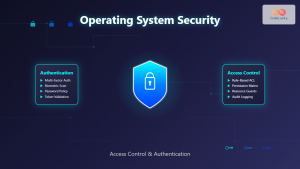
Security in Operating System: Complete Guide to Access Control and Authentication
Introduction to Operating System Security Operating system security forms the foundation of computer security, protecting system resources and user data...
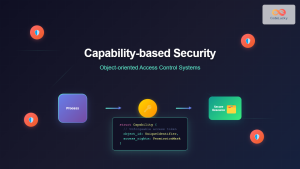
Capability-based Security: Modern Object-oriented Access Control Systems
Capability-based security represents a revolutionary approach to access control in modern operating systems, moving beyond traditional user-based permissions to implement...
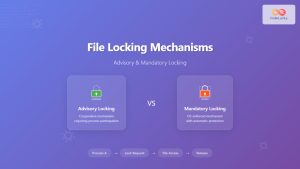
File Locking Mechanisms: Complete Guide to Advisory and Mandatory Locking in Operating Systems
File locking mechanisms are essential components of modern operating systems that prevent data corruption and ensure data integrity when multiple...

SQL GRANT Statement: Assigning User Permissions
In the world of database management, controlling access to data is paramount. The SQL GRANT statement is a powerful tool...
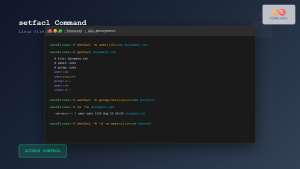
setfacl Command Linux: Complete Guide to File Access Control Lists Management
The setfacl command is a powerful Linux utility that allows you to set and modify File Access Control Lists (ACLs)...
MySQL Privileges: Mastering Access Control
Managing user privileges is essential to securing your MySQL database. Think of it as the gatekeeper for your data; without...
Kernel in Operating System: Core Functions and Memory Management
The kernel stands as the fundamental cornerstone of any operating system, serving as the critical bridge between hardware components and...
getfacl Command Linux: Complete Guide to File Access Control Lists Management
The getfacl command in Linux is a powerful utility that allows system administrators and users to view Access Control Lists...

File System in Operating System: Complete Guide to Structure and Organization
Introduction to File Systems A file system is a fundamental component of any operating system that provides a structured way...





