
Introduction to Mail Server Configuration
Email remains one of the most critical communication services in modern computing environments. A properly configured mail server ensures reliable message delivery, secure communication, and efficient email management for organizations and individuals. This comprehensive guide covers the essential aspects of mail server setup, configuration, and maintenance.
Mail servers handle the complex process of sending, receiving, and storing email messages. Understanding the underlying protocols, security mechanisms, and configuration options is crucial for system administrators and developers working with email systems.
Understanding Email System Architecture

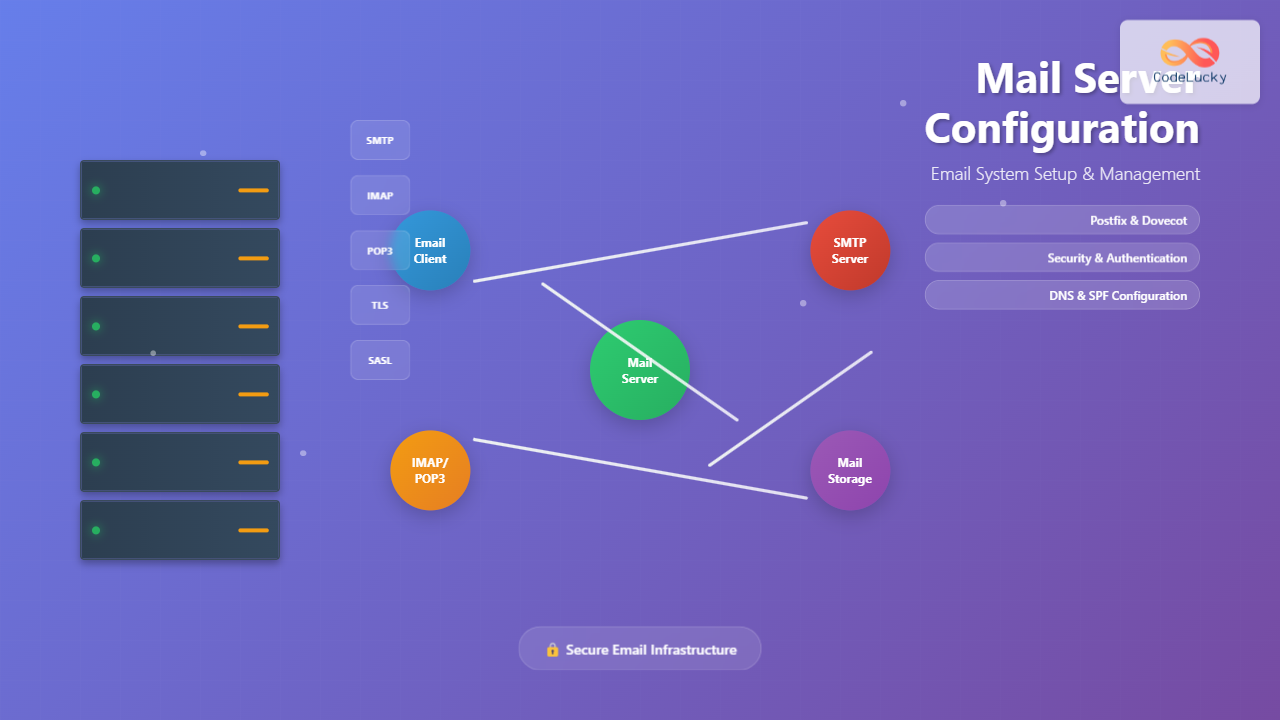
The email system consists of several key components:
- Mail User Agent (MUA): Email clients like Thunderbird, Outlook, or webmail interfaces
- Mail Transfer Agent (MTA): Servers responsible for routing and delivering emails
- Mail Delivery Agent (MDA): Components that handle final message delivery to user mailboxes
- Mail Retrieval Agent (MRA): Services that allow clients to retrieve messages via IMAP or POP3
Core Email Protocols
Simple Mail Transfer Protocol (SMTP)
SMTP is the standard protocol for sending emails between servers and from clients to servers. It operates on port 25 by default, with secure variants using ports 465 (SMTPS) and 587 (submission).
# Basic SMTP transaction example
220 mail.example.com ESMTP Postfix
HELO client.example.com
250 mail.example.com
MAIL FROM: <[email protected]>
250 2.1.0 Ok
RCPT TO: <[email protected]>
250 2.1.5 Ok
DATA
354 End data with <CR><LF>.<CR><LF>
Subject: Test Message
From: [email protected]
To: [email protected]

This is a test message.
.
250 2.0.0 Ok: queued as 12345
QUIT
221 2.0.0 Bye
Internet Message Access Protocol (IMAP)
IMAP allows email clients to access and manage messages stored on the server. It supports multiple clients accessing the same mailbox simultaneously and provides advanced features like folder synchronization.
# IMAP session example
* OK IMAP4rev1 Service Ready
A001 LOGIN username password
A001 OK LOGIN completed
A002 SELECT INBOX
* 172 EXISTS
* 1 RECENT
* OK [UNSEEN 12] Message 12 is first unseen
A002 OK [READ-WRITE] SELECT completed
A003 FETCH 1 BODY[]
* 1 FETCH (BODY[] {1234}
... message content ...
)
A003 OK FETCH completed
A004 LOGOUT
* BYE IMAP4rev1 Server logging out
A004 OK LOGOUT completed
Post Office Protocol (POP3)
POP3 is a simpler protocol for retrieving emails from a server. Unlike IMAP, it typically downloads messages to the client and removes them from the server.
# POP3 session example
+OK POP3 server ready
USER username
+OK
PASS password
+OK Logged in
LIST
+OK 2 messages
1 1234
2 2345
.
RETR 1
+OK 1234 octets
... message content ...
.
DELE 1
+OK Message 1 deleted
QUIT
+OK Logging out
Mail Server Software Options
Postfix Configuration
Postfix is a popular, secure, and easy-to-administer MTA. Here’s a basic configuration setup:
# Install Postfix on Ubuntu/Debian
sudo apt update
sudo apt install postfix

# Install Postfix on CentOS/RHEL
sudo yum install postfix
# or for newer versions
sudo dnf install postfix
Basic Postfix main configuration (/etc/postfix/main.cf):
# Basic Postfix configuration
myhostname = mail.example.com
mydomain = example.com
myorigin = $mydomain
inet_interfaces = all
inet_protocols = ipv4
mydestination = $myhostname, localhost.$mydomain, localhost, $mydomain
mynetworks = 127.0.0.0/8 [::ffff:127.0.0.0]/104 [::1]/128
mailbox_size_limit = 0
recipient_delimiter = +
home_mailbox = Maildir/

# TLS configuration
smtpd_tls_cert_file = /etc/ssl/certs/mail.pem
smtpd_tls_key_file = /etc/ssl/private/mail.key
smtpd_use_tls = yes
smtpd_tls_session_cache_database = btree:/var/lib/postfix/smtpd_scache
smtp_tls_session_cache_database = btree:/var/lib/postfix/smtp_scache

# SMTP authentication
smtpd_sasl_type = dovecot
smtpd_sasl_path = private/auth
smtpd_sasl_auth_enable = yes
smtpd_recipient_restrictions = permit_sasl_authenticated, permit_mynetworks, reject_unauth_destination
Dovecot Configuration
Dovecot provides IMAP and POP3 services. Basic configuration setup:
# Install Dovecot
sudo apt install dovecot-core dovecot-imapd dovecot-pop3d
Main Dovecot configuration (/etc/dovecot/dovecot.conf):
# Dovecot configuration
protocols = imap pop3
listen = *, ::
base_dir = /var/run/dovecot/
instance_name = dovecot

# SSL configuration
ssl = required
ssl_cert = </etc/ssl/certs/mail.pem
ssl_key = </etc/ssl/private/mail.key
ssl_protocols = !SSLv2 !SSLv3

# Authentication
auth_mechanisms = plain login
passdb {
  driver = pam
}
userdb {
  driver = passwd
}

# Mail location
mail_location = maildir:~/Maildir
namespace inbox {
  type = private
  separator = /
  inbox = yes
}

# Services
service imap-login {
  inet_listener imap {
    port = 143
  }
  inet_listener imaps {
    port = 993
    ssl = yes
  }
}

service pop3-login {
  inet_listener pop3 {
    port = 110
  }
  inet_listener pop3s {
    port = 995
    ssl = yes
  }
}
Security Implementation

Transport Layer Security (TLS/SSL)
Implementing encryption is crucial for protecting email communications:
# Generate SSL certificate (for testing)
sudo openssl req -new -x509 -days 365 -nodes -out /etc/ssl/certs/mail.pem -keyout /etc/ssl/private/mail.key

# Set proper permissions
sudo chmod 600 /etc/ssl/private/mail.key
sudo chmod 644 /etc/ssl/certs/mail.pem
SASL Authentication Configuration
Configure SASL for secure authentication:
# /etc/dovecot/conf.d/10-master.conf
service auth {
  unix_listener /var/spool/postfix/private/auth {
    mode = 0666
    user = postfix
    group = postfix
  }
}
Spam and Security Measures
Implement additional security measures in Postfix:
# Anti-spam and security settings
smtpd_helo_required = yes
smtpd_helo_restrictions = permit_mynetworks, reject_invalid_helo_hostname, reject_non_fqdn_helo_hostname
smtpd_sender_restrictions = permit_mynetworks, reject_non_fqdn_sender, reject_unknown_sender_domain
smtpd_recipient_restrictions = permit_sasl_authenticated, permit_mynetworks, reject_unauth_destination, reject_invalid_hostname, reject_non_fqdn_recipient

# Rate limiting
anvil_rate_time_unit = 60s
smtpd_client_connection_count_limit = 50
smtpd_client_connection_rate_limit = 30
smtpd_client_message_rate_limit = 100
DNS Configuration for Email

Proper DNS configuration is essential for email delivery:
# DNS records for email
# MX Record
example.com.    IN    MX    10    mail.example.com.

# A Record for mail server
mail.example.com.    IN    A    192.168.1.100

# SPF Record
example.com.    IN    TXT    "v=spf1 mx a ip4:192.168.1.100 -all"

# DKIM Record (generated by OpenDKIM)
default._domainkey.example.com.    IN    TXT    "v=DKIM1; k=rsa; p=MIIBIjANBgkqhkiG9w0BAQEFAAOCAQ8AMIIBCgKCAQEA..."

# DMARC Record
_dmarc.example.com.    IN    TXT    "v=DMARC1; p=quarantine; rua=mailto:[email protected]; ruf=mailto:[email protected]; rf=afrf; pct=100"

# Reverse DNS (PTR Record)
100.1.168.192.in-addr.arpa.    IN    PTR    mail.example.com.
Virtual Domains and Users
Configure Postfix for multiple domains:
# Virtual domain configuration in main.cf
virtual_alias_domains = domain1.com domain2.com
virtual_alias_maps = hash:/etc/postfix/virtual
virtual_mailbox_domains = virtual.example.com
virtual_mailbox_maps = hash:/etc/postfix/vmailbox
virtual_uid_maps = static:5000
virtual_gid_maps = static:5000
virtual_mailbox_base = /var/mail/virtual
Virtual aliases file (/etc/postfix/virtual):
# Virtual aliases
[email protected]    [email protected]
[email protected]    [email protected]
@domain2.com    [email protected]
Virtual mailboxes file (/etc/postfix/vmailbox):
# Virtual mailboxes
[email protected]    virtual.example.com/user1/Maildir/
[email protected]    virtual.example.com/user2/Maildir/
Monitoring and Logging
Log Analysis
Essential commands for monitoring mail server activity:
# Monitor real-time mail logs
sudo tail -f /var/log/mail.log

# Check Postfix queue
postqueue -p

# View detailed queue information
qshape active
qshape deferred

# Flush mail queue
postfix flush

# Check mail statistics
pflogsumm /var/log/mail.log

# Monitor Dovecot logs
sudo tail -f /var/log/dovecot/dovecot.log

# Check authentication failures
grep "auth failed" /var/log/dovecot/dovecot.log
Performance Monitoring
Key metrics to monitor for mail server performance:
# Check disk usage for mail storage
du -sh /var/mail/*
df -h /var/mail

# Monitor memory usage
free -m
ps aux | grep -E "(postfix|dovecot)"

# Check network connections
netstat -tlnp | grep -E "(25|110|143|465|587|993|995)"
ss -tlnp | grep -E "(25|110|143|465|587|993|995)"

# Monitor mail queue size
mailq | tail -n 1
Troubleshooting Common Issues
Connection Problems
# Test SMTP connectivity
telnet mail.example.com 25
openssl s_client -connect mail.example.com:465
openssl s_client -starttls smtp -connect mail.example.com:587

# Test IMAP connectivity
telnet mail.example.com 143
openssl s_client -connect mail.example.com:993

# Check service status
systemctl status postfix
systemctl status dovecot

# Verify configuration
postfix check
doveconf -n
Authentication Issues
# Test SASL authentication
testsaslauthd -u username -p password -f /var/spool/postfix/var/run/saslauthd/mux

# Check dovecot authentication
doveadm auth test username password

# Debug authentication
grep "authentication failed" /var/log/mail.log
grep "sasl_method" /var/log/mail.log
Delivery Problems
# Check mail delivery
echo "Test message" | mail -s "Test" [email protected]

# Verify DNS records
dig MX example.com
dig TXT example.com
nslookup -type=MX example.com

# Test mail flow
postcat -q queue-id
postsuper -d queue-id
Backup and Maintenance
Regular maintenance tasks for mail servers:
# Backup configuration files
sudo tar -czf mail-config-backup-$(date +%Y%m%d).tar.gz \
  /etc/postfix/ \
  /etc/dovecot/ \
  /etc/ssl/certs/mail.pem \
  /etc/ssl/private/mail.key

# Backup mail data
sudo rsync -av /var/mail/ /backup/mail-$(date +%Y%m%d)/

# Rotate logs
sudo logrotate /etc/logrotate.d/postfix
sudo logrotate /etc/logrotate.d/dovecot

# Clean old mail queue entries
find /var/spool/postfix/defer -type f -mtime +7 -delete
find /var/spool/postfix/bounce -type f -mtime +7 -delete

# Update SSL certificates (Let's Encrypt example)
sudo certbot renew --quiet
sudo systemctl reload postfix dovecot
Security Best Practices
Essential security measures for mail servers:
- Regular Updates: Keep mail server software updated with security patches
- Firewall Configuration: Restrict access to necessary ports only
- Strong Authentication: Implement strong password policies and consider two-factor authentication
- Rate Limiting: Configure rate limits to prevent abuse
- Regular Monitoring: Monitor logs for suspicious activity
- Backup Strategy: Maintain regular backups of configuration and mail data
- SSL/TLS Encryption: Use strong encryption for all mail communications
Performance Optimization
Optimize mail server performance with these configurations:
# Postfix performance tuning
# /etc/postfix/main.cf
default_process_limit = 100
smtpd_client_connection_count_limit = 50
smtpd_client_connection_rate_limit = 30
queue_run_delay = 300s
minimal_backoff_time = 300s
maximal_backoff_time = 4000s

# Dovecot performance tuning
# /etc/dovecot/conf.d/10-master.conf
default_process_limit = 1000
default_client_limit = 1000

service imap-login {
  process_limit = 512
  client_limit = 1
}

service imap {
  process_limit = 1024
}
Conclusion
Mail server configuration requires careful attention to security, performance, and reliability. This comprehensive guide provides the foundation for setting up and maintaining a robust email system. Regular monitoring, proper security implementation, and staying updated with best practices ensure optimal mail server performance and user experience.
Remember that email systems are critical infrastructure components that require ongoing maintenance, monitoring, and security updates. Start with a basic configuration and gradually implement advanced features as your understanding and requirements grow.





