
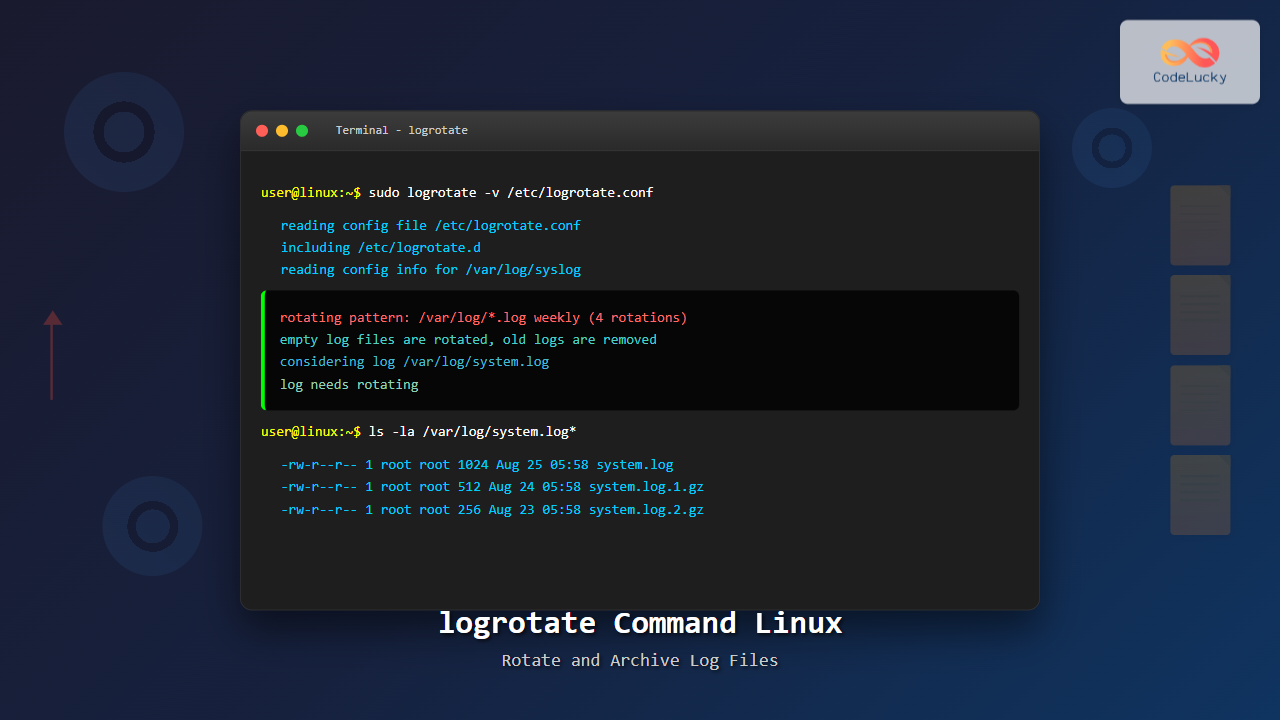
Log files are essential for monitoring system health, debugging applications, and maintaining security. However, without proper management, these files can consume enormous disk space and impact system performance. The logrotate command in Linux provides an elegant solution for automatically rotating, compressing, and managing log files based on predefined criteria.
What is logrotate?
logrotate is a system utility designed to simplify the administration of log files on Linux systems. It automatically rotates, compresses, removes, and mails log files based on configuration rules. This prevents log files from growing indefinitely and helps maintain system performance while preserving important historical data.
Key Features of logrotate
- Automatic rotation: Rotates logs based on size, time, or both
- Compression: Compresses old log files to save disk space
- Retention policies: Automatically removes old log files
- Email notifications: Can email logs before deletion
- Custom scripts: Executes pre/post rotation scripts
- Flexible configuration: Supports per-application configurations
Basic Syntax and Installation
Most Linux distributions come with logrotate pre-installed. If not, you can install it using your package manager:
# Ubuntu/Debian
sudo apt update && sudo apt install logrotate

# CentOS/RHEL/Fedora
sudo yum install logrotate
# or
sudo dnf install logrotate
The basic syntax for logrotate is:
logrotate [options] config_fileConfiguration Files and Structure
logrotate uses configuration files to determine how to handle different log files. The main configuration locations are:
/etc/logrotate.conf– Main configuration file/etc/logrotate.d/– Directory for application-specific configurations
Main Configuration File
Let’s examine the default /etc/logrotate.conf:
# see "man logrotate" for details
# rotate log files weekly
weekly

# keep 4 weeks worth of backlogs
rotate 4

# create new (empty) log files after rotating old ones
create

# use date as a suffix of the rotated file
dateext

# uncompress if logs must be compressed
#delaycompress

# packages can drop log rotation information into this directory
include /etc/logrotate.d

# system-specific logs may be configured here
Essential logrotate Options
Understanding the key configuration options is crucial for effective log management:
Rotation Frequency Options
| Option | Description | Example Usage |
|---|---|---|
daily |
Rotate logs daily | High-traffic web servers |
weekly |
Rotate logs weekly | Application logs |
monthly |
Rotate logs monthly | System logs |
yearly |
Rotate logs yearly | Audit logs |
Size-Based Rotation
# Rotate when file exceeds 100MB
size 100M

# Rotate when file exceeds 1GB
size 1G

# Rotate when file exceeds 500KB
size 500k
Retention and Compression Options
# Keep 7 rotated files
rotate 7

# Compress rotated files (except the most recent)
compress

# Delay compression until next rotation cycle
delaycompress

# Don't rotate empty files
notifempty

# Missing log files are not an error
missingok
Creating Custom Configuration Files
Let’s create a comprehensive example for a web application’s log rotation:
# /etc/logrotate.d/mywebapp
/var/log/mywebapp/*.log {
    daily
    rotate 30
    compress
    delaycompress
    missingok
    notifempty
    create 644 www-data www-data
    postrotate
        systemctl reload nginx > /dev/null 2>&1 || true
    endscript
}
This configuration:
- Rotates all .log files in
/var/log/mywebapp/daily - Keeps 30 days of logs
- Compresses old files but delays compression for the most recent
- Ignores missing files and empty files
- Creates new log files with specific permissions and ownership
- Reloads nginx after rotation to ensure proper logging continues
Advanced Configuration Examples
Database Log Rotation
# /etc/logrotate.d/mysql
/var/log/mysql/*.log {
    daily
    rotate 7
    compress
    delaycompress
    missingok
    notifempty
    create 640 mysql mysql
    prerotate
        # Flush MySQL logs before rotation
        /usr/bin/mysqladmin flush-logs
    endscript
    postrotate
        # Signal MySQL to reopen log files
        /bin/kill -HUP `cat /var/run/mysqld/mysqld.pid 2> /dev/null` 2> /dev/null || true
    endscript
}
Apache/Nginx Log Rotation
# /etc/logrotate.d/apache2
/var/log/apache2/*.log {
    weekly
    rotate 52
    compress
    delaycompress
    missingok
    notifempty
    create 644 root adm
    sharedscripts
    postrotate
        /bin/systemctl reload apache2.service > /dev/null 2>&1 || true
    endscript
}
Application-Specific with Email Notification
# /etc/logrotate.d/critical-app
/var/log/critical-app/error.log {
    size 50M
    rotate 10
    compress
    notifempty
    mail [email protected]
    mailsubject "Critical App Error Log Rotated"
    create 600 appuser appgroup
    prerotate
        echo "Rotating critical application logs" | logger
    endscript
    postrotate
        /usr/local/bin/restart-critical-app.sh
    endscript
}
Command Line Usage and Testing
Manual Execution
Run logrotate manually to test configurations:
# Test configuration without actually rotating
sudo logrotate -d /etc/logrotate.conf

# Force rotation regardless of timing
sudo logrotate -f /etc/logrotate.conf

# Run with verbose output
sudo logrotate -v /etc/logrotate.conf

# Test specific configuration file
sudo logrotate -d /etc/logrotate.d/mywebapp
Testing Output Example
$ sudo logrotate -d /etc/logrotate.d/apache2

reading config file /etc/logrotate.d/apache2
Allocating hash table for state file, size 15360 B

Handling 1 logs

rotating pattern: /var/log/apache2/*.log  weekly (52 rotations)
empty log files are not rotated, old logs are removed
considering log /var/log/apache2/access.log
  log does not need rotating (log has been rotated at 2025-8-18 6:25, that is only 0 days ago)
considering log /var/log/apache2/error.log
  log does not need rotating (log has been rotated at 2025-8-18 6:25, that is only 0 days ago)
Automation with Cron
logrotate typically runs automatically via cron. Check the cron configuration:
# View the cron job (usually in /etc/cron.daily/)
cat /etc/cron.daily/logrotate
The default cron script usually looks like:
#!/bin/sh
test -x /usr/sbin/logrotate || exit 0
/usr/sbin/logrotate /etc/logrotate.conf
For custom scheduling, you can create a specific cron job:
# Run every 6 hours
0 */6 * * * /usr/sbin/logrotate /etc/logrotate.d/high-frequency-app

# Run at 2 AM daily
0 2 * * * /usr/sbin/logrotate /etc/logrotate.d/nightly-rotation
State File and Troubleshooting
logrotate maintains a state file at /var/lib/logrotate/status to track when files were last rotated:
$ sudo cat /var/lib/logrotate/status

logrotate state -- version 2
"/var/log/alternatives.log" 2025-8-18-6:25:1
"/var/log/apache2/access.log" 2025-8-18-6:25:1
"/var/log/apache2/error.log" 2025-8-18-6:25:1
"/var/log/apt/history.log" 2025-8-11-6:25:1
"/var/log/apt/term.log" 2025-8-11-6:25:1
Common Troubleshooting Steps
# Check logrotate status
sudo systemctl status logrotate

# View recent logrotate activity
sudo journalctl -u logrotate

# Manually reset state for a specific file
sudo vim /var/lib/logrotate/status
# Remove the line for the file you want to reset

# Check configuration syntax
sudo logrotate -d /etc/logrotate.conf
Advanced Features and Best Practices
Using Variables and Wildcards
# Rotate multiple application logs with patterns
/var/log/app-*/logs/*.log /var/log/services/*.log {
    daily
    rotate 14
    compress
    delaycompress
    sharedscripts
    postrotate
        for pid_file in /var/run/app-*/app.pid; do
            [ -f "$pid_file" ] && kill -HUP $(cat "$pid_file") 2>/dev/null || true
        done
    endscript
}
Conditional Rotation
# Rotate based on file age AND size
/var/log/large-app/*.log {
    size 100M
    maxage 30
    rotate 10
    compress
    notifempty
}
Security Considerations
# Secure log rotation for sensitive files
/var/log/secure/*.log {
    weekly
    rotate 52
    compress
    notifempty
    create 600 root root
    su root root
    postrotate
        # Ensure proper SELinux context
        restorecon /var/log/secure/*.log 2>/dev/null || true
    endscript
}
Performance Optimization Tips
Efficient Configuration Strategies
- Use sharedscripts: When multiple files share the same post-rotation actions
- Implement delaycompress: Prevents issues with applications still writing to rotated files
- Set appropriate rotation frequency: Balance between disk space and performance
- Use size-based rotation for high-volume logs: Prevents extremely large files
# Optimized configuration for high-volume logs
/var/log/high-volume-app/*.log {
    size 500M
    rotate 5
    compress
    delaycompress
    notifempty
    sharedscripts
    postrotate
        /bin/systemctl reload high-volume-app
    endscript
}
Integration with Log Management Systems
logrotate works well with centralized logging solutions:
# Configuration for logs that are also sent to remote systems
/var/log/app/*.log {
    daily
    rotate 7
    compress
    notifempty
    postrotate
        # Signal log shipping agent to process rotated files
        /usr/local/bin/notify-log-shipper.sh "$1"
    endscript
}
Monitoring and Alerting
Create monitoring scripts to ensure logrotate is functioning properly:
#!/bin/bash
# Check if logrotate ran successfully today
LOG_DATE=$(date '+%Y-%m-%d')
if ! grep -q "$LOG_DATE" /var/log/logrotate.log; then
    echo "WARNING: logrotate may not have run today" | mail -s "logrotate Alert" [email protected]
fi

# Check for failed rotations
if grep -i error /var/log/logrotate.log; then
    echo "ERROR: logrotate encountered errors" | mail -s "logrotate Error" [email protected]
fi
Conclusion
The logrotate command is an indispensable tool for Linux system administrators and DevOps professionals. By implementing proper log rotation strategies, you can:
- Prevent disk space exhaustion
- Maintain system performance
- Preserve important log data with compression
- Automate log management tasks
- Ensure compliance with retention policies
Regular monitoring and testing of your logrotate configurations ensure smooth operation and help prevent potential issues before they impact your systems. Remember to always test configurations in non-production environments first and maintain proper backups of critical log data.
Start with simple configurations and gradually implement more advanced features as your log management requirements grow. The flexibility of logrotate makes it suitable for everything from small applications to large enterprise environments.
Related Posts
rsyslog Command Linux: System Logging Configuration with Examples
rsyslog is one of the most powerful and widely used system logging tools in Linux. It stands for “rocket-fast syslog”...
logger Command Linux: Complete Guide to System Log Message Management
The logger command in Linux is a powerful utility that allows users and scripts to send messages directly to the...
gzip Command Linux: Complete Guide to Compress and Decompress Files
The gzip command is one of the most essential file compression utilities in Linux systems. It provides efficient compression using...
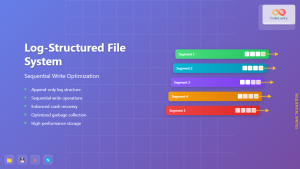
Log-structured File System: Sequential Write Optimization for High-Performance Storage
Log-structured File Systems (LFS) represent a revolutionary approach to data storage that fundamentally changes how operating systems handle file operations....
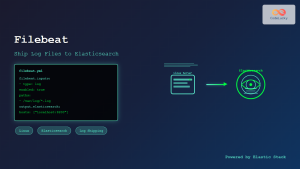
filebeat Linux: Complete Guide to Ship Log Files to Elasticsearch with Real Examples
Filebeat is a lightweight log shipper that belongs to the Elastic Stack (formerly ELK Stack) ecosystem. It's designed to monitor...
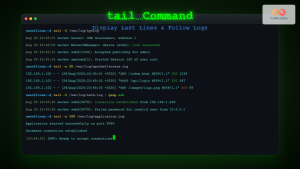
tail Command Linux: Complete Guide to Display Last Lines and Follow Logs in Real-Time
The tail command is one of the most essential tools in Linux for displaying the last lines of files and...
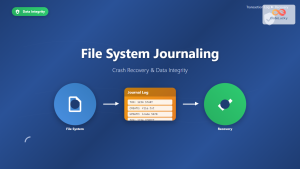
File System Journaling: Complete Guide to Crash Recovery and Data Integrity
Understanding File System Journaling File system journaling is a critical mechanism that ensures data integrity and enables rapid crash recovery...

ar Command Linux: Complete Guide to Archive File Management
The ar command in Linux is a powerful archiving utility primarily used for creating and managing archive files, especially static...

zip Command Linux: Complete Guide to Creating ZIP Archives with Examples
The zip command in Linux is a powerful utility for creating compressed archives and managing files efficiently. Whether you're backing...

tar Command in Linux: Complete Archive and Extract Files Tutorial with Examples
The tar command is one of the most essential utilities in Linux for creating archives and extracting files. Originally designed...
shred Command Linux: Complete Guide to Securely Delete Files and Protect Data
When you delete files in Linux using the standard rm command, the data isn't actually removed from your storage device....
rm Command in Linux: Complete Guide to Delete Files and Directories Safely
The rm command is one of the most powerful and potentially dangerous commands in Linux. It stands for "remove" and...





