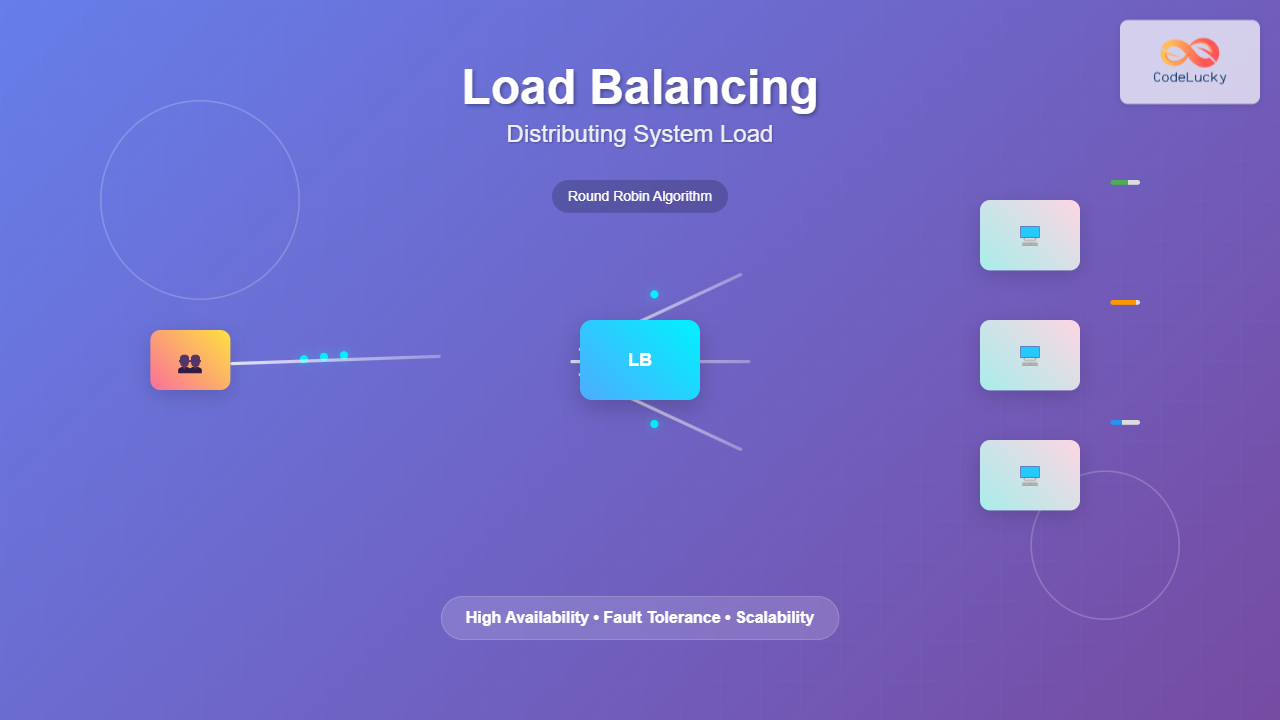
Load balancing is a critical technique in modern computing systems that distributes incoming network traffic, computational tasks, or system resources across multiple servers, processors, or components. This fundamental concept ensures optimal resource utilization, maximizes throughput, minimizes response time, and provides fault tolerance in distributed systems.
Understanding Load Balancing Fundamentals
At its core, load balancing prevents any single component from becoming a bottleneck by intelligently distributing workloads. This distribution can occur at various system levels, from network traffic routing to CPU task scheduling within operating systems.

Types of Load Balancing
Network Load Balancing: Distributes incoming network requests across multiple servers or services. This is commonly seen in web applications where traffic is routed to different backend servers.
CPU Load Balancing: The operating system distributes processes and threads across multiple CPU cores or processors to optimize computational performance.
Memory Load Balancing: Distributes memory allocation and usage across different memory modules or NUMA (Non-Uniform Memory Access) nodes.
Storage Load Balancing: Spreads data access requests across multiple storage devices or systems to improve I/O performance.
Load Balancing Algorithms
Different algorithms determine how load balancers distribute incoming requests or tasks. Each algorithm has specific use cases and performance characteristics.
Round Robin Algorithm
The simplest load balancing algorithm that distributes requests sequentially across available servers in a circular manner.
class RoundRobinBalancer:
    def __init__(self, servers):
        self.servers = servers
        self.current = 0

    def get_next_server(self):
        server = self.servers[self.current]
        self.current = (self.current + 1) % len(self.servers)
        return server

# Example usage
servers = ['Server1', 'Server2', 'Server3']
balancer = RoundRobinBalancer(servers)

for i in range(6):
    print(f"Request {i+1}: {balancer.get_next_server()}")

# Output:
# Request 1: Server1
# Request 2: Server2
# Request 3: Server3
# Request 4: Server1
# Request 5: Server2
# Request 6: Server3
Weighted Round Robin
Assigns different weights to servers based on their capacity, ensuring more powerful servers receive proportionally more requests.
class WeightedRoundRobinBalancer:
    def __init__(self, servers_weights):
        self.servers_weights = servers_weights
        self.current_weights = {server: 0 for server, _ in servers_weights}

    def get_next_server(self):
        # Increase current weights
        for server, weight in self.servers_weights:
            self.current_weights[server] += weight

        # Find server with highest current weight
        selected_server = max(self.current_weights,
                            key=self.current_weights.get)

        # Decrease selected server's current weight
        total_weight = sum(weight for _, weight in self.servers_weights)
        self.current_weights[selected_server] -= total_weight

        return selected_server

# Example with different server capacities
servers_weights = [('Server1', 5), ('Server2', 3), ('Server3', 2)]
balancer = WeightedRoundRobinBalancer(servers_weights)

for i in range(10):
    print(f"Request {i+1}: {balancer.get_next_server()}")
Least Connections Algorithm
Routes new requests to the server with the fewest active connections, ideal for applications with varying request processing times.
class LeastConnectionsBalancer:
    def __init__(self, servers):
        self.servers = {server: 0 for server in servers}

    def get_next_server(self):
        # Find server with minimum connections
        selected_server = min(self.servers, key=self.servers.get)
        self.servers[selected_server] += 1
        return selected_server

    def release_connection(self, server):
        if server in self.servers and self.servers[server] > 0:
            self.servers[server] -= 1

# Simulation
balancer = LeastConnectionsBalancer(['Server1', 'Server2', 'Server3'])

# Simulate requests
for i in range(5):
    server = balancer.get_next_server()
    print(f"Request {i+1} assigned to: {server}")
    print(f"Current connections: {balancer.servers}")
Operating System Level Load Balancing
Modern operating systems implement sophisticated load balancing mechanisms to optimize resource utilization across multiple CPU cores and system components.

CPU Load Balancing in Linux
Linux implements several load balancing mechanisms through its Completely Fair Scheduler (CFS):
- Load Balancing Domains: Hierarchical grouping of CPUs for efficient load distribution
- Migration Mechanisms: Moving processes between cores based on load conditions
- Idle Balancing: Redistributing tasks when cores become idle
# Check CPU load distribution
cat /proc/loadavg
# Output: 0.52 0.48 0.45 2/178 12345

# Monitor per-core usage
mpstat -P ALL 1
# Shows individual CPU core utilization

# Check process CPU affinity
taskset -p PID
# Display which CPUs a process can run on
Memory Load Balancing
NUMA-aware systems balance memory allocation across different memory nodes to minimize access latency:
# Check NUMA topology
numactl --hardware

# Run process with specific NUMA policy
numactl --interleave=all ./application

# Monitor NUMA statistics
numastat
Network Load Balancing Implementation
Network load balancers operate at different layers of the OSI model, each providing unique advantages and capabilities.

Layer 4 (Transport Layer) Load Balancing
Operates at the transport layer, making routing decisions based on IP addresses and port numbers without inspecting packet contents.
# Nginx Layer 4 Load Balancing Configuration
upstream backend_servers {
    least_conn;
    server 192.168.1.10:8080 weight=3;
    server 192.168.1.11:8080 weight=2;
    server 192.168.1.12:8080 weight=1;
    server 192.168.1.13:8080 backup;
}

server {
    listen 80;
    proxy_pass backend_servers;
    proxy_timeout 1s;
    proxy_responses 1;
}
Layer 7 (Application Layer) Load Balancing
Inspects application-level data to make intelligent routing decisions based on content, headers, or other application-specific criteria.
# Nginx Layer 7 Load Balancing with Content-Based Routing
upstream api_servers {
    server 192.168.1.20:8080;
    server 192.168.1.21:8080;
}

upstream static_servers {
    server 192.168.1.30:8080;
    server 192.168.1.31:8080;
}

server {
    listen 80;

    location /api/ {
        proxy_pass http://api_servers;
        proxy_set_header Host $host;
        proxy_set_header X-Real-IP $remote_addr;
    }

    location ~* \.(css|js|img|png|jpg|jpeg|gif|ico|svg)$ {
        proxy_pass http://static_servers;
        expires 1y;
        add_header Cache-Control "public, immutable";
    }
}
Advanced Load Balancing Techniques
Health Checking and Failover
Robust load balancing systems continuously monitor server health and automatically route traffic away from failed components.
import requests
import time
from threading import Thread

class HealthCheckBalancer:
    def __init__(self, servers):
        self.servers = {server: True for server in servers}
        self.current = 0
        self.start_health_checks()

    def health_check(self, server):
        try:
            response = requests.get(f"http://{server}/health", timeout=5)
            self.servers[server] = response.status_code == 200
        except:
            self.servers[server] = False

    def start_health_checks(self):
        def check_all():
            while True:
                for server in self.servers:
                    Thread(target=self.health_check, args=(server,)).start()
                time.sleep(10)  # Check every 10 seconds

        Thread(target=check_all, daemon=True).start()

    def get_healthy_servers(self):
        return [server for server, healthy in self.servers.items() if healthy]

    def get_next_server(self):
        healthy_servers = self.get_healthy_servers()
        if not healthy_servers:
            raise Exception("No healthy servers available")

        server = healthy_servers[self.current % len(healthy_servers)]
        self.current += 1
        return server
Session Persistence (Sticky Sessions)
Ensures that requests from the same client are consistently routed to the same server, important for applications that maintain session state.

import hashlib

class StickySessionBalancer:
    def __init__(self, servers):
        self.servers = servers
        self.session_map = {}

    def get_server_for_session(self, session_id):
        if session_id in self.session_map:
            return self.session_map[session_id]

        # Use consistent hashing for new sessions
        hash_value = int(hashlib.md5(session_id.encode()).hexdigest(), 16)
        server_index = hash_value % len(self.servers)
        server = self.servers[server_index]

        self.session_map[session_id] = server
        return server

# Example usage
balancer = StickySessionBalancer(['Server1', 'Server2', 'Server3'])

sessions = ['user123', 'user456', 'user789', 'user123']
for session in sessions:
    server = balancer.get_server_for_session(session)
    print(f"Session {session} -> {server}")

# Output:
# Session user123 -> Server2
# Session user456 -> Server1
# Session user789 -> Server3
# Session user123 -> Server2 (same server for returning session)
Performance Optimization and Monitoring
Metrics and Monitoring
Effective load balancing requires continuous monitoring of key performance indicators:
- Response Time: Average time to process requests
- Throughput: Number of requests processed per second
- Error Rate: Percentage of failed requests
- Resource Utilization: CPU, memory, and network usage
- Connection Pool Status: Active and idle connections
import time
import statistics
from collections import defaultdict

class LoadBalancerMetrics:
    def __init__(self):
        self.response_times = defaultdict(list)
        self.request_counts = defaultdict(int)
        self.error_counts = defaultdict(int)

    def record_request(self, server, response_time, success=True):
        self.response_times[server].append(response_time)
        self.request_counts[server] += 1
        if not success:
            self.error_counts[server] += 1

    def get_server_stats(self, server):
        if server not in self.response_times:
            return None

        times = self.response_times[server]
        total_requests = self.request_counts[server]
        errors = self.error_counts[server]

        return {
            'avg_response_time': statistics.mean(times),
            'median_response_time': statistics.median(times),
            'total_requests': total_requests,
            'error_rate': (errors / total_requests) * 100 if total_requests > 0 else 0,
            'requests_per_second': total_requests / (time.time() - self.start_time) if hasattr(self, 'start_time') else 0
        }

    def print_summary(self):
        print("Load Balancer Performance Summary:")
        print("-" * 40)
        for server in self.response_times:
            stats = self.get_server_stats(server)
            print(f"{server}:")
            print(f"  Avg Response Time: {stats['avg_response_time']:.2f}ms")
            print(f"  Error Rate: {stats['error_rate']:.2f}%")
            print(f"  Total Requests: {stats['total_requests']}")
Real-World Implementation Examples
High-Availability Web Application Architecture

Microservices Load Balancing
In microservices architectures, load balancing occurs at multiple levels, from service discovery to individual service instances.
# Kubernetes Service Load Balancing Configuration
apiVersion: v1
kind: Service
metadata:
  name: user-service
spec:
  selector:
    app: user-service
  ports:
    - protocol: TCP
      port: 80
      targetPort: 8080
  type: LoadBalancer
  sessionAffinity: ClientIP

---
apiVersion: apps/v1
kind: Deployment
metadata:
  name: user-service
spec:
  replicas: 3
  selector:
    matchLabels:
      app: user-service
  template:
    metadata:
      labels:
        app: user-service
    spec:
      containers:
      - name: user-service
        image: user-service:latest
        ports:
        - containerPort: 8080
        resources:
          requests:
            cpu: 100m
            memory: 128Mi
          limits:
            cpu: 500m
            memory: 256Mi
Best Practices and Considerations
Choosing the Right Load Balancing Strategy
For CPU-intensive applications: Use weighted round-robin based on server capacity
For I/O-intensive applications: Implement least connections algorithm
For stateful applications: Configure session persistence or sticky sessions
For geographically distributed users: Implement geographic load balancing
Security Considerations
- SSL Termination: Offload SSL processing to load balancers for better performance
- DDoS Protection: Implement rate limiting and traffic filtering
- Health Check Security: Secure health check endpoints to prevent information disclosure
Scalability Planning
Design load balancing systems with horizontal scalability in mind:
- Implement auto-scaling based on metrics
- Use containerization for rapid deployment
- Design stateless applications where possible
- Implement circuit breakers for fault tolerance
Troubleshooting Common Issues
Uneven Load Distribution
Symptoms include some servers being overloaded while others remain idle. Solutions include:
- Adjusting algorithm parameters
- Implementing proper health checks
- Considering request processing time variations
Session Loss in Sticky Sessions
Implement session replication or external session storage:
# Redis-based session storage for load balanced applications
import redis
import json

class SessionManager:
    def __init__(self, redis_host='localhost', redis_port=6379):
        self.redis_client = redis.Redis(host=redis_host, port=redis_port)

    def store_session(self, session_id, data, ttl=3600):
        self.redis_client.setex(
            f"session:{session_id}",
            ttl,
            json.dumps(data)
        )

    def get_session(self, session_id):
        data = self.redis_client.get(f"session:{session_id}")
        return json.loads(data) if data else None

    def delete_session(self, session_id):
        self.redis_client.delete(f"session:{session_id}")
Load balancing is fundamental to building scalable, reliable, and high-performance systems. By understanding different algorithms, implementation techniques, and monitoring strategies, system administrators and developers can design robust architectures that efficiently distribute workloads and provide excellent user experiences. The key to successful load balancing lies in choosing appropriate strategies based on application requirements, implementing comprehensive monitoring, and continuously optimizing based on real-world performance data.