Understanding Linux Security Architecture
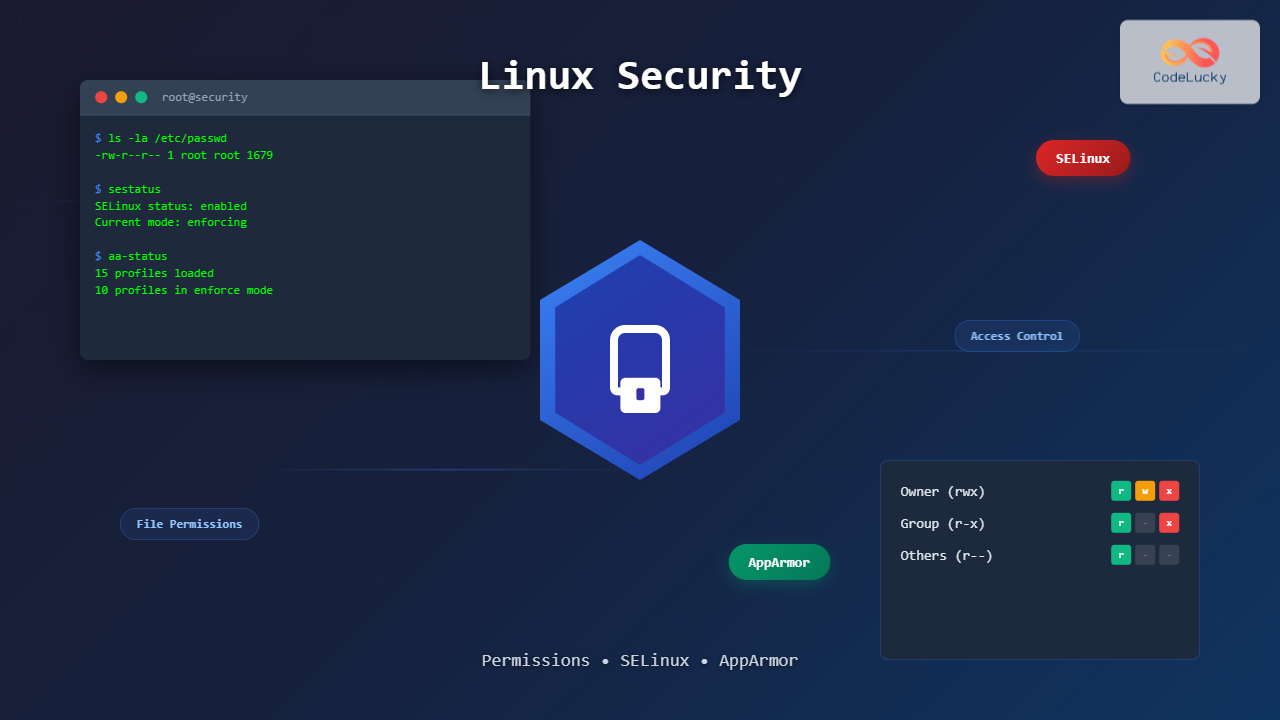
Linux security operates on multiple layers, providing robust protection through a combination of traditional Unix permissions, mandatory access controls (MAC), and application confinement systems. This comprehensive approach ensures that even if one security mechanism fails, others remain in place to protect the system.

Linux File Permissions: The Foundation
Understanding Permission Types
Linux file permissions control who can read, write, or execute files and directories. Every file has three permission sets: owner (user), group, and others. Each set contains three permission types:
- Read (r): View file contents or list directory contents
- Write (w): Modify file contents or create/delete files in directory
- Execute (x): Run executable files or enter directories
Permission Representation
Permissions are displayed in two formats: symbolic notation (letters) and octal notation (numbers).
# Example file listing
$ ls -l example.txt
-rwxr--r-- 1 john developers 1024 Aug 28 18:04 example.txt

# Breaking down the permissions:
# - : Regular file (d for directory, l for symlink)
# rwx : Owner permissions (read, write, execute)
# r-- : Group permissions (read only)
# r-- : Others permissions (read only)
Octal Permission Values
| Permission | Octal Value | Binary |
|---|---|---|
| — (none) | 0 | 000 |
| –x (execute) | 1 | 001 |
| -w- (write) | 2 | 010 |
| -wx (write + execute) | 3 | 011 |
| r– (read) | 4 | 100 |
| r-x (read + execute) | 5 | 101 |
| rw- (read + write) | 6 | 110 |
| rwx (all permissions) | 7 | 111 |
Managing Permissions with chmod
# Set permissions using octal notation
$ chmod 755 script.sh          # rwxr-xr-x
$ chmod 644 document.txt       # rw-r--r--
$ chmod 600 private_key        # rw-------

# Set permissions using symbolic notation
$ chmod u+x script.sh          # Add execute for owner
$ chmod g-w file.txt          # Remove write for group
$ chmod o=r file.txt          # Set others to read-only
$ chmod a+r file.txt          # Add read for all (owner, group, others)

# Recursive permission changes
$ chmod -R 755 /var/www/html/  # Apply to directory and all contents
Special Permissions
Linux provides three special permission types that extend basic permission functionality:
- SUID (Set User ID): Executes with owner’s privileges
- SGID (Set Group ID): Executes with group’s privileges or inherits group ownership
- Sticky Bit: Restricts file deletion in shared directories
# Setting special permissions
$ chmod u+s /usr/bin/passwd    # Set SUID bit (4755)
$ chmod g+s /shared/directory  # Set SGID bit (2755)
$ chmod +t /tmp               # Set sticky bit (1755)

# Viewing special permissions
$ ls -l /usr/bin/passwd
-rwsr-xr-x 1 root root 59640 Jan 25  2024 /usr/bin/passwd
#    ^
#    SUID bit (s instead of x)

$ ls -ld /tmp
drwxrwxrwt 15 root root 4096 Aug 28 18:04 /tmp
#        ^
#        Sticky bit (t instead of x)
Access Control Lists (ACLs)
ACLs provide fine-grained permission control beyond traditional Unix permissions, allowing multiple users and groups to have different access levels to the same file.
# Install ACL support (if needed)
$ sudo apt-get install acl

# Set ACL permissions
$ setfacl -m u:alice:rw file.txt      # Give alice read/write access
$ setfacl -m g:developers:rx dir/     # Give developers group read/execute
$ setfacl -m o::r file.txt           # Set others to read-only

# View ACL permissions
$ getfacl file.txt
# file: file.txt
# owner: john
# group: staff
user::rw-
user:alice:rw-
group::r--
group:developers:r-x
mask::rw-
other::r--

# Remove ACL entries
$ setfacl -x u:alice file.txt        # Remove alice's entry
$ setfacl -b file.txt               # Remove all ACL entries
SELinux: Mandatory Access Control
What is SELinux?
Security-Enhanced Linux (SELinux) is a mandatory access control (MAC) system that provides an additional layer of security beyond traditional discretionary access control (DAC). Originally developed by the NSA, SELinux enforces security policies that define what actions processes and users can perform on system resources.

SELinux Operating Modes
SELinux operates in three distinct modes:
- Enforcing: Actively enforces security policies and denies unauthorized access
- Permissive: Logs policy violations but allows all access (useful for debugging)
- Disabled: SELinux is completely turned off
# Check current SELinux status
$ sestatus
SELinux status:                 enabled
SELinuxfs mount:                /sys/fs/selinux
SELinux root directory:         /etc/selinux
Loaded policy name:             targeted
Current mode:                   enforcing
Mode from config file:          enforcing

# Check current mode
$ getenforce
Enforcing

# Temporarily change mode (until reboot)
$ sudo setenforce 0     # Set to permissive
$ sudo setenforce 1     # Set to enforcing

# Permanently change mode (edit /etc/selinux/config)
$ sudo vi /etc/selinux/config
SELINUX=enforcing      # or permissive, disabled
SELinux Security Contexts
Every process, file, and resource in SELinux has a security context consisting of four components: user:role:type:level.
# View file security contexts
$ ls -Z /var/www/html/
-rw-r--r--. apache apache unconfined_u:object_r:httpd_exec_t:s0 index.html

# View process security contexts
$ ps -eZ | grep httpd
system_u:system_r:httpd_t:s0    1234 ?        00:00:02 httpd

# View user security contexts
$ id -Z
unconfined_u:unconfined_r:unconfined_t:s0-s0:c0.c1023

# Components breakdown:
# user: SELinux user (unconfined_u, system_u, etc.)
# role: SELinux role (unconfined_r, system_r, etc.)
# type: SELinux type (httpd_t, httpd_exec_t, etc.)
# level: MLS/MCS level (s0, s0:c0.c1023, etc.)
Managing SELinux File Contexts
# Set file security context
$ sudo chcon -t httpd_exec_t /var/www/cgi-bin/script.cgi

# Restore default context based on file path
$ sudo restorecon /var/www/html/index.html

# Restore contexts recursively
$ sudo restorecon -R /var/www/

# Set persistent file context rules
$ sudo semanage fcontext -a -t httpd_exec_t "/var/www/cgi-bin(/.*)?"
$ sudo restorecon -R /var/www/cgi-bin/

# List file context rules
$ semanage fcontext -l | grep httpd
SELinux Booleans
SELinux booleans allow runtime policy modifications without recompiling the entire policy. They control specific features and behaviors.
# List all booleans
$ getsebool -a | grep httpd
httpd_can_network_connect --> off
httpd_can_network_connect_db --> off
httpd_can_sendmail --> off
httpd_enable_cgi --> on

# Check specific boolean
$ getsebool httpd_can_network_connect
httpd_can_network_connect --> off

# Set boolean temporarily
$ sudo setsebool httpd_can_network_connect on

# Set boolean permanently
$ sudo setsebool -P httpd_can_network_connect on

# Common useful booleans for web servers:
$ sudo setsebool -P httpd_can_network_connect on      # Allow HTTP network connections
$ sudo setsebool -P httpd_can_network_connect_db on   # Allow database connections
$ sudo setsebool -P httpd_execmem on                  # Allow executable memory
Troubleshooting SELinux Issues
# Check SELinux denials in audit log
$ sudo ausearch -m avc -ts recent

# Use sealert for detailed analysis
$ sudo sealert -a /var/log/audit/audit.log

# Generate local policy from denials
$ sudo audit2allow -a
$ sudo audit2allow -a -M mypolicy
$ sudo semodule -i mypolicy.pp

# Common troubleshooting commands
$ sudo tail -f /var/log/audit/audit.log     # Monitor real-time denials
$ sudo journalctl -f | grep -i selinux      # Monitor SELinux messages
$ sudo setroubleshoot                       # Install troubleshooting tools
AppArmor: Application Security Framework
Introduction to AppArmor
AppArmor (Application Armor) is a Linux security module that provides mandatory access control by confining applications to a limited set of resources. Unlike SELinux, AppArmor uses path-based access control and focuses on simplicity and ease of use.

AppArmor vs SELinux Comparison
| Feature | AppArmor | SELinux |
|---|---|---|
| Access Control Model | Path-based | Label-based |
| Learning Curve | Easier | Steeper |
| Policy Language | Human-readable | Complex |
| Default on | Ubuntu, SUSE | RHEL, CentOS, Fedora |
| Profile Creation | Simpler | More complex |
| Granularity | Application-focused | System-wide |
AppArmor Installation and Setup
# Install AppArmor (Ubuntu/Debian)
$ sudo apt-get update
$ sudo apt-get install apparmor apparmor-utils

# Install AppArmor (CentOS/RHEL/Fedora)
$ sudo dnf install apparmor apparmor-utils

# Check AppArmor status
$ sudo apparmor_status
apparmor module is loaded.
15 profiles are loaded.
10 profiles are in enforce mode.
   /sbin/dhclient
   /usr/bin/firefox
   /usr/sbin/tcpdump
5 profiles are in complain mode.
   /usr/bin/evince
0 processes have profiles defined.
0 processes are unconfined but have a profile defined.

# Enable AppArmor service
$ sudo systemctl enable apparmor
$ sudo systemctl start apparmor
AppArmor Profile Modes
AppArmor profiles can operate in different modes:
- Enforce mode: Actively restricts application behavior
- Complain mode: Logs violations but allows access (learning mode)
- Unconfined: No restrictions applied
# Set profile to complain mode
$ sudo aa-complain /usr/bin/firefox

# Set profile to enforce mode
$ sudo aa-enforce /usr/bin/firefox

# Disable profile
$ sudo aa-disable /usr/bin/firefox

# Check profile status
$ sudo aa-status | grep firefox
   /usr/bin/firefox (complain)
Creating AppArmor Profiles
# Generate profile automatically
$ sudo aa-genprof /usr/bin/myapp

# This starts an interactive process:
# 1. Run the application in another terminal
# 2. Exercise all application functionality
# 3. Return to aa-genprof and press 'S' to scan logs
# 4. Review and approve/deny access requests
# 5. Save the profile

# Example profile structure (/etc/apparmor.d/usr.bin.myapp):
#include <tunables/global>

/usr/bin/myapp {
  #include <abstractions/base>
  #include <abstractions/nameservice>

  # Executable files
  /usr/bin/myapp mr,
  /bin/bash ix,

  # Configuration files
  /etc/myapp/** r,
  owner /home/*/.myapp/** rw,

  # Log files
  /var/log/myapp/ w,
  /var/log/myapp/** w,

  # Network access
  network inet tcp,
  network inet udp,

  # System capabilities
  capability net_bind_service,
}
AppArmor Profile Syntax
AppArmor profiles use a simple, human-readable syntax:
# File access permissions:
# r - read
# w - write
# x - execute
# m - memory map with PROT_EXEC
# k - lock
# l - link

# Path specifications:
/path/to/file r,                    # Read access to specific file
/path/to/dir/ r,                    # Read access to directory
/path/to/dir/** r,                  # Recursive read access
owner /home/*/.config/myapp/** rw,  # Read/write for owner only

# Network permissions:
network inet tcp,                   # TCP IPv4 network access
network inet6 udp,                  # UDP IPv6 network access

# Capabilities:
capability net_bind_service,        # Bind to privileged ports
capability sys_admin,               # System administration

# Includes:
#include <abstractions/base>         # Basic system abstractions
#include <abstractions/apache2-common>  # Apache-specific rules
Managing AppArmor Profiles
# Load/reload profile
$ sudo apparmor_parser -r /etc/apparmor.d/usr.bin.myapp

# Load all profiles
$ sudo systemctl reload apparmor

# View profile violations
$ sudo aa-logprof

# Update profile based on logs
$ sudo aa-logprof /usr/bin/myapp

# Profile locations:
# /etc/apparmor.d/          - Main profile directory
# /etc/apparmor.d/local/    - Local customizations
# /etc/apparmor.d/tunables/ - Tunable variables
# /etc/apparmor.d/abstractions/ - Common rule sets
Advanced Security Configurations
Combining Security Mechanisms
For maximum security, you can combine multiple protection layers:

Security Best Practices
- Principle of Least Privilege: Grant only necessary permissions
- Regular Auditing: Monitor and review security logs
- Profile Testing: Test security profiles in complain mode first
- Keep Updated: Maintain current security policies and patches
- Document Changes: Record security configuration modifications
# Security auditing commands
$ sudo find / -perm -4000 2>/dev/null              # Find SUID files
$ sudo find / -perm -2000 2>/dev/null              # Find SGID files
$ sudo netstat -tulpn                              # Check listening services
$ sudo ss -tulpn                                   # Modern alternative to netstat
$ sudo systemctl list-unit-files --state=enabled  # Check enabled services

# Regular security maintenance
$ sudo updatedb && locate "*.log" | grep -E "(auth|secure|audit)"
$ sudo logrotate -f /etc/logrotate.conf            # Rotate security logs
$ sudo aide --check                                # File integrity checking
Troubleshooting Common Issues
# Permission denied errors - check:
$ ls -la /path/to/file                    # File permissions
$ getfacl /path/to/file                   # ACL permissions
$ ls -Z /path/to/file                     # SELinux contexts (RHEL/CentOS)
$ sudo aa-status | grep application      # AppArmor status (Ubuntu)

# Service startup failures:
$ sudo journalctl -u service-name -f     # Check service logs
$ sudo ausearch -m avc -ts recent        # SELinux denials
$ sudo dmesg | grep -i apparmor          # AppArmor messages

# Network access issues:
$ getsebool -a | grep network            # SELinux network booleans
$ sudo aa-status | grep network          # AppArmor network profiles
$ sudo netstat -tlnp                     # Check listening ports
Conclusion
Linux security relies on a comprehensive, multi-layered approach combining traditional Unix permissions with modern mandatory access control systems. File permissions provide the foundation with user, group, and other access controls, while ACLs offer fine-grained permission management for complex scenarios.
SELinux delivers enterprise-grade mandatory access control through label-based policies, making it ideal for high-security environments that require granular control over system resources. AppArmor offers a more user-friendly approach with path-based profiles, making it excellent for application-specific confinement with easier management.
The key to effective Linux security lies in understanding when and how to use each mechanism appropriately. Start with solid file permissions, add ACLs for complex access scenarios, and implement either SELinux or AppArmor based on your environment’s complexity and security requirements. Regular monitoring, testing in non-production environments, and following the principle of least privilege will ensure your Linux systems remain secure and functional.