
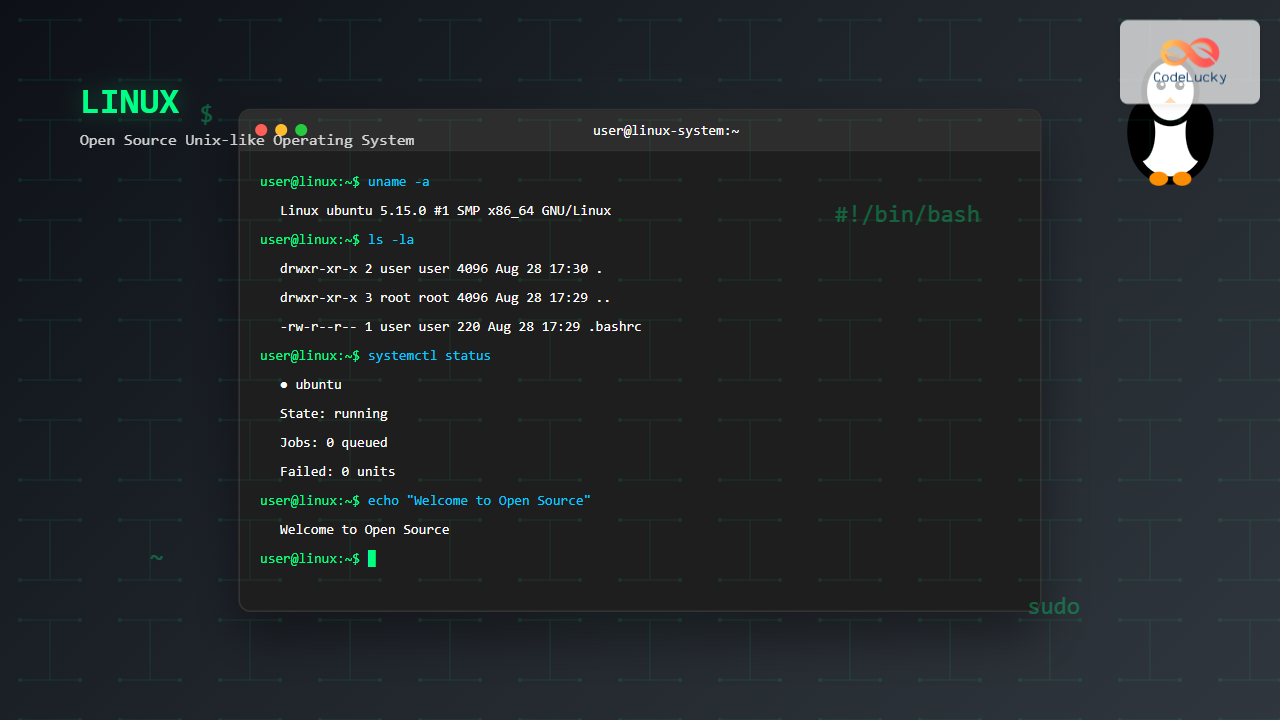
Linux stands as one of the most influential and widely-adopted operating systems in the world, powering everything from smartphones and embedded devices to supercomputers and cloud servers. As an open-source Unix-like operating system, Linux has revolutionized computing by providing a free, secure, and highly customizable platform that serves billions of users worldwide.
What is Linux Operating System?
Linux is a free and open-source operating system kernel originally created by Linus Torvalds in 1991. It’s based on Unix principles and follows the POSIX standards, making it a Unix-like system. Unlike proprietary operating systems, Linux’s source code is freely available, allowing anyone to view, modify, and distribute it under the GNU General Public License (GPL).
The term “Linux” technically refers to the kernel – the core component that manages system resources and hardware communication. However, in common usage, “Linux” refers to complete operating systems (called distributions) that include the Linux kernel along with system utilities, applications, and desktop environments.

History and Evolution of Linux
The story of Linux began in 1991 when Linus Torvalds, a 21-year-old computer science student at the University of Helsinki, announced his project on a Minix newsgroup:
“I’m doing a (free) operating system (just a hobby, won’t be big and professional like gnu) for 386(486) AT clones.”
This humble beginning has evolved into a global phenomenon:
- 1991: Linux 0.01 released with 10,000 lines of code
- 1992: Linux becomes GPL-licensed
- 1993: Slackware becomes the first widely distributed Linux distribution
- 1994: Red Hat and SUSE founded
- 1996: Linux 2.0 released with SMP support
- 2003: Enterprise adoption accelerates
- 2007: Android (Linux-based) launches
- 2011: Linux dominates cloud computing
- Present: Linux powers 96.3% of top 1 million web servers
Linux Architecture
Linux follows a layered architecture model that promotes modularity and efficiency. Understanding this architecture is crucial for system administrators and developers.

Kernel Components
Process Management: Handles process creation, scheduling, and termination. Linux uses a preemptive multitasking scheduler that ensures fair CPU time distribution among processes.
Memory Management: Manages virtual memory, paging, and memory allocation. Linux uses demand paging and copy-on-write mechanisms for efficient memory utilization.
File System: Provides a unified interface for accessing storage devices. Linux supports numerous file systems including ext4, XFS, Btrfs, and ZFS.
Device Management: Handles hardware devices through device drivers. Linux treats devices as files, following the “everything is a file” philosophy.
Popular Linux Distributions
Linux distributions (distros) are complete operating systems built around the Linux kernel. Each distribution targets specific use cases and user preferences:
Enterprise Distributions
- Red Hat Enterprise Linux (RHEL): Commercial distribution with enterprise support
- SUSE Linux Enterprise: German-based enterprise solution
- CentOS/Rocky Linux: Community-driven RHEL rebuilds
- Ubuntu LTS: Long-term support versions for businesses
Desktop Distributions
- Ubuntu: User-friendly with regular releases
- Fedora: Cutting-edge features and latest software
- Linux Mint: Beginner-friendly with traditional desktop
- openSUSE: Stable with excellent YaST configuration tools
Specialized Distributions
- Arch Linux: Rolling release for advanced users
- Debian: Stable foundation for many other distributions
- Kali Linux: Penetration testing and security auditing
- Alpine Linux: Lightweight for containers
Linux File System Hierarchy
Linux follows the Filesystem Hierarchy Standard (FHS), organizing files and directories in a logical structure:
/                    # Root directory
├── bin/            # Essential command binaries
├── boot/           # Boot loader files and kernel
├── dev/            # Device files
├── etc/            # Configuration files
├── home/           # User home directories
├── lib/            # Shared library files
├── media/          # Removable media mount points
├── mnt/            # Temporary mount points
├── opt/            # Optional software packages
├── proc/           # Process and kernel information
├── root/           # Root user's home directory
├── sbin/           # System administration binaries
├── srv/            # Service data
├── sys/            # Hardware and kernel interface
├── tmp/            # Temporary files
├── usr/            # User programs and data
└── var/            # Variable data files
Essential Linux Commands
Mastering Linux commands is fundamental for effective system administration and development. Here are essential commands organized by category:
File and Directory Operations
# List directory contents
ls -la
# Output: Shows detailed file listing with permissions

# Change directory
cd /home/user/documents

# Create directory
mkdir -p projects/web-app
# Creates nested directories

# Copy files
cp source.txt destination.txt
cp -r source_directory/ destination_directory/

# Move/rename files
mv old_name.txt new_name.txt
mv file.txt /another/directory/

# Remove files and directories
rm file.txt
rm -rf directory_name/  # Recursive force removal

# Find files
find /home -name "*.txt" -type f
# Output: Lists all .txt files in /home
File Permissions and Ownership
# View file permissions
ls -l file.txt
# Output: -rw-r--r-- 1 user group 1024 Aug 28 17:30 file.txt

# Change file permissions
chmod 755 script.sh    # rwxr-xr-x
chmod u+x file.txt     # Add execute permission for user

# Change file ownership
chown user:group file.txt
chown -R user:group directory/

# View file details
stat file.txt
# Output: Shows detailed file statistics
Process Management
# View running processes
ps aux
ps -ef
top        # Interactive process viewer
htop       # Enhanced process viewer

# Kill processes
kill 1234          # Kill by PID
kill -9 1234       # Force kill
killall firefox    # Kill by name

# Background and foreground jobs
command &          # Run in background
jobs              # List background jobs
fg %1             # Bring job to foreground
bg %1             # Send job to background
System Information
# System information
uname -a
# Output: Linux hostname 5.15.0 #1 SMP x86_64 GNU/Linux

# Hardware information
lscpu              # CPU information
lsmem              # Memory information
lsblk              # Block devices
lsusb              # USB devices
lspci              # PCI devices

# System resources
df -h              # Disk usage
free -h            # Memory usage
uptime             # System uptime and load
Linux Package Management
Package managers automate software installation, updates, and removal. Different distributions use different package managers:
APT (Debian/Ubuntu)
# Update package lists
sudo apt update

# Upgrade installed packages
sudo apt upgrade

# Install packages
sudo apt install nginx mysql-server

# Remove packages
sudo apt remove package_name
sudo apt purge package_name    # Remove with config files

# Search packages
apt search web-server
apt show nginx                 # Show package details
YUM/DNF (Red Hat/Fedora)
# Install packages
sudo dnf install httpd mariadb-server
sudo yum install package_name  # CentOS 7 and older

# Update system
sudo dnf update

# Remove packages
sudo dnf remove package_name

# Search packages
dnf search database
dnf info mariadb-server
Pacman (Arch Linux)
# Update system
sudo pacman -Syu

# Install packages
sudo pacman -S nginx postgresql

# Remove packages
sudo pacman -R package_name
sudo pacman -Rns package_name  # Remove with dependencies

# Search packages
pacman -Ss web-server
Linux Networking
Linux provides powerful networking capabilities essential for server administration and development:

Network Configuration Commands
# View network interfaces
ip addr show
ifconfig           # Traditional command

# Configure network interface
sudo ip addr add 192.168.1.100/24 dev eth0
sudo ip link set eth0 up

# View routing table
ip route show
route -n           # Traditional command

# Add route
sudo ip route add 10.0.0.0/8 via 192.168.1.1

# Network troubleshooting
ping google.com
traceroute google.com
netstat -tuln      # Show listening ports
ss -tuln           # Modern replacement for netstat

# DNS lookup
nslookup google.com
dig google.com
Firewall Management (iptables/firewalld)
# View firewall rules
sudo iptables -L

# Allow SSH traffic
sudo iptables -A INPUT -p tcp --dport 22 -j ACCEPT

# Block specific IP
sudo iptables -A INPUT -s 192.168.1.100 -j DROP

# Using firewalld (modern approach)
sudo firewall-cmd --list-all
sudo firewall-cmd --add-service=http --permanent
sudo firewall-cmd --reload
Linux System Administration
System administration involves managing users, services, logs, and system performance. Here are key administrative tasks:
User and Group Management
# Add user
sudo useradd -m -s /bin/bash newuser
sudo passwd newuser

# Modify user
sudo usermod -aG sudo newuser  # Add to sudo group
sudo usermod -s /bin/zsh newuser  # Change shell

# Delete user
sudo userdel -r newuser

# Group management
sudo groupadd developers
sudo usermod -aG developers john
groups john  # Show user's groups
Service Management (systemd)
# View service status
sudo systemctl status nginx

# Start/stop services
sudo systemctl start nginx
sudo systemctl stop nginx
sudo systemctl restart nginx

# Enable/disable services
sudo systemctl enable nginx    # Start on boot
sudo systemctl disable nginx

# View all services
systemctl list-units --type=service
systemctl list-unit-files --type=service
Log Management
# View system logs
sudo journalctl
sudo journalctl -u nginx       # Service-specific logs
sudo journalctl -f            # Follow logs real-time

# Traditional log files
tail -f /var/log/syslog
tail -n 50 /var/log/auth.log   # Last 50 lines

# Log rotation
sudo logrotate -d /etc/logrotate.conf  # Test configuration
Linux Security Features
Linux incorporates multiple layers of security mechanisms to protect systems from unauthorized access and malicious activities:

File Permissions and ACLs
# Standard permissions (rwx)
chmod 644 file.txt     # rw-r--r--
chmod 755 directory/   # rwxr-xr-x

# Special permissions
chmod +s executable    # Set SUID/SGID
chmod +t directory/    # Sticky bit

# Access Control Lists (ACLs)
setfacl -m u:john:rw file.txt
getfacl file.txt
# Output: Shows detailed ACL information
SSH Configuration and Key Management
# Generate SSH key pair
ssh-keygen -t rsa -b 4096 -C "[email protected]"

# Copy public key to server
ssh-copy-id [email protected]

# SSH with key
ssh -i ~/.ssh/private_key [email protected]

# SSH configuration file (~/.ssh/config)
Host webserver
    HostName server.example.com
    User admin
    IdentityFile ~/.ssh/webserver_key
    Port 2222
Linux in Modern Computing
Linux has become the backbone of modern computing infrastructure, powering various technologies and platforms:
Cloud Computing
Major cloud providers like AWS, Google Cloud, and Azure rely heavily on Linux for their infrastructure. Linux’s stability, security, and cost-effectiveness make it ideal for cloud environments.
Containerization
# Docker on Linux
sudo docker run -d -p 80:80 nginx
sudo docker ps
sudo docker exec -it container_id bash

# Kubernetes cluster management
kubectl get nodes
kubectl apply -f deployment.yaml
DevOps and CI/CD
Linux serves as the foundation for DevOps practices, hosting tools like Jenkins, GitLab CI, and various monitoring solutions.
Edge Computing and IoT
Lightweight Linux distributions power IoT devices, edge computing nodes, and embedded systems due to their minimal resource requirements.
Performance Monitoring and Optimization
Effective Linux administration requires understanding system performance metrics and optimization techniques:
System Monitoring Commands
# CPU monitoring
top
htop
sar -u 1 10        # CPU utilization every second for 10 times

# Memory monitoring
free -h
vmstat 1 5         # Virtual memory statistics

# Disk I/O monitoring
iostat -x 1 5      # Extended disk statistics
iotop              # Real-time disk I/O by process

# Network monitoring
iftop              # Network usage by connection
nethogs            # Network usage by process

# Process monitoring
pidstat -p ALL 1 5 # Process statistics
pstree             # Process tree visualization
System Optimization
# Kernel parameters tuning
echo 'vm.swappiness=10' >> /etc/sysctl.conf
sysctl -p

# Service optimization
systemctl disable unnecessary-service
systemctl mask problematic-service

# Disk optimization
tune2fs -o journal_data_writeback /dev/sda1
mount -o noatime,nodiratime /dev/sda1 /mount/point
Linux Development Environment
Linux provides an excellent development environment with powerful tools and utilities:
Development Tools
# Compiler collection
gcc -o program source.c       # C compilation
g++ -o program source.cpp     # C++ compilation

# Build tools
make                          # Build using Makefile
cmake .                       # Cross-platform build system

# Version control
git clone https://github.com/user/repo.git
git add .
git commit -m "Update feature"
git push origin main

# Text editors and IDEs
vim file.txt                  # Terminal-based editor
nano file.txt                 # Beginner-friendly editor
code .                        # Visual Studio Code
Scripting and Automation
#!/bin/bash
# System backup script
BACKUP_DIR="/backup/$(date +%Y-%m-%d)"
SOURCE_DIRS="/home /etc /var/www"

mkdir -p $BACKUP_DIR

for dir in $SOURCE_DIRS; do
    if [ -d "$dir" ]; then
        tar -czf "$BACKUP_DIR/$(basename $dir).tar.gz" "$dir"
        echo "Backed up $dir"
    fi
done

# Log rotation cleanup
find /var/log -name "*.log" -mtime +30 -delete
echo "Backup completed at $(date)"
Troubleshooting Common Linux Issues
Effective troubleshooting is crucial for maintaining Linux systems. Here’s a systematic approach to common problems:
Boot Issues
# Check boot logs
sudo journalctl -b         # Current boot logs
sudo journalctl -b -1      # Previous boot logs

# GRUB rescue
# From GRUB rescue prompt:
set root=(hd0,1)
set prefix=(hd0,1)/boot/grub
insmod normal
normal

# Recovery mode
# Select recovery mode from GRUB menu
# Mount file systems read-write:
mount -o remount,rw /
Performance Issues
# Identify resource-intensive processes
top -o %CPU                # Sort by CPU usage
top -o %MEM                # Sort by memory usage

# Check disk space
df -h                      # Human-readable disk usage
du -sh /*                  # Directory sizes

# Memory analysis
cat /proc/meminfo          # Detailed memory information
pmap -x PID                # Process memory mapping
Network Connectivity Issues
# Test network connectivity
ping -c 4 8.8.8.8         # Test internet connectivity
ping -c 4 gateway_ip       # Test local network

# DNS resolution
nslookup domain.com
dig domain.com

# Port connectivity
telnet server.com 80
nc -zv server.com 80       # Test specific port
Future of Linux
Linux continues to evolve and adapt to emerging technologies and computing paradigms:
- Container Orchestration: Enhanced support for Kubernetes and container technologies
- AI and Machine Learning: Optimizations for GPU computing and AI workloads
- Edge Computing: Lightweight distributions for IoT and edge devices
- Real-time Computing: Improved real-time kernel capabilities
- Security Enhancements: Advanced security frameworks and isolation mechanisms
- Cloud-Native Features: Better integration with cloud platforms and services
Conclusion
Linux operating system represents one of the greatest achievements in software development and collaborative innovation. From its humble beginnings as a student project to becoming the foundation of modern computing infrastructure, Linux has proven that open-source development can create robust, secure, and scalable solutions.
Whether you’re a system administrator managing enterprise servers, a developer building applications, or a technology enthusiast exploring computing possibilities, understanding Linux is essential in today’s technology landscape. Its open-source nature, powerful command-line interface, extensive customization options, and strong security model make it an ideal choice for a wide range of computing scenarios.
As technology continues to evolve with cloud computing, containerization, AI, and edge computing, Linux remains at the forefront, adapting and providing the stable foundation that powers the digital world. The skills and knowledge gained from working with Linux are invaluable assets that will continue to be relevant in the ever-changing technology landscape.
Start your Linux journey today by choosing a distribution that matches your needs, whether it’s Ubuntu for beginners, CentOS for servers, or Arch Linux for advanced users. The vast community, extensive documentation, and countless learning resources make Linux accessible to users at all skill levels.





