
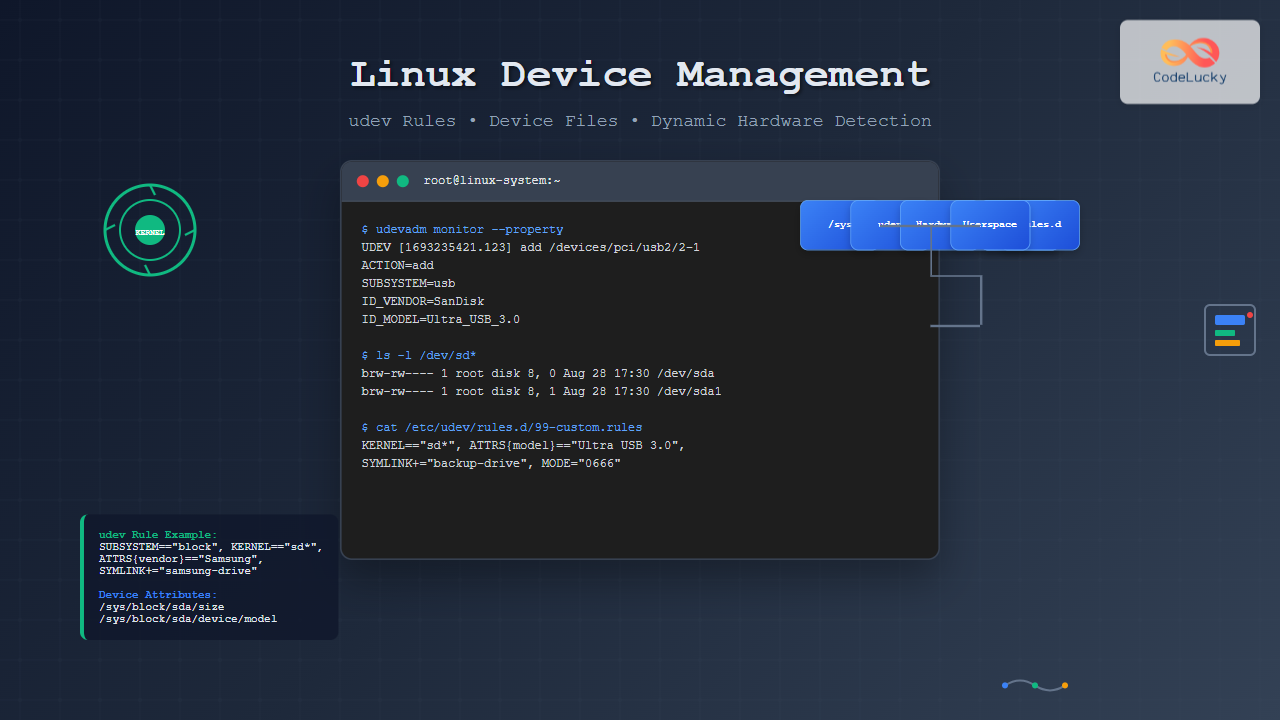
Linux device management is a sophisticated system that handles hardware detection, device file creation, and permission management automatically. At the heart of this system lies udev (userspace device management), which has revolutionized how Linux systems interact with hardware devices since replacing the static /dev directory approach.
Understanding Linux Device Management Architecture
Modern Linux systems use a layered approach to device management, combining kernel-space detection with userspace configuration and policy enforcement. This architecture ensures that devices are properly recognized, configured, and made available to applications seamlessly.

The Role of udev in Device Management
udev operates as a device manager daemon that listens for kernel events (uevents) and dynamically manages device files in the /dev directory. Unlike traditional static device files, udev creates device nodes on-demand when hardware is detected and removes them when devices are disconnected.
Key udev Components
- udevd daemon – The main process that handles device events
- udev rules – Configuration files defining device handling policies
- Device database – Hardware identification and classification data
- Helper programs – Scripts and binaries for specialized device handling
Device Files and the /dev Directory
The /dev directory contains device files that serve as interfaces between user applications and kernel device drivers. These files are not regular files but special files that represent hardware devices or virtual devices provided by the kernel.
Types of Device Files
Character devices handle data as streams of characters, typically used for keyboards, mice, and serial ports:
$ ls -l /dev/tty*
crw--w---- 1 root tty 5, 0 Aug 28 17:30 /dev/tty
crw-rw-rw- 1 root tty 5, 1 Aug 28 17:30 /dev/tty1
crw-rw-rw- 1 root tty 5, 2 Aug 28 17:30 /dev/tty2
Block devices handle data in fixed-size blocks, used for storage devices:
$ ls -l /dev/sd*
brw-rw---- 1 root disk 8, 0 Aug 28 17:30 /dev/sda
brw-rw---- 1 root disk 8, 1 Aug 28 17:30 /dev/sda1
brw-rw---- 1 root disk 8, 2 Aug 28 17:30 /dev/sda2
The first character indicates the file type: c for character devices, b for block devices. The numbers after the ownership information are the major and minor device numbers that uniquely identify the device to the kernel.
udev Rules: Configuring Device Behavior
udev rules are text files located in /etc/udev/rules.d/ and /lib/udev/rules.d/ that define how devices should be handled. These rules use a matching system to identify devices and specify actions to take.
Rule File Structure and Precedence
Rule files are processed in lexicographic order by filename. Files in /etc/udev/rules.d/ override those in /lib/udev/rules.d/ with the same name. Common naming convention uses numeric prefixes:
10-*.rules– Early rules for critical devices50-*.rules– Default system rules70-*.rules– Application-specific rules99-*.rules– Late rules and overrides
Basic Rule Syntax
udev rules consist of match keys (conditions) and assignment keys (actions). Here’s the general syntax:
MATCH_KEY=="value", MATCH_KEY!="value", ASSIGNMENT_KEY="value"Essential Match Keys
| Key | Description | Example |
|---|---|---|
KERNEL |
Kernel device name | KERNEL=="sda*" |
SUBSYSTEM |
Device subsystem | SUBSYSTEM=="block" |
ATTR{} |
Device attribute | ATTR{size}=="1000000" |
ENV{} |
Environment variable | ENV{ID_FS_TYPE}=="ext4" |
ACTION |
Device action | ACTION=="add" |
Common Assignment Keys
| Key | Description | Example |
|---|---|---|
NAME |
Device node name | NAME="my-device" |
SYMLINK |
Create symbolic link | SYMLINK+="backup-disk" |
OWNER |
Set file owner | OWNER="john" |
GROUP |
Set file group | GROUP="users" |
MODE |
Set permissions | MODE="0664" |
Practical udev Rule Examples
Example 1: Custom USB Drive Naming
Create a rule to give a specific USB drive a consistent name:
# /etc/udev/rules.d/99-usb-backup.rules
SUBSYSTEM=="block", ATTRS{idVendor}=="1234", ATTRS{idProduct}=="5678", SYMLINK+="backup-drive"
This rule creates a symlink /dev/backup-drive pointing to your USB device regardless of the assigned device name (sdb, sdc, etc.).
Example 2: Setting Permissions for Serial Devices
# /etc/udev/rules.d/99-serial-permissions.rules
KERNEL=="ttyUSB*", ATTRS{idVendor}=="0403", ATTRS{idProduct}=="6001", MODE="0666", GROUP="dialout"
This rule ensures FTDI USB-to-serial adapters are accessible to users in the dialout group with read/write permissions.
Example 3: Automatic Script Execution
# /etc/udev/rules.d/99-camera-mount.rules
ACTION=="add", SUBSYSTEM=="block", ATTRS{idVendor}=="04a9", RUN+="/usr/local/bin/camera-handler.sh %k"
This rule executes a script when a Canon camera is connected, passing the kernel device name as an argument.
Exploring Device Information with udev Tools
udevadm: The Swiss Army Knife
udevadm is the primary tool for interacting with udev and debugging device issues. Here are essential commands:
Monitor Device Events
$ udevadm monitor --property
UDEV  [1693235421.123456] add      /devices/pci0000:00/0000:00:14.0/usb2/2-1 (usb)
ACTION=add
DEVPATH=/devices/pci0000:00/0000:00:14.0/usb2/2-1
SUBSYSTEM=usb
DEVTYPE=usb_device
ID_VENDOR=SanDisk
ID_MODEL=Ultra_USB_3.0
Query Device Information
$ udevadm info --attribute-walk --path=/sys/block/sda

  looking at device '/devices/pci0000:00/0000:00:17.0/ata1/host0/target0:0:0/0:0:0:0/block/sda':
    KERNEL=="sda"
    SUBSYSTEM=="block"
    DRIVER==""
    ATTR{size}=="976773168"
    ATTR{removable}=="0"
    ATTR{model}=="Samsung SSD 860"
Test udev Rules
$ udevadm test /sys/block/sda
Reading rules file: /lib/udev/rules.d/60-persistent-storage.rules
Reading rules file: /etc/udev/rules.d/99-custom.rules
ACTION=add
DEVLINKS=/dev/disk/by-id/ata-Samsung_SSD_860_EVO_500GB_S3Z5NB0K123456
The sysfs Filesystem (/sys)
The sysfs filesystem provides a structured view of kernel objects, device hierarchy, and device attributes. udev uses this information to make device management decisions.

Exploring Device Attributes
Device attributes in sysfs provide detailed information used by udev rules:
$ ls /sys/block/sda/
alignment_offset  capability  device  discard_alignment  events  inflight  queue  range  size  stat
bdi               dev         direct  ext_range          holders  integrity  range  ro     slaves  uevent

$ cat /sys/block/sda/size
976773168

$ cat /sys/block/sda/device/model
Samsung SSD 860
Device Naming and Persistent Device Names
Linux provides multiple ways to reference devices persistently, ensuring consistent access even when device enumeration order changes.
Traditional Device Names
/dev/sda,/dev/sdb– SCSI/SATA devices (order-dependent)/dev/hda,/dev/hdb– IDE devices (legacy)/dev/nvme0n1– NVMe devices
Persistent Device Names
udev creates persistent identifiers in various subdirectories:
$ ls -l /dev/disk/by-id/
lrwxrwxrwx 1 root root  9 Aug 28 17:30 ata-Samsung_SSD_860_EVO_500GB_S3Z5NB0K123456 -> ../../sda
lrwxrwxrwx 1 root root 10 Aug 28 17:30 ata-Samsung_SSD_860_EVO_500GB_S3Z5NB0K123456-part1 -> ../../sda1

$ ls -l /dev/disk/by-uuid/
lrwxrwxrwx 1 root root 10 Aug 28 17:30 a1b2c3d4-e5f6-7890-abcd-ef1234567890 -> ../../sda1

$ ls -l /dev/disk/by-label/
lrwxrwxrwx 1 root root 10 Aug 28 17:30 SYSTEM -> ../../sda1
Advanced udev Configuration
Environment Variables and Program Execution
udev rules can set environment variables and execute external programs:
# Set environment variable for matching devices
SUBSYSTEM=="block", KERNEL=="sd*", ENV{MY_DISK_TYPE}="external"

# Execute program and use output
PROGRAM=="/usr/bin/my-device-detector %k", RESULT=="special", SYMLINK+="special-device"

# Import program output as environment variables
IMPORT{program}="/lib/udev/ata_id --export $devnode"
Complex Matching Patterns
# Match multiple attributes with wildcards
KERNEL=="sd?[0-9]", ATTRS{size}=="*", ATTRS{removable}=="1", TAG+="removable-partition"

# Use negation
KERNEL=="sd*", ATTRS{removable}!="1", SYMLINK+="fixed-disk-%k"

# Multiple match conditions
ACTION=="add", KERNEL=="sd*", ATTRS{idVendor}=="1234", ATTRS{idProduct}=="5678|9abc", GOTO="usb_device_end"
Troubleshooting Device Management Issues
Common Problems and Solutions
Device not appearing in /dev:
- Check if the device is detected:
dmesg | tail - Verify sysfs entry exists:
ls /sys/class/or/sys/block/ - Monitor udev events:
udevadm monitor
Permissions issues:
- Check current permissions:
ls -l /dev/device-name - Review applicable udev rules:
udevadm test /sys/path/to/device - Verify user group membership:
groups username
Debugging udev Rules

Enable debug logging for detailed troubleshooting:
$ echo 'udev.log-priority=debug' >> /etc/systemd/system.conf
$ systemctl reload systemd
$ journalctl -f -u systemd-udevd
Integration with systemd
Modern Linux systems integrate udev with systemd, providing additional device management capabilities through systemd device units and dependencies.
Device Units and Dependencies
$ systemctl list-units --type=device
UNIT                          LOAD   ACTIVE SUB    DESCRIPTION
dev-disk-by\x2duuid-a1b2c3d4.device loaded active plugged Samsung_SSD_860_EVO_500GB
dev-sda.device               loaded active plugged Samsung_SSD_860_EVO_500GB
dev-sda1.device              loaded active plugged Samsung_SSD_860_EVO_500GB
Services can depend on specific devices being available:
# /etc/systemd/system/backup-service.service
[Unit]
Description=Backup Service
Requires=dev-backup\x2ddrive.device
After=dev-backup\x2ddrive.device

[Service]
ExecStart=/usr/local/bin/backup-script
Security Considerations
Device Access Control
Proper device management includes security considerations:
- Principle of least privilege – Grant minimal necessary permissions
- Group-based access – Use system groups for device access control
- Whitelist approach – Explicitly allow rather than deny access
- Audit device access – Monitor unusual device interactions
Secure udev Rule Example
# Restrict access to specific USB devices
ACTION=="add", SUBSYSTEM=="usb", ATTRS{idVendor}=="1234", ATTRS{idProduct}=="5678",
  MODE="0660", GROUP="trusted-users", TAG+="systemd"
Performance Optimization
Rule Optimization Best Practices
Efficient udev rules improve system boot time and device detection speed:
- Order rules by specificity – Place specific matches before general ones
- Use GOTO statements – Skip unnecessary rule processing
- Minimize external program execution – Avoid heavy scripts in rules
- Cache device information – Use IMPORT for reusable data

Optimized Rule Structure
# Efficient rule structure
ACTION!="add|change", GOTO="end_custom_rules"
KERNEL!="sd*", GOTO="end_custom_rules"

ATTRS{idVendor}=="1234", ATTRS{idProduct}=="5678", SYMLINK+="device1", GOTO="end_custom_rules"
ATTRS{idVendor}=="abcd", ATTRS{idProduct}=="efgh", SYMLINK+="device2", GOTO="end_custom_rules"

LABEL="end_custom_rules"
Linux device management through udev represents a sophisticated approach to hardware interaction that balances automation with administrative control. By understanding udev rules, device files, and the underlying architecture, system administrators can create robust, maintainable systems that handle hardware changes gracefully while maintaining security and performance requirements.
The combination of kernel-space device detection, sysfs information exposure, and userspace policy enforcement through udev creates a flexible framework that adapts to modern computing environments. Whether managing servers with hot-swappable drives, workstations with frequent USB device changes, or embedded systems with specialized hardware, mastering these concepts enables effective Linux system administration.
- Understanding Linux Device Management Architecture
- The Role of udev in Device Management
- Device Files and the /dev Directory
- udev Rules: Configuring Device Behavior
- Practical udev Rule Examples
- Exploring Device Information with udev Tools
- The sysfs Filesystem (/sys)
- Device Naming and Persistent Device Names
- Advanced udev Configuration
- Troubleshooting Device Management Issues
- Integration with systemd
- Security Considerations
- Performance Optimization





