
The ldd command is an essential Linux utility that displays the shared library dependencies of executable files and shared libraries. Understanding how to use ldd is crucial for system administrators, developers, and anyone working with Linux systems to troubleshoot library issues, analyze dependencies, and ensure proper application deployment.
What is the ldd Command?
The ldd (List Dynamic Dependencies) command is a shell script that prints the shared libraries required by each program or shared library specified on the command line. It works by invoking the dynamic linker to resolve dependencies and display the mapping between library names and their actual file locations.
Syntax and Basic Usage
The basic syntax of the ldd command is:
ldd [options] file...Let’s start with a simple example:
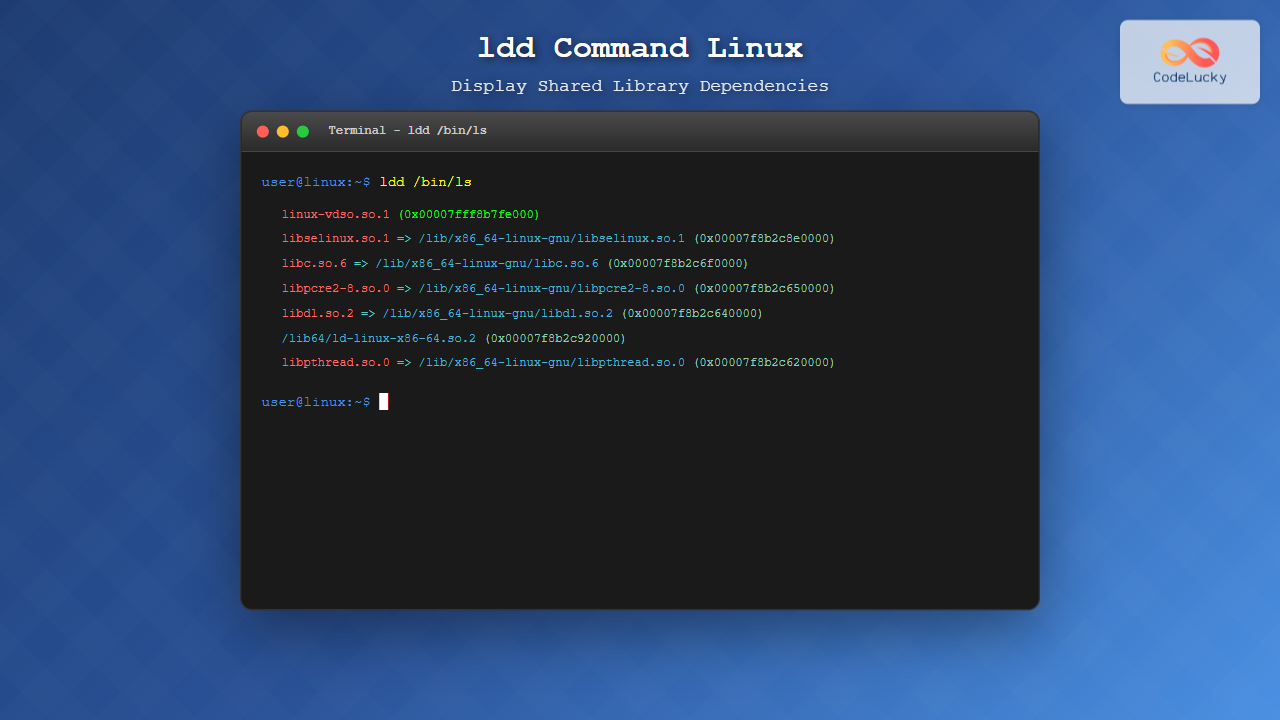
$ ldd /bin/ls
	linux-vdso.so.1 (0x00007fff8b7fe000)
	libselinux.so.1 => /lib/x86_64-linux-gnu/libselinux.so.1 (0x00007f8b2c8e0000)
	libc.so.6 => /lib/x86_64-linux-gnu/libc.so.6 (0x00007f8b2c6f0000)
	libpcre2-8.so.0 => /lib/x86_64-linux-gnu/libpcre2-8.so.0 (0x00007f8b2c650000)
	libdl.so.2 => /lib/x86_64-linux-gnu/libdl.so.2 (0x00007f8b2c640000)
	/lib64/ld-linux-x86-64.so.2 (0x00007f8b2c920000)
	libpthread.so.0 => /lib/x86_64-linux-gnu/libpthread.so.0 (0x00007f8b2c620000)
This output shows that the ls command depends on several shared libraries, including the C library (libc.so.6), SELinux library (libselinux.so.1), and others.
Command Options
The ldd command supports several useful options:
-v (Verbose Mode)
The -v option provides verbose output, showing version information for libraries:
$ ldd -v /bin/ls
	linux-vdso.so.1 (0x00007fff8b7fe000)
	libselinux.so.1 => /lib/x86_64-linux-gnu/libselinux.so.1 (0x00007f8b2c8e0000)
	libc.so.6 => /lib/x86_64-linux-gnu/libc.so.6 (0x00007f8b2c6f0000)
	libpcre2-8.so.0 => /lib/x86_64-linux-gnu/libpcre2-8.so.0 (0x00007f8b2c650000)
	libdl.so.2 => /lib/x86_64-linux-gnu/libdl.so.2 (0x00007f8b2c640000)
	/lib64/ld-linux-x86-64.so.2 (0x00007f8b2c920000)
	libpthread.so.0 => /lib/x86_64-linux-gnu/libpthread.so.0 (0x00007f8b2c620000)

	Version information:
	/bin/ls:
		libc.so.6 (GLIBC_2.3.4) => /lib/x86_64-linux-gnu/libc.so.6
		libc.so.6 (GLIBC_2.2.5) => /lib/x86_64-linux-gnu/libc.so.6
-d (Data Relocations)
The -d option performs relocations and reports missing objects:
$ ldd -d /usr/bin/gcc-r (Function Relocations)
The -r option performs relocations for both data objects and functions:
$ ldd -r /usr/bin/python3-u (Unused Dependencies)
The -u option shows unused direct dependencies:
$ ldd -u /bin/catUnderstanding the Output
The ldd output format consists of several components:
- Library name: The name of the shared library
- Arrow (=>): Indicates the mapping to the actual file
- Full path: The complete path to the library file
- Memory address: The virtual memory address where the library is loaded
Special cases in the output include:
- linux-vdso.so.1: Virtual Dynamic Shared Object, a kernel mechanism
- ld-linux-x86-64.so.2: The dynamic linker/loader
- statically linked: Indicates a statically linked executable
Practical Examples
Checking System Binaries
Let’s examine the dependencies of common system binaries:
$ ldd /bin/bash
	linux-vdso.so.1 (0x00007ffd123df000)
	libtinfo.so.6 => /lib/x86_64-linux-gnu/libtinfo.so.6 (0x00007f8a1c8b0000)
	libdl.so.2 => /lib/x86_64-linux-gnu/libdl.so.2 (0x00007f8a1c8a0000)
	libc.so.6 => /lib/x86_64-linux-gnu/libc.so.6 (0x00007f8a1c6b0000)
	/lib64/ld-linux-x86-64.so.2 (0x00007f8a1c8f0000)
Analyzing Custom Applications
For a custom compiled program:
$ gcc -o hello hello.c
$ ldd ./hello
	linux-vdso.so.1 (0x00007ffd5b3fe000)
	libc.so.6 => /lib/x86_64-linux-gnu/libc.so.6 (0x00007f9a2c8b0000)
	/lib64/ld-linux-x86-64.so.2 (0x00007f9a2c8f0000)
Checking Library Dependencies
You can also use ldd on shared libraries themselves:
$ ldd /usr/lib/x86_64-linux-gnu/libssl.so.1.1
	linux-vdso.so.1 (0x00007ffd123df000)
	libcrypto.so.1.1 => /usr/lib/x86_64-linux-gnu/libcrypto.so.1.1 (0x00007f8a1c6b0000)
	libc.so.6 => /lib/x86_64-linux-gnu/libc.so.6 (0x00007f8a1c4c0000)
	libdl.so.2 => /lib/x86_64-linux-gnu/libdl.so.2 (0x00007f8a1c4b0000)
	libpthread.so.0 => /lib/x86_64-linux-gnu/libpthread.so.0 (0x00007f8a1c490000)
	/lib64/ld-linux-x86-64.so.2 (0x00007f8a1c8f0000)
Troubleshooting with ldd
Missing Libraries
When a library is missing, ldd will show it clearly:
$ ldd ./broken_app
	linux-vdso.so.1 (0x00007ffd123df000)
	libmissing.so.1 => not found
	libc.so.6 => /lib/x86_64-linux-gnu/libc.so.6 (0x00007f8a1c6b0000)
	/lib64/ld-linux-x86-64.so.2 (0x00007f8a1c8f0000)
This indicates that libmissing.so.1 cannot be found in the library search path.
Version Conflicts
Use the verbose option to identify version conflicts:
$ ldd -v /usr/bin/application
	Version information:
	/usr/bin/application:
		libssl.so.1.1 (OPENSSL_1_1_0) => not found
Security Considerations
Important security considerations when using ldd:
- Never run ldd on untrusted executables:
lddmay execute the target program to determine dependencies - Use alternative tools for untrusted files: Consider using
objdumporreadelfinstead - Check for suspicious library paths: Libraries loaded from unusual locations may indicate security issues
For safer analysis of untrusted binaries, use:
$ objdump -p /path/to/binary | grep NEEDED
$ readelf -d /path/to/binary | grep NEEDED
Alternative Tools and Methods
Using objdump
The objdump command provides similar information without executing the binary:
$ objdump -p /bin/ls | grep NEEDED
  NEEDED               libselinux.so.1
  NEEDED               libc.so.6
Using readelf
The readelf command is another safe alternative:
$ readelf -d /bin/ls | grep NEEDED
 0x0000000000000001 (NEEDED)             Shared library: [libselinux.so.1]
 0x0000000000000001 (NEEDED)             Shared library: [libc.so.6]
Advanced Usage Scenarios
Dependency Analysis Scripts
You can create scripts to analyze dependencies across multiple files:
#!/bin/bash
for file in /usr/bin/*; do
    if [ -x "$file" ] && [ -f "$file" ]; then
        echo "Dependencies for $file:"
        ldd "$file" 2>/dev/null | grep -E "=> /"
        echo "---"
    fi
done
Finding All Executables Using a Specific Library
$ find /usr/bin -executable -type f -exec sh -c 'ldd {} 2>/dev/null | grep -q "libssl"' \; -printPerformance Considerations
When working with ldd, keep in mind:
- Large binaries: Complex applications may have many dependencies, making output lengthy
- Network filesystems: Libraries on network mounts may slow down
lddexecution - Recursive dependencies: Use scripts carefully to avoid infinite loops when analyzing interdependent libraries
Common Use Cases
Software Deployment
Before deploying applications to new systems, use ldd to ensure all dependencies are available:
$ ldd /opt/myapp/bin/application
$ # Check if all libraries are found and paths are correct
System Maintenance
Identify which applications depend on libraries you plan to update:
$ find /usr/bin -type f -executable -exec sh -c 'ldd {} 2>/dev/null | grep -q "libcurl"' \; -printDevelopment and Debugging
During development, use ldd to verify your application links correctly:
$ gcc -o myapp myapp.c -lcurl
$ ldd ./myapp | grep curl
Best Practices
- Always verify library paths before deploying applications
- Use version-specific checks with the
-voption for critical applications - Document dependencies for your applications to aid in deployment
- Regular dependency audits help maintain system security and stability
- Combine with package management tools for comprehensive dependency management
Conclusion
The ldd command is an indispensable tool for Linux system administration and development. It provides crucial insights into shared library dependencies, helping with troubleshooting, deployment planning, and system maintenance. By understanding how to use ldd effectively, you can better manage your Linux systems, resolve dependency issues, and ensure smooth application deployment.
Remember to always exercise caution when using ldd on untrusted binaries, and consider using alternative tools like objdump and readelf for security-sensitive scenarios. With practice, ldd becomes an essential part of your Linux toolkit for understanding and managing shared library dependencies.
Related Posts
ldconfig Command Linux: Complete Guide to Dynamic Linker Configuration
The ldconfig command is a fundamental Linux system administration tool that configures the dynamic linker's runtime bindings for shared libraries....
ranlib Command Linux: Complete Guide to Generate Archive Index Files
The ranlib command is a crucial utility in Linux systems for managing static library archives. It generates an index for...
size Command Linux: Display Section Sizes of Object Files and Executables
The size command is a powerful utility in Linux systems that displays the section sizes of object files, executables, and...
ltrace Command Linux: Complete Guide to Trace Library Calls and Debug Programs
The ltrace command is a powerful debugging and analysis tool in Linux that allows you to trace library calls made...
which Command Linux: Complete Guide to Locating Executable Commands in PATH
The which command is a fundamental Linux utility that helps you locate executable files in your system's PATH environment variable....
which Command Linux: Complete Guide to Finding Executable File Locations
The which command is one of the most fundamental utilities in Linux and Unix-like systems, designed to help users locate...
readelf Command Linux: Complete Guide to ELF File Analysis and Debugging
The readelf command is an essential tool for Linux developers, system administrators, and security analysts who need to examine Executable...
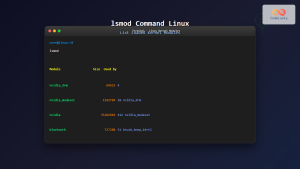
lsmod Command Linux: Complete Guide to Listing Kernel Modules
The lsmod command is an essential Linux utility that displays information about currently loaded kernel modules in your system. Understanding...
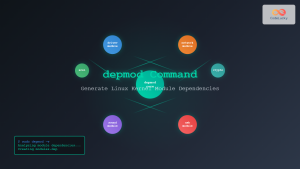
depmod Command Linux: Complete Guide to Generate Module Dependencies
The depmod command is a critical system administration tool in Linux that generates module dependency maps for the kernel. This...
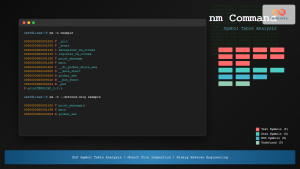
nm Command Linux: Complete Guide to Display Symbol Tables from Object Files
The nm command is a powerful utility in Linux that displays the symbol table of object files, executables, shared libraries,...
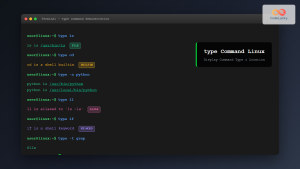
type Command Linux: Complete Guide to Display Command Type and Location
The type command is an essential Linux utility that helps you identify the nature and location of commands in your...
modprobe Command Linux: Complete Guide to Load and Manage Kernel Modules
The modprobe command is one of the most powerful tools in Linux system administration for managing kernel modules. Whether you're...





