
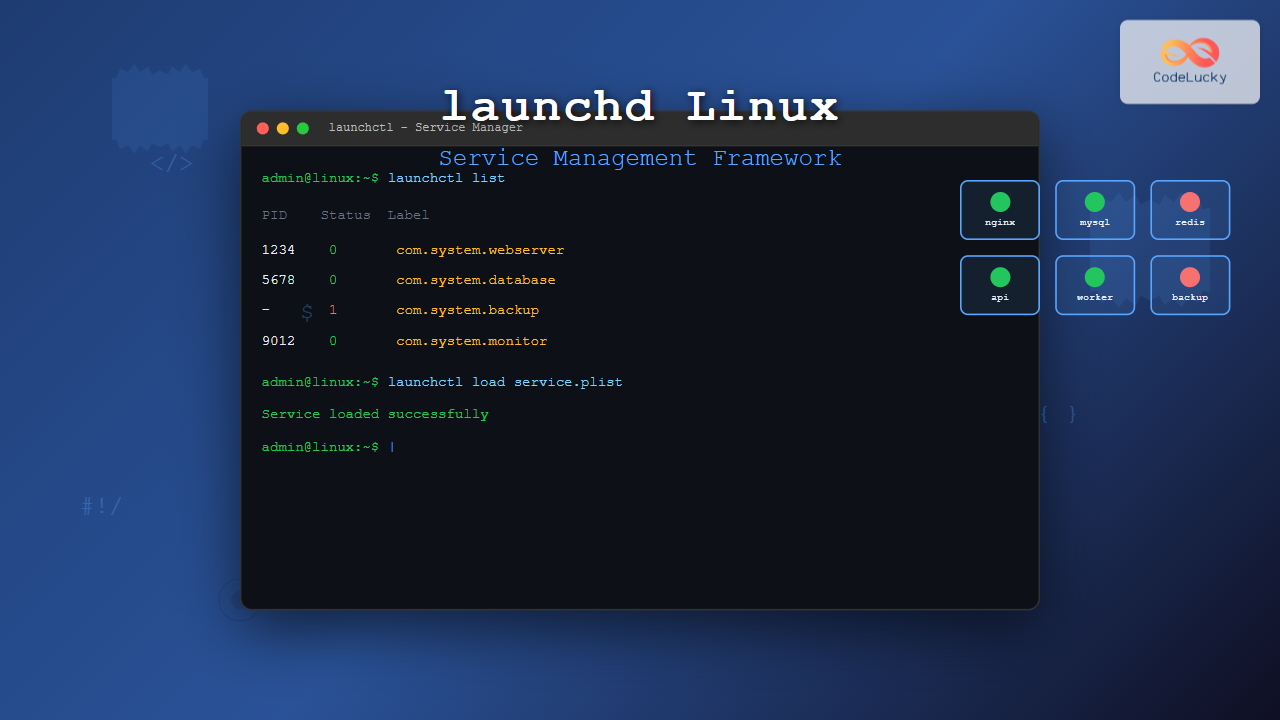
The launchd service management framework has become an essential tool for Linux system administrators who need robust process and service management capabilities. While originally developed for macOS, launchd concepts and similar implementations have found their way into Linux environments, providing powerful alternatives to traditional init systems.
What is launchd and Its Role in Service Management
launchd is a unified service management framework that handles system startup, daemon management, and process scheduling. Unlike traditional System V init scripts or even systemd, launchd provides a more declarative approach to service management through property list (plist) configuration files.
In Linux environments, launchd-inspired tools and implementations offer several advantages:
- Unified Management: Single framework for all service types
- Dependency Handling: Automatic service dependency resolution
- Resource Management: Built-in resource limiting and monitoring
- Event-Driven: Services can be triggered by various system events
Installing and Configuring launchd on Linux
While native launchd isn’t available on Linux, several implementations and alternatives provide similar functionality. The most common approach is using launchd-for-linux or integrating launchd concepts with existing init systems.
Installation Process
For Ubuntu/Debian systems:
# Update package repository
sudo apt update

# Install build dependencies
sudo apt install build-essential git cmake

# Clone launchd implementation
git clone https://github.com/launchd/launchd-for-linux.git
cd launchd-for-linux

# Build and install
make
sudo make install
For Red Hat/CentOS systems:
# Install development tools
sudo yum groupinstall "Development Tools"
sudo yum install git cmake

# Build process remains the same
git clone https://github.com/launchd/launchd-for-linux.git
cd launchd-for-linux
make && sudo make install
Understanding launchd Configuration Files
launchd uses XML-based property list files to define services. These configuration files contain all necessary information about how services should run, their dependencies, and resource requirements.
Basic Configuration Structure
Here’s a basic launchd configuration file example:
<?xml version="1.0" encoding="UTF-8"?>
<!DOCTYPE plist PUBLIC "-//Apple//DTD PLIST 1.0//EN"
    "http://www.apple.com/DTDs/PropertyList-1.0.dtd">
<plist version="1.0">
<dict>
    <key>Label</key>
    <string>com.example.myservice</string>

    <key>ProgramArguments</key>
    <array>
        <string>/usr/local/bin/myservice</string>
        <string>--config</string>
        <string>/etc/myservice.conf</string>
    </array>

    <key>RunAtLoad</key>
    <true/>

    <key>KeepAlive</key>
    <true/>
</dict>
</plist>
Key Configuration Elements
Essential configuration keys include:
| Key | Purpose | Example |
|---|---|---|
| Label | Unique service identifier | com.company.service |
| ProgramArguments | Command and arguments | [“/bin/daemon”, “–port”, “8080”] |
| RunAtLoad | Start automatically | true/false |
| KeepAlive | Restart if crashes | true/false |
Managing Services with launchctl
The launchctl command is the primary interface for interacting with launchd services. It provides comprehensive service management capabilities.
Loading and Unloading Services
# Load a service configuration
sudo launchctl load /Library/LaunchDaemons/com.example.service.plist

# Unload a service
sudo launchctl unload /Library/LaunchDaemons/com.example.service.plist

# Load with immediate start
sudo launchctl load -w /Library/LaunchDaemons/com.example.service.plist
Service Status and Control
# List all loaded services
launchctl list

# Check specific service status
launchctl list com.example.service

# Start a loaded service
sudo launchctl start com.example.service

# Stop a running service
sudo launchctl stop com.example.service

# Restart a service
sudo launchctl stop com.example.service
sudo launchctl start com.example.service
Expected output for launchctl list:
PID	Status	Label
1234	0	com.example.webserver
-	0	com.example.database
5678	0	com.apple.logind
Creating Custom Service Configurations
Let’s create a comprehensive example for a custom web application service:
Web Application Service Example
<?xml version="1.0" encoding="UTF-8"?>
<!DOCTYPE plist PUBLIC "-//Apple//DTD PLIST 1.0//EN"
    "http://www.apple.com/DTDs/PropertyList-1.0.dtd">
<plist version="1.0">
<dict>
    <key>Label</key>
    <string>com.codelucky.webapp</string>

    <key>ProgramArguments</key>
    <array>
        <string>/usr/local/bin/node</string>
        <string>/opt/webapp/server.js</string>
    </array>

    <key>WorkingDirectory</key>
    <string>/opt/webapp</string>

    <key>RunAtLoad</key>
    <true/>

    <key>KeepAlive</key>
    <dict>
        <key>SuccessfulExit</key>
        <false/>
    </dict>

    <key>StandardOutPath</key>
    <string>/var/log/webapp.log</string>

    <key>StandardErrorPath</key>
    <string>/var/log/webapp_error.log</string>

    <key>EnvironmentVariables</key>
    <dict>
        <key>NODE_ENV</key>
        <string>production</string>
        <key>PORT</key>
        <string>3000</string>
    </dict>

    <key>ResourceLimits</key>
    <dict>
        <key>NumberOfFiles</key>
        <integer>1024</integer>
    </dict>
</dict>
</plist>
Advanced launchd Features
Service Dependencies
Managing service dependencies ensures proper startup order:
<key>StartAfter</key>
<array>
    <string>com.example.database</string>
    <string>com.example.cache</string>
</array>

<key>StartBefore</key>
<array>
    <string>com.example.frontend</string>
</array>
Scheduled Services
launchd supports cron-like scheduling:
<key>StartCalendarInterval</key>
<dict>
    <key>Minute</key>
    <integer>30</integer>
    <key>Hour</key>
    <integer>2</integer>
</dict>
File System Monitoring
Trigger services based on file system changes:
<key>WatchPaths</key>
<array>
    <string>/etc/config</string>
    <string>/var/uploads</string>
</array>
Troubleshooting launchd Services
Common Issues and Solutions
Service Won’t Start:
# Check service status
launchctl list | grep com.example.service

# View detailed status
launchctl print system/com.example.service

# Check logs
tail -f /var/log/system.log | grep com.example.service
Permission Issues:
# Verify plist file permissions
ls -la /Library/LaunchDaemons/com.example.service.plist

# Correct permissions if needed
sudo chmod 644 /Library/LaunchDaemons/com.example.service.plist
sudo chown root:wheel /Library/LaunchDaemons/com.example.service.plist
Debugging Configuration
Validate configuration files:
# Check plist syntax
plutil -lint /Library/LaunchDaemons/com.example.service.plist

# Convert to readable format
plutil -convert xml1 /Library/LaunchDaemons/com.example.service.plist
Performance Monitoring and Optimization
Resource Usage Monitoring
# Monitor service resource usage
launchctl stats com.example.service

# View system-wide service statistics
launchctl dumpstate
Optimizing Service Performance
Key optimization strategies:
- Resource Limits: Set appropriate memory and CPU limits
- Lazy Loading: Use on-demand service activation
- Efficient Dependencies: Minimize dependency chains
- Log Management: Implement log rotation and cleanup
Security Considerations
Service Isolation
<key>UserName</key>
<string>webapp</string>

<key>GroupName</key>
<string>webapp</string>

<key>InitGroups</key>
<false/>
Access Control
Implement proper file permissions and user separation:
# Create dedicated user for service
sudo useradd -r -s /bin/false webapp

# Set secure permissions on configuration files
sudo chmod 600 /Library/LaunchDaemons/com.example.service.plist
Migration from Other Init Systems
From systemd to launchd
Converting systemd unit files to launchd plists:
# systemd unit file
[Unit]
Description=My Web Service
After=network.target

[Service]
Type=simple
ExecStart=/usr/bin/myservice
Restart=always

[Install]
WantedBy=multi-user.target
Equivalent launchd configuration:
<key>Label</key>
<string>com.example.myservice</string>

<key>ProgramArguments</key>
<array>
    <string>/usr/bin/myservice</string>
</array>

<key>KeepAlive</key>
<true/>

<key>RunAtLoad</key>
<true/>
Best Practices and Recommendations
Configuration Management
- Version Control: Store plist files in version control
- Validation: Always validate configurations before deployment
- Documentation: Document service dependencies and requirements
- Testing: Test services in isolated environments first
Monitoring and Maintenance
# Regular health check script
#!/bin/bash
for service in com.example.web com.example.db; do
    if ! launchctl list | grep -q "$service"; then
        echo "Warning: $service is not loaded"
        # Optional: reload service
        # sudo launchctl load /Library/LaunchDaemons/$service.plist
    fi
done
Conclusion
launchd provides a powerful and flexible framework for service management on Linux systems. Its declarative configuration approach, combined with robust dependency management and resource control features, makes it an excellent choice for modern system administration.
Key advantages of using launchd include simplified service configuration, automatic restart capabilities, comprehensive logging, and fine-grained resource management. While the learning curve may be steep initially, the benefits in terms of system reliability and maintainability make it worthwhile for production environments.
As you implement launchd in your infrastructure, remember to start with simple configurations, validate thoroughly, and gradually adopt advanced features as your understanding grows. Regular monitoring and maintenance will ensure your services run smoothly and efficiently.
Related Posts

systemd Linux: Complete Guide to System and Service Manager
systemd is a powerful system and service manager that has become the default init system for most modern Linux distributions....
runit Linux: Complete Guide to Unix Init Scheme with Service Supervision
runit is a lightweight, cross-platform Unix init scheme with service supervision that provides a reliable alternative to traditional init systems....
service Command Linux: Complete Guide to Managing System Services
The service command is a fundamental tool in Linux system administration that allows you to manage system services and daemons...
openrc Linux: Complete Guide to Dependency-based Init System Management
OpenRC is a lightweight, dependency-based init system that serves as an alternative to systemd and SysV init. Originally developed for...

shepherd Linux: Complete Guide to GNU Guix Service Manager
The shepherd is GNU Guix's native service manager, designed to provide a robust and flexible alternative to traditional init systems...
systemctl Command Linux: Complete Guide to Control Systemd Services
The systemctl command is the primary tool for controlling systemd services in modern Linux distributions. As the central management utility...

sv Command Linux: Master Runit Service Control and Management
The sv command is a powerful utility in Linux systems that serves as the primary interface for controlling services managed...
s6 Linux: Complete Guide to Small and Secure Service Manager
The s6 service manager represents a revolutionary approach to Linux process supervision, offering a lightweight and secure alternative to traditional...
upstart Linux: Complete Guide to Event-Based System Initialization
The upstart initialization system revolutionized Linux system startup processes by introducing event-based service management. Unlike traditional SysV init systems that...

rc-update Command Linux: Complete Guide to Managing OpenRC Services
The rc-update command is a powerful utility in Linux systems that use OpenRC as their init system, primarily found in...

init Command Linux: Complete Guide to Process Control and System Initialization
The init command in Linux serves as the cornerstone of system initialization and process control. As the first process started...

update-rc.d Command Linux: Complete Guide to Managing System Services and Run Levels
The update-rc.d command is a powerful utility in Debian-based Linux distributions that manages the symbolic links for System V init...





