Understanding iOS Memory Management
iOS memory management is a critical aspect of mobile app development that determines how efficiently your applications use device memory. Unlike traditional garbage collection systems, iOS employs Automatic Reference Counting (ARC), a compile-time feature that automatically manages memory allocation and deallocation for Objective-C and Swift objects.
Memory management in iOS is particularly crucial due to the limited memory resources available on mobile devices. Poor memory management can lead to memory leaks, retain cycles, and ultimately app crashes or performance degradation.
What is Automatic Reference Counting (ARC)?
Automatic Reference Counting is a memory management system that automatically tracks references to objects and deallocates them when they’re no longer needed. ARC works by inserting retain and release calls at compile time, eliminating the need for manual memory management.

Key Benefits of ARC
- Automatic management: No need to manually call retain/release
- Compile-time optimization: Memory management code is inserted during compilation
- Predictable deallocation: Objects are deallocated immediately when reference count reaches zero
- Better performance: No runtime garbage collector overhead
How ARC Works
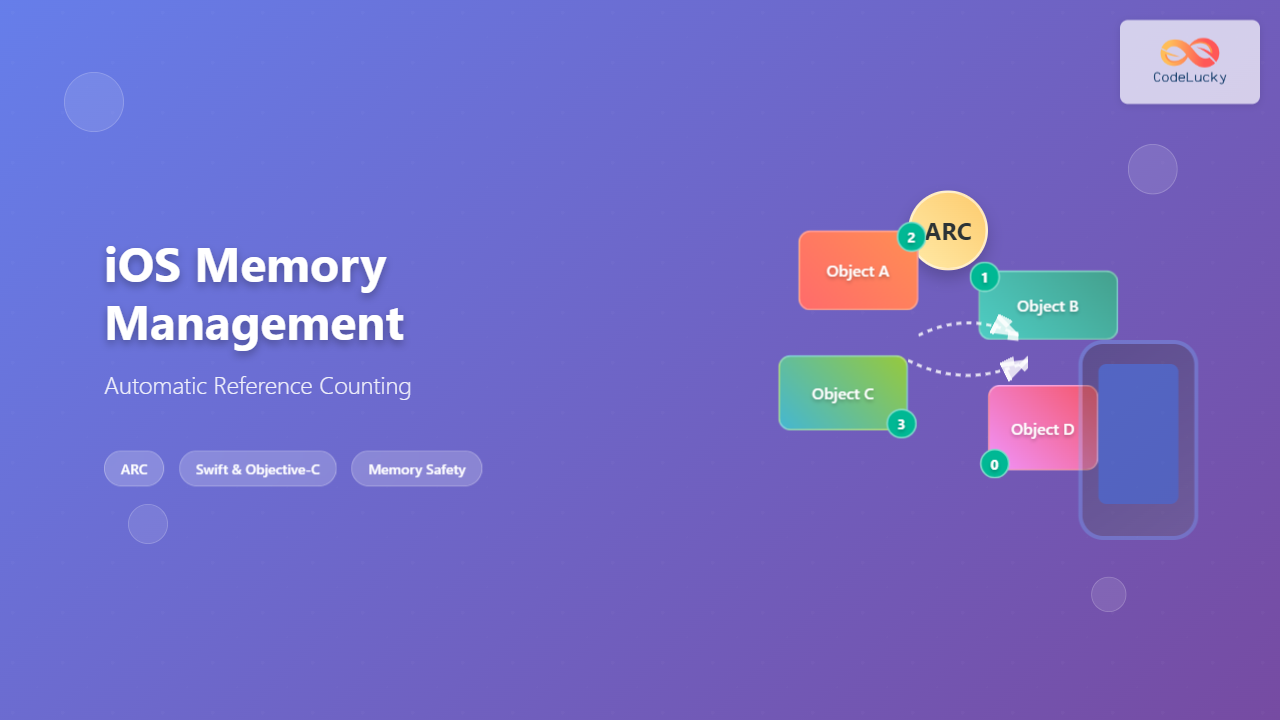
ARC maintains a reference count for each object in memory. When an object is created, its reference count starts at 1. Each time a new reference is created, the count increases. When a reference is removed, the count decreases. When the count reaches zero, ARC automatically deallocates the object.
Reference Counting Example
class Person {
    let name: String

    init(name: String) {
        self.name = name
        print("\(name) is being initialized")
    }

    deinit {
        print("\(name) is being deallocated")
    }
}

// Reference count examples
var person1: Person? = Person(name: "John")  // Reference count: 1
var person2 = person1                        // Reference count: 2
var person3 = person1                        // Reference count: 3

person1 = nil  // Reference count: 2
person2 = nil  // Reference count: 1
person3 = nil  // Reference count: 0 -> Object deallocated

// Output:
// John is being initialized
// John is being deallocated
Strong, Weak, and Unowned References
ARC uses different types of references to manage memory effectively and prevent retain cycles:
Strong References
Strong references are the default type in Swift and Objective-C. They increase the reference count and prevent the object from being deallocated while the reference exists.
class Car {
    let model: String
    var owner: Person?  // Strong reference

    init(model: String) {
        self.model = model
    }
}

let myCar = Car(model: "Tesla")  // Strong reference to Car object
Weak References
Weak references don’t increase the reference count and automatically become nil when the referenced object is deallocated. They’re used to break retain cycles.
class Person {
    let name: String
    var car: Car?

    init(name: String) {
        self.name = name
    }
}

class Car {
    let model: String
    weak var owner: Person?  // Weak reference to prevent retain cycle

    init(model: String) {
        self.model = model
    }
}
Unowned References
Unowned references are similar to weak references but are used when you know the reference will never be nil during its lifetime. They don’t increase the reference count but don’t automatically become nil.
class Country {
    let name: String
    var capitalCity: City!

    init(name: String, capitalName: String) {
        self.name = name
        self.capitalCity = City(name: capitalName, country: self)
    }
}

class City {
    let name: String
    unowned let country: Country  // Unowned reference

    init(name: String, country: Country) {
        self.name = name
        self.country = country
    }
}
Retain Cycles and Memory Leaks
A retain cycle occurs when two or more objects hold strong references to each other, preventing ARC from deallocating them even when they’re no longer needed from outside the cycle.

Example of a Retain Cycle
// Problematic code that creates a retain cycle
class Parent {
    let name: String
    var children: [Child] = []

    init(name: String) {
        self.name = name
    }

    deinit {
        print("Parent \(name) deallocated")
    }
}

class Child {
    let name: String
    var parent: Parent?  // Strong reference creates retain cycle

    init(name: String) {
        self.name = name
    }

    deinit {
        print("Child \(name) deallocated")
    }
}

// Creating retain cycle
var parent: Parent? = Parent(name: "John")
var child: Child? = Child(name: "Alice")
parent?.children.append(child!)
child?.parent = parent

parent = nil  // Parent object is not deallocated due to retain cycle
child = nil   // Child object is not deallocated due to retain cycle
Breaking Retain Cycles
// Fixed version using weak reference
class Child {
    let name: String
    weak var parent: Parent?  // Weak reference breaks the cycle

    init(name: String) {
        self.name = name
    }

    deinit {
        print("Child \(name) deallocated")
    }
}

// Now both objects will be properly deallocated
var parent: Parent? = Parent(name: "John")
var child: Child? = Child(name: "Alice")
parent?.children.append(child!)
child?.parent = parent

parent = nil  // Parent deallocated
child = nil   // Child deallocated
ARC with Closures
Closures can also create retain cycles when they capture self strongly. iOS provides capture lists to manage these situations.

Closure Retain Cycle Example
class NetworkManager {
    var completionHandler: (() -> Void)?

    func fetchData() {
        // This creates a retain cycle
        completionHandler = {
            self.processData()  // Strong capture of self
        }
    }

    func processData() {
        print("Processing data")
    }

    deinit {
        print("NetworkManager deallocated")
    }
}

// Fixed version with capture list
class NetworkManager {
    var completionHandler: (() -> Void)?

    func fetchData() {
        // Using weak self in capture list
        completionHandler = { [weak self] in
            self?.processData()  // Safe optional call
        }

        // Alternative with unowned self (when you're sure self won't be nil)
        completionHandler = { [unowned self] in
            self.processData()
        }
    }

    func processData() {
        print("Processing data")
    }

    deinit {
        print("NetworkManager deallocated")
    }
}
Memory Management Best Practices
1. Use Weak References for Delegates
protocol DataSourceDelegate: AnyObject {
    func dataDidUpdate()
}

class DataSource {
    weak var delegate: DataSourceDelegate?  // Always weak for delegates

    func updateData() {
        // Update logic
        delegate?.dataDidUpdate()
    }
}
2. Be Careful with Timer and Notification Observers
class TimerManager {
    private var timer: Timer?

    func startTimer() {
        // Timer retains its target strongly
        timer = Timer.scheduledTimer(withTimeInterval: 1.0, repeats: true) { [weak self] _ in
            self?.timerFired()
        }
    }

    func stopTimer() {
        timer?.invalidate()
        timer = nil
    }

    private func timerFired() {
        print("Timer fired")
    }

    deinit {
        stopTimer()  // Important: invalidate timer in deinit
    }
}
3. Handle Collections Properly
class CollectionManager {
    private var items: [Item] = []

    func addItem(_ item: Item) {
        items.append(item)
        // Set up weak reference to avoid retain cycles
        item.manager = self
    }

    func removeItem(_ item: Item) {
        items.removeAll { $0 === item }
        item.manager = nil  // Clean up reference
    }
}

class Item {
    weak var manager: CollectionManager?
}
Debugging Memory Issues
iOS provides several tools for debugging memory management issues:
Instruments Memory Profiling
- Leaks instrument: Detects memory leaks and retain cycles
- Allocations instrument: Tracks memory usage over time
- VM Tracker: Monitors virtual memory usage
Debug Memory Graph
Xcode’s Debug Memory Graph feature allows you to visualize object relationships and identify retain cycles during debugging.

Memory Debugging Code
// Add debugging to track object lifecycle
class DebuggableObject {
    static var instanceCount = 0
    let id: Int

    init() {
        Self.instanceCount += 1
        self.id = Self.instanceCount
        print("DebuggableObject \(id) created. Total: \(Self.instanceCount)")
    }

    deinit {
        Self.instanceCount -= 1
        print("DebuggableObject \(id) deallocated. Total: \(Self.instanceCount)")
    }
}
ARC Performance Considerations
While ARC automatically manages memory, understanding its performance implications helps write more efficient code:
Retain/Release Overhead
// Minimize unnecessary retain/release cycles
class OptimizedClass {
    private var items: [Item] = []

    // Good: Pass by reference when possible
    func processItem(_ item: Item) {
        // Process without creating additional strong references
        item.process()
    }

    // Less optimal: Creates temporary strong references
    func processItems() {
        for item in items {  // Each iteration creates/releases references
            item.process()
        }
    }

    // Better: Use indices when appropriate
    func processItemsOptimized() {
        for i in 0..
Autoreleasepool for Memory-Intensive Operations
func processLargeDataSet() {
    for i in 0..<1000000 {
        autoreleasepool {
            // Memory-intensive operations
            let data = createTemporaryData(index: i)
            processData(data)
            // Objects are released at the end of each iteration
        }
    }
}
Common ARC Pitfalls and Solutions
1. Delegate Retain Cycles
// Wrong: Strong delegate reference
class DataManager {
    var delegate: DataManagerDelegate?  // Should be weak!
}

// Correct: Weak delegate reference
class DataManager {
    weak var delegate: DataManagerDelegate?
}
2. Block/Closure Cycles
// Wrong: Strong self capture
class NetworkService {
    func fetchData(completion: @escaping () -> Void) {
        URLSession.shared.dataTask(with: url) { [self] data, response, error in
            self.processResponse(data)  // Creates retain cycle
            completion()
        }.resume()
    }
}

// Correct: Weak self capture
class NetworkService {
    func fetchData(completion: @escaping () -> Void) {
        URLSession.shared.dataTask(with: url) { [weak self] data, response, error in
            self?.processResponse(data)
            completion()
        }.resume()
    }
}
3. Observer Pattern Issues
class NotificationObserver {
    init() {
        // Don't forget to remove observers!
        NotificationCenter.default.addObserver(
            self,
            selector: #selector(handleNotification),
            name: .dataUpdated,
            object: nil
        )
    }

    deinit {
        // Critical: Remove observer to prevent crashes
        NotificationCenter.default.removeObserver(self)
    }

    @objc private func handleNotification() {
        // Handle notification
    }
}
Advanced ARC Features
Associated Objects
When working with Objective-C runtime features, be careful with associated objects and ARC:
import ObjectiveC

private var AssociatedObjectKey: UInt8 = 0

extension UIView {
    var customProperty: String? {
        get {
            return objc_getAssociatedObject(self, &AssociatedObjectKey) as? String
        }
        set {
            objc_setAssociatedObject(
                self,
                &AssociatedObjectKey,
                newValue,
                .OBJC_ASSOCIATION_RETAIN_NONATOMIC  // ARC-compatible
            )
        }
    }
}
Toll-Free Bridging
When bridging between Core Foundation and Objective-C objects:
// Proper memory management with toll-free bridging
func createCFString() -> CFString {
    let swiftString = "Hello, World!"
    return swiftString as CFString  // ARC handles this automatically
}

// When working with C APIs that return retained objects
func workWithCoreFoundation() {
    let cfArray = CFArrayCreateMutable(nil, 0, &kCFTypeArrayCallBacks)
    // Convert to NSArray - ARC manages memory
    let nsArray = cfArray as NSMutableArray
    // CFRelease is not needed - ARC handles it
}
Understanding iOS memory management with ARC is essential for creating efficient, stable applications. By following best practices, avoiding common pitfalls, and leveraging debugging tools, you can ensure your iOS apps use memory effectively and provide excellent user experiences. Remember that while ARC automates most memory management tasks, developers still need to be mindful of retain cycles and proper reference management patterns.