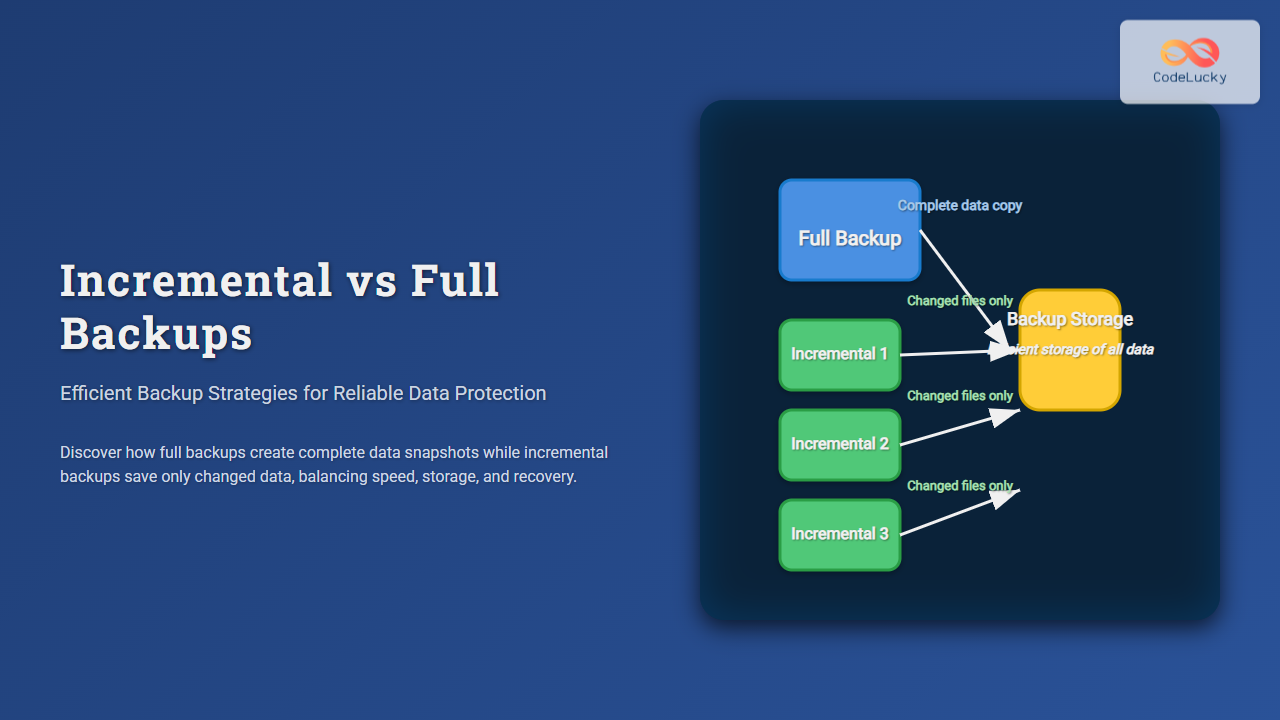
Effective data backup is a cornerstone of robust IT strategies, ensuring data integrity and availability in case of system failure, corruption, or accidental deletion. Among the various backup methods, incremental and full backups stand out as the most widely used approaches. Understanding their differences, advantages, and use cases can transform your backup routines into a powerful safety net.
What is a Full Backup?
A full backup involves copying all files and data in a system or set of directories every time the backup runs. This method captures a complete snapshot of the data at that moment, enabling straightforward data restoration with just the latest backup set.
Advantages of Full Backup:
- Simplified restoration: Recovery requires only the latest backup.
- Complete data copy: Ensures all files are captured with each run.
Disadvantages:
- Time-consuming: Takes longer due to copying all files each time.
- Storage-intensive: Requires significantly more backup storage space.
Full Backup Example
Imagine a directory with files: file1.txt, file2.txt, and file3.txt. Each full backup copies all these files:
Backup1: file1.txt, file2.txt, file3.txt
Backup2: file1.txt, file2.txt, file3.txt
Backup3: file1.txt, file2.txt, file3.txt

What is an Incremental Backup?
Incremental backups copy only the data that has changed since the last backup of any type (full or incremental). After an initial full backup, each subsequent incremental backup captures just the new or modified files, making it faster and less storage-demanding.
Advantages of Incremental Backup:
- Efficiency: Faster to run as only new or changed files are copied.
- Storage savings: Requires less space by avoiding duplicate copies.
Disadvantages:
- Complex restoration: Requires the last full backup plus all incremental backups to restore.
- Backup dependency: If one incremental backup is corrupted, recovery may fail.
Incremental Backup Example
Using the previous files as a reference and assuming changes over days:
Full Backup: file1.txt, file2.txt, file3.txt
Incremental1: file2.txt (changed)
Incremental2: file3.txt (changed)
Incremental3: file4.txt (new file)

Comparing Incremental and Full Backups
| Aspect | Full Backup | Incremental Backup |
|---|---|---|
| Data Copied | All files every time | Only changed/new files since last backup |
| Backup Time | Longer due to full data copy | Shorter, less data copied |
| Storage Use | High, duplicates each copy | Lower, only changes stored |
| Restore Time | Fast (single backup needed) | Slower (full backup + all incrementals) |
| Risk During Recovery | Lower, single backup set sufficient | Higher, failure in any incremental breaks chain |
The Role of Efficient Backup Strategies
Both methods have their place in comprehensive backup solutions. To optimize backup windows, storage, and recovery times, organizations often combine these methods in hybrid backup strategies.
Full + Incremental Hybrid Strategy
This classic approach begins with a full backup, followed by multiple incremental backups until the next full backup is scheduled:
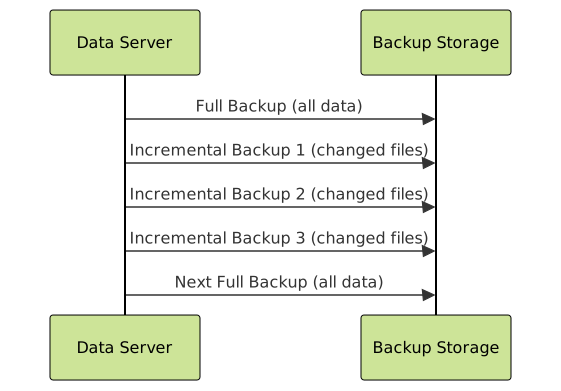
This approach effectively balances storage use and backup speed while maintaining manageable recovery procedures.
Interactive Example: Backup File Tracking
Below is a conceptual visualization of backup states over a 4-day cycle, assuming a full backup on day one and incremental backups thereafter.
- Day 1: Full backup with files A, B, C
- Day 2: Changes: File B updated
- Day 3: Changes: File C updated; File D added
- Day 4: Changes: No changes
Backup Day   Files Stored
Day 1 (Full): A, B, C
Day 2 (Inc): B
Day 3 (Inc): C, D
Day 4 (Inc): None
To restore Day 3 data, you need Day 1 full + Day 2 + Day 3 incrementals.
Choosing the Right Backup Method
Factors to consider:
- Data Size and Change Rate: Large data sets with fewer changes benefit from incremental backups.
- Recovery Time Objective (RTO): If fast recovery is critical, full backups are preferable.
- Storage Capacity: Limited storage favors incremental or differential strategies.
- Backup Window: Limited backup windows often necessitate faster incremental backups.
Summary
In conclusion, full backups provide simplicity and reliability at the cost of time and storage, while incremental backups offer efficiency and storage savings with a trade-off in recovery complexity. A hybrid strategy combining both often yields the best balance for efficient, dependable data protection.
Properly planned backup strategies, aligned with organizational needs and infrastructure capabilities, ensure data is securely protected and quickly recoverable.