
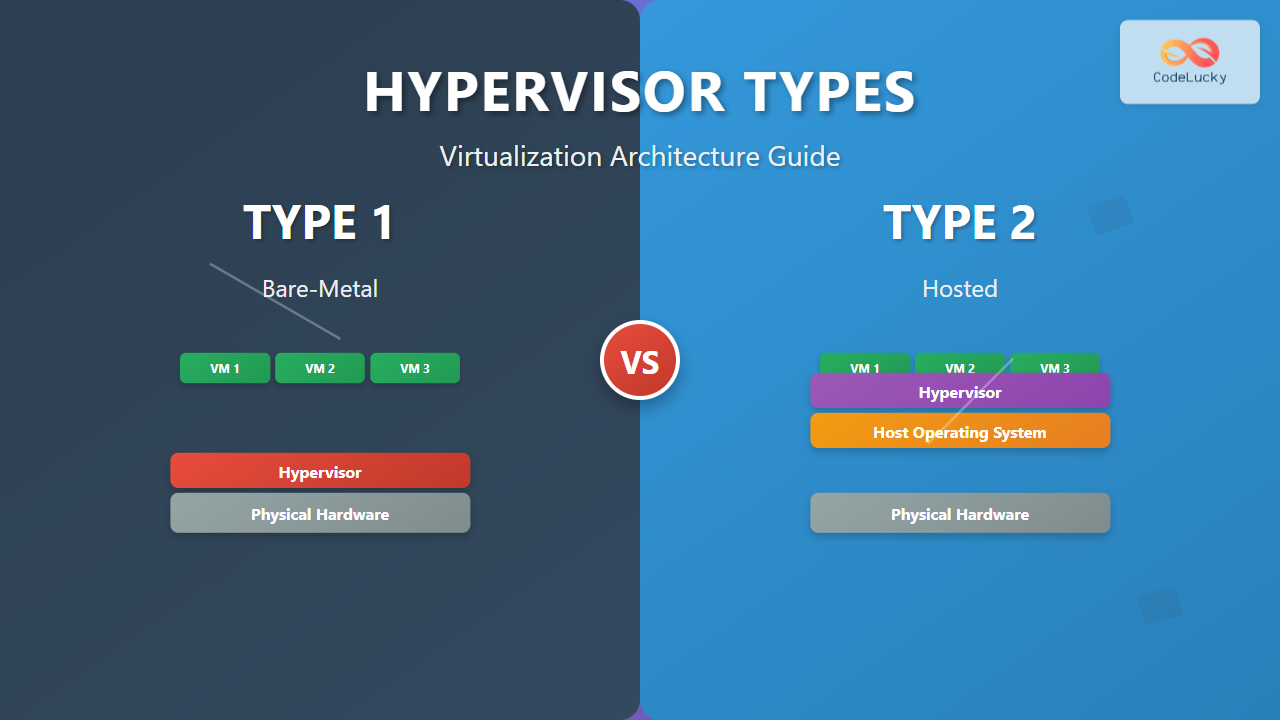
Virtualization has revolutionized modern computing, allowing multiple operating systems to run simultaneously on a single physical machine. At the heart of this technology lies the hypervisor, a critical software layer that manages and allocates hardware resources to virtual machines (VMs). Understanding the two primary types of hypervisors is essential for anyone working with virtualization technology.
What is a Hypervisor?
A hypervisor, also known as a Virtual Machine Monitor (VMM), is specialized software that creates and manages virtual machines by abstracting the underlying hardware resources. It acts as an intermediary between the physical hardware and the guest operating systems, ensuring proper isolation, resource allocation, and security between multiple VMs running on the same host.

Type 1 Hypervisor: Bare-Metal Virtualization
Type 1 hypervisors, commonly referred to as bare-metal hypervisors or native hypervisors, run directly on the host’s physical hardware without requiring a host operating system. This direct hardware access provides superior performance and efficiency, making Type 1 hypervisors the preferred choice for enterprise environments and data centers.
Architecture and Components
The Type 1 hypervisor architecture eliminates the overhead of a host operating system by implementing its own minimal kernel that directly interfaces with hardware components including CPU, memory, storage, and network interfaces. This streamlined approach reduces latency and improves resource utilization.

Key Characteristics
- Direct Hardware Access: No intermediate operating system layer
- Superior Performance: Minimal overhead and latency
- Enhanced Security: Reduced attack surface due to smaller code base
- Hardware Independence: VMs remain portable across different hardware platforms
- Resource Efficiency: Better CPU, memory, and I/O resource utilization
Popular Type 1 Hypervisor Examples
VMware vSphere/ESXi: Industry-leading enterprise virtualization platform offering advanced features like vMotion, High Availability (HA), and Distributed Resource Scheduler (DRS). ESXi provides robust management capabilities through vCenter Server.
Microsoft Hyper-V: Integrated with Windows Server, Hyper-V offers seamless integration with Microsoft ecosystem tools and services. It supports both Windows and Linux guest operating systems with features like Live Migration and Failover Clustering.
Citrix XenServer: Open-source based hypervisor providing enterprise-grade virtualization with advanced memory optimization and GPU passthrough capabilities.
KVM (Kernel-based Virtual Machine): Built into the Linux kernel, KVM transforms Linux into a Type 1 hypervisor, offering excellent performance and extensive hardware support.
Type 2 Hypervisor: Hosted Virtualization
Type 2 hypervisors, known as hosted hypervisors, operate as applications within a conventional host operating system. This approach provides greater flexibility and ease of use, making Type 2 hypervisors ideal for development environments, testing, and desktop virtualization scenarios.
Architecture and Operation
Type 2 hypervisors rely on the host operating system for hardware access and resource management. While this introduces additional overhead, it also provides benefits such as easier installation, better hardware compatibility, and the ability to run alongside other applications.

Key Characteristics
- Host OS Dependency: Requires a functioning host operating system
- Easy Installation: Simple application-style installation process
- Hardware Compatibility: Leverages host OS device drivers
- Development Friendly: Excellent for testing and development workflows
- Resource Sharing: Competes with host OS and applications for resources
Popular Type 2 Hypervisor Examples
Oracle VirtualBox: Free, open-source hypervisor supporting multiple host and guest operating systems. VirtualBox offers excellent cross-platform compatibility and user-friendly interface, making it popular among developers and enthusiasts.
VMware Workstation Pro/Player: Professional desktop virtualization solution providing advanced features like snapshots, cloning, and integration with VMware’s enterprise products. Workstation Pro offers superior performance optimization for demanding workloads.
Parallels Desktop: Optimized specifically for macOS, Parallels Desktop provides seamless integration between Mac and Windows environments with features like Coherence mode and shared folders.
QEMU: Versatile emulator and virtualizer supporting multiple architectures. When combined with KVM, QEMU provides near-native performance for Linux-based virtualization.
Performance Comparison
Performance differences between Type 1 and Type 2 hypervisors stem from their architectural approaches and resource access methods.

Type 1 Performance Advantages
- CPU Efficiency: Direct hardware instruction execution with minimal translation overhead
- Memory Management: Advanced memory techniques like ballooning and transparent page sharing
- I/O Operations: Direct device access reduces latency and improves throughput
- Network Performance: Hardware-assisted virtualization features enhance network I/O
Type 2 Performance Considerations
- Additional Overhead: Host OS layer introduces processing delays
- Resource Competition: VMs compete with host applications for system resources
- Context Switching: Increased overhead when switching between VM and host contexts
- Hardware Abstraction: Additional layers between VM and physical hardware
Use Cases and Applications
Type 1 Hypervisor Scenarios
Enterprise Data Centers: Large-scale server consolidation, cloud computing infrastructure, and mission-critical application hosting require the performance and reliability of Type 1 hypervisors.
Cloud Service Providers: Public cloud platforms like AWS, Azure, and Google Cloud rely on Type 1 hypervisors to maximize resource utilization and maintain security isolation between tenant workloads.
High-Performance Computing: Scientific computing, financial modeling, and other compute-intensive applications benefit from the minimal overhead of bare-metal virtualization.
Type 2 Hypervisor Scenarios
Software Development: Developers use Type 2 hypervisors to create isolated testing environments, cross-platform development setups, and legacy application compatibility layers.
Education and Training: Academic institutions leverage Type 2 hypervisors for teaching operating systems concepts, networking labs, and cybersecurity training scenarios.
Desktop Virtualization: End-users employ Type 2 hypervisors to run multiple operating systems on personal computers for productivity, gaming, or specialized software requirements.

Security Considerations
Security architecture differs significantly between hypervisor types, affecting isolation, attack surfaces, and compliance requirements.
Type 1 Security Advantages
- Reduced Attack Surface: Minimal code base decreases potential vulnerability points
- Hardware-Level Isolation: Direct hardware access enables stronger VM separation
- Privileged Access Management: Centralized control over hardware resources and VM permissions
- Compliance Benefits: Better alignment with security standards and regulatory requirements
Type 2 Security Challenges
- Host OS Dependencies: Vulnerabilities in host OS can affect all VMs
- Increased Complexity: Multiple software layers create additional security considerations
- Shared Resources: Host and guest systems share common attack vectors
- Update Dependencies: Security patches require coordination between hypervisor and host OS
Management and Administration
Administrative approaches vary considerably between hypervisor types, influencing deployment strategies and operational workflows.
Type 1 Management Features
Enterprise Type 1 hypervisors provide sophisticated management platforms with centralized administration, automated deployment, resource optimization, and comprehensive monitoring capabilities. Features like live migration, high availability clustering, and distributed resource scheduling enable advanced infrastructure management.
Type 2 Management Simplicity
Type 2 hypervisors emphasize user-friendly interfaces and simplified workflows. Desktop-oriented management tools focus on ease of VM creation, snapshot management, and basic resource allocation suitable for individual users and small-scale deployments.
Cost Considerations
Total cost of ownership varies significantly between hypervisor types based on licensing models, hardware requirements, and operational complexity.
Type 1 Hypervisors: Higher initial investment due to dedicated hardware and enterprise licensing, but better long-term economics through improved efficiency and reduced operational costs in large deployments.
Type 2 Hypervisors: Lower entry costs with existing hardware utilization and often free or low-cost licensing, making them attractive for smaller organizations and individual users.
Future Trends and Evolution
Virtualization technology continues evolving with emerging trends like containerization, microVMs, and hardware-assisted virtualization improving performance and security across both hypervisor types.
Container Integration: Modern hypervisors increasingly support container workloads alongside traditional VMs, providing flexibility in application deployment strategies.
Edge Computing: Lightweight Type 1 hypervisors designed for edge environments enable virtualization in resource-constrained scenarios.
Security Enhancements: Hardware security features like Intel TXT and AMD SVM provide additional isolation and attestation capabilities.
Conclusion
The choice between Type 1 and Type 2 hypervisors depends on specific requirements including performance needs, deployment scale, security requirements, and operational complexity. Type 1 hypervisors excel in enterprise environments requiring maximum performance and security, while Type 2 hypervisors provide accessibility and flexibility for development, testing, and desktop scenarios.
Understanding these fundamental differences enables informed decisions about virtualization architecture, ensuring optimal alignment between technology capabilities and business objectives. As virtualization technology continues advancing, both hypervisor types will evolve to address emerging requirements in cloud computing, edge infrastructure, and hybrid deployment models.
Related Posts
Virtual Machine Monitor: Complete Guide to Resource Management and Isolation
A Virtual Machine Monitor (VMM), also known as a hypervisor, is a critical software layer that creates and manages virtual...
Full Virtualization: Complete Hardware Abstraction and Implementation Guide
Full virtualization represents one of the most significant breakthroughs in modern computing, enabling complete hardware abstraction that allows multiple operating...
Virtual Machine in Operating System: Complete Guide to Hardware Virtualization Technology
What is a Virtual Machine in Operating System? A Virtual Machine (VM) is a software-based emulation of a physical computer...
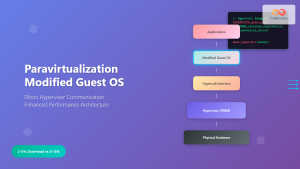
Paravirtualization: Modified Guest Operating System Architecture and Implementation
What is Paravirtualization? Paravirtualization is a virtualization technique where the guest operating system is modified to be aware that it's...
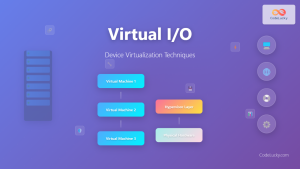
Virtual I/O: Complete Guide to Device Virtualization Techniques and Implementation
Introduction to Virtual I/O and Device Virtualization Virtual Input/Output (Virtual I/O) represents one of the most critical components in modern...
Desktop Virtualization: Complete VDI Implementation Guide for Modern Enterprises
Introduction to Desktop Virtualization Desktop virtualization represents a paradigm shift in how organizations deliver computing resources to end users. By...
Hardware-assisted Virtualization: Intel VT-x and AMD-V Complete Guide
Introduction to Hardware-assisted Virtualization Hardware-assisted virtualization represents a revolutionary advancement in computing architecture, enabling efficient creation and management of virtual...
Storage Virtualization: Complete Guide to Abstract Storage Resources in Modern Computing
Storage virtualization represents one of the most critical technologies in modern computing infrastructure, enabling organizations to abstract physical storage resources...
Virtual Memory in Virtualization: Memory Overcommitment Strategies and Implementation
Introduction to Memory Overcommitment Memory overcommitment is a fundamental virtualization technique that allows hypervisors to allocate more virtual memory to...
Server Virtualization: Complete Guide to Consolidation and Resource Optimization
Introduction to Server Virtualization Server virtualization is a revolutionary technology that enables multiple virtual machines (VMs) to run on a...
Container Virtualization: Complete Guide to OS-level Virtualization Technology
Container virtualization represents a revolutionary approach to application deployment and resource management through OS-level virtualization. Unlike traditional hardware virtualization, containers...
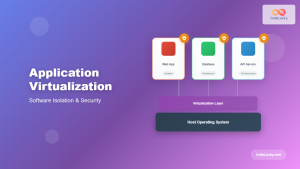
Application Virtualization: Complete Guide to Software Isolation and Virtual Environments
Application virtualization represents one of the most significant advances in modern computing, enabling organizations to run software applications in isolated...





