
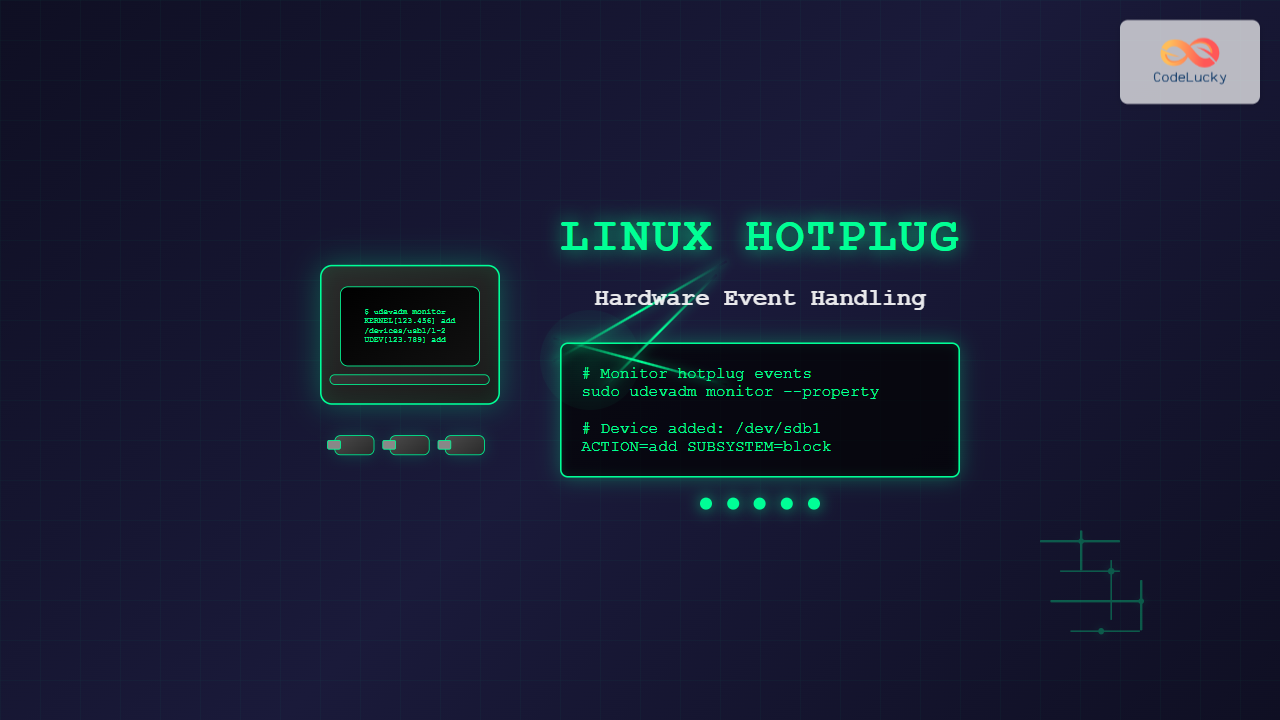
Hardware hotplug functionality in Linux enables the dynamic addition and removal of hardware components without requiring system restarts. This powerful feature allows users to connect USB devices, network cards, storage drives, and other peripherals seamlessly while the system is running. Understanding hotplug mechanisms is crucial for system administrators and developers working with modern Linux systems.
Understanding Linux Hotplug Architecture
The Linux hotplug system operates through a sophisticated event-driven architecture that detects hardware changes and responds appropriately. When you connect or disconnect a device, the kernel generates events that are processed by the userspace hotplug system, primarily managed by udev (userspace device management).
Key Components of Hotplug System
- Kernel Space: Hardware detection and event generation
- udev Daemon: Event processing and device node management
- udev Rules: Configuration files defining device handling behavior
- Device Files: Special files in /dev representing hardware devices
Monitoring Hotplug Events
To observe hotplug events in real-time, Linux provides several monitoring tools. The most fundamental approach uses the udevadm command to watch device events as they occur.
Real-time Event Monitoring
# Monitor all udev events
sudo udevadm monitor

# Monitor with property details
sudo udevadm monitor --property

# Monitor specific subsystem (e.g., USB)
sudo udevadm monitor --subsystem-match=usb
When you plug in a USB device, you’ll see output similar to:
KERNEL[1234.567890] add      /devices/pci0000:00/0000:00:14.0/usb1/1-2 (usb)
UDEV  [1234.568123] add      /devices/pci0000:00/0000:00:14.0/usb1/1-2 (usb)
KERNEL[1234.568456] add      /devices/pci0000:00/0000:00:14.0/usb1/1-2/1-2:1.0 (usb)
UDEV  [1234.568789] add      /devices/pci0000:00/0000:00:14.0/usb1/1-2/1-2:1.0 (usb)
Examining Device Information
Use udevadm info to inspect detailed device properties:
# Get device information by device path
udevadm info /dev/sdb1

# Get information by device name
udevadm info --name=/dev/sdb1

# Show all properties
udevadm info --property --name=/dev/sdb1
Sample output shows comprehensive device details:
P: /devices/pci0000:00/0000:00:14.0/usb1/1-2/1-2:1.0/host2/target2:0:0/2:0:0:0/block/sdb/sdb1
N: sdb1
S: disk/by-id/usb-SanDisk_Ultra_4C531001234567890123-0:0-part1
S: disk/by-label/MYUSB
S: disk/by-path/pci-0000:00:14.0-usb-0:2:1.0-scsi-0:0:0:0-part1
S: disk/by-uuid/1234-5678
E: DEVLINKS=/dev/disk/by-id/usb-SanDisk_Ultra_4C531001234567890123-0:0-part1 /dev/disk/by-label/MYUSB
E: DEVNAME=/dev/sdb1
E: DEVPATH=/devices/pci0000:00/0000:00:14.0/usb1/1-2/1-2:1.0/host2/target2:0:0/2:0:0:0/block/sdb/sdb1
E: DEVTYPE=partition
E: ID_BUS=usb
E: ID_FS_LABEL=MYUSB
E: ID_FS_TYPE=vfat
E: ID_FS_UUID=1234-5678
Creating Custom udev Rules
Custom udev rules enable automated responses to specific hardware events. These rules are stored in /etc/udev/rules.d/ and follow a specific naming convention with numerical prefixes determining execution order.
Basic Rule Syntax
udev rules use a match-and-assign syntax where conditions are matched against device properties, and actions are performed when matches occur:
MATCH_KEY=="value", MATCH_KEY=="value", ACTION_KEY="value"Practical Example: Auto-mounting USB Drives
Create a rule file /etc/udev/rules.d/99-usb-automount.rules:
# Auto-mount USB storage devices
KERNEL=="sd[a-z][0-9]", SUBSYSTEM=="block", ACTION=="add", \
  ATTRS{removable}=="1", \
  RUN+="/bin/mkdir -p /media/usb-%k", \
  RUN+="/bin/mount /dev/%k /media/usb-%k"

# Auto-unmount USB storage devices
KERNEL=="sd[a-z][0-9]", SUBSYSTEM=="block", ACTION=="remove", \
  RUN+="/bin/umount /media/usb-%k", \
  RUN+="/bin/rmdir /media/usb-%k"
Advanced Rule Example: Device-Specific Actions
Create targeted rules for specific devices using vendor and product IDs:
# Rule for specific USB device
SUBSYSTEM=="usb", ATTR{idVendor}=="0781", ATTR{idProduct}=="5567", \
  ACTION=="add", \
  MODE="0666", GROUP="plugdev", \
  SYMLINK+="my-special-device", \
  RUN+="/usr/local/bin/device-connected.sh"

# Rule for network interfaces
SUBSYSTEM=="net", ACTION=="add", ATTRS{idVendor}=="0bda", \
  NAME="wifi-adapter", \
  RUN+="/usr/local/bin/configure-network.sh %k"
Hotplug Event Handling Scripts
Automated scripts can respond to hotplug events, enabling complex workflows and system integrations. Here’s a comprehensive example of a device connection handler:
#!/bin/bash
# /usr/local/bin/device-connected.sh

DEVICE_PATH="$1"
LOG_FILE="/var/log/hotplug-events.log"

# Log the event
echo "$(date): Device connected - $DEVICE_PATH" >> "$LOG_FILE"

# Get device information
VENDOR=$(udevadm info --query=property --name="$DEVICE_PATH" | grep ID_VENDOR= | cut -d= -f2)
MODEL=$(udevadm info --query=property --name="$DEVICE_PATH" | grep ID_MODEL= | cut -d= -f2)

# Send notification to users
notify-send "Device Connected" "New device: $VENDOR $MODEL"

# Perform device-specific actions
case "$VENDOR" in
    "SanDisk")
        # Mount and backup for SanDisk devices
        /usr/local/bin/backup-usb-device.sh "$DEVICE_PATH"
        ;;
    "Canon")
        # Import photos for Canon cameras
        /usr/local/bin/import-photos.sh "$DEVICE_PATH"
        ;;
    *)
        # Default action for unknown devices
        echo "Unknown device connected: $VENDOR $MODEL" >> "$LOG_FILE"
        ;;
esac
Managing Hotplug Services
The udev service manages hotplug functionality. Understanding service management is essential for troubleshooting and configuration:
Service Status and Control
# Check udev service status
systemctl status systemd-udevd

# Restart udev service
sudo systemctl restart systemd-udevd

# Reload udev rules without restart
sudo udevadm control --reload-rules
sudo udevadm trigger
Testing Rule Changes
Test udev rules before permanent implementation:
# Test a specific rule
udevadm test /sys/class/block/sdb1

# Simulate device events
udevadm trigger --subsystem-match=usb --action=add
Common Hotplug Scenarios
USB Device Management
USB devices represent the most common hotplug scenario. Monitor USB-specific events:
# List USB devices
lsusb

# Monitor USB subsystem
udevadm monitor --subsystem-match=usb --property

# USB device tree
lsusb -t
Network Interface Hotplug
Network interfaces also support hotplug functionality:
# Monitor network interface events
udevadm monitor --subsystem-match=net

# List network interfaces
ip link show

# Example rule for wireless adapters
SUBSYSTEM=="net", ACTION=="add", ATTRS{type}=="1", \
  KERNEL=="wlan*", RUN+="/usr/local/bin/configure-wireless.sh %k"
Storage Device Automation
Implement intelligent storage device handling:
# Advanced storage device rule
KERNEL=="sd[a-z]", SUBSYSTEM=="block", ACTION=="add", \
  ATTRS{removable}=="1", \
  IMPORT{program}="/usr/local/bin/get-device-info.sh %k", \
  ENV{DEVICE_TYPE}=="backup", \
  RUN+="/usr/local/bin/start-backup.sh %k"
Debugging Hotplug Issues
Troubleshoot hotplug problems using systematic debugging approaches:
Log Analysis
# View udev logs
journalctl -u systemd-udevd -f

# Debug mode for detailed logging
sudo udevadm control --log-priority=debug

# Check kernel messages
dmesg | tail -20
Rule Validation
# Validate rule syntax
udevadm control --reload-rules && echo "Rules syntax OK"

# Test specific device path
udevadm test --action=add /sys/devices/pci0000:00/.../block/sdb
Security Considerations
Hotplug automation requires careful security planning to prevent unauthorized access and privilege escalation:
- Permission Management: Set appropriate file permissions and group ownership
- Script Validation: Sanitize inputs in hotplug scripts
- User Restrictions: Limit hotplug actions to authorized users
- Device Whitelisting: Create rules only for trusted devices
Secure Rule Example
# Secure rule with user restrictions
SUBSYSTEM=="usb", ATTR{idVendor}=="0781", \
  ACTION=="add", \
  GROUP="usb-users", MODE="0660", \
  TAG+="systemd", ENV{SYSTEMD_USER_WANTS}="usb-device.service"
Performance Optimization
Optimize hotplug performance for systems with frequent device connections:
Rule Optimization
- Place frequently matched rules earlier in the processing order
- Use specific match criteria to reduce processing overhead
- Minimize external program calls in rules
- Cache device information when possible
System Tuning
# Adjust udev processing limits
echo 'udev_children_max=8' >> /etc/udev/udev.conf
echo 'udev_exec_delay=3' >> /etc/udev/udev.conf
Integration with Modern Linux Systems
Modern Linux distributions integrate hotplug functionality with desktop environments and systemd services. Understanding these integrations helps create comprehensive device management solutions.
Desktop Environment Integration
Desktop environments often provide their own hotplug handling for user-friendly device management. Coordinate custom rules with existing desktop policies to avoid conflicts.
Systemd Integration
Leverage systemd for advanced hotplug workflows:
# Create systemd service triggered by udev
[Unit]
Description=USB Device Handler
Wants=systemd-udevd.service
After=systemd-udevd.service

[Service]
Type=oneshot
ExecStart=/usr/local/bin/handle-usb-device.sh %i
RemainAfterExit=no
Linux hotplug functionality provides a powerful foundation for dynamic hardware management. By understanding udev rules, monitoring techniques, and security considerations, administrators can create robust, automated systems that respond intelligently to hardware changes. Regular testing and monitoring ensure reliable operation in production environments.
Related Posts
udev Command Linux: Complete Guide to Dynamic Device Management
The udev (userspace device manager) is a crucial component of modern Linux systems that handles dynamic device management. Unlike traditional...

mdev Command Linux: Complete Guide to Minimal Device Manager Configuration
The mdev command is a lightweight device manager for Linux systems, particularly popular in embedded environments and minimal distributions. As...

udevadm Command Linux: Complete Guide to Device Management and Udev Administration
The udevadm command is a powerful administrative tool in Linux systems that manages the udev device manager. It serves as...
upstart Linux: Complete Guide to Event-Based System Initialization
The upstart initialization system revolutionized Linux system startup processes by introducing event-based service management. Unlike traditional SysV init systems that...
devfs Linux: Complete Guide to Device Filesystem Management
The Device Filesystem (devfs) represents a revolutionary approach to device management in Linux systems, providing dynamic creation and removal of...
devtmpfs Linux: Complete Guide to Device Temporary Filesystem Management
The devtmpfs (Device Temporary Filesystem) is a crucial component of modern Linux systems that revolutionizes how device nodes are managed...
Interrupt Handling in OS: Complete Guide to Hardware Interrupts and ISR
Introduction to Interrupt Handling Interrupt handling is a fundamental mechanism in operating systems that enables efficient communication between hardware devices...
dkms Command Linux: Complete Guide to Dynamic Kernel Module Support
Dynamic Kernel Module Support (DKMS) is a powerful framework that automatically rebuilds kernel modules when you install a new kernel...
modprobe Command Linux: Complete Guide to Load and Manage Kernel Modules
The modprobe command is one of the most powerful tools in Linux system administration for managing kernel modules. Whether you're...
Embedded Operating System: Complete Guide to Resource-Constrained Environments
Embedded operating systems form the backbone of countless devices we interact with daily, from smart home appliances to automotive control...
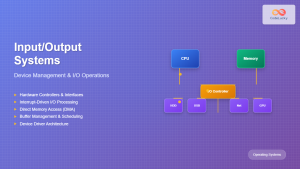
Input Output Systems: Complete Guide to Device Management and I/O Operations
Input/Output (I/O) systems form the critical bridge between a computer's internal processing capabilities and the external world. These systems manage...

Device Drivers in Operating System: Complete Guide to Hardware Abstraction Layer
Device drivers serve as the critical bridge between your operating system and hardware components, forming what's known as the Hardware...





