
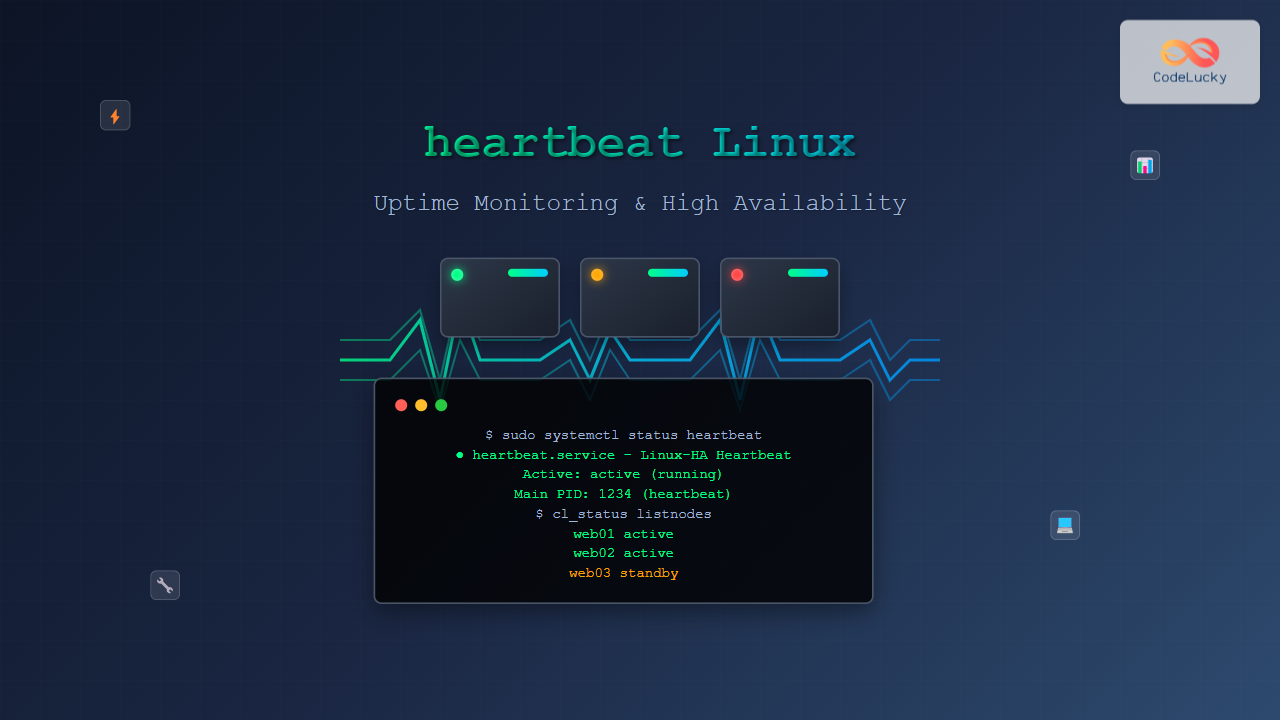
The heartbeat service in Linux is a critical component for maintaining high availability and monitoring system uptime. Originally developed as part of the Linux-HA (High Availability) project, heartbeat provides cluster membership and messaging services that ensure your systems remain operational even during hardware failures or network issues.
What is Linux Heartbeat?
Linux heartbeat is a daemon that monitors the health of cluster nodes by sending periodic “heartbeat” messages between systems. When a node fails to respond within a specified timeframe, heartbeat can automatically trigger failover procedures to maintain service availability.
Key features of Linux heartbeat include:
- Node monitoring: Continuous health checks of cluster members
- Automatic failover: Seamless service migration during failures
- Resource management: Control of shared resources like IP addresses and services
- Split-brain prevention: Mechanisms to avoid dual-master scenarios
Understanding Heartbeat Architecture
Heartbeat operates on a simple yet effective principle. Each node in a cluster periodically sends heartbeat messages to other nodes via configured communication channels. These channels can include:
- Ethernet: Network-based heartbeat messages
- Serial cable: Direct hardware connection
- Multicast: Broadcasting to multiple nodes simultaneously
Installing Heartbeat on Linux
Installation varies depending on your Linux distribution. Here are the most common methods:
Ubuntu/Debian Installation
# Update package repository
sudo apt update

# Install heartbeat and related packages
sudo apt install heartbeat heartbeat-dev

# Verify installation
heartbeat -V
CentOS/RHEL Installation
# Install EPEL repository first
sudo yum install epel-release

# Install heartbeat
sudo yum install heartbeat

# For newer versions, use dnf
sudo dnf install heartbeat
Manual Installation from Source
# Download heartbeat source
wget http://linux-ha.org/download/heartbeat-3.0.6.tar.bz2

# Extract and compile
tar -xjf heartbeat-3.0.6.tar.bz2
cd heartbeat-3.0.6
./configure --prefix=/usr --sysconfdir=/etc
make && sudo make install
Essential Heartbeat Configuration Files
Heartbeat uses three primary configuration files located in /etc/ha.d/:
1. ha.cf (Main Configuration)
The main configuration file defines cluster parameters:
# Sample /etc/ha.d/ha.cf
debugfile /var/log/ha-debug
logfile /var/log/ha-log
logfacility local0
keepalive 2
deadtime 30
warntime 10
initdead 120
udpport 694
auto_failback on
node server1
node server2
ucast eth0 192.168.1.10
ucast eth0 192.168.1.11
2. authkeys (Authentication)
Defines authentication methods for cluster communication:
# Sample /etc/ha.d/authkeys
auth 1
1 crc
# 2 sha1 your-secret-key
# 3 md5 your-secret-key
Important: Set proper permissions for security:
sudo chmod 600 /etc/ha.d/authkeys3. haresources (Resource Configuration)
Defines which resources are managed by which nodes:
# Sample /etc/ha.d/haresources
server1 IPaddr::192.168.1.100/24/eth0 httpd
server2 IPaddr::192.168.1.101/24/eth0 mysql
Practical Heartbeat Configuration Examples
Basic Two-Node Cluster Setup
Let’s configure a simple two-node cluster for web server high availability:
Node 1 (web01) Configuration:
# /etc/ha.d/ha.cf on web01
debugfile /var/log/ha-debug
logfile /var/log/ha-log
keepalive 2
deadtime 10
warntime 5
initdead 60
udpport 694
auto_failback off
node web01
node web02
ucast eth0 192.168.1.20
Resource Configuration:
# /etc/ha.d/haresources on both nodes
web01 IPaddr::192.168.1.100/24/eth0 apache2
Advanced Multi-Node Configuration
For more complex setups with multiple services:
# Advanced ha.cf configuration
debugfile /var/log/ha-debug
logfile /var/log/ha-log
logfacility local0
keepalive 1
deadtime 10
warntime 5
initdead 60
udpport 694
auto_failback on
compression bz2
traditional_compression on

# Node definitions
node db-master
node db-slave
node web-server

# Communication methods
mcast eth0 225.0.0.1 694 1 0
ucast eth1 10.0.1.10
ucast eth1 10.0.1.11
ucast eth1 10.0.1.12

# Ping nodes for network connectivity checks
ping 8.8.8.8
ping 8.8.4.4
Heartbeat Service Management
Starting and Stopping Services
# Start heartbeat service
sudo systemctl start heartbeat

# Stop heartbeat service
sudo systemctl stop heartbeat

# Restart heartbeat service
sudo systemctl restart heartbeat

# Enable automatic startup
sudo systemctl enable heartbeat

# Check service status
sudo systemctl status heartbeat
Legacy Init System Commands
# For older systems using init
sudo service heartbeat start
sudo service heartbeat stop
sudo service heartbeat restart
sudo chkconfig heartbeat on
Monitoring Heartbeat Status
Real-time Cluster Status
Use the cl_status command to check cluster status:
# Check cluster status
cl_status listnodes

# Sample output:
# web01 active
# web02 active
# Check resource status
cl_status rscstatus
# Sample output:
# Resource Name Node Name Status
# IPaddr web01 running
# apache2 web01 runningLog Analysis
Monitor heartbeat logs for troubleshooting:
# View recent heartbeat logs
sudo tail -f /var/log/ha-log

# Check for errors
sudo grep -i error /var/log/ha-log

# Monitor debug information
sudo tail -f /var/log/ha-debug
Sample Log Output:
Aug 26 09:52:15 web01 heartbeat: info: Heartbeat restart on node web01
Aug 26 09:52:15 web01 heartbeat: info: Link web01:eth0 up.
Aug 26 09:52:16 web01 heartbeat: info: Status update for node web02: up
Aug 26 09:52:17 web01 heartbeat: info: All resources started.
Testing Failover Scenarios
Manual Failover Testing
Test your configuration by simulating failures:
# Stop heartbeat on primary node to test failover
sudo systemctl stop heartbeat

# Check if resources moved to secondary node
cl_status rscstatus

# Monitor logs on secondary node
sudo tail -f /var/log/ha-log
Network Disconnection Simulation
# Simulate network failure using iptables
sudo iptables -A INPUT -p udp --dport 694 -j DROP
sudo iptables -A OUTPUT -p udp --dport 694 -j DROP

# Remove rules to restore connectivity
sudo iptables -D INPUT -p udp --dport 694 -j DROP
sudo iptables -D OUTPUT -p udp --dport 694 -j DROP
Troubleshooting Common Issues
Split-Brain Scenarios
Split-brain occurs when cluster nodes can’t communicate but both remain active:
# Check for split-brain in logs
sudo grep -i "split.*brain" /var/log/ha-log

# Configure STONITH (Shoot The Other Node In The Head)
# Add to ha.cf:
stonith_host web01 ipmi web01-ipmi
stonith_host web02 ipmi web02-ipmi
Authentication Failures
Common authentication issues and solutions:
# Check authkeys permissions
ls -la /etc/ha.d/authkeys

# Should show: -rw------- 1 root root

# Verify authkeys syntax
sudo heartbeat -t
Resource Management Issues
# Manually start/stop resources
sudo /etc/ha.d/resource.d/IPaddr 192.168.1.100/24/eth0 start
sudo /etc/ha.d/resource.d/IPaddr 192.168.1.100/24/eth0 stop

# Check resource script functionality
sudo /etc/ha.d/resource.d/apache2 status
Advanced Heartbeat Features
Custom Resource Agents
Create custom resource agents for specific applications:
#!/bin/bash
# Custom resource agent example
# /etc/ha.d/resource.d/myapp

case "$1" in
start)
    /usr/local/bin/myapp --daemon
    ;;
stop)
    killall myapp
    ;;
status)
    if pgrep myapp > /dev/null; then
        echo "running"
        exit 0
    else
        echo "stopped"
        exit 1
    fi
    ;;
*)
    echo "Usage: $0 {start|stop|status}"
    exit 1
    ;;
esac
Heartbeat with Pacemaker Integration
Modern setups often use Pacemaker with Heartbeat:
# Install Pacemaker cluster stack
sudo apt install pacemaker corosync

# Configure cluster with both heartbeat and pacemaker
sudo crm configure property stonith-enabled=false
sudo crm configure primitive webserver ocf:heartbeat:apache
Performance Optimization
Tuning Heartbeat Parameters
Optimize heartbeat for your environment:
# Low-latency configuration
keepalive 1
deadtime 5
warntime 2

# High-latency/WAN configuration
keepalive 5
deadtime 30
warntime 15
Network Configuration Best Practices
- Dedicated heartbeat network: Use separate network interfaces
- Multiple communication paths: Configure redundant channels
- Proper MTU settings: Ensure consistent MTU across cluster nodes
Security Considerations
Authentication Methods
Choose appropriate authentication for your security requirements:
# Strong authentication with SHA1
auth 2
2 sha1 your-very-secure-passphrase-here

# MD5 authentication
auth 3
3 md5 another-secure-passphrase
Firewall Configuration
# Allow heartbeat traffic through firewall
sudo iptables -A INPUT -p udp --dport 694 -j ACCEPT
sudo iptables -A INPUT -p tcp --dport 5560 -j ACCEPT

# For firewalld (CentOS/RHEL)
sudo firewall-cmd --permanent --add-service=high-availability
sudo firewall-cmd --reload
Monitoring and Alerting
Integration with Monitoring Systems
Create scripts for external monitoring integration:
#!/bin/bash
# Heartbeat status check for Nagios/Zabbix
CLUSTER_STATUS=$(cl_status listnodes | grep -c "active")
EXPECTED_NODES=2

if [ "$CLUSTER_STATUS" -eq "$EXPECTED_NODES" ]; then
    echo "OK - All cluster nodes active"
    exit 0
else
    echo "CRITICAL - Cluster node(s) down"
    exit 2
fi
Automated Health Checks
# Cron job for periodic health checks
# Add to /etc/crontab
*/5 * * * * root /usr/local/bin/check_heartbeat.sh
Migration and Upgrades
Upgrading Heartbeat
Safe upgrade procedures:
# Stop heartbeat on secondary nodes first
sudo systemctl stop heartbeat

# Upgrade packages
sudo apt upgrade heartbeat

# Start services and verify
sudo systemctl start heartbeat
cl_status listnodes
Migrating to Modern Alternatives
Consider migrating to modern cluster solutions:
- Corosync/Pacemaker: More feature-rich cluster stack
- Keepalived: Lightweight alternative for simple failover
- Consul: Service mesh with health checking
Best Practices and Recommendations
Configuration Best Practices
- Use dedicated heartbeat interfaces to avoid network congestion
- Configure multiple communication paths for redundancy
- Set appropriate timeouts based on your network latency
- Test failover scenarios regularly to ensure functionality
- Monitor cluster logs continuously for early issue detection
Common Pitfalls to Avoid
- Incorrect authkeys permissions leading to authentication failures
- Insufficient network bandwidth for heartbeat messages
- Missing STONITH configuration in production environments
- Overly aggressive timeout settings causing false positives
Linux heartbeat remains a robust solution for uptime monitoring and high availability clustering. While newer alternatives exist, understanding heartbeat principles provides valuable insights into cluster management and system reliability. Proper configuration, monitoring, and testing ensure your critical services maintain maximum uptime even during hardware failures or network disruptions.
By implementing the configurations and best practices outlined in this guide, you’ll be equipped to deploy and maintain highly available Linux systems that can withstand various failure scenarios while maintaining service continuity for your users and applications.
Related Posts
Groundwork Linux: Complete Guide to IT Infrastructure Monitoring and System Health Management
What is Groundwork Linux? Groundwork Linux is a comprehensive open-source IT infrastructure monitoring platform built specifically for Linux environments. It...

whatsup Linux: Complete Network Monitoring and System Administration Guide
whatsup is a powerful network monitoring and system administration tool for Linux that provides real-time insights into network connectivity, system...

PandoraFMS Linux: Complete Network Monitoring Platform Guide
PandoraFMS is a comprehensive, open-source network monitoring platform that provides complete visibility into your IT infrastructure. This powerful monitoring solution...

ManageEngine Linux: Complete Network Monitoring Solutions Guide
Network monitoring is crucial for maintaining optimal performance and security in Linux environments. ManageEngine provides powerful network monitoring solutions specifically...

ganglia Linux: Complete Guide to Distributed Monitoring System
Ganglia is a powerful, open-source distributed monitoring system designed specifically for high-performance computing clusters, grids, and cloud infrastructures. Originally developed...

serf Linux: Complete Guide to Decentralized Cluster Membership and Service Discovery
Serf is a powerful decentralized solution for cluster membership, failure detection, and orchestration that runs on Linux systems. Unlike traditional...

Marathon Linux: Complete Guide to Container Orchestration Platform
Marathon is a powerful container orchestration platform built on top of Apache Mesos that enables you to deploy, manage, and...

Sensu Linux: Complete Monitoring Framework Guide for System Administrators
Sensu is a powerful, open-source monitoring framework designed to monitor servers, services, application health, and business KPIs. Built with modern...

Pandora Linux Network Monitoring: Complete Guide to Real-Time Traffic Analysis
Network monitoring has become a critical aspect of modern IT infrastructure management. Pandora Linux stands out as a powerful, open-source...

Zenoss Linux: Complete Guide to IT Infrastructure Monitoring and Management
What is Zenoss and Why Use it on Linux? Zenoss is a powerful, open-source IT infrastructure monitoring platform that provides...

Hyperic Linux: Complete Guide to Application Performance Monitoring and System Optimization
Hyperic is a powerful open-source application performance monitoring (APM) platform that provides comprehensive insights into your Linux systems and applications....
upstart Linux: Complete Guide to Event-Based System Initialization
The upstart initialization system revolutionized Linux system startup processes by introducing event-based service management. Unlike traditional SysV init systems that...





