
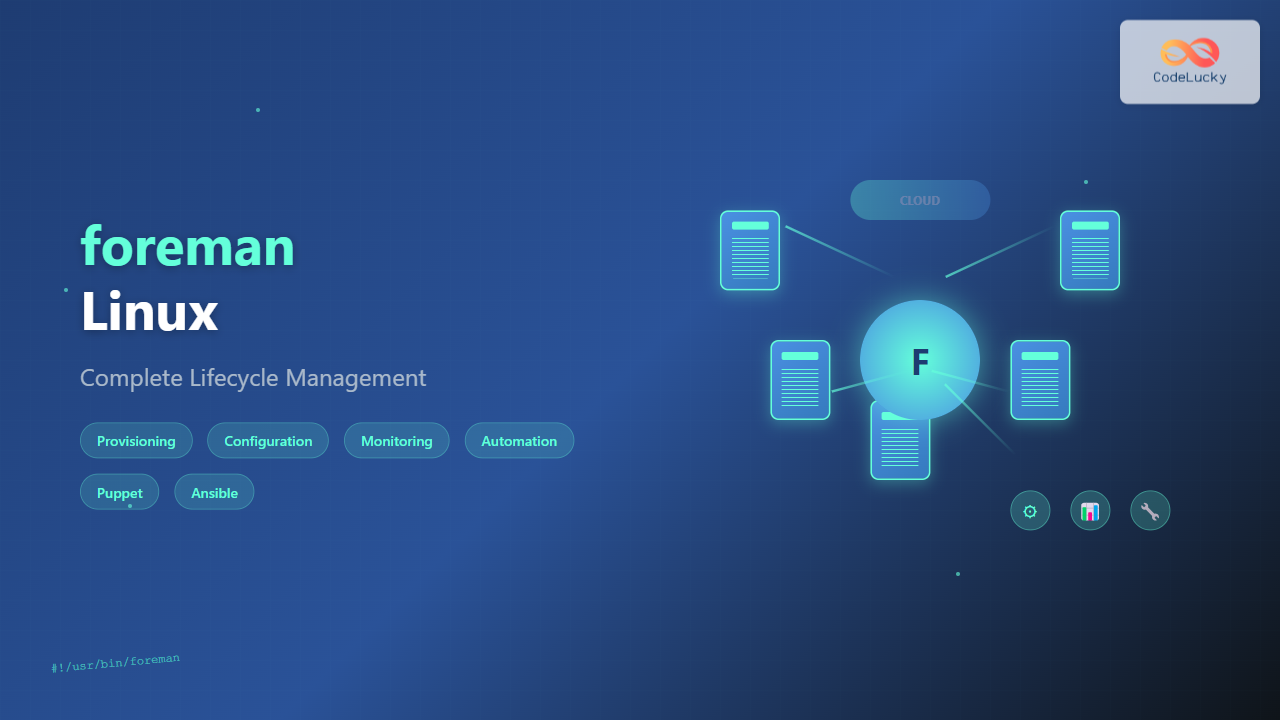
Foreman is a powerful open-source lifecycle management tool that revolutionizes how system administrators handle infrastructure provisioning, configuration management, and monitoring. This comprehensive guide explores Foreman’s capabilities, installation procedures, and advanced configuration techniques for enterprise-grade infrastructure management.
What is Foreman Linux?
Foreman serves as a centralized platform for managing the complete lifecycle of physical and virtual servers. It integrates seamlessly with configuration management tools like Puppet, Ansible, Chef, and Salt, providing administrators with unified control over their infrastructure ecosystem.
Key Features and Benefits
- Automated Provisioning: Deploy bare-metal servers, virtual machines, and cloud instances
- Configuration Management: Integrate with popular CM tools for consistent system states
- Inventory Management: Maintain detailed records of hardware and software assets
- Monitoring and Reporting: Track system health and generate compliance reports
- Web-based Interface: Intuitive dashboard for streamlined operations
- API Integration: RESTful API for automation and third-party integrations
System Requirements and Prerequisites
Before installing Foreman, ensure your system meets the following requirements:
Minimum Hardware Requirements
CPU: 2+ cores (4+ recommended for production)
RAM: 4GB minimum (8GB+ recommended)
Storage: 20GB free space (100GB+ for production)
Network: Stable internet connection for package downloads
Supported Operating Systems
- Red Hat Enterprise Linux 8/9
- CentOS 8/9 Stream
- Ubuntu 20.04/22.04 LTS
- Debian 10/11
Installing Foreman on Linux
Installation on CentOS/RHEL
Follow these steps to install Foreman on Red Hat-based systems:
# Update system packages
sudo dnf update -y

# Install EPEL repository
sudo dnf install epel-release -y

# Add Foreman repository
sudo dnf install https://yum.theforeman.org/releases/3.7/el8/x86_64/foreman-release.rpm -y

# Install Foreman installer
sudo dnf install foreman-installer -y

# Run the installer
sudo foreman-installer
Installation on Ubuntu/Debian
# Update package list
sudo apt update && sudo apt upgrade -y

# Install required packages
sudo apt install ca-certificates wget -y

# Add Foreman repository
wget https://deb.theforeman.org/pubkey.gpg -O- | sudo apt-key add -
echo "deb http://deb.theforeman.org/ focal 3.7" | sudo tee /etc/apt/sources.list.d/foreman.list

# Update package list
sudo apt update

# Install Foreman
sudo apt install foreman-installer -y

# Run the installer
sudo foreman-installer
Installer Output Example
Installing             : Done
  Success!
  * Foreman is running at https://foreman.example.com
    Initial credentials are admin / 3xample_password
  * Foreman Proxy is running at https://foreman.example.com:8443
  * Puppetserver is running at port 8140
  The full log is at /var/log/foreman-installer/foreman.log
Initial Configuration and Setup
Accessing the Web Interface
After installation, access Foreman through your web browser:
URL: https://your-server-ip
Username: admin
Password: [generated during installation]
Basic Configuration Steps
- Change Default Password: Navigate to Administer → Users → admin → Edit
- Configure Settings: Go to Administer → Settings to customize global options
- Set Up Organizations: Create organizational units for better resource management
- Define Locations: Establish geographical or logical location hierarchies
Smart Proxy Configuration
Smart Proxies extend Foreman’s functionality to remote networks and provide services like DHCP, DNS, TFTP, and Puppet CA.
Installing Smart Proxy
# Install Smart Proxy package
sudo dnf install foreman-proxy -y  # CentOS/RHEL
sudo apt install foreman-proxy -y  # Ubuntu/Debian

# Configure proxy settings
sudo vim /etc/foreman-proxy/settings.yml
Essential Proxy Configuration
# /etc/foreman-proxy/settings.yml
---
:ssl_certificate: /var/lib/puppet/ssl/certs/proxy.example.com.pem
:ssl_ca_file: /var/lib/puppet/ssl/certs/ca.pem
:ssl_private_key: /var/lib/puppet/ssl/private_keys/proxy.example.com.pem

:foreman_url: https://foreman.example.com

:daemon: true
:daemon_pid: /var/run/foreman-proxy/foreman-proxy.pid
:port: 8443

:log_file: /var/log/foreman-proxy/proxy.log
:log_level: INFO
Starting Smart Proxy Service
# Enable and start the service
sudo systemctl enable foreman-proxy
sudo systemctl start foreman-proxy

# Check service status
sudo systemctl status foreman-proxy
Host Provisioning and Management
Creating Host Groups
Host groups simplify bulk host management by providing template configurations:
# Navigate to: Configure → Host Groups → New Host Group
Name: web-servers
Environment: production
Puppet Classes: apache, mysql
Operating System: CentOS 8
Architecture: x86_64
Provisioning Templates
Customize provisioning templates for automated OS installations:
# Example Kickstart template snippet
%packages
@core
@base
openssh-server
puppet-agent
%end

%post
# Configure Puppet agent
echo "server = foreman.example.com" >> /etc/puppetlabs/puppet/puppet.conf
systemctl enable puppet
systemctl start puppet
%end
Creating New Hosts
- Navigate to Hosts → New Host
- Select appropriate Host Group
- Configure network interfaces
- Set up disk partitioning
- Submit for provisioning
Integration with Configuration Management
Puppet Integration
Foreman includes built-in Puppet integration for configuration management:
# Install Puppet server
sudo dnf install puppetserver -y

# Configure Puppet server
sudo vim /etc/puppetlabs/puppet/puppet.conf

[master]
certname = foreman.example.com
ca_server = foreman.example.com
Ansible Integration
Install and configure Ansible plugin for Foreman:
# Install Ansible plugin
sudo foreman-installer --enable-foreman-plugin-ansible

# Configure Ansible callback
sudo vim /etc/ansible/ansible.cfg

[defaults]
callback_plugins = /usr/share/foreman/extras/ansible
callback_whitelist = foreman
Managing Puppet Classes
# Import Puppet classes
sudo foreman-rake puppet:import:puppet_classes[batch]

# Assign classes to hosts via web interface
# Navigate to: Configure → Puppet Classes → Import from [environment]
Monitoring and Reporting
Dashboard Overview
Foreman’s dashboard provides real-time infrastructure insights:
- Host Status: Active, failed, and pending hosts
- Configuration Status: Puppet run reports and statistics
- Recent Activity: Latest configuration changes and events
- Resource Usage: CPU, memory, and storage metrics
Custom Reports
# Generate custom reports using Foreman's API
curl -k -u admin:password -H "Accept: application/json" \
  https://foreman.example.com/api/v2/hosts/1/reports

# Example output
{
  "total": 45,
  "subtotal": 45,
  "page": 1,
  "per_page": 20,
  "search": null,
  "sort": {
    "by": null,
    "order": null
  },
  "results": [...]
}
Monitoring Configuration
# Install monitoring plugins
sudo foreman-installer --enable-foreman-plugin-monitoring

# Configure monitoring checks
sudo vim /etc/foreman/plugins/monitoring.yaml

:monitoring:
  :check_mk:
    :server: monitoring.example.com
    :port: 6557
Advanced Features and Automation
API Usage Examples
Automate Foreman operations using its RESTful API:
# Create a new host via API
curl -k -u admin:password -H "Content-Type: application/json" \
  -X POST https://foreman.example.com/api/v2/hosts \
  -d '{
    "host": {
      "name": "web01.example.com",
      "hostgroup_id": 1,
      "compute_resource_id": 1,
      "root_pass": "secure_password"
    }
  }'
Bulk Operations
# Bulk host update using hammer CLI
hammer host update --ids 1,2,3,4 --hostgroup-id 5

# Mass configuration deployment
hammer job-invocation create \
  --job-template "Run Command - Script Default" \
  --search-query "hostgroup = web-servers" \
  --inputs command="yum update -y"
Custom Plugins
# Install additional plugins
sudo foreman-installer \
  --enable-foreman-plugin-tasks \
  --enable-foreman-plugin-remote-execution \
  --enable-foreman-plugin-openscap
Security and Best Practices
SSL Certificate Management
# Generate custom SSL certificates
sudo puppet cert generate foreman.example.com

# Update Foreman SSL configuration
sudo foreman-installer \
  --foreman-server-ssl-cert /var/lib/puppet/ssl/certs/foreman.example.com.pem \
  --foreman-server-ssl-key /var/lib/puppet/ssl/private_keys/foreman.example.com.pem
User Authentication and Authorization
# Configure LDAP authentication
sudo vim /etc/foreman/settings.yaml

:authentication:
  :ldap:
    :host: ldap.example.com
    :port: 636
    :encryption: :simple_tls
    :base_dn: dc=example,dc=com
Backup and Recovery
# Create Foreman backup
sudo foreman-maintain backup offline /backup/foreman-$(date +%Y%m%d)

# Restore from backup
sudo foreman-maintain restore /backup/foreman-20250826/
Troubleshooting Common Issues
Service Debugging
# Check Foreman service status
sudo systemctl status foreman

# View detailed logs
sudo journalctl -u foreman -f

# Debug Puppet integration
sudo tail -f /var/log/puppetlabs/puppetserver/puppetserver.log
Performance Optimization
# Optimize database performance
sudo -u postgres psql foreman

# Analyze and vacuum database
ANALYZE;
VACUUM FULL;

# Configure passenger workers
sudo vim /etc/foreman/passenger.conf

passenger_min_instances 2;
passenger_max_pool_size 6;
Network Connectivity Issues
# Test Smart Proxy connectivity
curl -k https://proxy.example.com:8443/version

# Verify certificate chain
openssl s_client -connect foreman.example.com:443 -showcerts
Conclusion
Foreman provides comprehensive lifecycle management capabilities for modern infrastructure environments. By implementing proper configuration management, monitoring, and automation practices, organizations can achieve significant operational efficiency improvements. Regular maintenance, security updates, and performance monitoring ensure optimal Foreman deployment performance.
This powerful platform continues evolving with new features and integrations, making it an essential tool for system administrators managing complex infrastructure environments. Mastering Foreman’s capabilities enables teams to scale their operations effectively while maintaining security and compliance standards.
Related Posts

Chef Linux: Complete Infrastructure Automation Platform Guide for DevOps
Chef is a powerful infrastructure automation platform that transforms the way organizations manage their Linux environments. As a configuration management...
Katello Linux: Complete Guide to Enterprise Content and Configuration Management
Introduction to Katello Linux Katello is a powerful open-source content and configuration management platform that serves as the upstream project...
Puppet Linux: Complete Configuration Management Guide for System Administrators
Puppet is a powerful configuration management tool that revolutionizes how system administrators manage Linux infrastructure. By automating system configuration, software...
nomad Linux: Complete Guide to HashiCorp’s Workload Orchestrator
What is HashiCorp Nomad? HashiCorp Nomad is a simple yet powerful workload orchestrator that enables organizations to deploy and manage...

Spacewalk Linux: Complete Systems Management Solution Guide
Spacewalk is a powerful open-source systems management solution that enables administrators to efficiently manage multiple Linux systems from a centralized...
Spiceworks Linux: Complete Network Monitoring and Management Guide
Spiceworks is a powerful, free IT network monitoring and management platform that has revolutionized how system administrators handle their infrastructure....
Rancher Linux: Complete Container Management Platform for DevOps Teams
Rancher Linux revolutionizes container management by providing a comprehensive platform that simplifies Kubernetes orchestration, multi-cloud deployments, and enterprise-grade container operations....

SaltStack Linux: Complete Guide to Intelligent IT Automation and Configuration Management
SaltStack has revolutionized the way system administrators and DevOps engineers manage infrastructure at scale. As a powerful configuration management and...
Groundwork Linux: Complete Guide to IT Infrastructure Monitoring and System Health Management
What is Groundwork Linux? Groundwork Linux is a comprehensive open-source IT infrastructure monitoring platform built specifically for Linux environments. It...

OpenShift Linux: Complete Guide to Enterprise Kubernetes Platform Management
OpenShift represents Red Hat's enterprise-grade Kubernetes platform that revolutionizes how organizations deploy, manage, and scale containerized applications on Linux systems....
Vagrant Linux: Complete Guide to Development Environment Management
Vagrant revolutionizes development environment management by providing a consistent, reproducible way to create and manage virtual development environments. This comprehensive...

Kubernetes Linux: Complete Guide to Container Orchestration Platform
Kubernetes has revolutionized how we deploy, manage, and scale containerized applications on Linux systems. As the leading container orchestration platform,...





