

The find command is one of the most powerful and versatile tools in the Linux arsenal, capable of performing complex file searches and operations across your filesystem. While basic usage covers simple file searches, mastering advanced find techniques unlocks tremendous productivity for system administrators, developers, and power users.
Understanding find Command Syntax and Architecture
The find command follows a specific syntax structure that enables complex search operations:
find [path] [expression] [action]Where expressions can include tests, operators, and actions that work together to create sophisticated search patterns.
Advanced Search Criteria and Tests
Time-Based Search Patterns
Find files based on precise time criteria using multiple time references:
# Files modified in last 7 days
find /home -mtime -7

# Files accessed exactly 30 days ago
find /var/log -atime 30

# Files changed within last 2 hours
find /tmp -cmin -120

# Files modified between 5-10 days ago
find /home -mtime +5 -mtime -10
The time-based tests use three different timestamps:
- mtime: Modification time (content changes)
- atime: Access time (last read)
- ctime: Change time (metadata changes)
Size-Based Advanced Filtering
Implement sophisticated size-based searches using various units and ranges:
# Files larger than 100MB
find /home -size +100M

# Files between 1KB and 1MB
find /var -size +1k -size -1M

# Empty files and directories
find /tmp -empty

# Files exactly 512 bytes
find /etc -size 512c
Permission and Ownership Patterns
Search files based on complex permission combinations:
# Files with exact permissions 755
find /usr/bin -perm 755

# Files with at least read permission for others
find /home -perm -004

# SUID files (potential security concern)
find /usr -perm -4000

# Files owned by specific user with write permissions
find /home -user john -perm -200
Complex Logical Operations
Combining Multiple Criteria
Use logical operators to create sophisticated search conditions:
# AND operation (implicit)
find /var/log -name "*.log" -size +10M

# OR operation using -o
find /home \( -name "*.jpg" -o -name "*.png" \)

# NOT operation using !
find /tmp ! -name "*.tmp"

# Complex combination
find /home \( -name "*.doc" -o -name "*.pdf" \) -size +1M -mtime -30
Advanced Pattern Matching
Implement sophisticated filename patterns:
# Case-insensitive search
find /home -iname "*.JPG"

# Regular expressions
find /var/log -regex ".*\.[0-9]+$"

# Multiple patterns with different criteria
find /home -path "*/backup/*" -name "*.tar.gz" -mtime +90
Powerful Action Operations
Execution and Processing
Perform complex operations on found files:
# Execute command on each file
find /home -name "*.tmp" -exec rm {} \;

# Confirm before execution
find /var/log -name "*.old" -ok rm {} \;

# Execute with multiple files at once
find /home -name "*.jpg" -exec cp {} /backup/ +

# Complex processing pipeline
find /var/log -name "*.log" -exec grep -l "ERROR" {} \; | head -10
Advanced File Operations
# Copy files maintaining directory structure
find /source -name "*.conf" -exec cp --parents {} /backup/ \;

# Archive old files
find /data -mtime +365 -exec tar -rf /archive/old_files.tar {} +

# Change permissions on found files
find /var/www -name "*.php" -exec chmod 644 {} \;

# Create symbolic links
find /usr/local/bin -executable -exec ln -sf {} /usr/bin/ \;
Performance Optimization Techniques
Efficient Search Strategies
Optimize find performance for large filesystems:
# Limit search depth
find /home -maxdepth 3 -name "*.log"

# Skip specific directories
find / -path /proc -prune -o -name "*.conf" -print

# Use faster tests first
find /var -name "*.log" -size +100M -mtime -7

# Parallel processing with xargs
find /home -name "*.jpg" -print0 | xargs -0 -P 4 -I {} convert {} {}.thumb.jpg
Database Integration
Combine find with locate database for faster searches:
# Update locate database
sudo updatedb

# Use locate for initial filtering, find for precision
locate "*.conf" | xargs find -mtime -7 2>/dev/null
Real-World Advanced Scenarios
System Maintenance Operations
# Find and clean temporary files older than 7 days
find /tmp /var/tmp -type f -mtime +7 -exec rm {} \;

# Identify large log files for rotation
find /var/log -name "*.log" -size +100M -printf "%s %p\n" | sort -nr

# Find duplicate files by size and name
find /home -type f -printf "%s %f %p\n" | sort | uniq -d -w 20

# Security audit: find world-writable files
find / -type f -perm -002 ! -path "/proc/*" ! -path "/sys/*" 2>/dev/null
Development and Deployment Tasks
# Find source files modified recently
find /project -name "*.py" -o -name "*.js" -mtime -1 -exec git add {} +

# Clean build artifacts
find /project -name "*.pyc" -o -name "*.class" -o -name "node_modules" -exec rm -rf {} +

# Find configuration files for backup
find /etc -name "*.conf" -o -name "*.cfg" | tar -czf config_backup.tar.gz -T -

# Identify files without proper extensions
find /web -type f ! -name "*.*" -exec file {} \; | grep -v directory
Error Handling and Debugging
Managing Permissions and Errors
# Suppress permission denied errors
find /var -name "*.log" 2>/dev/null

# Log errors to file for analysis
find / -name "*.conf" 2>find_errors.log

# Handle symbolic links carefully
find /usr -type l -exec test ! -e {} \; -print  # Find broken symlinks

# Safe deletion with confirmation
find /tmp -name "*.tmp" -mtime +7 -ls -ok rm {} \;
Testing and Validation
# Dry run: show what would be affected
find /home -name "*.bak" -mtime +30 -ls

# Count files before operations
find /var/log -name "*.old" | wc -l

# Validate before mass operations
find /data -name "*.tmp" -exec echo "Would delete: {}" \;
Integration with Other Tools
Piping and Command Combinations
# Complex processing pipelines
find /var/log -name "*.log" -exec grep -l "ERROR" {} \; | \
while read file; do
    echo "Processing $file"
    tail -100 "$file" | grep "ERROR" > "/tmp/$(basename $file).errors"
done

# Statistical analysis
find /home -name "*.jpg" -printf "%s\n" | \
awk '{sum+=$1; count++} END {print "Average size:", sum/count " bytes"}'

# Generate reports
find /var/www -name "*.php" -exec wc -l {} + | \
sort -nr | head -20 > largest_php_files.txt
Best Practices and Security Considerations
Safe Operations
- Always test: Use
-lsorechobefore destructive operations - Quote properly: Use quotes around patterns to prevent shell expansion
- Handle spaces: Use
-print0withxargs -0for filenames with spaces - Limit scope: Use specific paths and
-maxdepthto avoid system directories
Performance Guidelines
- Order matters: Place faster tests before slower ones
- Use specific paths: Avoid searching from root unless necessary
- Exclude system directories: Skip /proc, /sys, and /dev when appropriate
- Consider alternatives: Use locate for simple name searches
Advanced find Extensions and Alternatives
GNU find Extensions
# Extended regular expressions
find /var/log -regextype posix-extended -regex ".*log\.[0-9]+"

# Custom time formatting
find /home -printf "%TY-%Tm-%Td %TH:%TM %p\n"

# Advanced sorting
find /tmp -printf "%T@ %p\n" | sort -n | tail -10
Modern Alternatives
While mastering find is essential, consider these modern alternatives for specific use cases:
- fd: Faster, more intuitive syntax for simple searches
- ripgrep (rg): Superior for content searching
- fzf: Interactive fuzzy finding
Conclusion
Mastering advanced find command techniques transforms your Linux system administration and development workflows. The combination of complex search patterns, logical operators, and powerful actions makes find an indispensable tool for managing modern Unix-like systems.
Practice these advanced techniques in safe environments before applying them to production systems. The find command’s flexibility and power make it both incredibly useful and potentially dangerous when used incorrectly.
As you incorporate these advanced find patterns into your daily workflow, you’ll discover new combinations and use cases that solve specific challenges in your environment. The key is understanding the fundamental concepts and building complexity gradually through practice and experimentation.
Related Posts
find Command Linux: Ultimate Guide to Search Files and Directories by Name, Size, and Attributes
The find command is one of the most powerful and versatile tools in Linux for searching files and directories. Whether...

locate Command Advanced Linux: Database Search Optimization Techniques
The locate command is one of Linux's most powerful file search utilities, offering lightning-fast file discovery through its pre-built database...

locate Command in Linux: Fast File Search Using Database Indexing
The locate command is one of Linux's most efficient file search utilities, offering lightning-fast results by leveraging a pre-built database...

whereis Command Linux: Complete Guide to Locate Binary, Source and Manual Pages
The whereis command is a powerful Linux utility that helps system administrators and developers quickly locate binary executables, source files,...

mlocate Command Linux: Complete Guide to Secure File Search and Database Management
The mlocate command is a powerful and secure implementation of the traditional locate utility in Linux systems. Unlike its predecessor,...
grep Command in Linux: Complete Guide to Text Pattern Search and File Operations
The grep command is one of the most powerful and frequently used text processing utilities in Linux and Unix systems....
Regex in Linux: Complete Guide to Regular Expressions and Pattern Matching
Regular expressions (regex) are powerful pattern-matching tools that form the backbone of text processing in Linux systems. Whether you're searching...

updatedb Command Linux: Complete Guide to Update Locate Database
The updatedb command is a crucial system utility in Linux that updates the database used by the locate command for...
awk Command in Linux: Complete Pattern Scanning and Processing Tutorial
The awk command is one of the most powerful text processing tools available in Linux and Unix systems. Named after...
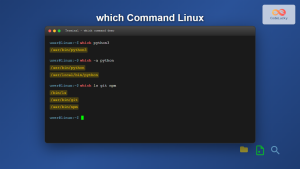
which Command Linux: Complete Guide to Finding Executable File Locations
The which command is one of the most fundamental utilities in Linux and Unix-like systems, designed to help users locate...
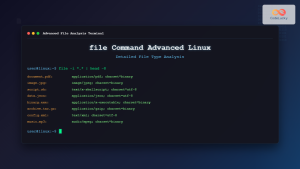
file Command Advanced Linux: Master Detailed File Type Analysis and Detection
The file command is one of the most powerful and underutilized utilities in Linux for determining file types and analyzing...

C Searching Algorithms: Linear and Binary Search
Searching is a fundamental operation in computer science, and mastering efficient search algorithms is crucial for any programmer. In this...





