
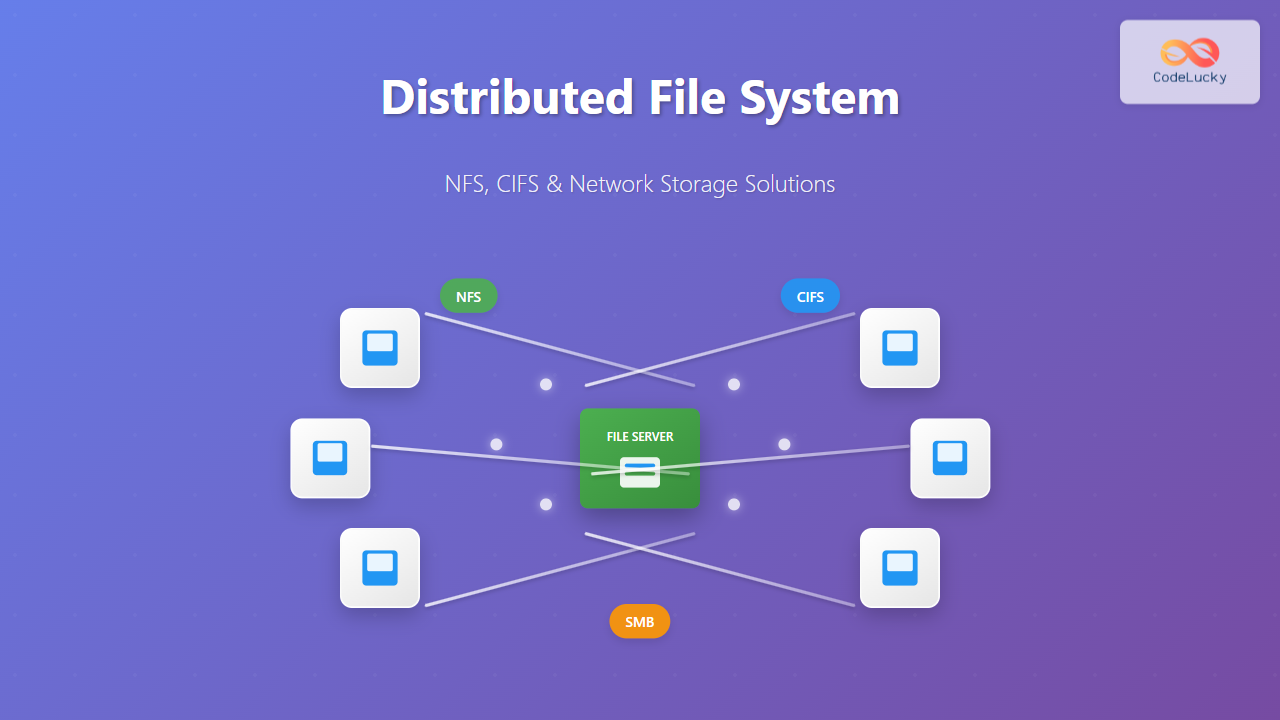
A Distributed File System (DFS) allows multiple computers to access and share files over a network as if they were stored locally. This technology forms the backbone of modern enterprise computing, enabling seamless collaboration and centralized data management across organizations.
What is a Distributed File System?
A distributed file system is a client-server architecture that enables files stored on remote servers to be accessed transparently by clients across a network. Unlike traditional local file systems that manage storage on a single machine, DFS manages files across multiple networked computers, providing:
- Location Transparency: Files appear local to users regardless of physical storage location
- Scalability: Storage capacity can be expanded by adding more servers
- Fault Tolerance: Data redundancy across multiple nodes prevents single points of failure
- Concurrent Access: Multiple users can access the same files simultaneously

Network File System (NFS)
Network File System (NFS) is a distributed file system protocol developed by Sun Microsystems in 1984. It’s predominantly used in Unix and Linux environments, allowing clients to access files over a network as if they were on local storage.
NFS Architecture
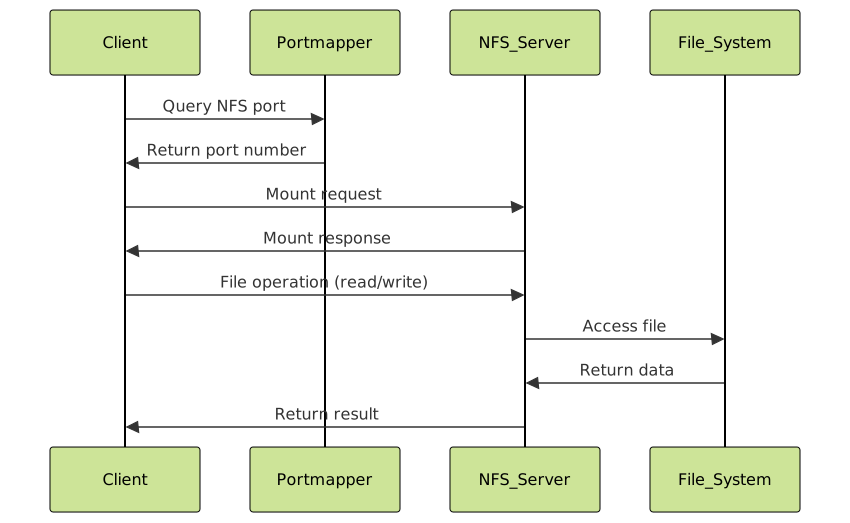
NFS follows a client-server model with several key components:
- NFS Server: Hosts the actual files and responds to client requests
- NFS Client: Mounts remote file systems and makes requests
- RPC (Remote Procedure Call): Communication mechanism between client and server
- Portmapper/Rpcbind: Service that maps RPC program numbers to network ports
NFS Versions
NFS has evolved through several versions, each addressing limitations of previous iterations:
| Version | Key Features | Transport Protocol | Security |
|---|---|---|---|
| NFSv2 | 32-bit file sizes, stateless | UDP | Basic Unix permissions |
| NFSv3 | 64-bit file sizes, improved performance | UDP/TCP | Extended attributes |
| NFSv4 | Stateful, integrated locking, ACLs | TCP | Kerberos authentication |
| NFSv4.1/4.2 | Parallel NFS, session trunking | TCP | Enhanced security features |
NFS Implementation Example
Here’s how to set up a basic NFS server and client on Linux:
Server Configuration:
# Install NFS server
sudo apt-get install nfs-kernel-server

# Create shared directory
sudo mkdir -p /srv/nfs/shared
sudo chmod 755 /srv/nfs/shared

# Configure exports in /etc/exports
echo "/srv/nfs/shared 192.168.1.0/24(rw,sync,no_subtree_check)" | sudo tee -a /etc/exports

# Start NFS services
sudo systemctl start nfs-kernel-server
sudo systemctl enable nfs-kernel-server

# Export the shared directories
sudo exportfs -a
Client Configuration:
# Install NFS client
sudo apt-get install nfs-common

# Create mount point
sudo mkdir -p /mnt/nfs/shared

# Mount the NFS share
sudo mount -t nfs 192.168.1.100:/srv/nfs/shared /mnt/nfs/shared

# Add to /etc/fstab for permanent mounting
echo "192.168.1.100:/srv/nfs/shared /mnt/nfs/shared nfs defaults 0 0" | sudo tee -a /etc/fstab
Verification:
# Check mounted filesystems
df -h | grep nfs

# Test file operations
echo "Hello from NFS client" > /mnt/nfs/shared/test.txt
cat /mnt/nfs/shared/test.txt
Expected Output:
192.168.1.100:/srv/nfs/shared  20G  1.5G   18G   8% /mnt/nfs/shared
Hello from NFS client
Common Internet File System (CIFS) and SMB
Common Internet File System (CIFS) is a network file sharing protocol that evolved from the Server Message Block (SMB) protocol. Originally developed by IBM and later enhanced by Microsoft, CIFS/SMB is the standard for Windows file sharing but also supports Unix/Linux systems.
CIFS/SMB Evolution
The protocol has undergone significant development:
- SMB 1.0/CIFS: Original implementation with basic file sharing
- SMB 2.0: Reduced chattiness, improved performance, compound requests
- SMB 2.1: Opportunistic locking improvements, larger MTU support
- SMB 3.0: Encryption, multichannel, persistent handles
- SMB 3.1.1: Enhanced security, pre-authentication integrity

CIFS/SMB Architecture
The CIFS/SMB protocol operates through several layers:
- Application Layer: File and print services
- SMB Protocol Layer: Message formatting and session management
- Transport Layer: TCP/IP or NetBIOS
- Network Layer: Standard IP networking
Implementing CIFS/SMB with Samba
Samba enables Unix/Linux systems to participate in Windows file sharing networks:
Server Setup (Linux):
# Install Samba
sudo apt-get install samba samba-common-bin

# Create shared directory
sudo mkdir -p /srv/samba/shared
sudo chmod 2775 /srv/samba/shared

# Create Samba user
sudo smbpasswd -a username

# Configure /etc/samba/smb.conf
sudo tee -a /etc/samba/smb.conf << EOF
[shared]
    path = /srv/samba/shared
    read only = no
    browsable = yes
    writable = yes
    guest ok = no
    valid users = username
    create mask = 0664
    directory mask = 2775
EOF

# Restart Samba services
sudo systemctl restart smbd nmbd
sudo systemctl enable smbd nmbd
Client Access:
# Linux client - install cifs-utils
sudo apt-get install cifs-utils

# Mount CIFS share
sudo mount -t cifs //192.168.1.100/shared /mnt/cifs -o username=username,password=password,uid=1000,gid=1000

# Windows client - use UNC path
\\192.168.1.100\shared
Testing CIFS Connection:
# List available shares
smbclient -L //192.168.1.100 -U username

# Interactive session
smbclient //192.168.1.100/shared -U username
Expected Output:
        Sharename       Type      Comment
        ---------       ----      -------
        shared          Disk
        IPC$            IPC       IPC Service (Samba Server)
Network Storage Technologies
Beyond traditional DFS protocols, modern network storage encompasses various technologies designed for different use cases and performance requirements.
Network Attached Storage (NAS)
Network Attached Storage provides file-level access to data stored on dedicated storage appliances connected to a network. NAS devices typically support multiple protocols including NFS, CIFS/SMB, and others.
Key Characteristics:
- File-level access: Clients access files through standard network protocols
- Easy management: Web-based interfaces for configuration
- Multi-protocol support: Serves different client types simultaneously
- Scalability: Can be expanded with additional drives or appliances
Storage Area Network (SAN)
Storage Area Network provides block-level access to storage devices over a high-speed network, typically using Fibre Channel or iSCSI protocols.
Key Differences from NAS:
- Block-level access: Raw storage blocks rather than files
- Higher performance: Dedicated storage network
- Complex management: Requires specialized knowledge
- Shared storage: Multiple servers can access the same storage

Cloud Storage Integration
Modern distributed file systems increasingly integrate with cloud storage services, providing hybrid solutions that combine on-premises and cloud storage:
- Cloud Sync: Automatic synchronization with cloud providers
- Tiered Storage: Hot data locally, cold data in cloud
- Backup Integration: Automated cloud backups
- Global Access: Access files from anywhere via cloud gateway
Performance Optimization and Best Practices
Network Optimization
Optimizing distributed file system performance requires attention to network configuration:
Bandwidth Considerations:
# Test network bandwidth
iperf3 -c server_ip -t 30

# Monitor network utilization
iftop -i eth0

# Optimize TCP window scaling
echo 'net.core.rmem_max = 67108864' >> /etc/sysctl.conf
echo 'net.core.wmem_max = 67108864' >> /etc/sysctl.conf
NFS Performance Tuning:
# Mount with performance options
mount -t nfs -o rsize=32768,wsize=32768,intr,hard server:/path /mount/point

# Use TCP instead of UDP for better reliability
mount -t nfs -o proto=tcp server:/path /mount/point
Security Best Practices
Securing distributed file systems is crucial for protecting sensitive data:
NFS Security:
- Use NFSv4: Provides better security features
- Kerberos Authentication: Strong authentication mechanism
- Firewall Configuration: Restrict access to authorized networks
- Export Restrictions: Limit access to specific hosts
CIFS/SMB Security:
- Disable SMBv1: Prevents security vulnerabilities
- Use SMB signing: Ensures message integrity
- Enable encryption: Protect data in transit
- Strong passwords: Enforce complex password policies
# Disable SMBv1 in Samba
echo "min protocol = SMB2" >> /etc/samba/smb.conf

# Enable SMB signing
echo "server signing = mandatory" >> /etc/samba/smb.conf

# Enable SMB encryption
echo "smb encrypt = required" >> /etc/samba/smb.conf
Troubleshooting Common Issues
NFS Troubleshooting
Mount Issues:
# Check NFS services status
systemctl status nfs-kernel-server

# Verify exports
showmount -e server_ip

# Check RPC services
rpcinfo -p server_ip

# Debug mount issues
mount -t nfs -v server:/path /mount/point
Permission Problems:
# Check file ownership
ls -la /mount/point

# Verify UID/GID mapping
id username

# Use no_root_squash carefully
/srv/nfs/shared 192.168.1.0/24(rw,sync,no_root_squash)
CIFS/SMB Troubleshooting
Connection Issues:
# Test Samba configuration
testparm

# Check Samba logs
tail -f /var/log/samba/log.smbd

# Test connectivity
smbclient -L server_ip -U username

# Check firewall rules
ufw status
Distributed file systems like NFS and CIFS/SMB provide essential infrastructure for modern computing environments. By understanding their architecture, implementation, and best practices, system administrators can deploy robust, secure, and performant network storage solutions that meet organizational needs while ensuring data accessibility and reliability across distributed computing environments.
Related Posts
Network File System: Complete Guide to Remote File Access and Sharing
What is Network File System (NFS)? Network File System (NFS) is a distributed file system protocol that allows users to...
Distributed Operating System: Complete Guide to Network-based OS Architecture
What is a Distributed Operating System? A distributed operating system is a sophisticated software system that manages and coordinates multiple...

File System in Operating System: Complete Guide to Structure and Organization
Introduction to File Systems A file system is a fundamental component of any operating system that provides a structured way...

Zookeeper Linux: Complete Guide to Centralized Service Configuration Management
Apache Zookeeper is a centralized service for maintaining configuration information, naming, providing distributed synchronization, and providing group services in distributed...
File System Types: FAT32, NTFS, ext4 and Modern Linux Filesystems Explained
Understanding File Systems: The Foundation of Data Storage A file system is the method and data structure that an operating...
File System Implementation: Boot Block, Super Block and Inodes Explained
Understanding File System Implementation File system implementation is a critical component of operating systems that manages how data is stored,...
Windows File System: Complete NTFS Features and Implementation Guide
Introduction to NTFS File System NTFS (New Technology File System) is the default file system for modern Windows operating systems,...
Storage Management: Complete Guide to Primary, Secondary and Tertiary Storage Systems
Storage management is one of the most critical components of an operating system, responsible for efficiently organizing, accessing, and maintaining...
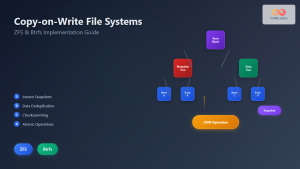
Copy-on-Write File System: Complete Guide to ZFS and Btrfs Implementation
Copy-on-Write (COW) file systems represent a revolutionary approach to data storage and management, fundamentally changing how operating systems handle file...
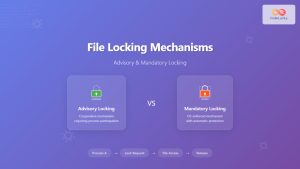
File Locking Mechanisms: Complete Guide to Advisory and Mandatory Locking in Operating Systems
File locking mechanisms are essential components of modern operating systems that prevent data corruption and ensure data integrity when multiple...

zfs Command Linux: Complete Guide to ZFS Filesystem Administration
The ZFS (Zettabyte File System) is a revolutionary filesystem that combines traditional filesystem capabilities with logical volume management, RAID functionality,...
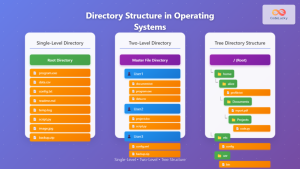
Directory Structure: Single-level, Two-level, and Tree Structure in Operating Systems
Understanding Directory Structures in Operating Systems Directory structures are fundamental components of file systems that organize and manage files in...





