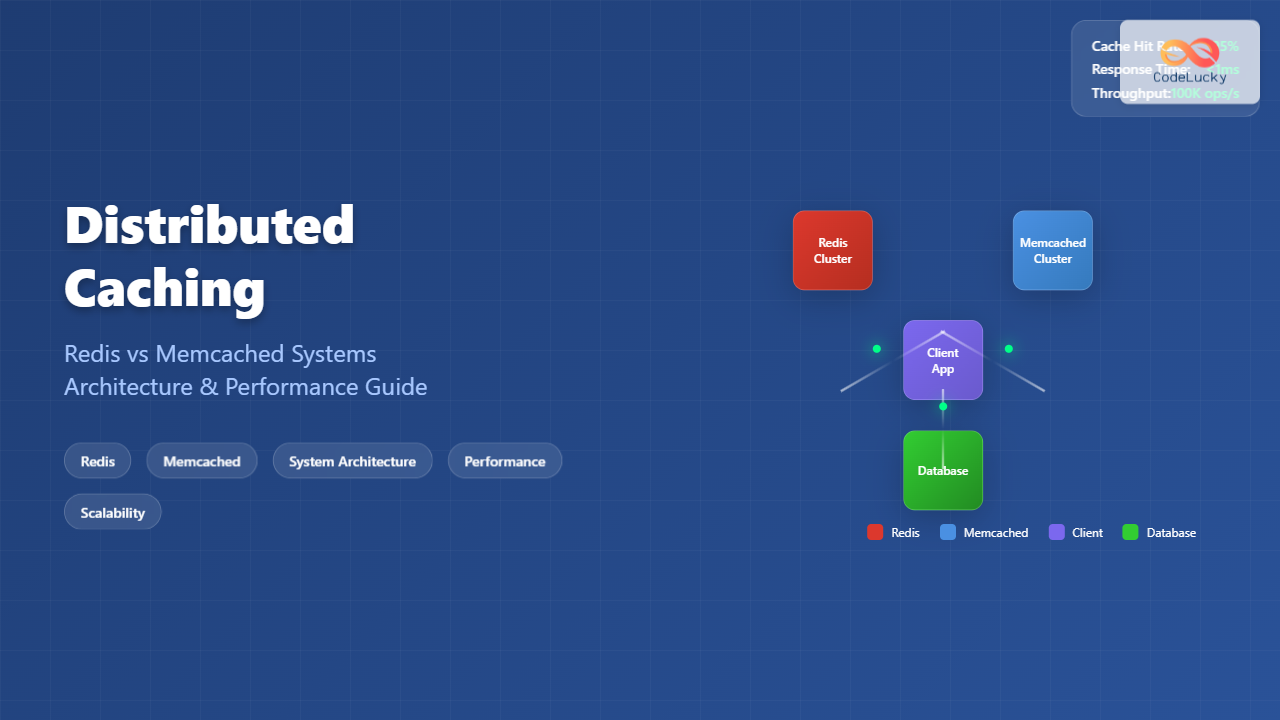
Distributed caching has become a cornerstone of modern application architecture, enabling systems to handle massive loads while maintaining lightning-fast response times. As applications scale beyond single servers, the need for efficient data storage and retrieval across multiple nodes becomes critical. This comprehensive guide explores two leading distributed caching solutions: Redis and Memcached.
Understanding Distributed Caching Fundamentals
Distributed caching is a technique where frequently accessed data is stored across multiple cache servers, reducing database load and improving application performance. Unlike traditional caching that operates on a single machine, distributed caching spreads data across a cluster of machines, providing scalability and fault tolerance.

Key Benefits of Distributed Caching
- Reduced Database Load: Frequently accessed data is served from memory, reducing expensive database queries
- Improved Response Times: In-memory access is significantly faster than disk-based operations
- Horizontal Scalability: Cache capacity grows by adding more nodes to the cluster
- High Availability: Data replication across nodes ensures system resilience
Redis: The Swiss Army Knife of Caching
Redis (Remote Dictionary Server) is an open-source, in-memory data structure store that serves as a database, cache, and message broker. Unlike simple key-value stores, Redis supports various data structures including strings, hashes, lists, sets, and sorted sets.
Redis Architecture and Features
Redis operates as a single-threaded server with an event-driven architecture, making it extremely fast for read and write operations. Its persistence mechanisms allow data to survive server restarts, making it suitable for both caching and primary data storage scenarios.

Redis Implementation Example
Here’s a practical example of implementing Redis caching in a web application:
import redis
import json
import time
from datetime import timedelta

class RedisCache:
    def __init__(self, host='localhost', port=6379, db=0):
        self.redis_client = redis.Redis(
            host=host,
            port=port,
            db=db,
            decode_responses=True
        )

    def set_cache(self, key, value, expiration=3600):
        """Set cache with expiration time in seconds"""
        serialized_value = json.dumps(value)
        return self.redis_client.setex(
            key,
            timedelta(seconds=expiration),
            serialized_value
        )

    def get_cache(self, key):
        """Retrieve cached value"""
        cached_value = self.redis_client.get(key)
        if cached_value:
            return json.loads(cached_value)
        return None

    def delete_cache(self, key):
        """Delete cached value"""
        return self.redis_client.delete(key)

    def exists(self, key):
        """Check if key exists in cache"""
        return self.redis_client.exists(key)

# Usage example
cache = RedisCache()

# Caching user profile data
user_profile = {
    'user_id': 12345,
    'username': 'john_doe',
    'email': '[email protected]',
    'last_login': '2024-01-15T10:30:00Z'
}

# Store in cache for 1 hour
cache.set_cache('user:12345', user_profile, 3600)

# Retrieve from cache
cached_profile = cache.get_cache('user:12345')
print(f"Cached Profile: {cached_profile}")

# Output:
# Cached Profile: {'user_id': 12345, 'username': 'john_doe', 'email': '[email protected]', 'last_login': '2024-01-15T10:30:00Z'}
Redis Clustering and High Availability
Redis provides built-in clustering capabilities for horizontal scaling and high availability. Redis Cluster automatically partitions data across multiple Redis nodes and provides automatic failover.
# Redis Cluster Configuration Example
# redis.conf for each node

port 7000
cluster-enabled yes
cluster-config-file nodes-7000.conf
cluster-node-timeout 5000
appendonly yes

# Starting a Redis cluster with 6 nodes (3 masters, 3 replicas)
redis-cli --cluster create 127.0.0.1:7000 127.0.0.1:7001 \
127.0.0.1:7002 127.0.0.1:7003 127.0.0.1:7004 127.0.0.1:7005 \
--cluster-replicas 1

# Python client for Redis Cluster
from rediscluster import RedisCluster

startup_nodes = [
    {"host": "127.0.0.1", "port": "7000"},
    {"host": "127.0.0.1", "port": "7001"},
    {"host": "127.0.0.1", "port": "7002"}
]

cluster_client = RedisCluster(
    startup_nodes=startup_nodes,
    decode_responses=True,
    skip_full_coverage_check=True
)

# Data is automatically distributed across cluster nodes
cluster_client.set('user:1001', 'John Doe')
cluster_client.set('user:1002', 'Jane Smith')

print(cluster_client.get('user:1001'))  # Output: John Doe
Memcached: High-Performance Distributed Memory Caching
Memcached is a high-performance, distributed memory object caching system designed for speeding up dynamic web applications by alleviating database load. It’s simple, fast, and focuses solely on caching with a straightforward key-value interface.
Memcached Architecture
Memcached uses a distributed hash table approach where client libraries determine which server should store or retrieve a particular key. This client-side sharding makes the system highly scalable and simple to manage.

Memcached Implementation Example
Here’s how to implement Memcached in a distributed environment:
import memcache
import hashlib
import json

class MemcachedCluster:
    def __init__(self, servers):
        self.servers = servers
        self.client = memcache.Client(servers, debug=0)

    def set_cache(self, key, value, expiration=3600):
        """Set cache with expiration time"""
        serialized_value = json.dumps(value)
        return self.client.set(key, serialized_value, time=expiration)

    def get_cache(self, key):
        """Retrieve cached value"""
        cached_value = self.client.get(key)
        if cached_value:
            return json.loads(cached_value)
        return None

    def delete_cache(self, key):
        """Delete cached value"""
        return self.client.delete(key)

    def get_stats(self):
        """Get cluster statistics"""
        return self.client.get_stats()

# Configure Memcached cluster
memcached_servers = [
    '192.168.1.10:11211',
    '192.168.1.11:11211',
    '192.168.1.12:11211'
]

cache_cluster = MemcachedCluster(memcached_servers)

# Example: Caching database query results
def get_popular_products(category_id):
    cache_key = f"popular_products:{category_id}"

    # Try to get from cache first
    cached_result = cache_cluster.get_cache(cache_key)
    if cached_result:
        print("Cache hit!")
        return cached_result

    # Cache miss - query database
    print("Cache miss - querying database...")
    products = [
        {'id': 101, 'name': 'Laptop Pro', 'price': 1299.99},
        {'id': 102, 'name': 'Wireless Mouse', 'price': 29.99},
        {'id': 103, 'name': 'USB-C Hub', 'price': 89.99}
    ]

    # Store in cache for 30 minutes
    cache_cluster.set_cache(cache_key, products, 1800)
    return products

# First call - cache miss
result1 = get_popular_products('electronics')
print(f"First call result: {result1}")

# Second call - cache hit
result2 = get_popular_products('electronics')
print(f"Second call result: {result2}")

# Output:
# Cache miss - querying database...
# First call result: [{'id': 101, 'name': 'Laptop Pro', 'price': 1299.99}, ...]
# Cache hit!
# Second call result: [{'id': 101, 'name': 'Laptop Pro', 'price': 1299.99}, ...]
Redis vs Memcached: Detailed Comparison
Choosing between Redis and Memcached depends on specific use cases and requirements. Here’s a comprehensive comparison:

| Feature | Redis | Memcached |
|---|---|---|
| Data Structures | Strings, Lists, Sets, Hashes, Sorted Sets, Streams | Simple key-value pairs only |
| Threading Model | Single-threaded with event loop | Multi-threaded |
| Persistence | RDB snapshots, AOF logs | No persistence (memory only) |
| Memory Usage | Higher overhead due to rich features | Lower memory overhead |
| Clustering | Built-in Redis Cluster | Client-side sharding |
| Replication | Master-slave replication | No built-in replication |
| Use Cases | Cache, database, pub/sub, queues | Simple caching scenarios |
Performance Benchmarks
Here’s a realistic performance comparison based on common scenarios:
import time
import redis
import memcache
from concurrent.futures import ThreadPoolExecutor, as_completed

def benchmark_redis():
    r = redis.Redis(host='localhost', port=6379, db=0)
    start_time = time.time()

    # Test 10,000 SET operations
    for i in range(10000):
        r.set(f"redis_key_{i}", f"value_{i}")

    set_time = time.time() - start_time

    # Test 10,000 GET operations
    start_time = time.time()
    for i in range(10000):
        r.get(f"redis_key_{i}")

    get_time = time.time() - start_time
    return set_time, get_time

def benchmark_memcached():
    mc = memcache.Client(['127.0.0.1:11211'])
    start_time = time.time()

    # Test 10,000 SET operations
    for i in range(10000):
        mc.set(f"mc_key_{i}", f"value_{i}")

    set_time = time.time() - start_time

    # Test 10,000 GET operations
    start_time = time.time()
    for i in range(10000):
        mc.get(f"mc_key_{i}")

    get_time = time.time() - start_time
    return set_time, get_time

# Run benchmarks
redis_set, redis_get = benchmark_redis()
mc_set, mc_get = benchmark_memcached()

print("Performance Comparison (10,000 operations each):")
print(f"Redis - SET: {redis_set:.3f}s, GET: {redis_get:.3f}s")
print(f"Memcached - SET: {mc_set:.3f}s, GET: {mc_get:.3f}s")

# Typical output might be:
# Performance Comparison (10,000 operations each):
# Redis - SET: 0.847s, GET: 0.723s
# Memcached - SET: 0.692s, GET: 0.581s
Advanced Caching Strategies and Patterns
Cache-Aside Pattern
The cache-aside pattern is the most common caching strategy where the application manages both the cache and the database:
class CacheAsideService:
    def __init__(self, cache_client, database_client):
        self.cache = cache_client
        self.db = database_client

    def get_user(self, user_id):
        # Try cache first
        cache_key = f"user:{user_id}"
        cached_user = self.cache.get_cache(cache_key)

        if cached_user:
            return cached_user

        # Cache miss - query database
        user = self.db.get_user(user_id)
        if user:
            # Store in cache for future requests
            self.cache.set_cache(cache_key, user, 3600)

        return user

    def update_user(self, user_id, user_data):
        # Update database
        self.db.update_user(user_id, user_data)

        # Invalidate cache
        cache_key = f"user:{user_id}"
        self.cache.delete_cache(cache_key)
Write-Through and Write-Behind Patterns
These patterns handle cache consistency differently:
class WriteThroughCache:
    def __init__(self, cache_client, database_client):
        self.cache = cache_client
        self.db = database_client

    def save_user(self, user_id, user_data):
        # Write to database first
        self.db.save_user(user_id, user_data)

        # Then write to cache
        cache_key = f"user:{user_id}"
        self.cache.set_cache(cache_key, user_data, 3600)

class WriteBehindCache:
    def __init__(self, cache_client, database_client):
        self.cache = cache_client
        self.db = database_client
        self.write_queue = []

    def save_user(self, user_id, user_data):
        # Write to cache immediately
        cache_key = f"user:{user_id}"
        self.cache.set_cache(cache_key, user_data, 3600)

        # Queue database write for later
        self.write_queue.append((user_id, user_data))

        # Process queue asynchronously
        self.process_write_queue()

    async def process_write_queue(self):
        # Process queued writes to database
        for user_id, user_data in self.write_queue:
            await self.db.save_user_async(user_id, user_data)

        self.write_queue.clear()
Monitoring and Optimization
Key Metrics to Monitor
Effective cache monitoring is crucial for maintaining optimal performance:
import time
from datetime import datetime

class CacheMonitor:
    def __init__(self, cache_client):
        self.cache = cache_client
        self.stats = {
            'hits': 0,
            'misses': 0,
            'total_requests': 0,
            'avg_response_time': 0
        }

    def get_with_monitoring(self, key):
        start_time = time.time()

        result = self.cache.get_cache(key)

        response_time = time.time() - start_time
        self.stats['total_requests'] += 1

        if result:
            self.stats['hits'] += 1
        else:
            self.stats['misses'] += 1

        # Update average response time
        self.update_avg_response_time(response_time)

        return result

    def update_avg_response_time(self, new_time):
        total_requests = self.stats['total_requests']
        current_avg = self.stats['avg_response_time']

        # Calculate running average
        self.stats['avg_response_time'] = (
            (current_avg * (total_requests - 1) + new_time) / total_requests
        )

    def get_cache_statistics(self):
        hit_rate = (
            self.stats['hits'] / self.stats['total_requests'] * 100
            if self.stats['total_requests'] > 0 else 0
        )

        return {
            'hit_rate': f"{hit_rate:.2f}%",
            'total_requests': self.stats['total_requests'],
            'hits': self.stats['hits'],
            'misses': self.stats['misses'],
            'avg_response_time': f"{self.stats['avg_response_time']*1000:.2f}ms"
        }

# Usage example
monitor = CacheMonitor(cache_cluster)

# Simulate cache operations
for i in range(100):
    key = f"test_key_{i % 10}"  # This creates cache hits
    result = monitor.get_with_monitoring(key)

print("Cache Performance Metrics:")
stats = monitor.get_cache_statistics()
for key, value in stats.items():
    print(f"{key}: {value}")

# Output:
# Cache Performance Metrics:
# hit_rate: 90.00%
# total_requests: 100
# hits: 90
# misses: 10
# avg_response_time: 1.23ms
Best Practices and Common Pitfalls
Cache Key Design
Proper cache key design is fundamental to effective caching:
class CacheKeyManager:
    @staticmethod
    def user_profile_key(user_id):
        return f"user:profile:{user_id}"

    @staticmethod
    def user_sessions_key(user_id):
        return f"user:sessions:{user_id}"

    @staticmethod
    def product_catalog_key(category, page=1, limit=20):
        return f"products:category:{category}:page:{page}:limit:{limit}"

    @staticmethod
    def search_results_key(query, filters=None):
        # Create deterministic key for complex search queries
        filter_str = ""
        if filters:
            sorted_filters = sorted(filters.items())
            filter_str = ":".join([f"{k}={v}" for k, v in sorted_filters])

        query_hash = hashlib.md5(query.encode()).hexdigest()[:8]
        return f"search:{query_hash}:filters:{filter_str}"

# Example usage
key_manager = CacheKeyManager()

# Good key examples
user_key = key_manager.user_profile_key(12345)
# Result: "user:profile:12345"

product_key = key_manager.product_catalog_key("electronics", page=2, limit=50)
# Result: "products:category:electronics:page:2:limit:50"

search_key = key_manager.search_results_key("laptop computers", {"brand": "apple", "price_max": 2000})
# Result: "search:a1b2c3d4:filters:brand=apple:price_max=2000"
Cache Invalidation Strategies
Implementing effective cache invalidation prevents stale data issues:
class CacheInvalidationManager:
    def __init__(self, cache_client):
        self.cache = cache_client
        self.tag_mappings = {}  # Maps tags to cache keys

    def set_with_tags(self, key, value, tags, expiration=3600):
        # Store the actual cache data
        self.cache.set_cache(key, value, expiration)

        # Maintain tag mappings for invalidation
        for tag in tags:
            if tag not in self.tag_mappings:
                self.tag_mappings[tag] = set()
            self.tag_mappings[tag].add(key)

    def invalidate_by_tag(self, tag):
        """Invalidate all cache entries with a specific tag"""
        if tag in self.tag_mappings:
            keys_to_invalidate = self.tag_mappings[tag]

            # Delete all keys with this tag
            for key in keys_to_invalidate:
                self.cache.delete_cache(key)

            # Clean up tag mappings
            del self.tag_mappings[tag]

            print(f"Invalidated {len(keys_to_invalidate)} cache entries for tag: {tag}")

    def invalidate_by_pattern(self, pattern):
        """Invalidate cache entries matching a pattern"""
        # This would require Redis SCAN command for pattern matching
        # Implementation depends on your cache backend
        pass

# Example usage
invalidation_manager = CacheInvalidationManager(cache_cluster)

# Cache user data with tags
user_data = {"name": "John Doe", "email": "[email protected]"}
invalidation_manager.set_with_tags(
    "user:12345",
    user_data,
    tags=["user_data", "user_12345"],
    expiration=3600
)

# Cache user posts with tags
user_posts = [{"id": 1, "title": "Hello World"}]
invalidation_manager.set_with_tags(
    "user:12345:posts",
    user_posts,
    tags=["user_data", "user_12345", "posts"],
    expiration=1800
)

# When user data changes, invalidate all related cache entries
invalidation_manager.invalidate_by_tag("user_12345")
# Output: Invalidated 2 cache entries for tag: user_12345
Production Deployment Considerations
When deploying distributed caching systems in production, several factors must be considered:
Security Configuration
# Redis Security Configuration
# redis.conf

# Bind to specific interfaces only
bind 127.0.0.1 192.168.1.10

# Enable authentication
requirepass your_secure_password_here

# Disable dangerous commands
rename-command FLUSHDB ""
rename-command FLUSHALL ""
rename-command DEBUG ""
rename-command CONFIG ""

# Enable TLS encryption
port 0
tls-port 6380
tls-cert-file /path/to/redis.crt
tls-key-file /path/to/redis.key
tls-ca-cert-file /path/to/ca.crt

# Memcached Security (using SASL)
# Start memcached with SASL support
# memcached -S -v -m 64 -p 11211 -u memcache
Monitoring and Alerting Setup
import psutil
import time
from datetime import datetime

class ProductionCacheMonitor:
    def __init__(self, cache_client, alert_thresholds=None):
        self.cache = cache_client
        self.thresholds = alert_thresholds or {
            'hit_rate_min': 80.0,  # Minimum hit rate percentage
            'memory_usage_max': 85.0,  # Maximum memory usage percentage
            'response_time_max': 10.0,  # Maximum response time in ms
            'connection_count_max': 1000  # Maximum connections
        }

    def check_system_health(self):
        """Comprehensive system health check"""
        health_report = {
            'timestamp': datetime.now().isoformat(),
            'status': 'healthy',
            'alerts': []
        }

        # Check cache hit rate
        hit_rate = self.get_hit_rate()
        if hit_rate < self.thresholds['hit_rate_min']:
            health_report['alerts'].append(
                f"LOW_HIT_RATE: {hit_rate:.1f}% (threshold: {self.thresholds['hit_rate_min']}%)"
            )
            health_report['status'] = 'warning'

        # Check memory usage
        memory_usage = self.get_memory_usage()
        if memory_usage > self.thresholds['memory_usage_max']:
            health_report['alerts'].append(
                f"HIGH_MEMORY_USAGE: {memory_usage:.1f}% (threshold: {self.thresholds['memory_usage_max']}%)"
            )
            health_report['status'] = 'critical'

        # Check response time
        response_time = self.get_avg_response_time()
        if response_time > self.thresholds['response_time_max']:
            health_report['alerts'].append(
                f"HIGH_RESPONSE_TIME: {response_time:.1f}ms (threshold: {self.thresholds['response_time_max']}ms)"
            )
            health_report['status'] = 'warning'

        return health_report

    def get_hit_rate(self):
        # Implementation depends on your cache system
        # This is a placeholder
        return 85.2

    def get_memory_usage(self):
        # Get system memory usage
        memory = psutil.virtual_memory()
        return memory.percent

    def get_avg_response_time(self):
        # Measure average response time
        start_time = time.time()
        self.cache.get_cache("health_check_key")
        return (time.time() - start_time) * 1000

# Usage in production monitoring
monitor = ProductionCacheMonitor(cache_cluster)
health_report = monitor.check_system_health()

print(f"System Health Status: {health_report['status']}")
if health_report['alerts']:
    print("Alerts:")
    for alert in health_report['alerts']:
        print(f"  - {alert}")

# Output:
# System Health Status: warning
# Alerts:
#   - HIGH_MEMORY_USAGE: 87.3% (threshold: 85.0%)
Conclusion
Distributed caching with Redis and Memcached represents a critical component in modern application architecture. Redis excels in scenarios requiring rich data structures, persistence, and advanced features, while Memcached shines in pure caching scenarios where simplicity and raw performance are priorities.
The choice between Redis and Memcached should be based on your specific requirements:
- Choose Redis when you need complex data structures, persistence, pub/sub functionality, or built-in clustering
- Choose Memcached when you need simple key-value caching with maximum performance and minimal resource overhead
Regardless of your choice, implementing proper monitoring, security measures, and cache invalidation strategies is essential for production success. Both systems can significantly improve application performance when properly configured and maintained.
Remember that caching is not a silver bullet—it’s a powerful tool that requires careful consideration of data consistency, cache invalidation, and system complexity. Start with simple implementations and gradually add complexity as your understanding and requirements grow.