
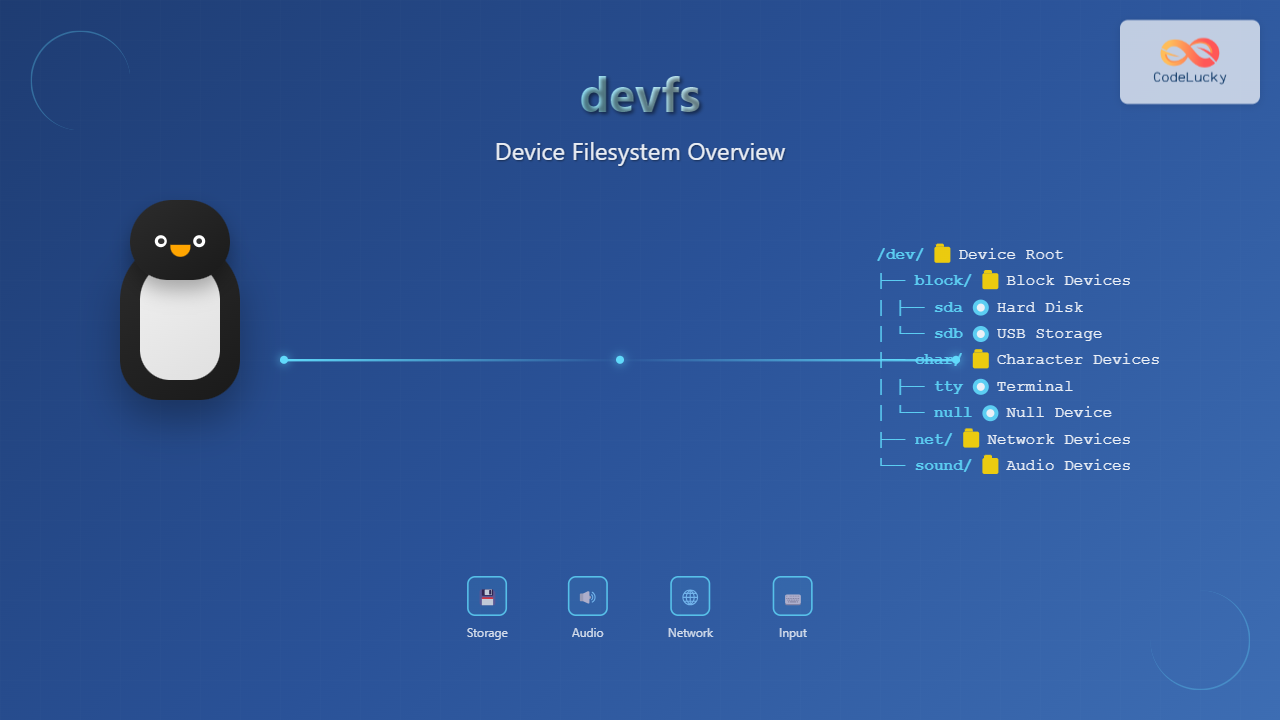
The Device Filesystem (devfs) represents a revolutionary approach to device management in Linux systems, providing dynamic creation and removal of device nodes. Unlike traditional static device files in /dev, devfs automatically manages device entries based on actual hardware presence, streamlining system administration and improving resource efficiency.
What is devfs in Linux?
devfs is a virtual filesystem that dynamically creates and removes device files as hardware devices are detected or removed from the system. This filesystem eliminates the need for manual device node creation and provides a cleaner, more organized approach to device management.
Key characteristics of devfs include:
- Dynamic device creation: Automatically generates device files when hardware is detected
- Automatic cleanup: Removes device files when hardware is disconnected
- Hierarchical organization: Groups devices logically in subdirectories
- Memory efficiency: Only creates nodes for present devices
Historical Context and Evolution
Traditional Linux systems used a static /dev directory containing thousands of pre-created device files, regardless of whether the corresponding hardware existed. This approach had several limitations:
Problems with Static /dev
- Wasted disk space for unused device files
- Manual intervention required for new devices
- Inconsistent device naming
- Security concerns with world-accessible device files
devfs addressed these issues by introducing dynamic device management, though it has largely been superseded by udev in modern Linux distributions.
devfs Architecture and Components
Core Components
The devfs architecture consists of several key components working together:
- Kernel Module: Core devfs functionality integrated into the kernel
- Device Classes: Logical groupings for similar devices
- devfsd Daemon: User-space daemon for policy management
- Configuration Files: Rules and policies for device handling
Filesystem Structure
devfs organizes devices in a hierarchical structure:
/dev/
├── block/          # Block devices
├── char/           # Character devices
├── net/            # Network devices
├── sound/          # Audio devices
├── input/          # Input devices
├── misc/           # Miscellaneous devices
└── pts/            # Pseudo terminals
Mounting and Configuration
Basic Mount Operations
To mount devfs manually:
# Mount devfs to /dev
mount -t devfs devfs /dev

# Verify mount
mount | grep devfs
devfs on /dev type devfs (rw)
Automatic Mounting
Configure automatic mounting by adding an entry to /etc/fstab:
# /etc/fstab entry for devfs
devfs /dev devfs defaults 0 0
Mount Options
Common devfs mount options:
| Option | Description | Example |
|---|---|---|
mode |
Default permission mode | mode=0755 |
uid |
Default owner UID | uid=0 |
gid |
Default group GID | gid=0 |
Working with Device Classes
Block Devices
Block devices in devfs are organized under /dev/block/:
# List block devices
ls -la /dev/block/
drwxr-xr-x  2 root root  60 Aug 25 09:21 .
drwxr-xr-x 12 root root 240 Aug 25 09:21 ..
lrwxrwxrwx  1 root root   6 Aug 25 09:21 sda -> ../sda
lrwxrwxrwx  1 root root   7 Aug 25 09:21 sda1 -> ../sda1
Character Devices
Character devices provide unbuffered access to hardware:
# Examine character devices
ls -la /dev/char/
drwxr-xr-x  2 root root 100 Aug 25 09:21 .
drwxr-xr-x 12 root root 240 Aug 25 09:21 ..
lrwxrwxrwx  1 root root   9 Aug 25 09:21 1:1 -> ../console
lrwxrwxrwx  1 root root   6 Aug 25 09:21 1:3 -> ../null
Network Devices
Network interfaces appear under /dev/net/:
# Network device entries
ls -la /dev/net/
drwxr-xr-x  2 root root  60 Aug 25 09:21 .
drwxr-xr-x 12 root root 240 Aug 25 09:21 ..
crw-rw-rw-  1 root root 10, 200 Aug 25 09:21 tun
devfsd Daemon Configuration
Overview
The devfsd daemon provides user-space policy management for devfs, handling device naming, permissions, and custom actions.
Configuration File Structure
The main configuration file /etc/devfsd.conf contains rules and policies:
# /etc/devfsd.conf example
# Set default permissions
REGISTER    .*      PERMISSIONS root.root 0600
UNREGISTER  .*

# Custom naming rules
REGISTER    ^sound/.*   PERMISSIONS root.audio 0660
REGISTER    ^input/.*   PERMISSIONS root.input 0640

# Execute commands on device events
REGISTER    ^disk/.*    EXECUTE /usr/local/bin/disk-added.sh $devpath
UNREGISTER  ^disk/.*    EXECUTE /usr/local/bin/disk-removed.sh $devpath
Common devfsd Directives
| Directive | Purpose | Example |
|---|---|---|
REGISTER |
Actions when device appears | REGISTER ^tty PERMISSIONS root.tty 0620 |
UNREGISTER |
Actions when device disappears | UNREGISTER ^tty |
PERMISSIONS |
Set file permissions | PERMISSIONS root.wheel 0644 |
Practical Examples and Use Cases
USB Device Management
devfs excels at handling removable devices like USB storage:
# Before USB insertion
ls /dev/block/
# (shows existing block devices)

# Insert USB device
# devfs automatically creates new entries
ls /dev/block/
lrwxrwxrwx 1 root root 6 Aug 25 09:22 sdb -> ../sdb
lrwxrwxrwx 1 root root 7 Aug 25 09:22 sdb1 -> ../sdb1

# Device information
file /dev/sdb1
/dev/sdb1: block special (8/17)
Audio Device Detection
Sound devices appear dynamically in the sound directory:
# List audio devices
ls -la /dev/sound/
drwxr-xr-x  2 root root  80 Aug 25 09:21 .
drwxr-xr-x 12 root root 240 Aug 25 09:21 ..
lrwxrwxrwx  1 root root  11 Aug 25 09:21 audio -> ../audio0
lrwxrwxrwx  1 root root  10 Aug 25 09:21 dsp -> ../dsp0
crw-rw-rw-  1 root audio 14,  4 Aug 25 09:21 audio0
crw-rw-rw-  1 root audio 14,  3 Aug 25 09:21 dsp0
Custom Device Rules
Create custom rules for specific device handling:
# Custom rule for serial devices
REGISTER    ^tts/[0-9]+$    PERMISSIONS root.dialout 0660
REGISTER    ^tts/[0-9]+$    SYMLINK ttyS%n

# Rule for CD-ROM devices
REGISTER    ^sr[0-9]+$      PERMISSIONS root.cdrom 0660
REGISTER    ^sr[0-9]+$      SYMLINK cdrom%n
Troubleshooting devfs Issues
Common Problems
Device Not Appearing
If devices don’t appear in devfs:
- Check if the device driver is loaded
- Verify devfs is properly mounted
- Examine kernel messages with
dmesg - Restart devfsd daemon
Debugging Commands
Useful commands for troubleshooting:
# Check devfs mount status
mount | grep devfs

# Verify devfsd is running
ps aux | grep devfsd

# Monitor device events
tail -f /var/log/messages

# List all device classes
find /dev -type d -name "*"

# Check device permissions
ls -la /dev/device-name
Performance Monitoring
Monitor devfs performance and usage:
# Check filesystem statistics
df -h /dev

# Monitor device access
iostat -x 1

# View process device usage
lsof /dev/*
Security Considerations
Permission Management
devfs provides fine-grained permission control:
# Secure device permissions in devfsd.conf
REGISTER    ^mem$       PERMISSIONS root.root 0600
REGISTER    ^kmem$      PERMISSIONS root.root 0600
REGISTER    ^port$      PERMISSIONS root.root 0600

# Group-based access
REGISTER    ^sound/.*   PERMISSIONS root.audio 0664
REGISTER    ^video.*    PERMISSIONS root.video 0664
Access Control Lists
Implement ACLs for enhanced security:
# Set ACLs on sensitive devices
setfacl -m u:user1:rw /dev/device-name
setfacl -m g:admin:rw /dev/device-name

# View current ACLs
getfacl /dev/device-name
Migration from devfs
Modern Alternatives
While devfs provided innovative device management, modern Linux distributions have adopted udev:
| Feature | devfs | udev |
|---|---|---|
| Kernel Space | Yes | Minimal |
| User Space Policy | devfsd | udevd + rules |
| Flexibility | Limited | High |
Migration Strategy
When migrating from devfs systems:
- Backup existing devfsd configurations
- Convert devfsd rules to udev rules
- Test device functionality thoroughly
- Update application device paths
- Remove devfs kernel support
Best Practices
Configuration Management
- Document device policies: Maintain clear documentation of all custom rules
- Use version control: Track changes to devfsd configuration files
- Test thoroughly: Verify device access after configuration changes
- Monitor logs: Regularly check system logs for device-related issues
Performance Optimization
- Minimize rules: Keep devfsd rules simple and efficient
- Use specific patterns: Avoid overly broad regular expressions
- Cache frequently used devices: Consider creating persistent links for critical devices
- Monitor resource usage: Track memory and CPU usage of devfsd
Conclusion
devfs represented a significant advancement in Linux device management, introducing dynamic device creation and hierarchical organization. While modern systems have largely adopted udev, understanding devfs principles remains valuable for system administrators working with legacy systems or embedded environments.
The concepts pioneered by devfs—dynamic device management, policy-based configuration, and user-space device handling—continue to influence modern Linux device management systems. Whether maintaining existing devfs implementations or understanding historical system architecture, the knowledge of devfs provides insights into the evolution of Linux device management.
As Linux systems continue to evolve, the lessons learned from devfs implementation contribute to more robust, flexible, and secure device management solutions in contemporary Linux distributions.
Related Posts
devtmpfs Linux: Complete Guide to Device Temporary Filesystem Management
The devtmpfs (Device Temporary Filesystem) is a crucial component of modern Linux systems that revolutionizes how device nodes are managed...
udev Command Linux: Complete Guide to Dynamic Device Management
The udev (userspace device manager) is a crucial component of modern Linux systems that handles dynamic device management. Unlike traditional...

mdev Command Linux: Complete Guide to Minimal Device Manager Configuration
The mdev command is a lightweight device manager for Linux systems, particularly popular in embedded environments and minimal distributions. As...
sysfs Linux: Complete Guide to Understanding and Using /sys Filesystem
The sysfs filesystem is one of Linux's most powerful yet underutilized features, providing a window into the kernel's internal operations...
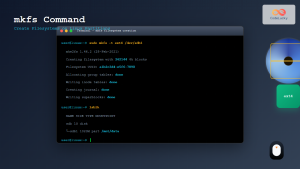
mkfs Command Linux: Complete Guide to Creating Filesystems on Partitions
The mkfs command in Linux is a fundamental tool for creating filesystems on disk partitions. Whether you're setting up a...
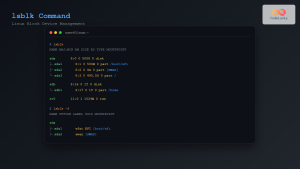
lsblk Command Linux: Complete Guide to List and Manage Block Devices
The lsblk command is an essential Linux utility that displays information about block devices in a tree-like format. Whether you're...
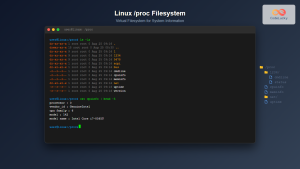
proc filesystem Linux: Complete Guide to Understanding /proc Directory Structure and Commands
What is the Linux /proc Filesystem? The /proc filesystem is a virtual filesystem in Linux that provides a window into...
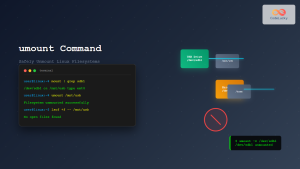
umount Command Linux: Complete Guide to Safely Unmounting Filesystems
The umount command is an essential Linux utility that allows you to safely disconnect filesystems from the directory tree. Whether...
File System Types: FAT32, NTFS, ext4 and Modern Linux Filesystems Explained
Understanding File Systems: The Foundation of Data Storage A file system is the method and data structure that an operating...
loop Command Linux: Complete Guide to Loop Device Management and Block Device Control
The loop command in Linux is a powerful utility for managing loop devices, which are virtual block devices that allow...

udevadm Command Linux: Complete Guide to Device Management and Udev Administration
The udevadm command is a powerful administrative tool in Linux systems that manages the udev device manager. It serves as...
mount Command Linux: Complete Guide to Mount Filesystems and Drives
The mount command is one of the most fundamental tools in Linux system administration, allowing you to attach filesystems from...





