
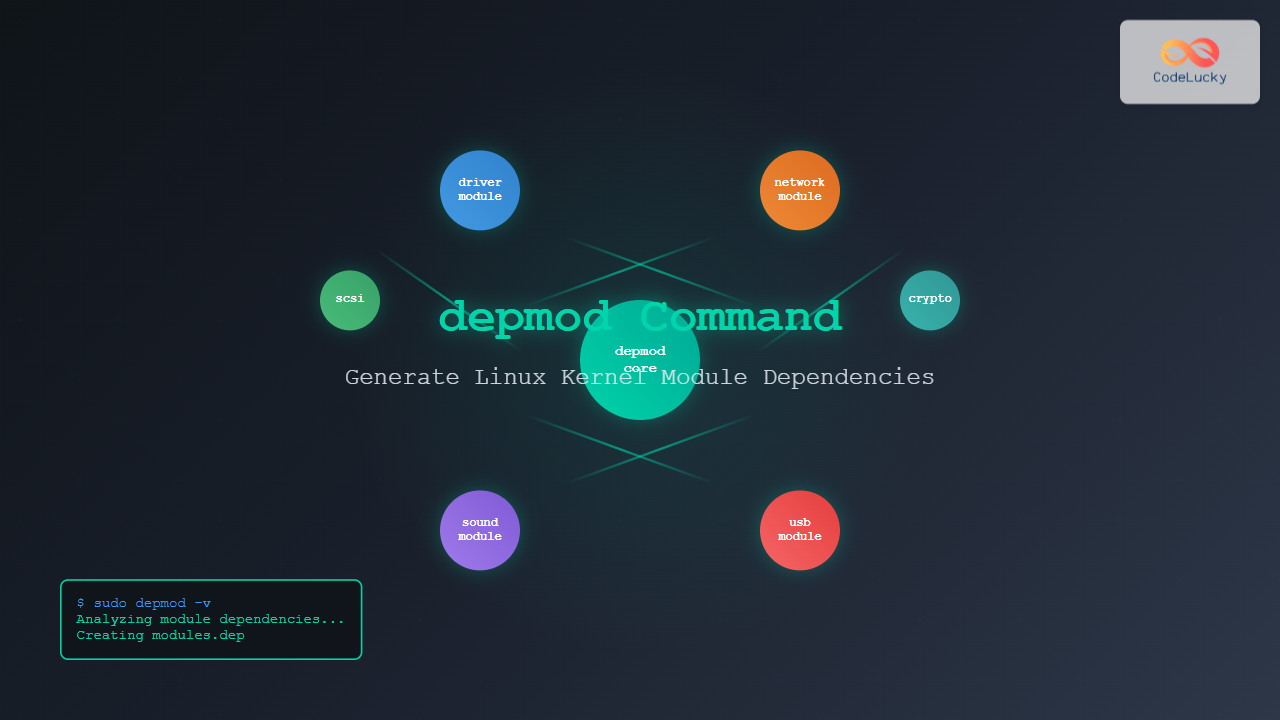
The depmod command is a critical system administration tool in Linux that generates module dependency maps for the kernel. This powerful utility analyzes kernel modules and creates dependency files that enable the kernel to automatically load required modules when needed.
What is the depmod Command?
depmod (dependency modules) is a Linux command that creates a dependency file for kernel modules. It scans the module directory, analyzes the symbols each module exports and imports, and generates files that describe the dependencies between modules. This information is crucial for the kernel’s module loading system.
Why is depmod Important?
When you install new kernel modules or update existing ones, the kernel needs to understand the relationships between modules. Some modules depend on others to function properly. The depmod command ensures that:
- Module dependencies are properly mapped
- Required modules are loaded automatically
- The system can resolve circular dependencies
- Module loading order is optimized
Basic Syntax
depmod [options] [kernel_version]Common Options and Parameters
Essential Options
| Option | Description |
|---|---|
-a |
Probe all modules (default behavior) |
-A |
Quick check – only generate dependencies if newer than existing |
-b basedir |
Specify base directory for modules |
-e |
Report unresolved symbols |
-F System.map |
Use specified System.map file |
-n |
Show output instead of writing to files |
-v |
Verbose mode |
How depmod Works
When executed, depmod performs the following operations:
- Scans module directories – Looks for
.kofiles in/lib/modules/$(uname -r)/ - Analyzes symbols – Examines exported and imported symbols in each module
- Creates dependency maps – Builds relationships between modules
- Generates output files – Creates several dependency files in the modules directory
Generated Files
depmod creates several important files in the /lib/modules/$(uname -r)/ directory:
modules.dep
The main dependency file listing module dependencies in makefile format.
modules.dep.bin
Binary version of modules.dep for faster loading.
modules.symbols
Lists symbols exported by each module.
modules.symbols.bin
Binary version of modules.symbols.
modules.alias
Contains alias information for modules.
Practical Examples
Example 1: Basic depmod Execution
sudo depmodExpected Output:
# No output typically shown - runs silently
# Dependencies are generated in background
Example 2: Verbose Mode
sudo depmod -vSample Output:
Finding dependencies for /lib/modules/5.4.0-74-generic/kernel/drivers/net/ethernet/intel/e1000/e1000.ko
Finding dependencies for /lib/modules/5.4.0-74-generic/kernel/drivers/usb/storage/usb-storage.ko
Finding dependencies for /lib/modules/5.4.0-74-generic/kernel/sound/core/snd.ko
...
Example 3: Check Specific Kernel Version
sudo depmod 5.4.0-74-genericThis generates dependencies for the specified kernel version instead of the current running kernel.
Example 4: Dry Run Mode
sudo depmod -nSample Output:
kernel/drivers/net/ethernet/intel/e1000/e1000.ko:
kernel/drivers/usb/storage/usb-storage.ko: kernel/drivers/scsi/scsi_mod.ko
kernel/sound/core/snd.ko:
kernel/sound/core/snd-timer.ko: kernel/sound/core/snd.ko
Example 5: Report Unresolved Symbols
sudo depmod -ePotential Output:
WARNING: /lib/modules/5.4.0-74-generic/kernel/drivers/example/example.ko needs unknown symbol: undefined_functionAdvanced Usage Scenarios
Custom Module Directory
sudo depmod -b /custom/modules/pathThis specifies a custom base directory for modules instead of the default /lib/modules.
Using System.map File
sudo depmod -F /boot/System.map-5.4.0-74-genericExplicitly specify which System.map file to use for symbol resolution.
Quick Update Check
sudo depmod -AOnly regenerate dependency files if they are older than the modules themselves.
Viewing Generated Dependencies
Examining modules.dep
head -10 /lib/modules/$(uname -r)/modules.depSample Output:
kernel/arch/x86/crypto/aesni-intel.ko:
kernel/arch/x86/crypto/ghash-clmulni-intel.ko:
kernel/crypto/af_alg.ko:
kernel/crypto/algif_hash.ko: kernel/crypto/af_alg.ko kernel/crypto/hash.ko
kernel/crypto/algif_skcipher.ko: kernel/crypto/af_alg.ko kernel/crypto/skcipher.ko
Checking Module Information
modinfo e1000Sample Output:
filename:       /lib/modules/5.4.0-74-generic/kernel/drivers/net/ethernet/intel/e1000/e1000.ko
version:        7.3.21-k8-NAPI
license:        GPL
description:    Intel(R) PRO/1000 Network Driver
author:         Intel Corporation, <[email protected]>
depends:
retpoline:      Y
Troubleshooting Common Issues
Module Not Found Errors
If you encounter module loading issues:
# Regenerate dependencies
sudo depmod -a

# Check for missing dependencies
sudo depmod -e

# Verify module exists
find /lib/modules/$(uname -r) -name "module_name.ko"
Circular Dependencies
When modules have circular dependencies:
sudo depmod -v 2>&1 | grep -i cyclePermission Issues
Always run depmod with root privileges:
sudo depmodBest Practices
Regular Maintenance
- Run
depmodafter installing new modules - Update dependencies after kernel updates
- Use
-Aoption for routine checks - Always backup before making changes
Development Workflow
# After compiling new modules
make modules_install
sudo depmod

# Verify dependencies
sudo depmod -n | grep your_module
Integration with Other Commands
Working with modprobe
# After running depmod, test module loading
sudo modprobe your_module

# Check loaded modules
lsmod | grep your_module
Kernel Updates
# After kernel installation
sudo depmod $(uname -r)
sudo update-initramfs -u
Performance Considerations
For systems with many modules, consider:
- Using
-Afor incremental updates - Running during maintenance windows
- Monitoring system load during execution
Security Implications
Be aware that depmod:
- Requires root privileges
- Modifies system-critical files
- Should be run only from trusted sources
- Can affect system boot process
Automation Scripts
Simple Maintenance Script
#!/bin/bash
# Update module dependencies
echo "Updating module dependencies..."
sudo depmod -A

if [ $? -eq 0 ]; then
    echo "Dependencies updated successfully"
else
    echo "Error updating dependencies"
    exit 1
fi
Conclusion
The depmod command is essential for maintaining a healthy Linux system with properly managed kernel modules. Understanding its functionality, options, and integration with other system tools enables effective system administration and troubleshooting. Regular use of depmod ensures your system’s module dependencies remain current and functional, preventing potential boot and runtime issues.
Whether you’re a system administrator managing production servers or a developer working with custom kernel modules, mastering depmod is crucial for maintaining system stability and performance. Remember to always run it with appropriate privileges and test your changes in a safe environment before applying them to critical systems.
Related Posts
modprobe Command Linux: Complete Guide to Load and Manage Kernel Modules
The modprobe command is one of the most powerful tools in Linux system administration for managing kernel modules. Whether you're...
insmod Command Linux: Complete Guide to Insert Kernel Modules
The insmod command is a fundamental Linux utility that allows system administrators and developers to insert kernel modules into the...
modinfo Command Linux: Complete Guide to Display Kernel Module Information
The modinfo command is an essential Linux utility that displays detailed information about kernel modules. Whether you're troubleshooting hardware issues,...
dkms Command Linux: Complete Guide to Dynamic Kernel Module Support
Dynamic Kernel Module Support (DKMS) is a powerful framework that automatically rebuilds kernel modules when you install a new kernel...
lsmod Command Linux: Complete Guide to Listing Kernel Modules
The lsmod command is an essential Linux utility that displays information about currently loaded kernel modules in your system. Understanding...
rmmod Command Linux: Complete Guide to Remove Kernel Modules Safely
The rmmod command is a fundamental Linux utility for removing loadable kernel modules from the running kernel. Understanding how to...
ldd Command Linux: Display Shared Library Dependencies
The ldd command is an essential Linux utility that displays the shared library dependencies of executable files and shared libraries....
dmesg Command Linux: Complete Guide to Display and Analyze Kernel Messages
The dmesg command is one of the most powerful diagnostic tools in Linux, providing administrators and users with direct access...
size Command Linux: Display Section Sizes of Object Files and Executables
The size command is a powerful utility in Linux systems that displays the section sizes of object files, executables, and...
ranlib Command Linux: Complete Guide to Generate Archive Index Files
The ranlib command is a crucial utility in Linux systems for managing static library archives. It generates an index for...
Python import() Function: Importing Modules Dynamically
The import() function in Python is a powerful tool that allows you to import modules dynamically at runtime. This means...
ldconfig Command Linux: Complete Guide to Dynamic Linker Configuration
The ldconfig command is a fundamental Linux system administration tool that configures the dynamic linker's runtime bindings for shared libraries....





