
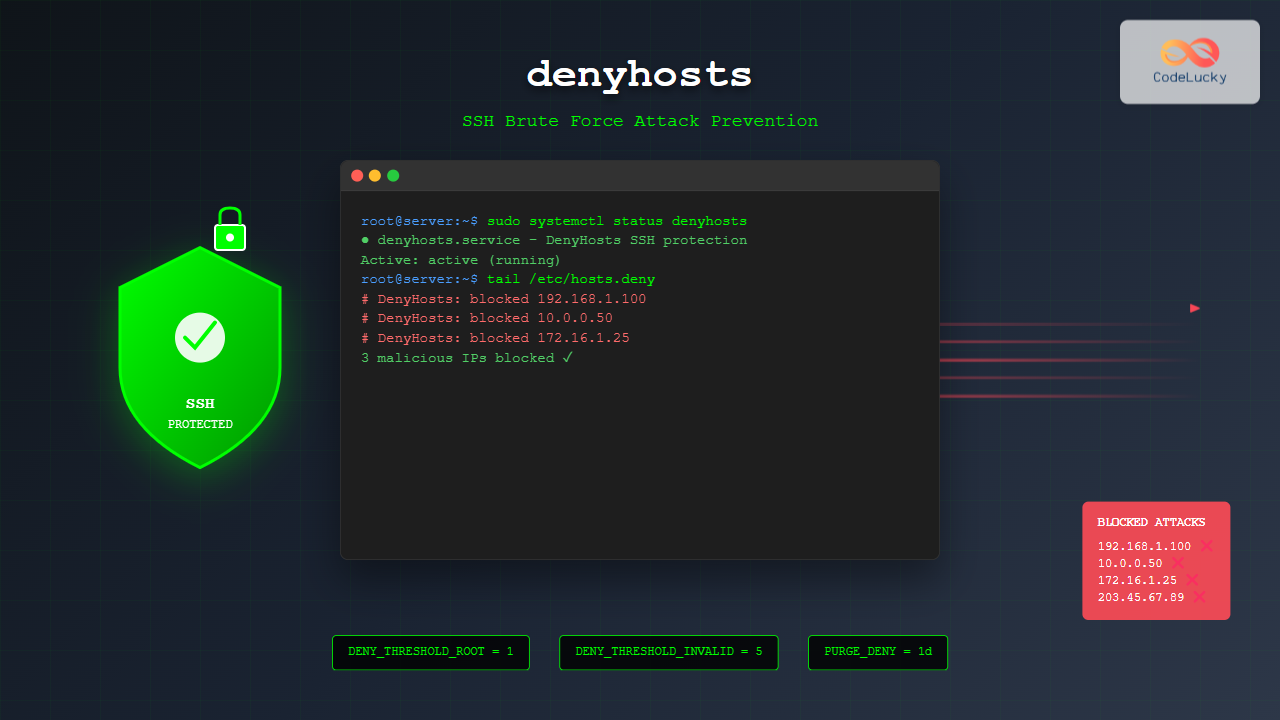
SSH brute force attacks are among the most common security threats facing Linux servers today. Attackers continuously attempt to gain unauthorized access by trying multiple username and password combinations against SSH services. The denyhosts tool provides an automated defense mechanism that monitors SSH login attempts and blocks malicious IP addresses, significantly enhancing your server’s security posture.
What is denyhosts?
denyhosts is a Python-based security tool designed to monitor SSH daemon logs and automatically block IP addresses that exhibit suspicious behavior. It works by analyzing authentication failures in real-time and adding offending IP addresses to the /etc/hosts.deny file, effectively preventing further connection attempts from those sources.
The tool operates on a simple yet effective principle: legitimate users rarely fail SSH authentication multiple times, while automated attacks generate numerous failed login attempts in short time periods. By detecting these patterns, denyhosts can distinguish between genuine mistakes and malicious activities.
Key Features and Benefits
- Automatic blocking: No manual intervention required once configured
- Configurable thresholds: Set custom limits for failed attempts
- Time-based restrictions: Implement temporary or permanent blocks
- Whitelist support: Protect trusted IP addresses from blocking
- Log monitoring: Real-time analysis of SSH authentication logs
- Email notifications: Alert administrators of blocking activities
Installation on Different Linux Distributions
Ubuntu and Debian
Install denyhosts using the package manager:
sudo apt update
sudo apt install denyhosts
CentOS and RHEL
For RPM-based distributions, use yum or dnf:
# CentOS 7/RHEL 7
sudo yum install epel-release
sudo yum install denyhosts

# CentOS 8/RHEL 8/Fedora
sudo dnf install epel-release
sudo dnf install denyhosts
Manual Installation from Source
If your distribution doesn’t have denyhosts in repositories:
wget https://github.com/denyhosts/denyhosts/archive/master.zip
unzip master.zip
cd denyhosts-master
sudo python setup.py install
Configuration File Overview
The main configuration file is typically located at /etc/denyhosts.conf. This file contains all the settings that control denyhosts behavior. Let’s examine the key configuration options:
# Example /etc/denyhosts.conf

# Log file to monitor
SECURE_LOG = /var/log/auth.log

# File to store blocked hosts
HOSTS_DENY = /etc/hosts.deny

# Purge blocked entries after this time
PURGE_DENY = 1d

# Block hosts after this many failed attempts
DENY_THRESHOLD_INVALID = 5
DENY_THRESHOLD_VALID = 10
DENY_THRESHOLD_ROOT = 1

# Work directory for denyhosts
WORK_DIR = /var/lib/denyhosts

# Lock file location
LOCK_FILE = /var/run/denyhosts.pid
Essential Configuration Parameters
Log File Settings
The SECURE_LOG parameter specifies which log file denyhosts should monitor:
- Ubuntu/Debian:
/var/log/auth.log - CentOS/RHEL:
/var/log/secure - Custom SSH configs: Match your SSH daemon’s log destination
Threshold Configuration
Configure different blocking thresholds for various scenarios:
# Block invalid usernames after 5 attempts
DENY_THRESHOLD_INVALID = 5

# Block valid usernames after 10 attempts
DENY_THRESHOLD_VALID = 10

# Block root login attempts after 1 attempt
DENY_THRESHOLD_ROOT = 1

# Block users in /etc/passwd after 3 attempts
DENY_THRESHOLD_RESTRICTED = 3
Time-Based Settings
Control how long blocks remain active:
# Purge denied hosts after specified time
PURGE_DENY = 1d    # 1 day
# PURGE_DENY = 1w   # 1 week
# PURGE_DENY = 1m   # 1 month
# PURGE_DENY =      # Never purge (permanent)
Advanced Configuration Options
Whitelisting Trusted IPs
Create a whitelist file to protect trusted IP addresses:
# Create whitelist file
sudo nano /etc/denyhosts_allowed_hosts

# Add trusted IPs (one per line)
192.168.1.0/24
10.0.0.0/8
your.trusted.server.com
Then reference it in the configuration:
ALLOWED_HOSTS_HOSTNAME_LOOKUP = NO
WORK_DIR = /var/lib/denyhosts
Email Notifications
Configure email alerts for blocking activities:
# Email settings
ADMIN_EMAIL = [email protected]
SMTP_HOST = localhost
SMTP_PORT = 25
SMTP_USERNAME =
SMTP_PASSWORD =
SMTP_SUBJECT = DenyHosts Report from $[HOSTNAME]
Starting and Managing denyhosts Service
Systemd Systems (Modern Linux)
# Start the service
sudo systemctl start denyhosts

# Enable automatic startup
sudo systemctl enable denyhosts

# Check service status
sudo systemctl status denyhosts

# Stop the service
sudo systemctl stop denyhosts

# Restart the service
sudo systemctl restart denyhosts
SysV Init Systems (Older Linux)
# Start denyhosts
sudo service denyhosts start

# Enable at boot
sudo chkconfig denyhosts on

# Check status
sudo service denyhosts status
Monitoring and Log Analysis
Viewing Current Blocked Hosts
Check which IP addresses are currently blocked:
# View hosts.deny file
sudo cat /etc/hosts.deny

# Sample output:
# DenyHosts: Wed Aug 26 03:18:45 2025 | sshd: 192.168.1.100
# DenyHosts: Wed Aug 26 03:20:12 2025 | sshd: 10.0.0.50
denyhosts Log Files
Monitor denyhosts activity through its log files:
# View denyhosts log
sudo tail -f /var/log/denyhosts

# Sample log entries:
2025-08-26 03:18:45,123 - denyhosts   : INFO     added 192.168.1.100 to /etc/hosts.deny
2025-08-26 03:20:12,456 - denyhosts   : INFO     new suspicious login activity from 10.0.0.50
Real-time Monitoring Commands
# Monitor SSH authentication attempts
sudo tail -f /var/log/auth.log | grep sshd

# Count current blocked IPs
grep -c "DenyHosts" /etc/hosts.deny

# View recent blocking activity
grep "DenyHosts" /etc/hosts.deny | tail -10
Manual Management Commands
Unblocking IP Addresses
Sometimes you need to manually unblock an IP address:
# Method 1: Edit hosts.deny directly
sudo nano /etc/hosts.deny
# Remove the line containing the IP address

# Method 2: Use sed to remove specific IP
sudo sed -i '/192.168.1.100/d' /etc/hosts.deny

# Method 3: Remove from denyhosts work directory
sudo rm /var/lib/denyhosts/hosts-deny
sudo rm /var/lib/denyhosts/users-hosts
Clearing All Blocked Hosts
# Backup current blocks
sudo cp /etc/hosts.deny /etc/hosts.deny.backup

# Remove all denyhosts entries
sudo grep -v "DenyHosts" /etc/hosts.deny > /tmp/hosts_clean
sudo mv /tmp/hosts_clean /etc/hosts.deny

# Clear denyhosts work files
sudo rm -rf /var/lib/denyhosts/*
Testing denyhosts Configuration
Simulating Failed Login Attempts
Test your configuration by generating failed SSH attempts:
# From another machine, attempt invalid logins
ssh [email protected]
# Enter wrong password multiple times

# Check if IP gets blocked
sudo tail /var/log/auth.log
sudo tail /etc/hosts.deny
Verification Commands
# Test SSH connection after blocking
ssh [email protected]
# Should see connection refused or timeout

# Verify denyhosts is running
ps aux | grep denyhosts

# Check configuration syntax
sudo denyhosts --test
Integration with Fail2ban
While denyhosts and fail2ban serve similar purposes, they can complement each other. Consider this comparison:
| Feature | denyhosts | fail2ban |
|---|---|---|
| Primary Focus | SSH only | Multiple services |
| Configuration | Single config file | Multiple jail configs |
| Blocking Method | hosts.deny | iptables/firewall |
| Resource Usage | Lower | Higher |
Performance Optimization
Log Rotation
Ensure proper log rotation to prevent disk space issues:
# Create logrotate configuration
sudo nano /etc/logrotate.d/denyhosts

/var/log/denyhosts {
    daily
    rotate 30
    compress
    delaycompress
    missingok
    notifempty
    postrotate
        /bin/kill -HUP `cat /var/run/denyhosts.pid 2> /dev/null` 2> /dev/null || true
    endscript
}
Memory Management
For high-traffic servers, optimize memory usage:
# Reduce purge time for automatic cleanup
PURGE_DENY = 12h

# Limit maximum blocked hosts
# (Manual cleanup required if exceeded)
Troubleshooting Common Issues
denyhosts Not Starting
Check common startup problems:
# Verify configuration file syntax
sudo denyhosts --config=/etc/denyhosts.conf --test

# Check log permissions
sudo ls -la /var/log/auth.log
sudo chmod 644 /var/log/auth.log

# Verify work directory exists
sudo mkdir -p /var/lib/denyhosts
sudo chown denyhosts:denyhosts /var/lib/denyhosts
IP Addresses Not Being Blocked
Debug blocking issues:
# Check if SSH logs are being written
sudo tail -f /var/log/auth.log

# Verify correct log file in config
grep SECURE_LOG /etc/denyhosts.conf

# Test manual run for debugging
sudo denyhosts --daemon --config=/etc/denyhosts.conf --debug
Legitimate Users Getting Blocked
Resolve false positive blocks:
# Increase thresholds
DENY_THRESHOLD_VALID = 15

# Add to whitelist
echo "trusted.ip.address" >> /etc/denyhosts_allowed_hosts

# Implement time-based purging
PURGE_DENY = 6h
Security Best Practices
Complementary Security Measures
denyhosts works best as part of a comprehensive security strategy:
- Change default SSH port: Edit
/etc/ssh/sshd_configand setPort 2222 - Disable root login: Set
PermitRootLogin no - Use key-based authentication: Disable password authentication
- Implement rate limiting: Use
MaxStartupsandMaxSessions
Regular Maintenance Tasks
# Weekly maintenance script
#!/bin/bash

# Backup current configuration
cp /etc/hosts.deny /backup/hosts.deny.$(date +%Y%m%d)

# Clean old denyhosts logs
find /var/log -name "denyhosts*" -mtime +30 -delete

# Check for configuration updates
denyhosts --test && echo "Configuration OK"
Conclusion
denyhosts provides robust protection against SSH brute force attacks through automated monitoring and blocking capabilities. By properly configuring thresholds, maintaining whitelists, and integrating with comprehensive security practices, you can significantly enhance your Linux server’s security posture.
Regular monitoring and maintenance ensure denyhosts continues to protect your system effectively while minimizing false positives. Remember to combine denyhosts with other security measures like SSH key authentication, non-standard ports, and regular security updates for maximum protection.
The tool’s simplicity and effectiveness make it an essential component of any Linux server security strategy, providing peace of mind against one of the most common attack vectors in today’s threat landscape.
Related Posts

fail2ban Linux: Complete Intrusion Prevention and Security Framework Guide
fail2ban is a powerful intrusion prevention framework designed to protect Linux servers from brute force attacks, dictionary attacks, and other...
ssh Command Linux: Secure Shell Remote Access Tutorial with Examples
The ssh command in Linux, short for Secure Shell, is one of the most essential tools for system administrators, developers,...

samhain Linux: Complete Guide to Host-based Intrusion Detection System
Samhain is a powerful host-based intrusion detection system (HIDS) designed specifically for Linux and Unix-like systems. This comprehensive security tool...
portsentry Linux: Complete Guide to Automated Port Scan Attack Detection and Prevention
Port scanning is one of the most common reconnaissance techniques used by attackers to identify vulnerable services on target systems....
Intrusion Detection System: Complete Guide to OS-Level Security Monitoring
Understanding Intrusion Detection Systems An Intrusion Detection System (IDS) is a critical security tool that monitors network traffic and system...

Security in Operating System: Complete Guide to Access Control and Authentication
Introduction to Operating System Security Operating system security forms the foundation of computer security, protecting system resources and user data...
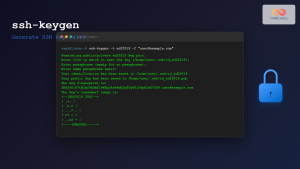
ssh-keygen Linux: Complete Guide to Generate SSH Key Pairs Securely
SSH key authentication is one of the most secure methods for connecting to remote servers. The ssh-keygen command is a...
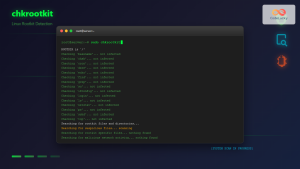
chkrootkit Command Linux: Complete Guide to Rootkit Detection and System Security
System security is paramount in Linux administration, and rootkits pose one of the most serious threats to system integrity. The...
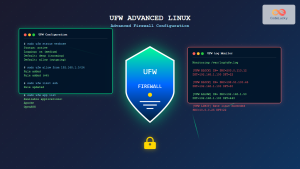
UFW Advanced Linux: Complete Guide to Advanced Firewall Configuration and Security Management
UFW (Uncomplicated Firewall) serves as Ubuntu's default firewall configuration tool, providing a user-friendly interface to manage iptables rules. While UFW...
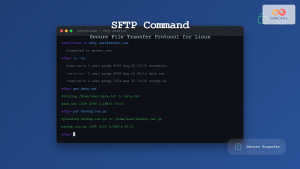
sftp Command Linux: Complete Guide to Secure File Transfer Protocol
The sftp command (Secure File Transfer Protocol) is a powerful Linux utility that provides secure file transfer capabilities over an...
last Command Linux: Display Login History and System Boot Records
The last command is an essential Linux utility that displays a chronological list of user logins, system boots, and shutdowns...
OSSEC Linux: Complete Guide to Host-based Intrusion Detection System for Enterprise Security
What is OSSEC Linux? OSSEC (Open Source Security Event Correlator) is a powerful, open-source Host-based Intrusion Detection System (HIDS) that...





