
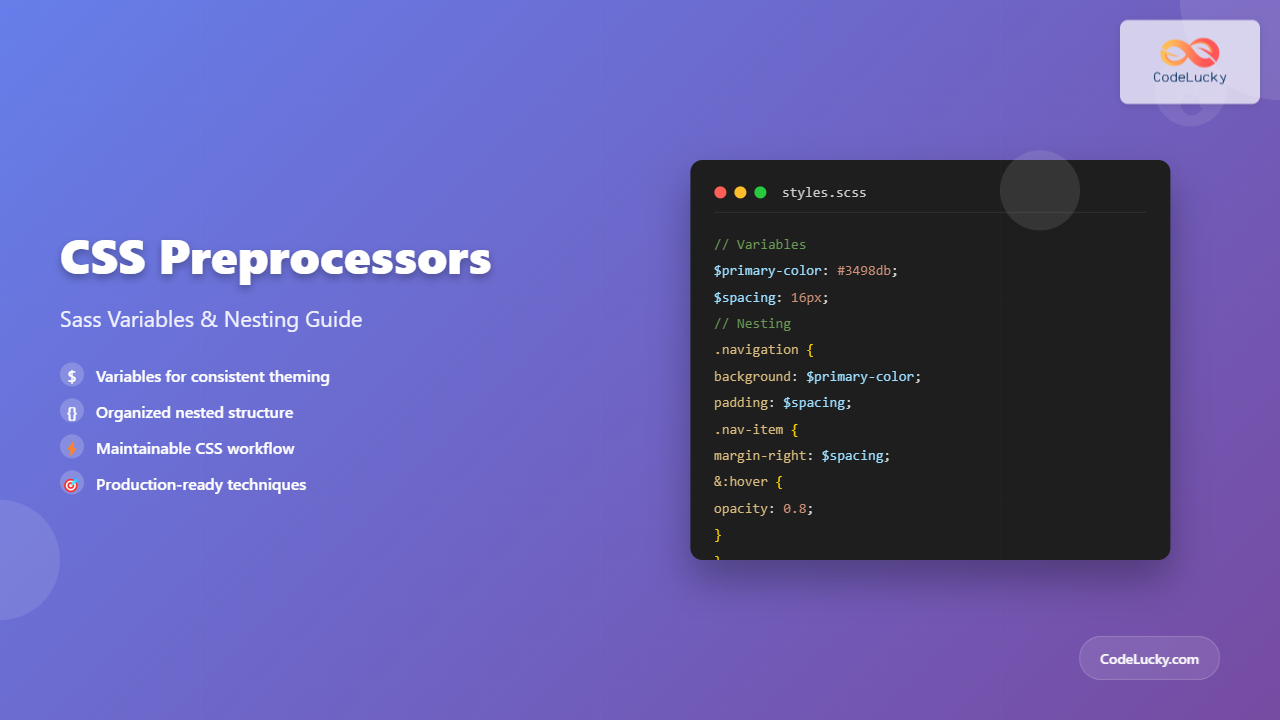
CSS preprocessors have revolutionized how developers write and maintain stylesheets. Among the most popular preprocessors, Sass (Syntactically Awesome StyleSheets) stands out with its powerful features like variables and nesting that make CSS more maintainable and organized.
In this comprehensive guide, we’ll explore how Sass variables and nesting can transform your CSS workflow, making your code more efficient, readable, and easier to maintain.
What Are CSS Preprocessors?
CSS preprocessors are scripting languages that extend CSS with features like variables, nesting, mixins, and functions. They compile into standard CSS that browsers can understand. Sass is one of the most mature and widely-adopted preprocessors in the web development community.
💡 Key Benefits of CSS Preprocessors:
- Variables for consistent theming
- Nesting for organized structure
- Mixins for reusable code blocks
- Functions for dynamic calculations
- Partials for modular architecture
Setting Up Sass: SCSS vs Sass Syntax
Sass offers two syntax options:
SCSS (Sassy CSS)
SCSS uses curly braces and semicolons, making it similar to regular CSS:
$primary-color: #3498db;
$font-size: 16px;

.header {
    background-color: $primary-color;
    font-size: $font-size;

    .nav {
        display: flex;

        .nav-item {
            margin-right: 20px;
        }
    }
}
Sass (Indented Syntax)
Sass uses indentation instead of braces:
$primary-color: #3498db
$font-size: 16px

.header
    background-color: $primary-color
    font-size: $font-size

    .nav
        display: flex

        .nav-item
            margin-right: 20px
For this guide, we’ll use SCSS syntax as it’s more familiar to CSS developers.
Sass Variables: Creating Consistent Themes
Variables are one of Sass’s most fundamental features, allowing you to store values that can be reused throughout your stylesheet.
Basic Variable Declaration
Sass variables are declared with the $ symbol:
// Color variables
$primary-color: #3498db;
$secondary-color: #2ecc71;
$danger-color: #e74c3c;
$text-color: #333333;
$background-color: #ffffff;

// Typography variables
$font-family-primary: 'Helvetica Neue', Arial, sans-serif;
$font-family-secondary: 'Georgia', serif;
$font-size-base: 16px;
$font-size-large: 20px;
$font-size-small: 14px;

// Spacing variables
$spacing-xs: 4px;
$spacing-sm: 8px;
$spacing-md: 16px;
$spacing-lg: 24px;
$spacing-xl: 32px;
Using Variables in Your Styles
.button {
    background-color: $primary-color;
    color: $background-color;
    font-family: $font-family-primary;
    font-size: $font-size-base;
    padding: $spacing-sm $spacing-md;
    border: none;
    border-radius: 4px;
    cursor: pointer;

    &:hover {
        background-color: darken($primary-color, 10%);
    }

    &.button--secondary {
        background-color: $secondary-color;

        &:hover {
            background-color: darken($secondary-color, 10%);
        }
    }

    &.button--danger {
        background-color: $danger-color;

        &:hover {
            background-color: darken($danger-color, 10%);
        }
    }
}
Compiled CSS Output:
.button {
    background-color: #3498db;
    color: #ffffff;
    font-family: 'Helvetica Neue', Arial, sans-serif;
    font-size: 16px;
    padding: 8px 16px;
    border: none;
    border-radius: 4px;
    cursor: pointer;
}

.button:hover {
    background-color: #2980b9;
}

.button.button--secondary {
    background-color: #2ecc71;
}

.button.button--secondary:hover {
    background-color: #27ae60;
}

.button.button--danger {
    background-color: #e74c3c;
}

.button.button--danger:hover {
    background-color: #c0392b;
}
Variable Scope and Default Values
Sass variables have scope rules similar to other programming languages:
// Global variable
$global-color: #333333;

.component {
    // Local variable (only available within this block)
    $local-color: #666666;

    color: $global-color;
    background-color: $local-color;

    .nested-element {
        // Can access both global and local variables
        border-color: $global-color;
        color: $local-color;
    }
}

// Default values using !default
$base-font-size: 16px !default;
$base-line-height: 1.5 !default;

// These will only be set if not already defined
$base-font-size: 14px !default; // Won't override the 16px above
Sass Nesting: Organizing Your Styles
Nesting allows you to write CSS selectors inside other selectors, creating a hierarchical structure that mirrors your HTML.
Basic Nesting
.navigation {
    background-color: $primary-color;
    padding: $spacing-md;

    .nav-list {
        list-style: none;
        margin: 0;
        padding: 0;
        display: flex;

        .nav-item {
            margin-right: $spacing-lg;

            &:last-child {
                margin-right: 0;
            }

            .nav-link {
                color: $background-color;
                text-decoration: none;
                font-weight: 500;
                transition: color 0.3s ease;

                &:hover {
                    color: lighten($background-color, 20%);
                }

                &.active {
                    color: $secondary-color;
                    font-weight: 700;
                }
            }
        }
    }
}
Compiled CSS Output:
.navigation {
    background-color: #3498db;
    padding: 16px;
}

.navigation .nav-list {
    list-style: none;
    margin: 0;
    padding: 0;
    display: flex;
}

.navigation .nav-list .nav-item {
    margin-right: 24px;
}

.navigation .nav-list .nav-item:last-child {
    margin-right: 0;
}

.navigation .nav-list .nav-item .nav-link {
    color: #ffffff;
    text-decoration: none;
    font-weight: 500;
    transition: color 0.3s ease;
}

.navigation .nav-list .nav-item .nav-link:hover {
    color: #ffffff;
}

.navigation .nav-list .nav-item .nav-link.active {
    color: #2ecc71;
    font-weight: 700;
}
Parent Selector (&) Reference
The ampersand (&) refers to the parent selector and is essential for pseudo-classes, pseudo-elements, and modifier classes:
.card {
    background-color: $background-color;
    border: 1px solid lighten($text-color, 60%);
    border-radius: 8px;
    padding: $spacing-lg;
    transition: all 0.3s ease;

    // Pseudo-classes
    &:hover {
        transform: translateY(-2px);
        box-shadow: 0 4px 12px rgba(0, 0, 0, 0.1);
    }

    &:focus {
        outline: 2px solid $primary-color;
        outline-offset: 2px;
    }

    // Modifier classes
    &--featured {
        border-color: $primary-color;
        background-color: lighten($primary-color, 45%);
    }

    &--large {
        padding: $spacing-xl;
        font-size: $font-size-large;
    }

    // Pseudo-elements
    &::before {
        content: '';
        position: absolute;
        top: 0;
        left: 0;
        width: 100%;
        height: 4px;
        background-color: $primary-color;
    }

    // Adjacent sibling combinator
    & + & {
        margin-top: $spacing-md;
    }

    // Parent selector placement
    .sidebar & {
        max-width: 300px;
    }
}
Nesting Media Queries
One of the most powerful features of Sass nesting is the ability to nest media queries within selectors:
// Breakpoint variables
$breakpoint-sm: 576px;
$breakpoint-md: 768px;
$breakpoint-lg: 992px;
$breakpoint-xl: 1200px;

.hero-section {
    padding: $spacing-xl;
    text-align: center;
    background-color: $primary-color;
    color: $background-color;

    .hero-title {
        font-size: 2.5rem;
        margin-bottom: $spacing-lg;

        @media (max-width: $breakpoint-md) {
            font-size: 2rem;
        }

        @media (max-width: $breakpoint-sm) {
            font-size: 1.5rem;
        }
    }

    .hero-subtitle {
        font-size: 1.2rem;
        margin-bottom: $spacing-xl;

        @media (max-width: $breakpoint-md) {
            font-size: 1rem;
        }
    }

    .hero-cta {
        display: inline-block;
        background-color: $secondary-color;
        padding: $spacing-md $spacing-lg;
        border-radius: 6px;
        text-decoration: none;
        color: $background-color;
        font-weight: 600;

        @media (max-width: $breakpoint-sm) {
            display: block;
            margin: 0 auto;
            max-width: 200px;
        }

        &:hover {
            background-color: darken($secondary-color, 10%);
        }
    }
}
Best Practices for Sass Variables and Nesting
Variable Organization
Organize your variables in a logical structure:
// _variables.scss

// ==========================================================================
// Color Palette
// ==========================================================================
$color-primary: #3498db;
$color-secondary: #2ecc71;
$color-accent: #f39c12;
$color-danger: #e74c3c;
$color-warning: #f1c40f;
$color-success: #27ae60;

// Neutral colors
$color-white: #ffffff;
$color-black: #000000;
$color-gray-100: #f8f9fa;
$color-gray-200: #e9ecef;
$color-gray-300: #dee2e6;
$color-gray-400: #ced4da;
$color-gray-500: #adb5bd;
$color-gray-600: #6c757d;
$color-gray-700: #495057;
$color-gray-800: #343a40;
$color-gray-900: #212529;

// ==========================================================================
// Typography
// ==========================================================================
$font-family-base: 'Inter', -apple-system, BlinkMacSystemFont, 'Segoe UI', Roboto, sans-serif;
$font-family-heading: 'Poppins', sans-serif;
$font-family-mono: 'JetBrains Mono', 'Fira Code', monospace;

$font-size-xs: 0.75rem;    // 12px
$font-size-sm: 0.875rem;   // 14px
$font-size-base: 1rem;     // 16px
$font-size-lg: 1.125rem;   // 18px
$font-size-xl: 1.25rem;    // 20px
$font-size-2xl: 1.5rem;    // 24px
$font-size-3xl: 1.875rem;  // 30px
$font-size-4xl: 2.25rem;   // 36px

$font-weight-light: 300;
$font-weight-normal: 400;
$font-weight-medium: 500;
$font-weight-semibold: 600;
$font-weight-bold: 700;

// ==========================================================================
// Spacing
// ==========================================================================
$spacing-0: 0;
$spacing-1: 0.25rem;  // 4px
$spacing-2: 0.5rem;   // 8px
$spacing-3: 0.75rem;  // 12px
$spacing-4: 1rem;     // 16px
$spacing-5: 1.25rem;  // 20px
$spacing-6: 1.5rem;   // 24px
$spacing-8: 2rem;     // 32px
$spacing-10: 2.5rem;  // 40px
$spacing-12: 3rem;    // 48px
$spacing-16: 4rem;    // 64px
$spacing-20: 5rem;    // 80px

// ==========================================================================
// Breakpoints
// ==========================================================================
$breakpoint-xs: 0;
$breakpoint-sm: 576px;
$breakpoint-md: 768px;
$breakpoint-lg: 992px;
$breakpoint-xl: 1200px;
$breakpoint-xxl: 1400px;
Nesting Guidelines
Follow these guidelines to maintain readable and maintainable nested styles:
⚠️ Nesting Best Practices:
- Limit nesting depth: Keep nesting to 3-4 levels maximum
- Use meaningful names: Choose descriptive class names
- Avoid over-nesting: Don’t nest every element
- Group related styles: Keep related properties together
- Use parent selector wisely: Leverage & for pseudo-classes and modifiers
Good Nesting Example
.product-card {
    background-color: $color-white;
    border-radius: 8px;
    box-shadow: 0 2px 8px rgba($color-black, 0.1);
    overflow: hidden;
    transition: transform 0.2s ease;

    &:hover {
        transform: translateY(-4px);
    }

    &__image {
        width: 100%;
        height: 200px;
        object-fit: cover;
    }

    &__content {
        padding: $spacing-4;
    }

    &__title {
        font-size: $font-size-lg;
        font-weight: $font-weight-semibold;
        margin-bottom: $spacing-2;
        color: $color-gray-800;
    }

    &__description {
        color: $color-gray-600;
        margin-bottom: $spacing-4;
    }

    &__price {
        font-size: $font-size-xl;
        font-weight: $font-weight-bold;
        color: $color-primary;
    }
}
Avoid Over-Nesting (Bad Example)
// ❌ Too deeply nested and hard to maintain
.page {
    .container {
        .main-content {
            .article {
                .article-header {
                    .article-title {
                        .title-text {
                            .title-span {
                                color: $color-primary;

                                &:hover {
                                    .nested-element {
                                        .deeply-nested {
                                            color: $color-secondary;
                                        }
                                    }
                                }
                            }
                        }
                    }
                }
            }
        }
    }
}
Practical Example: Building a Component Library
Let’s create a practical example that demonstrates both variables and nesting by building a button component system:
// Button component with variables and nesting
.btn {
    // Base button styles
    display: inline-block;
    padding: $spacing-3 $spacing-4;
    font-family: $font-family-base;
    font-size: $font-size-base;
    font-weight: $font-weight-medium;
    line-height: 1.5;
    text-align: center;
    text-decoration: none;
    border: 2px solid transparent;
    border-radius: 6px;
    cursor: pointer;
    transition: all 0.2s ease-in-out;
    user-select: none;

    // Disabled state
    &:disabled,
    &.disabled {
        opacity: 0.6;
        cursor: not-allowed;

        &:hover {
            transform: none;
        }
    }

    // Hover effect
    &:hover:not(:disabled):not(.disabled) {
        transform: translateY(-1px);
    }

    // Active state
    &:active {
        transform: translateY(0);
    }

    // Size variations
    &--small {
        padding: $spacing-2 $spacing-3;
        font-size: $font-size-sm;
    }

    &--large {
        padding: $spacing-4 $spacing-6;
        font-size: $font-size-lg;
    }

    // Style variations
    &--primary {
        background-color: $color-primary;
        color: $color-white;
        border-color: $color-primary;

        &:hover:not(:disabled):not(.disabled) {
            background-color: darken($color-primary, 8%);
            border-color: darken($color-primary, 8%);
        }

        &:focus {
            box-shadow: 0 0 0 3px rgba($color-primary, 0.25);
        }
    }

    &--secondary {
        background-color: $color-secondary;
        color: $color-white;
        border-color: $color-secondary;

        &:hover:not(:disabled):not(.disabled) {
            background-color: darken($color-secondary, 8%);
            border-color: darken($color-secondary, 8%);
        }

        &:focus {
            box-shadow: 0 0 0 3px rgba($color-secondary, 0.25);
        }
    }

    &--outline {
        background-color: transparent;
        color: $color-primary;
        border-color: $color-primary;

        &:hover:not(:disabled):not(.disabled) {
            background-color: $color-primary;
            color: $color-white;
        }

        &:focus {
            box-shadow: 0 0 0 3px rgba($color-primary, 0.25);
        }

        // Outline secondary
        &.btn--secondary {
            color: $color-secondary;
            border-color: $color-secondary;

            &:hover:not(:disabled):not(.disabled) {
                background-color: $color-secondary;
                color: $color-white;
            }

            &:focus {
                box-shadow: 0 0 0 3px rgba($color-secondary, 0.25);
            }
        }
    }

    // Button with icon
    &__icon {
        margin-right: $spacing-2;

        &--right {
            margin-right: 0;
            margin-left: $spacing-2;
        }

        // Icon-only button
        &-only {
            margin: 0;

            .btn {
                padding: $spacing-3;

                &--small {
                    padding: $spacing-2;
                }

                &--large {
                    padding: $spacing-4;
                }
            }
        }
    }
}
Interactive Example: Theme Switcher
Here’s an interactive example that demonstrates the power of Sass variables for theming:
Theme Demo
This card demonstrates how Sass variables can be used to create consistent theming across your application.
Advanced Techniques
Variable Interpolation
Use #{} syntax to interpolate variables in selectors or property names:
$prefix: 'app';
$property: 'margin';

.#{$prefix}-header {
    #{$property}-bottom: $spacing-4;
}

// Compiles to:
.app-header {
    margin-bottom: 1rem;
}
Maps for Organized Data
Use Sass maps to organize related variables:
$colors: (
    primary: #3498db,
    secondary: #2ecc71,
    danger: #e74c3c,
    warning: #f39c12,
    info: #17a2b8,
    success: #28a745
);

$font-sizes: (
    xs: 0.75rem,
    sm: 0.875rem,
    base: 1rem,
    lg: 1.125rem,
    xl: 1.25rem,
    2xl: 1.5rem
);

// Using map-get function
.alert {
    padding: $spacing-4;
    border-radius: 4px;

    &--danger {
        background-color: lighten(map-get($colors, danger), 40%);
        color: darken(map-get($colors, danger), 10%);
        border: 1px solid map-get($colors, danger);
    }

    &--success {
        background-color: lighten(map-get($colors, success), 40%);
        color: darken(map-get($colors, success), 10%);
        border: 1px solid map-get($colors, success);
    }
}
Common Pitfalls and How to Avoid Them
❌ Avoid These Common Mistakes:
1. Over-nesting
Don’t nest more than 3-4 levels deep. It creates overly specific selectors and makes CSS harder to maintain.
2. Nesting Everything
Not every element needs to be nested. Use nesting for logical groupings and relationships.
3. Inconsistent Variable Names
Use a consistent naming convention like BEM or a systematic approach to variable naming.
4. Hardcoded Values
Avoid mixing variables with hardcoded values. If you use a value more than once, make it a variable.
Performance Considerations
While Sass variables and nesting improve development experience, consider these performance aspects:
- Compilation Time: Complex n
Related Posts

CSS Variable Usage: Complete Guide to var() Function and Fallback Values
CSS Custom Properties, commonly known as CSS variables, revolutionized how we write maintainable and dynamic stylesheets. The var() function serves...

CSS Custom Properties: Complete Guide to CSS Variables and Dynamic Styling
CSS Custom Properties, commonly known as CSS Variables, revolutionize how we write and maintain stylesheets by introducing dynamic values that...
CSS PostCSS: Complete Guide to Modern Plugin-Based CSS Processing
PostCSS has revolutionized how developers write and process CSS by providing a powerful, plugin-based ecosystem that transforms your stylesheets with...

CSS Variable Declaration: Master :root and Local Scope for Better Styling
CSS Variables, also known as CSS Custom Properties, revolutionize how we manage and reuse values in our stylesheets. Understanding variable...
CSS Syntax: Complete Guide to Rules, Selectors, Properties and Values
CSS (Cascading Style Sheets) is the cornerstone of web design, transforming plain HTML into visually stunning websites. Understanding CSS syntax...

CSS Architecture: SMACSS – Complete Guide to Scalable and Modular CSS
What is SMACSS? SMACSS (Scalable and Modular Architecture for CSS) is a comprehensive methodology developed by Jonathan Snook that provides...
CSS Variable Inheritance: Complete Guide to Cascading Custom Properties
CSS variables, also known as custom properties, revolutionized how we write maintainable stylesheets. One of their most powerful features is...
CSS Linting: Stylelint Configuration and Rules – Complete Developer Guide
What is CSS Linting and Why It Matters CSS linting is the process of analyzing your CSS code to identify...

CSS Style cssText Property: CSS Text
CSS Style cssText Property: Comprehensive Guide The CSS cssText property in JavaScript is a powerful way to get or set...
CSS Refactoring: Complete Guide to Modernizing Legacy Stylesheets
Legacy CSS codebases can become a significant burden on development teams, slowing down feature delivery and creating maintenance nightmares. CSS...

CSS Architecture: Atomic CSS Utility-First Approach – Complete Guide to Modern CSS Design
CSS architecture has evolved significantly over the years, and one of the most revolutionary approaches is Atomic CSS with a...

CSS Attribute Selectors: Master Targeting Elements by Attribute Values
What Are CSS Attribute Selectors? CSS attribute selectors allow you to target HTML elements based on their attributes and attribute...





