CSS loading strategies are fundamental to web performance optimization, directly impacting user experience and search engine rankings. Understanding how different CSS loading approaches affect page rendering can dramatically improve your website’s performance metrics.
Understanding CSS Loading Fundamentals
When a browser encounters CSS, it must decide how to handle the stylesheet in relation to page rendering. This decision affects the Critical Rendering Path – the sequence of steps browsers follow to render a webpage.
The Critical Rendering Path Explained
The browser follows these steps when processing CSS:
- DOM Construction: Parse HTML and build the Document Object Model
- CSSOM Construction: Parse CSS and build the CSS Object Model
- Render Tree Creation: Combine DOM and CSSOM
- Layout: Calculate element positions and sizes
- Paint: Fill in pixels on the screen
Render-Blocking CSS: The Default Behavior
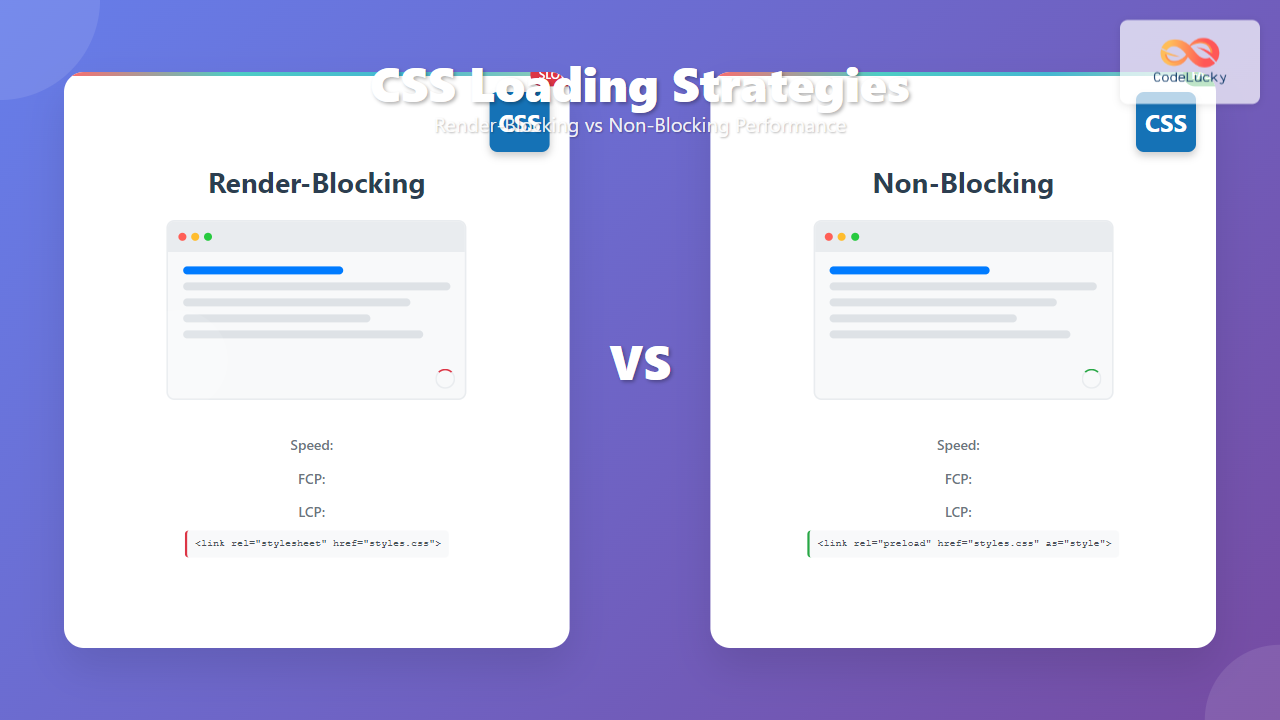
By default, CSS is render-blocking, meaning the browser stops rendering until the stylesheet is fully loaded and processed. This ensures consistent styling but can severely impact perceived performance.
How Render-Blocking CSS Works
When you include CSS using the standard <link> tag, the browser:
- Discovers the CSS file
- Pauses HTML parsing
- Downloads the CSS file
- Parses the CSS and builds the CSSOM
- Resumes rendering
Standard CSS Loading Example
<!DOCTYPE html>
<html>
<head>
    <!-- Render-blocking CSS -->
    <link rel="stylesheet" href="styles.css">
    <link rel="stylesheet" href="components.css">
    <link rel="stylesheet" href="responsive.css">
</head>
<body>
    <h1>Page Content</h1>
    <p>This content won't render until all CSS is loaded.</p>
</body>
</html>
Performance Impact of Render-Blocking CSS
Render-blocking CSS creates several performance challenges:
- Increased Time to First Paint (FTP): Users see a blank screen longer
- Higher Largest Contentful Paint (LCP): Main content appears later
- Poor First Contentful Paint (FCP): Initial content rendering is delayed
- Reduced Perceived Performance: Users experience slower page loads
Non-Blocking CSS Loading Strategies
Non-blocking CSS loading allows the browser to continue rendering while CSS loads in the background. This approach prioritizes content visibility over perfect styling.
Method 1: Preload with Media Attribute Trick
This technique uses the preload attribute with a media query trick to load CSS without blocking rendering:
<!-- Non-blocking CSS with preload -->
<link rel="preload" href="styles.css" as="style" onload="this.onload=null;this.rel='stylesheet'">
<noscript><link rel="stylesheet" href="styles.css"></noscript>
Method 2: Async CSS Loading with JavaScript
JavaScript can dynamically load CSS after the initial page render:
<script>
function loadCSS(href) {
    const link = document.createElement('link');
    link.rel = 'stylesheet';
    link.href = href;
    document.head.appendChild(link);
}

// Load non-critical CSS after page load
window.addEventListener('load', function() {
    loadCSS('non-critical.css');
    loadCSS('components.css');
});
</script>
Method 3: Media Query Technique
Using media queries to conditionally load CSS:
<!-- Load immediately for matching media -->
<link rel="stylesheet" href="critical.css">

<!-- Load conditionally -->
<link rel="stylesheet" href="print.css" media="print">
<link rel="stylesheet" href="large-screen.css" media="(min-width: 1200px)">

<!-- Load non-blocking with media trick -->
<link rel="stylesheet" href="non-critical.css" media="print"
      onload="this.media='all'; this.onload=null;">
Critical CSS Strategy
Critical CSS involves identifying and inlining the minimal CSS needed for above-the-fold content, while loading the rest asynchronously.
Implementing Critical CSS
<!DOCTYPE html>
<html>
<head>
    <!-- Inline critical CSS -->
    <style>
        /* Critical CSS for above-the-fold content */
        body { font-family: Arial, sans-serif; margin: 0; }
        .header { background: #333; color: white; padding: 1rem; }
        .hero { background: #f4f4f4; padding: 2rem; text-align: center; }
    </style>

    <!-- Preload non-critical CSS -->
    <link rel="preload" href="full-styles.css" as="style"
          onload="this.onload=null;this.rel='stylesheet'">
    <noscript><link rel="stylesheet" href="full-styles.css"></noscript>
</head>
<body>
    <header class="header">
        <h1>Website Header</h1>
    </header>
    <section class="hero">
        <h2>Above-the-fold Content</h2>
        <p>This content renders immediately with critical CSS.</p>
    </section>
</body>
</html>
Tools for Critical CSS Extraction
Several tools can help identify and extract critical CSS:
- Critical: Node.js library for critical CSS extraction
- Penthouse: Critical path CSS generator
- UnCSS: Remove unused CSS
- PurgeCSS: Remove unused CSS selectors
Advanced Loading Strategies
Resource Hints for CSS Optimization
Modern browsers support resource hints that can improve CSS loading performance:
<!-- DNS prefetch for external stylesheets -->
<link rel="dns-prefetch" href="//fonts.googleapis.com">

<!-- Preconnect for faster connection establishment -->
<link rel="preconnect" href="https://fonts.gstatic.com" crossorigin>

<!-- Preload critical resources -->
<link rel="preload" href="critical.css" as="style">
<link rel="preload" href="hero-image.jpg" as="image">

<!-- Prefetch for next page resources -->
<link rel="prefetch" href="next-page.css">
CSS Bundling and Splitting Strategies
Optimize CSS delivery through strategic bundling and splitting:
Interactive Performance Comparison
The following interactive example demonstrates the difference between render-blocking and non-blocking CSS loading:
Performance Demo
Click the buttons above to see the difference between loading strategies.
Performance Monitoring and Optimization
Key Metrics to Monitor
Track these performance metrics to measure CSS loading effectiveness:
- First Contentful Paint (FCP): Time until first content appears
- Largest Contentful Paint (LCP): Time until largest content element renders
- Cumulative Layout Shift (CLS): Visual stability during loading
- First Input Delay (FID): Time until page becomes interactive
Tools for Performance Analysis
Performance Monitoring Tools:
- Chrome DevTools: Built-in performance analysis
- Lighthouse: Automated performance audits
- PageSpeed Insights: Google’s performance recommendations
- WebPageTest: Detailed performance testing
- GTmetrix: Performance monitoring and optimization
Best Practices and Implementation Guidelines
CSS Loading Strategy Decision Tree
Choose the right strategy based on your specific needs:
Render-Blocking: Use for essential layout and brand styling
Non-Blocking: Use for secondary features, animations, and below-the-fold content
Conditional Loading: Use for device-specific or feature-specific styles
Implementation Checklist
Follow this checklist to implement effective CSS loading strategies:
- Audit Current CSS: Identify critical vs non-critical styles
- Extract Critical CSS: Inline essential above-the-fold styles
- Implement Preloading: Use resource hints for faster loading
- Optimize File Sizes: Minify and compress CSS files
- Use Efficient Selectors: Avoid overly complex CSS selectors
- Monitor Performance: Track metrics and optimize continuously
Common Pitfalls and Solutions
Flash of Unstyled Content (FOUC)
FOUC occurs when content appears before CSS loads. Prevent it with proper critical CSS implementation:
CSS Loading Race Conditions
Avoid race conditions between CSS files by managing dependencies properly:
<!-- Ensure proper loading order -->
<link rel="stylesheet" href="base.css">
<link rel="preload" href="components.css" as="style"
      onload="this.onload=null;this.rel='stylesheet'">
<link rel="preload" href="theme.css" as="style"
      onload="this.onload=null;this.rel='stylesheet'">
Future of CSS Loading
Emerging technologies and standards are shaping the future of CSS loading:
CSS Modules and Import Maps
Modern approaches to CSS loading include CSS modules and import maps for better dependency management:
<!-- Future CSS loading with import maps -->
<script type="importmap">
{
  "imports": {
    "styles/": "/assets/styles/",
    "critical-css": "/assets/critical.css"
  }
}
</script>

<script type="module">
import criticalCSS from 'critical-css';
// Dynamic CSS loading logic
</script>
HTTP/3 and Performance Improvements
HTTP/3 and other protocol improvements will continue to enhance CSS loading performance, making some current optimization techniques less critical while enabling new approaches.
Conclusion
CSS loading strategies are essential for modern web performance optimization. By understanding the differences between render-blocking and non-blocking approaches, implementing critical CSS techniques, and following best practices, you can significantly improve your website’s loading performance and user experience.
Remember to continuously monitor performance metrics, test different strategies, and adapt your approach based on your specific use case and user needs. The investment in proper CSS loading optimization pays dividends in improved user satisfaction, better search engine rankings, and increased conversion rates.
Related Posts

CSS Critical Path: Complete Guide to Above-Fold Optimization and Performance
The critical rendering path represents the sequence of steps browsers take to convert HTML, CSS, and JavaScript into pixels on...

CSS Containment: Mastering the contain Property for Optimal Web Performance
CSS containment is a powerful performance optimization technique that allows developers to isolate parts of the DOM tree, preventing unnecessary...
CSS Performance Metrics: Complete Guide to CLS, FCP, LCP Optimization
Website performance directly impacts user experience, search rankings, and conversion rates. CSS plays a crucial role in three critical performance...

CSS Caching: Complete Guide to Browser Cache and CDN Optimization Strategies
CSS caching is a fundamental performance optimization technique that dramatically reduces page load times and improves user experience. By implementing...

CSS Graceful Degradation: Essential Fallback Strategies for Modern Web Development
CSS graceful degradation is a fundamental web development strategy that ensures your website remains functional and accessible across all browsers,...

HTML Styles: Mastering Inline, Internal, and External CSS
Introduction Have you ever looked at a website and wondered how all the elements are so beautifully arranged and styled?...

CSS Specificity: Complete Guide to Style Priority and Cascade Resolution
CSS specificity is one of the most crucial concepts every web developer must master. It determines which styles the browser...

CSS Progressive Enhancement: Build Resilient Web Experiences Layer by Layer
Progressive enhancement in CSS is a fundamental approach that ensures your web applications remain functional and accessible across all devices,...

CSS display Property: CSS Display
Understanding the CSS display Property: A Comprehensive Guide The display property in CSS is a cornerstone for controlling the layout...

HTML CSS: Styling Your Web Pages with Selectors, Properties, and the Cascade
Introduction Ever wondered how websites go from plain text to visually stunning experiences? The magic lies in CSS (Cascading Style...

CSS Purge: Ultimate Guide to Removing Unused CSS for Lightning-Fast Performance
Website performance is crucial for user experience and SEO rankings. One of the most effective ways to improve loading times...

CSS Browser Compatibility: Essential Guide to Vendor Prefixes and Fallbacks
Browser compatibility remains one of the most critical challenges in modern web development. Different browsers implement CSS features at varying...