
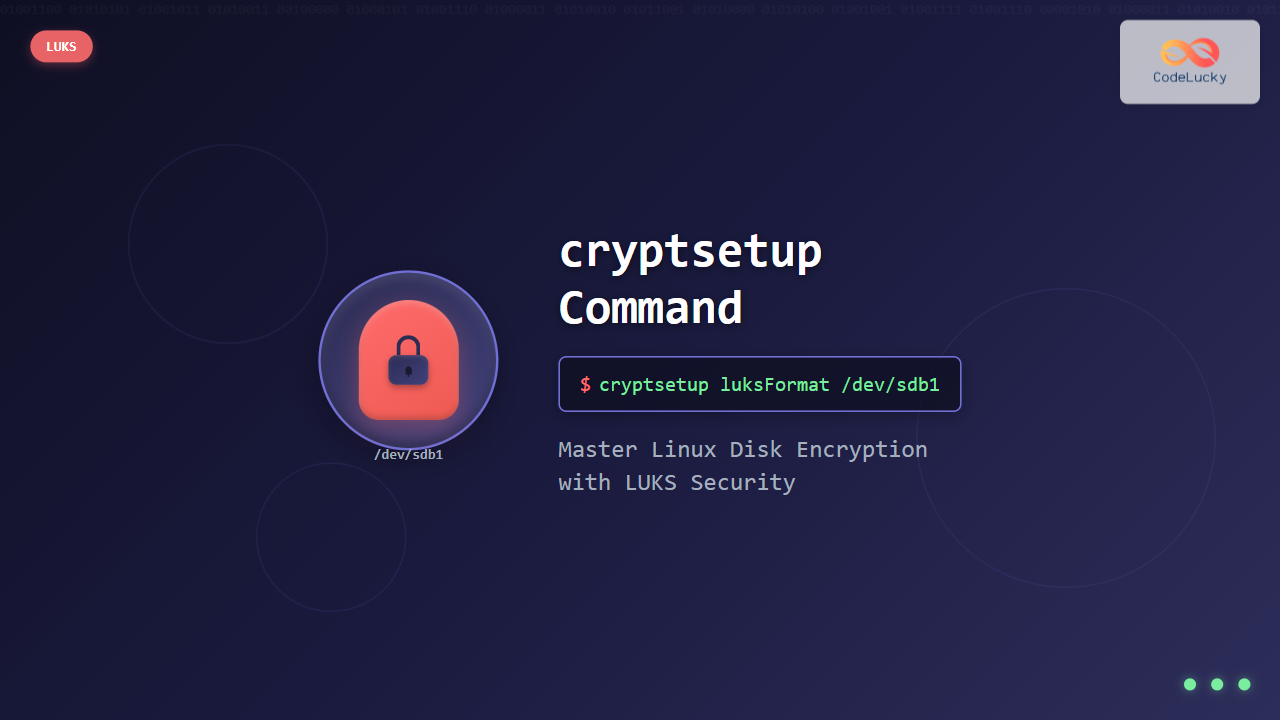
The cryptsetup command is a powerful Linux utility that provides disk encryption capabilities through the Linux Unified Key Setup (LUKS) format. This essential security tool allows system administrators and users to create encrypted partitions, protecting sensitive data from unauthorized access even if physical storage devices are compromised.
What is cryptsetup?
cryptsetup is a command-line interface for setting up and managing encrypted block devices using the device-mapper crypt target. It primarily works with LUKS (Linux Unified Key Setup), which is the standard for Linux hard disk encryption. LUKS provides a platform-independent standard on-disk format for use in various tools, making it the de facto standard for disk encryption in Linux distributions.
Key Features of cryptsetup
- LUKS support: Full compatibility with LUKS1 and LUKS2 formats
- Multiple encryption algorithms: AES, Serpent, Twofish, and more
- Key management: Support for multiple passphrases and key slots
- Hardware acceleration: Utilizes AES-NI and other hardware features
- Backup and recovery: Header backup and key recovery options
Installation
Most Linux distributions include cryptsetup by default. If not installed, you can install it using your package manager:
Ubuntu/Debian
sudo apt update
sudo apt install cryptsetup
RHEL/CentOS/Fedora
# RHEL/CentOS
sudo yum install cryptsetup-luks

# Fedora
sudo dnf install cryptsetup
Arch Linux
sudo pacman -S cryptsetupBasic Syntax
The general syntax for cryptsetup follows this pattern:
cryptsetup [OPTION...] <action> <action-specific-arguments>Creating LUKS Encrypted Partitions
Step 1: Initialize LUKS Partition
Before creating an encrypted partition, ensure you have a dedicated partition or disk. Warning: This process will destroy all existing data on the target device.
sudo cryptsetup luksFormat /dev/sdb1Expected Output:
WARNING!
========
This will overwrite data on /dev/sdb1 irrevocably.

Are you sure? (Type uppercase yes): YES
Enter passphrase for /dev/sdb1:
Verify passphrase:
Step 2: Open the Encrypted Partition
After formatting, open the encrypted partition to create a device mapper:
sudo cryptsetup luksOpen /dev/sdb1 encrypted_driveExpected Output:
Enter passphrase for /dev/sdb1:This creates a mapped device at /dev/mapper/encrypted_drive.
Step 3: Create File System
Format the opened encrypted device with your preferred file system:
sudo mkfs.ext4 /dev/mapper/encrypted_driveExpected Output:
mke2fs 1.45.5 (07-Jan-2020)
Creating filesystem with 262144 4k blocks and 65536 inodes
Filesystem UUID: 12345678-1234-5678-9abc-123456789abc
Superblock backups stored on blocks:
    32768, 98304, 163840, 229376

Allocating group tables: done
Writing inode tables: done
Creating journal (8192 blocks): done
Writing superblocks and filesystem accounting information: done
Managing LUKS Encrypted Devices
Mounting Encrypted Partitions
Create a mount point and mount the encrypted device:
sudo mkdir /mnt/encrypted
sudo mount /dev/mapper/encrypted_drive /mnt/encrypted
Unmounting and Closing
Always unmount before closing the encrypted device:
sudo umount /mnt/encrypted
sudo cryptsetup luksClose encrypted_drive
Checking LUKS Status
View information about LUKS devices:
sudo cryptsetup luksDump /dev/sdb1Sample Output:
LUKS header information for /dev/sdb1

Version:        2
Epoch:          3
Metadata area:  16384 [bytes]
Keyslots area:  16744448 [bytes]
UUID:           12345678-1234-5678-9abc-123456789abc
Label:          (no label)
Subsystem:      (no subsystem)
Flags:          (no flags)

Data segments:
  0: crypt
    offset: 16777216 [bytes]
    length: (whole device)
    cipher: aes-xts-plain64
    sector: 512 [bytes]

Keyslots:
  0: luks2
    Key:        512 bits
    Priority:   normal
    Cipher:     aes-xts-plain64
    Cipher key: 512 bits
    PBKDF:      argon2i
    Time cost:  4
    Memory:     1048576
    Threads:    4
Key Management
Adding New Passphrases
LUKS supports up to 8 key slots, allowing multiple passphrases:
sudo cryptsetup luksAddKey /dev/sdb1Expected Output:
Enter any existing passphrase:
Enter new passphrase for key slot:
Verify passphrase:
Removing Key Slots
Remove a specific key slot:
sudo cryptsetup luksRemoveKey /dev/sdb1Or remove a specific slot number:
sudo cryptsetup luksKillSlot /dev/sdb1 1Changing Passphrases
Change an existing passphrase:
sudo cryptsetup luksChangeKey /dev/sdb1Advanced cryptsetup Options
Specifying Encryption Parameters
Create LUKS partition with specific encryption settings:
sudo cryptsetup luksFormat /dev/sdb1 \
    --cipher aes-xts-plain64 \
    --key-size 512 \
    --hash sha256 \
    --iter-time 2000
Using Key Files
Create and use key files instead of passphrases:
# Generate random key file
sudo dd if=/dev/urandom of=/root/keyfile bs=1024 count=4
sudo chmod 600 /root/keyfile

# Add key file to LUKS
sudo cryptsetup luksAddKey /dev/sdb1 /root/keyfile

# Open using key file
sudo cryptsetup luksOpen /dev/sdb1 encrypted_drive --key-file /root/keyfile
Backup and Restore LUKS Headers
Backup LUKS header (critical for data recovery):
sudo cryptsetup luksHeaderBackup /dev/sdb1 --header-backup-file /root/sdb1_header.backupRestore LUKS header:
sudo cryptsetup luksHeaderRestore /dev/sdb1 --header-backup-file /root/sdb1_header.backupPractical Examples
Example 1: Encrypting USB Drive
Complete process to encrypt a USB drive:
# Identify USB device
lsblk

# Create LUKS partition (assuming /dev/sdc1)
sudo cryptsetup luksFormat /dev/sdc1

# Open encrypted partition
sudo cryptsetup luksOpen /dev/sdc1 usb_encrypted

# Create file system
sudo mkfs.ext4 /dev/mapper/usb_encrypted

# Mount and use
sudo mkdir /mnt/usb_secure
sudo mount /dev/mapper/usb_encrypted /mnt/usb_secure
Example 2: Automated Mounting with /etc/crypttab
Configure automatic mounting of encrypted devices:
# Add entry to /etc/crypttab
echo "encrypted_home /dev/sdb1 /root/keyfile luks" | sudo tee -a /etc/crypttab

# Add entry to /etc/fstab
echo "/dev/mapper/encrypted_home /home ext4 defaults 0 2" | sudo tee -a /etc/fstab
Performance Considerations
Checking Encryption Performance
Benchmark encryption performance:
cryptsetup benchmarkSample Output:
# Tests are approximate using memory only (no storage IO).
PBKDF2-sha1       1733568 iterations per second for 256-bit key
PBKDF2-sha256     2264567 iterations per second for 256-bit key
PBKDF2-sha512     1596789 iterations per second for 256-bit key
PBKDF2-ripemd160  1045678 iterations per second for 256-bit key
PBKDF2-whirlpool   789456 iterations per second for 256-bit key
argon2i       4 iterations, 1048576 memory, 4 parallel threads (CPUs) for 256-bit key
argon2id      4 iterations, 1048576 memory, 4 parallel threads (CPUs) for 256-bit key
#     Algorithm | Key |  Encryption |  Decryption
        aes-cbc   128b  1234.5 MiB/s  4567.8 MiB/s
    serpent-cbc   128b   567.8 MiB/s   890.1 MiB/s
    twofish-cbc   128b   789.2 MiB/s   901.3 MiB/s
        aes-cbc   256b  1123.4 MiB/s  4234.5 MiB/s
Troubleshooting Common Issues
Device Busy Error
If you encounter “device is busy” errors:
# Check what's using the device
sudo lsof /dev/mapper/encrypted_drive
sudo fuser -mv /dev/mapper/encrypted_drive

# Force unmount if necessary
sudo umount -f /mnt/encrypted
sudo cryptsetup luksClose encrypted_drive
Recovery from Lost Passphrase
If you have multiple key slots configured:
# Check available key slots
sudo cryptsetup luksDump /dev/sdb1 | grep "Key Slot"

# Try opening with different passphrases
sudo cryptsetup luksOpen /dev/sdb1 recovered_drive
Checking Device Status
Verify cryptsetup device status:
sudo cryptsetup status encrypted_driveExpected Output:
/dev/mapper/encrypted_drive is active and is in use.
  type:    LUKS2
  cipher:  aes-xts-plain64
  keysize: 512 bits
  key location: keyring
  device:  /dev/sdb1
  sector size:  512
  offset:  32768 sectors
  size:    2064384 sectors
  mode:    read/write
Security Best Practices
Strong Passphrase Guidelines
- Use passphrases with at least 20 characters
- Include uppercase, lowercase, numbers, and special characters
- Avoid dictionary words and personal information
- Consider using passphrase generators
Key File Security
- Store key files on separate, secure devices
- Set strict permissions (600 or 400)
- Create multiple backup copies
- Never store key files on the same device being encrypted
Header Backup Importance
- Always create header backups before making changes
- Store backups on separate, secure media
- Test backup restoration procedures regularly
- Document backup locations and procedures
Integration with System Services
Systemd Integration
Create systemd service for encrypted device:
# Create service file
sudo nano /etc/systemd/system/encrypted-mount.service
Service content:
[Unit]
Description=Mount encrypted drive
After=cryptsetup.target

[Service]
Type=oneshot
ExecStart=/bin/cryptsetup luksOpen /dev/sdb1 encrypted_drive --key-file /root/keyfile
ExecStart=/bin/mount /dev/mapper/encrypted_drive /mnt/encrypted
ExecStop=/bin/umount /mnt/encrypted
ExecStop=/bin/cryptsetup luksClose encrypted_drive
RemainAfterExit=yes

[Install]
WantedBy=multi-user.target
Monitoring and Maintenance
Regular Health Checks
Implement regular checks for encrypted devices:
#!/bin/bash
# Check LUKS device integrity
for device in $(cryptsetup status | grep "is active" | cut -d' ' -f1); do
    echo "Checking $device"
    cryptsetup status $device
    echo "---"
done
Log Monitoring
Monitor encryption-related events:
# Check kernel logs for dm-crypt messages
sudo journalctl -k | grep dm-crypt

# Monitor cryptsetup operations
sudo journalctl -u cryptsetup\*
Conclusion
The cryptsetup command is an essential tool for implementing robust disk encryption in Linux environments. By mastering its various features—from basic LUKS partition creation to advanced key management and system integration—you can significantly enhance your system’s security posture. Remember to always backup LUKS headers, use strong passphrases, and regularly test your encryption setup to ensure data protection and recoverability.
Regular practice with cryptsetup in test environments will help you become proficient with this powerful security tool, enabling you to protect sensitive data effectively while maintaining system performance and usability.
Related Posts
Encryption in Operating System: Complete Guide to Data Protection Methods
Operating system encryption serves as the cornerstone of modern data protection, safeguarding sensitive information from unauthorized access, data breaches, and...
Vault Linux: Complete Guide to HashiCorp Vault for Secrets Management and Security
HashiCorp Vault is a powerful open-source tool designed to securely store and manage secrets, passwords, certificates, and encryption keys. In...

Python Cryptography: Securing Data with Encryption
In today's digital age, data security is paramount. Whether you're developing a web application, handling sensitive user information, or simply...
gpg Command Linux: Complete Guide to GNU Privacy Guard Encryption and Digital Signatures
GNU Privacy Guard (GPG) is a powerful encryption tool that implements the OpenPGP standard, providing cryptographic privacy and authentication for...
loop Command Linux: Complete Guide to Loop Device Management and Block Device Control
The loop command in Linux is a powerful utility for managing loop devices, which are virtual block devices that allow...
sfdisk Command Linux: Complete Guide to Scriptable Partition Table Editor
The sfdisk command is a powerful and scriptable partition table editor in Linux that provides advanced functionality for managing disk...
mkfs Command Linux: Complete Guide to Creating Filesystems on Partitions
The mkfs command in Linux is a fundamental tool for creating filesystems on disk partitions. Whether you're setting up a...
losetup Command Linux: Complete Guide to Setup and Manage Loop Devices
The losetup command is a powerful Linux utility that allows you to associate loop devices with regular files, enabling you...
lsblk Command Linux: Complete Guide to List and Manage Block Devices
The lsblk command is an essential Linux utility that displays information about block devices in a tree-like format. Whether you're...
fdisk Command Linux: Complete Guide to Disk Partition Management
The fdisk command is one of the most powerful and essential tools for disk partition management in Linux systems. Whether...
Trusted Computing Base: Security Kernel Design Fundamentals and Implementation
In the realm of operating system security, the Trusted Computing Base (TCB) represents the foundation upon which all system security...
pvcreate Command Linux: Complete Guide to Creating Physical Volumes for LVM
The pvcreate command is a fundamental tool in Linux Logical Volume Management (LVM) that initializes storage devices as physical volumes....
- What is cryptsetup?
- Installation
- Basic Syntax
- Creating LUKS Encrypted Partitions
- Managing LUKS Encrypted Devices
- Key Management
- Advanced cryptsetup Options
- Practical Examples
- Performance Considerations
- Troubleshooting Common Issues
- Security Best Practices
- Integration with System Services
- Monitoring and Maintenance
- Conclusion





