
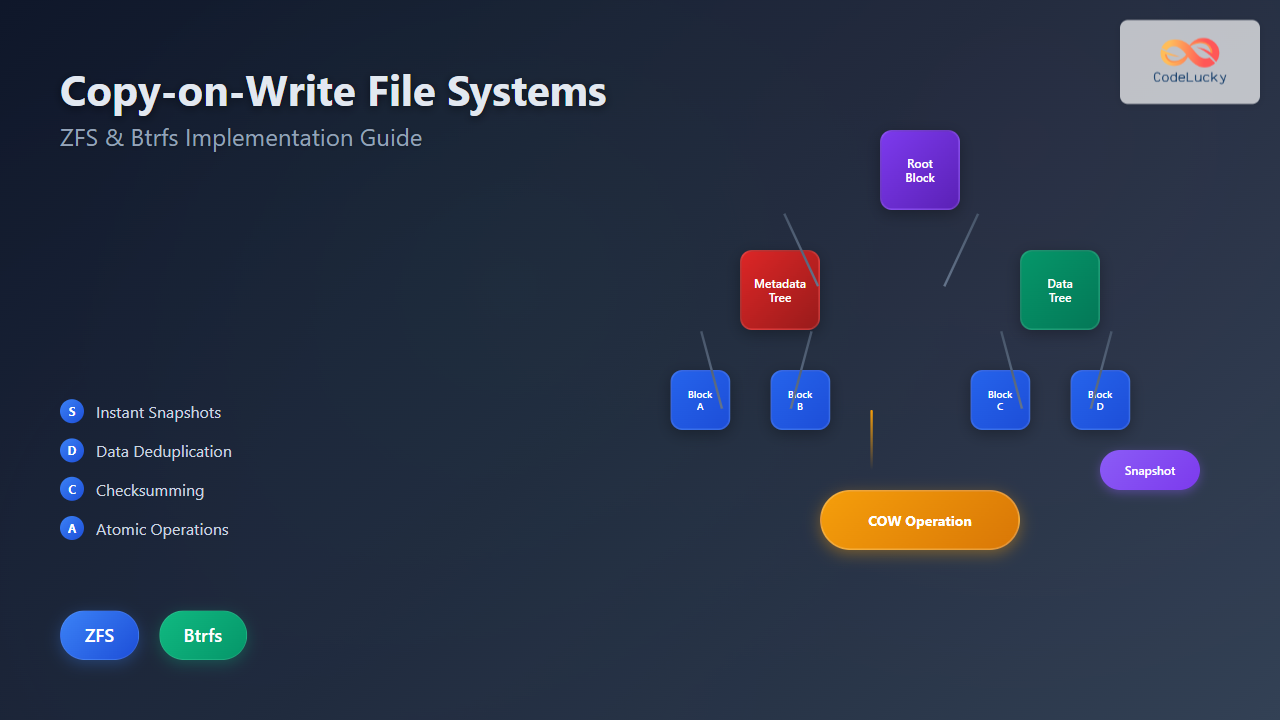
Copy-on-Write (COW) file systems represent a revolutionary approach to data storage and management, fundamentally changing how operating systems handle file operations. Unlike traditional file systems that modify data in-place, COW systems create new copies only when modifications occur, preserving the original data until it’s no longer needed.
This architectural decision brings numerous advantages including atomic operations, efficient snapshots, and enhanced data integrity. Two prominent implementations of COW file systems are ZFS (Z File System) and Btrfs (B-tree File System), each offering unique features and capabilities.
Understanding Copy-on-Write Mechanics
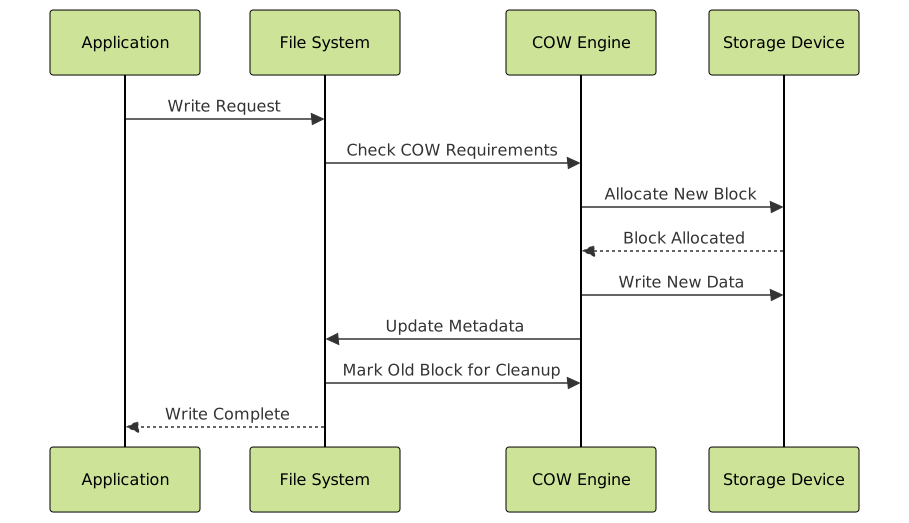
The Copy-on-Write mechanism operates on a simple yet powerful principle: when a process requests to modify data, instead of overwriting the existing data, the system creates a new copy with the modifications while keeping the original intact. This approach provides several key benefits:
- Data Integrity: Original data remains untouched until the write operation completes successfully
- Atomic Operations: Either the entire operation succeeds or fails, preventing partial writes
- Efficient Snapshots: Point-in-time copies can be created instantly without duplicating data
- Space Efficiency: Multiple copies share unchanged data blocks

ZFS: The Advanced Copy-on-Write File System
ZFS, originally developed by Sun Microsystems, is a 128-bit file system that combines file system and volume manager functionality. Its COW implementation is deeply integrated with advanced features like checksumming, compression, and deduplication.
ZFS COW Architecture
ZFS organizes data in a hierarchical tree structure where each node represents a data block. When modifications occur, ZFS creates new blocks and updates the tree structure accordingly:
# Create a ZFS pool and filesystem
sudo zpool create mypool /dev/sdb
sudo zfs create mypool/data

# Enable compression and deduplication
sudo zfs set compression=lz4 mypool/data
sudo zfs set dedup=on mypool/data

# Create a test file
echo "Original content" > /mypool/data/testfile.txt

# Create a snapshot
sudo zfs snapshot mypool/data@snap1

# Modify the file
echo "Modified content" > /mypool/data/testfile.txt

# List snapshots
sudo zfs list -t snapshot
Output:
NAME                 USED  AVAIL  REFER  MOUNTPOINT
mypool/data@snap1      0B      -    96K  -
ZFS Copy-on-Write Benefits
ZFS leverages COW for multiple advanced features:
- Instant Snapshots: Creating snapshots requires no additional disk space initially
- Data Deduplication: Identical blocks are stored only once across the entire pool
- Checksumming: Every block includes checksums for corruption detection
- Clone Creation: Writable copies of snapshots with minimal space overhead
# Create a clone from snapshot
sudo zfs clone mypool/data@snap1 mypool/clone

# Check space usage
sudo zfs list mypool/data mypool/clone
Output:
NAME           USED  AVAIL  REFER  MOUNTPOINT
mypool/data    150K  9.63G   100K  /mypool/data
mypool/clone     1K  9.63G    96K  /mypool/clone

Btrfs: Modern Linux Copy-on-Write File System
Btrfs (B-tree File System) is Linux’s answer to modern storage challenges, designed as a COW file system from the ground up. It focuses on fault tolerance, administration ease, and repair capabilities.
Btrfs COW Implementation
Btrfs uses a sophisticated B-tree structure where all metadata and data are stored in COW B-trees. This design ensures consistency and enables advanced features:
# Create a Btrfs filesystem
sudo mkfs.btrfs /dev/sdc
sudo mount /dev/sdc /mnt/btrfs

# Create a subvolume
sudo btrfs subvolume create /mnt/btrfs/subvol1

# Create test data
echo "Btrfs test data" > /mnt/btrfs/subvol1/testfile.txt

# Create a snapshot
sudo btrfs subvolume snapshot /mnt/btrfs/subvol1 /mnt/btrfs/snap1

# Check subvolumes
sudo btrfs subvolume list /mnt/btrfs
Output:
ID 256 gen 8 top level 5 path subvol1
ID 257 gen 9 top level 5 path snap1
Btrfs Advanced COW Features
Btrfs implements several advanced COW-based features:
- Subvolumes: Independent file system trees within a single Btrfs volume
- Online Defragmentation: COW enables defragmentation without unmounting
- Send/Receive: Efficient incremental backups using COW metadata
- Multi-device Support: RAID functionality with COW consistency
# Send snapshot to another location
sudo btrfs send /mnt/btrfs/snap1 | sudo btrfs receive /backup/location

# Check filesystem usage
sudo btrfs filesystem usage /mnt/btrfs
Output:
Overall:
    Device size:                  10.00GiB
    Device allocated:              2.03GiB
    Device unallocated:            7.97GiB
    Device missing:                  0.00B
    Used:                        512.00KiB
    Free (estimated):              9.99GiB

Performance Comparison and Optimization
Both ZFS and Btrfs offer excellent performance characteristics, but their COW implementations have different strengths:
ZFS Performance Characteristics
- Write Performance: Excellent for sequential writes, benefits from ZIL (ZFS Intent Log)
- Read Performance: Outstanding with ARC (Adaptive Replacement Cache)
- Memory Usage: Can be memory-intensive due to caching strategies
- CPU Overhead: Moderate due to checksumming and compression
# Optimize ZFS for performance
sudo zfs set primarycache=all mypool/data
sudo zfs set secondarycache=all mypool/data
sudo zfs set logbias=throughput mypool/data

# Monitor ZFS performance
zpool iostat mypool 1
Btrfs Performance Tuning
- Write Performance: Good for mixed workloads, benefits from SSD optimization
- Read Performance: Efficient with proper mount options
- Space Efficiency: Excellent due to transparent compression and deduplication
- Fragmentation: Can suffer from fragmentation over time
# Mount Btrfs with performance optimizations
sudo mount -o compress=zstd,noatime,ssd /dev/sdc /mnt/btrfs

# Enable quotas for subvolumes
sudo btrfs quota enable /mnt/btrfs
sudo btrfs qgroup limit 1G /mnt/btrfs/subvol1

# Monitor Btrfs performance
sudo btrfs filesystem show
Practical Implementation Examples
ZFS Snapshot Management Script
#!/bin/bash
# ZFS automatic snapshot script

POOL="mypool/data"
SNAPSHOT_NAME="auto-$(date +%Y%m%d-%H%M%S)"

# Create snapshot
zfs snapshot ${POOL}@${SNAPSHOT_NAME}

# List recent snapshots
echo "Recent snapshots:"
zfs list -t snapshot -o name,creation -s creation | tail -5

# Cleanup old snapshots (keep last 10)
OLD_SNAPSHOTS=$(zfs list -H -t snapshot -o name -s creation | grep ${POOL}@ | head -n -10)
for snap in ${OLD_SNAPSHOTS}; do
    echo "Removing old snapshot: ${snap}"
    zfs destroy ${snap}
done
Btrfs Incremental Backup Solution
#!/bin/bash
# Btrfs incremental backup script

SOURCE_SUBVOL="/mnt/btrfs/data"
BACKUP_DIR="/backup/btrfs"
SNAPSHOT_NAME="backup-$(date +%Y%m%d)"

# Create read-only snapshot
btrfs subvolume snapshot -r ${SOURCE_SUBVOL} ${SOURCE_SUBVOL}/${SNAPSHOT_NAME}

# Find parent snapshot for incremental backup
PARENT=$(btrfs subvolume list ${SOURCE_SUBVOL} | grep backup- | tail -2 | head -1 | awk '{print $9}')

if [ ! -z "${PARENT}" ]; then
    # Send incremental
    btrfs send -p ${SOURCE_SUBVOL}/${PARENT} ${SOURCE_SUBVOL}/${SNAPSHOT_NAME} | \
    btrfs receive ${BACKUP_DIR}
else
    # Send full backup
    btrfs send ${SOURCE_SUBVOL}/${SNAPSHOT_NAME} | btrfs receive ${BACKUP_DIR}
fi
Troubleshooting and Maintenance
Common ZFS Issues and Solutions
# Check ZFS pool health
sudo zpool status -v

# Scrub the pool for errors
sudo zpool scrub mypool

# Check for fragmentation
sudo zfs get fragmentation mypool/data

# Clear ZFS cache if needed
sudo zpool export mypool
sudo zpool import mypool
Btrfs Maintenance Tasks
# Check filesystem for errors
sudo btrfs check /dev/sdc

# Balance the filesystem
sudo btrfs balance start /mnt/btrfs

# Defragment files
sudo btrfs filesystem defragment -r /mnt/btrfs

# Show device statistics
sudo btrfs device stats /mnt/btrfs
Best Practices and Recommendations
ZFS Best Practices
- Memory Planning: Allocate sufficient RAM (minimum 1GB per TB of storage)
- Pool Design: Use appropriate RAID levels and avoid single-disk pools
- Snapshot Management: Implement automated snapshot rotation
- Monitoring: Regular scrubs and health checks
Btrfs Best Practices
- Subvolume Strategy: Organize data into logical subvolumes
- Balance Operations: Schedule regular balance operations
- Quota Management: Use quotas to prevent space exhaustion
- Backup Strategy: Leverage send/receive for efficient backups
Future of Copy-on-Write File Systems
Copy-on-Write file systems continue to evolve with new features and optimizations:
- Enhanced Performance: Better algorithms for COW operations and space management
- Cloud Integration: Native support for cloud storage backends
- Container Optimization: Improved integration with containerization technologies
- AI/ML Workloads: Optimizations for data science and machine learning workflows
Understanding COW file systems like ZFS and Btrfs is crucial for modern system administration and storage management. Their ability to provide data integrity, efficient snapshots, and advanced features makes them ideal choices for environments requiring reliable and flexible storage solutions.
Whether choosing ZFS for its maturity and enterprise features or Btrfs for its Linux-native integration and flexibility, both file systems represent the cutting edge of storage technology, offering robust Copy-on-Write implementations that can significantly enhance data management capabilities.
Related Posts
btrfs Command Linux: Complete Guide to Advanced Filesystem Management
The btrfs command is a powerful utility for managing the B-tree filesystem (Btrfs) in Linux, offering advanced features like snapshots,...

zfs Command Linux: Complete Guide to ZFS Filesystem Administration
The ZFS (Zettabyte File System) is a revolutionary filesystem that combines traditional filesystem capabilities with logical volume management, RAID functionality,...
Log-structured File System: Sequential Write Optimization for High-Performance Storage
Log-structured File Systems (LFS) represent a revolutionary approach to data storage that fundamentally changes how operating systems handle file operations....
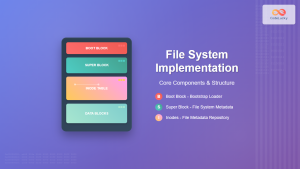
File System Implementation: Boot Block, Super Block and Inodes Explained
Understanding File System Implementation File system implementation is a critical component of operating systems that manages how data is stored,...

File System in Operating System: Complete Guide to Structure and Organization
Introduction to File Systems A file system is a fundamental component of any operating system that provides a structured way...
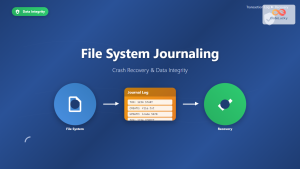
File System Journaling: Complete Guide to Crash Recovery and Data Integrity
Understanding File System Journaling File system journaling is a critical mechanism that ensures data integrity and enables rapid crash recovery...
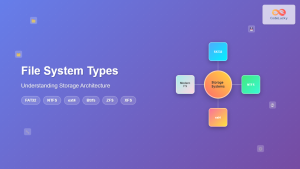
File System Types: FAT32, NTFS, ext4 and Modern Linux Filesystems Explained
Understanding File Systems: The Foundation of Data Storage A file system is the method and data structure that an operating...

Distributed File System: Complete Guide to NFS, CIFS and Network Storage Solutions
A Distributed File System (DFS) allows multiple computers to access and share files over a network as if they were...

File Locking Mechanisms: Complete Guide to Advisory and Mandatory Locking in Operating Systems
File locking mechanisms are essential components of modern operating systems that prevent data corruption and ensure data integrity when multiple...

Storage Virtualization: Complete Guide to Logical Volume Management in Linux
Storage virtualization through Logical Volume Management (LVM) represents one of the most powerful features in modern Linux systems, providing administrators...
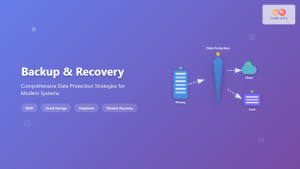
Backup and Recovery: Complete Guide to Data Protection Strategies in Operating Systems
Data loss can be catastrophic for individuals and organizations alike. Modern operating systems provide robust backup and recovery mechanisms to...

Readers Writers Problem: Complete Guide to Database Synchronization
The Readers Writers Problem is one of the most fundamental synchronization challenges in operating systems and database management. This classic...





