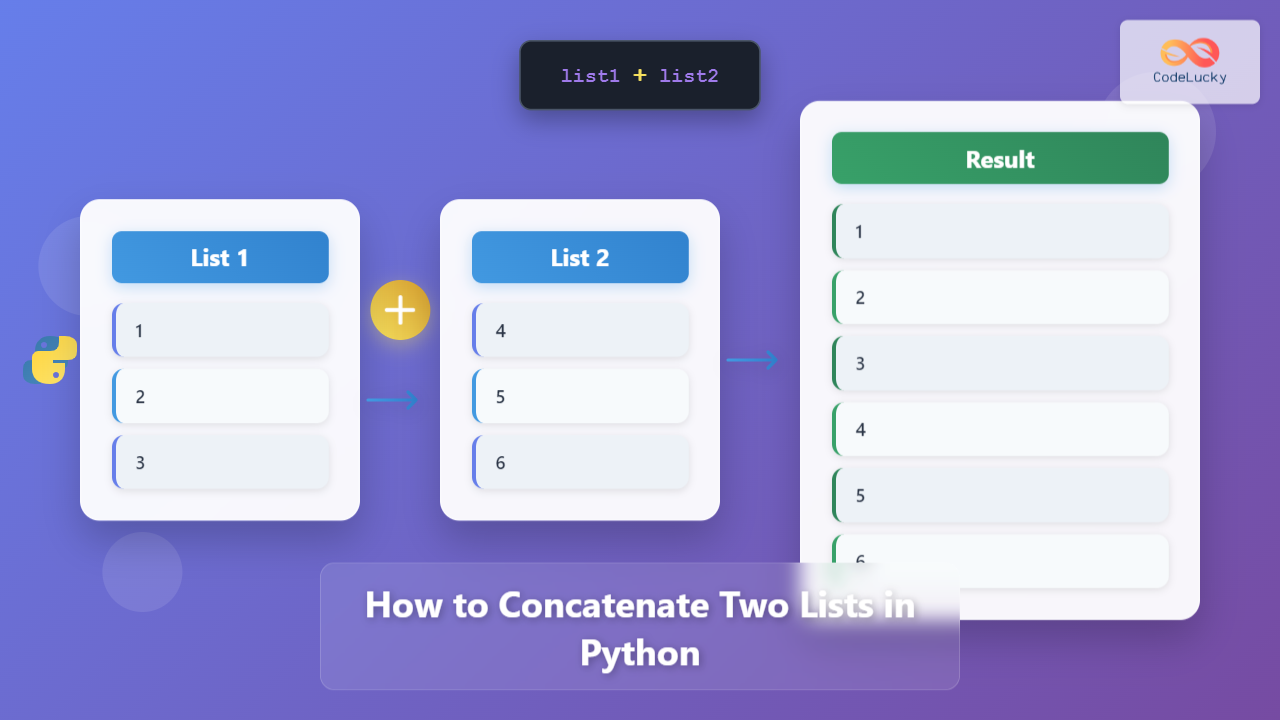
List concatenation is one of the most fundamental operations in Python programming. Whether you’re merging user data, combining search results, or processing datasets, knowing how to efficiently concatenate two lists is essential for any Python developer.
In this comprehensive guide, we’ll explore 6 different methods to concatenate two lists in Python, complete with practical examples, performance analysis, and best practices to help you choose the right approach for your specific use case.
What is List Concatenation?
List concatenation is the process of joining two or more lists into a single list while preserving the order of elements. Unlike other operations that modify existing lists, concatenation typically creates a new list containing all elements from the original lists.
Method 1: Using the + Operator (Most Common)
The plus operator (+) is the most intuitive and widely used method for concatenating lists in Python. It creates a new list without modifying the original lists.
Basic Syntax
new_list = list1 + list2Example with Numbers
# Define two lists
numbers1 = [1, 2, 3, 4]
numbers2 = [5, 6, 7, 8]

# Concatenate using + operator
result = numbers1 + numbers2
print(result)
print(f"Original list1: {numbers1}")
print(f"Original list2: {numbers2}")
Output:
[1, 2, 3, 4, 5, 6, 7, 8]
Original list1: [1, 2, 3, 4]
Original list2: [5, 6, 7, 8]
Example with Mixed Data Types
# Concatenating lists with different data types
fruits = ['apple', 'banana', 'orange']
numbers = [1, 2, 3]
mixed = ['hello', 42, True]

# Multiple concatenations
combined = fruits + numbers + mixed
print(f"Combined list: {combined}")
print(f"Total elements: {len(combined)}")
Output:
Combined list: ['apple', 'banana', 'orange', 1, 2, 3, 'hello', 42, True]
Total elements: 9
Method 2: Using the extend() Method
The extend() method modifies the original list by adding all elements from another list to the end. This method is memory-efficient as it doesn’t create a new list.
Basic Syntax
list1.extend(list2) # Modifies list1Practical Example
# Define two lists
shopping_list = ['milk', 'bread', 'eggs']
additional_items = ['butter', 'cheese', 'yogurt']

print(f"Before extend: {shopping_list}")

# Use extend() to add items
shopping_list.extend(additional_items)
print(f"After extend: {shopping_list}")
print(f"Additional items list: {additional_items}")
Output:
Before extend: ['milk', 'bread', 'eggs']
After extend: ['milk', 'bread', 'eggs', 'butter', 'cheese', 'yogurt']
Additional items list: ['butter', 'cheese', 'yogurt']
Key Differences: + vs extend()

Method 3: Using List Comprehension
List comprehension provides a Pythonic way to concatenate lists while offering flexibility for additional processing during concatenation.
Basic List Comprehension Concatenation
# Simple concatenation using list comprehension
list1 = ['a', 'b', 'c']
list2 = ['d', 'e', 'f']

# Concatenate using list comprehension
result = [item for sublist in [list1, list2] for item in sublist]
print(f"Concatenated list: {result}")
Output:
Concatenated list: ['a', 'b', 'c', 'd', 'e', 'f']Advanced Example with Processing
# Concatenate with transformation
numbers1 = [1, 2, 3]
numbers2 = [4, 5, 6]

# Concatenate and square each number
squared_result = [x**2 for sublist in [numbers1, numbers2] for x in sublist]
print(f"Original concatenation: {numbers1 + numbers2}")
print(f"Squared concatenation: {squared_result}")
Output:
Original concatenation: [1, 2, 3, 4, 5, 6]
Squared concatenation: [1, 4, 9, 16, 25, 36]
Method 4: Using the * Operator (Unpacking)
The unpacking operator (*) provides a clean and readable way to concatenate multiple lists, especially when dealing with more than two lists.
Basic Unpacking Syntax
result = [*list1, *list2]Practical Examples
# Concatenating two lists
colors1 = ['red', 'green', 'blue']
colors2 = ['yellow', 'orange', 'purple']

# Using unpacking operator
combined_colors = [*colors1, *colors2]
print(f"Combined colors: {combined_colors}")

# Concatenating multiple lists
list_a = [1, 2]
list_b = [3, 4]
list_c = [5, 6]
list_d = [7, 8]

all_numbers = [*list_a, *list_b, *list_c, *list_d]
print(f"All numbers: {all_numbers}")
Output:
Combined colors: ['red', 'green', 'blue', 'yellow', 'orange', 'purple']
All numbers: [1, 2, 3, 4, 5, 6, 7, 8]
Adding Elements During Concatenation
# Insert elements while concatenating
first_part = ['start']
middle_part = ['middle1', 'middle2']
last_part = ['end']

# Add separator and extra elements
complete_list = [*first_part, 'separator', *middle_part, 'another_separator', *last_part, 'final']
print(f"Complete list: {complete_list}")
Output:
Complete list: ['start', 'separator', 'middle1', 'middle2', 'another_separator', 'end', 'final']Method 5: Using itertools.chain()
The itertools.chain() function is memory-efficient and particularly useful when working with large lists or when you need an iterator rather than a complete list.
Basic Usage
import itertools

# Define sample lists
tech_companies = ['Apple', 'Google', 'Microsoft']
social_media = ['Facebook', 'Twitter', 'Instagram']

# Using itertools.chain()
chained = itertools.chain(tech_companies, social_media)
result = list(chained)  # Convert iterator to list

print(f"Chained result: {result}")
print(f"Type of chained object: {type(itertools.chain(tech_companies, social_media))}")
Output:
Chained result: ['Apple', 'Google', 'Microsoft', 'Facebook', 'Twitter', 'Instagram']
Type of chained object: <class 'itertools.chain'>
Memory-Efficient Processing
import itertools

# Large lists example
large_list1 = list(range(1000))
large_list2 = list(range(1000, 2000))

# Memory-efficient iteration without creating intermediate list
chained_iterator = itertools.chain(large_list1, large_list2)

# Process first 10 elements without loading everything into memory
first_10 = [next(chained_iterator) for _ in range(10)]
print(f"First 10 elements: {first_10}")

# You can continue processing the iterator
next_5 = [next(chained_iterator) for _ in range(5)]
print(f"Next 5 elements: {next_5}")
Output:
First 10 elements: [0, 1, 2, 3, 4, 5, 6, 7, 8, 9]
Next 5 elements: [10, 11, 12, 13, 14]
Method 6: Using the += Operator
The += operator is similar to extend() but with more concise syntax. It modifies the original list by adding elements from another list.
Basic Syntax and Example
# Define initial list
favorite_movies = ['The Matrix', 'Inception', 'Interstellar']
new_releases = ['Dune', 'Spider-Man', 'Top Gun']

print(f"Before +=: {favorite_movies}")

# Use += operator
favorite_movies += new_releases
print(f"After +=: {favorite_movies}")
print(f"New releases list: {new_releases}")
Output:
Before +=: ['The Matrix', 'Inception', 'Interstellar']
After +=: ['The Matrix', 'Inception', 'Interstellar', 'Dune', 'Spider-Man', 'Top Gun']
New releases list: ['Dune', 'Spider-Man', 'Top Gun']
Comparison: += vs extend() vs +
# Demonstrating the differences
original = [1, 2, 3]
to_add = [4, 5, 6]

# Method 1: Using +
result_plus = original + to_add
print(f"+ operator - Original: {original}, Result: {result_plus}")

# Reset for fair comparison
original = [1, 2, 3]

# Method 2: Using +=
original += to_add
print(f"+= operator - Modified original: {original}")

# Reset for fair comparison
original = [1, 2, 3]

# Method 3: Using extend()
original.extend(to_add)
print(f"extend() method - Modified original: {original}")
Output:
+ operator - Original: [1, 2, 3], Result: [1, 2, 3, 4, 5, 6]
+= operator - Modified original: [1, 2, 3, 4, 5, 6]
extend() method - Modified original: [1, 2, 3, 4, 5, 6]
Performance Comparison
Understanding the performance characteristics of each method helps you choose the most efficient approach for your specific use case.

Performance Testing Example
import time
import itertools

def performance_test():
    # Create test lists
    list1 = list(range(10000))
    list2 = list(range(10000, 20000))

    methods = {
        '+ operator': lambda: list1 + list2,
        'extend()': lambda: list1.copy().extend(list2) or (list1.copy() + list2),  # Workaround for None return
        'List comprehension': lambda: [item for sublist in [list1, list2] for item in sublist],
        'Unpacking *': lambda: [*list1, *list2],
        'itertools.chain()': lambda: list(itertools.chain(list1, list2))
    }

    print("Performance comparison (approximate times):")
    print("-" * 45)

    for name, method in methods.items():
        # Simple timing (note: use timeit for precise measurements)
        start = time.time()
        result = method()
        end = time.time()
        print(f"{name:<20}: {len(result)} elements, ~{(end-start)*1000:.2f}ms")

# Run performance test
performance_test()
Best Practices and Use Cases
When to Use Each Method
| Method | Best Use Case | Pros | Cons |
|---|---|---|---|
| + Operator | General purpose, small to medium lists | Intuitive, readable, preserves originals | Creates new list (memory overhead) |
| extend() | When you want to modify existing list | Memory efficient, fast | Modifies original list |
| List Comprehension | Need processing during concatenation | Flexible, Pythonic | Can be less readable for simple cases |
| Unpacking * | Multiple lists, modern Python versions | Clean syntax, handles multiple lists well | Less familiar to beginners |
| itertools.chain() | Large lists, memory-conscious applications | Memory efficient, lazy evaluation | Requires import, returns iterator |
| += Operator | Quick in-place concatenation | Concise, modifies in place | Modifies original list |
Common Mistakes to Avoid
# ❌ Mistake 1: Confusing + with +=
original = [1, 2, 3]
backup = original  # Both variables point to same list!
original += [4, 5, 6]
print(f"Original: {original}")
print(f"Backup: {backup}")  # Also modified!

# ✅ Correct approach
original = [1, 2, 3]
backup = original.copy()  # Create actual copy
original += [4, 5, 6]
print(f"Original after +=: {original}")
print(f"Backup (unchanged): {backup}")
Output:
Original: [1, 2, 3, 4, 5, 6]
Backup: [1, 2, 3, 4, 5, 6]
Original after +=: [1, 2, 3, 4, 5, 6]
Backup (unchanged): [1, 2, 3]
Advanced Concatenation Scenarios
Concatenating Lists of Different Types
# Mixed data types
integers = [1, 2, 3]
floats = [4.5, 5.6, 6.7]
strings = ['hello', 'world']
booleans = [True, False]

# Safe concatenation
mixed_list = integers + floats + strings + booleans
print(f"Mixed list: {mixed_list}")
print(f"Types: {[type(item).__name__ for item in mixed_list]}")
Output:
Mixed list: [1, 2, 3, 4.5, 5.6, 6.7, 'hello', 'world', True, False]
Types: ['int', 'int', 'int', 'float', 'float', 'float', 'str', 'str', 'bool', 'bool']
Conditional Concatenation
# Concatenate based on conditions
def smart_concatenate(list1, list2, condition="always"):
    if condition == "always":
        return list1 + list2
    elif condition == "non_empty":
        result = []
        if list1:
            result.extend(list1)
        if list2:
            result.extend(list2)
        return result
    elif condition == "unique_only":
        return list(set(list1 + list2))
    else:
        return list1  # Default fallback

# Examples
list_a = [1, 2, 3]
list_b = []
list_c = [3, 4, 5]

print(f"Always: {smart_concatenate(list_a, list_b, 'always')}")
print(f"Non-empty only: {smart_concatenate(list_a, list_b, 'non_empty')}")
print(f"Unique only: {smart_concatenate(list_a, list_c, 'unique_only')}")
Output:
Always: [1, 2, 3]
Non-empty only: [1, 2, 3]
Unique only: [1, 2, 3, 4, 5]
Real-World Applications
Data Processing Pipeline
# Simulating a data processing pipeline
def process_user_data():
    # Simulated data from different sources
    database_users = ['user1', 'user2', 'user3']
    api_users = ['user4', 'user5']
    file_users = ['user6', 'user7', 'user8']

    # Combine all user sources
    all_users = [*database_users, *api_users, *file_users]

    # Add metadata during concatenation
    processed_data = [
        *[f"db_{user}" for user in database_users],
        *[f"api_{user}" for user in api_users],
        *[f"file_{user}" for user in file_users]
    ]

    return {
        'raw_users': all_users,
        'processed_users': processed_data,
        'total_count': len(all_users)
    }

# Execute pipeline
result = process_user_data()
for key, value in result.items():
    print(f"{key}: {value}")
Output:
raw_users: ['user1', 'user2', 'user3', 'user4', 'user5', 'user6', 'user7', 'user8']
processed_users: ['db_user1', 'db_user2', 'db_user3', 'api_user4', 'api_user5', 'file_user6', 'file_user7', 'file_user8']
total_count: 8
Troubleshooting Common Issues
Handling None Values
# Safe concatenation with potential None values
def safe_concatenate(*lists):
    """Safely concatenate lists, filtering out None values"""
    valid_lists = [lst for lst in lists if lst is not None]

    if not valid_lists:
        return []

    result = []
    for lst in valid_lists:
        result.extend(lst)

    return result

# Example with None values
list1 = [1, 2, 3]
list2 = None
list3 = [4, 5, 6]
list4 = []
list5 = [7, 8, 9]

safe_result = safe_concatenate(list1, list2, list3, list4, list5)
print(f"Safe concatenation result: {safe_result}")
Output:
Safe concatenation result: [1, 2, 3, 4, 5, 6, 7, 8, 9]Conclusion
Mastering list concatenation in Python gives you powerful tools for data manipulation and processing. Here’s a quick summary of when to use each method:
- Use + operator for simple, readable concatenation when preserving original lists
- Use extend() or += when you want to modify an existing list efficiently
- Use list comprehension when you need to process elements during concatenation
- Use unpacking (*) for clean syntax with multiple lists
- Use itertools.chain() for memory-efficient processing of large datasets
The key is to choose the method that best fits your specific use case, considering factors like readability, performance, and memory usage. With these techniques in your toolkit, you’ll be able to handle any list concatenation scenario efficiently and elegantly.
Remember to always test your concatenation logic with edge cases like empty lists, None values, and mixed data types to ensure robust, production-ready code.