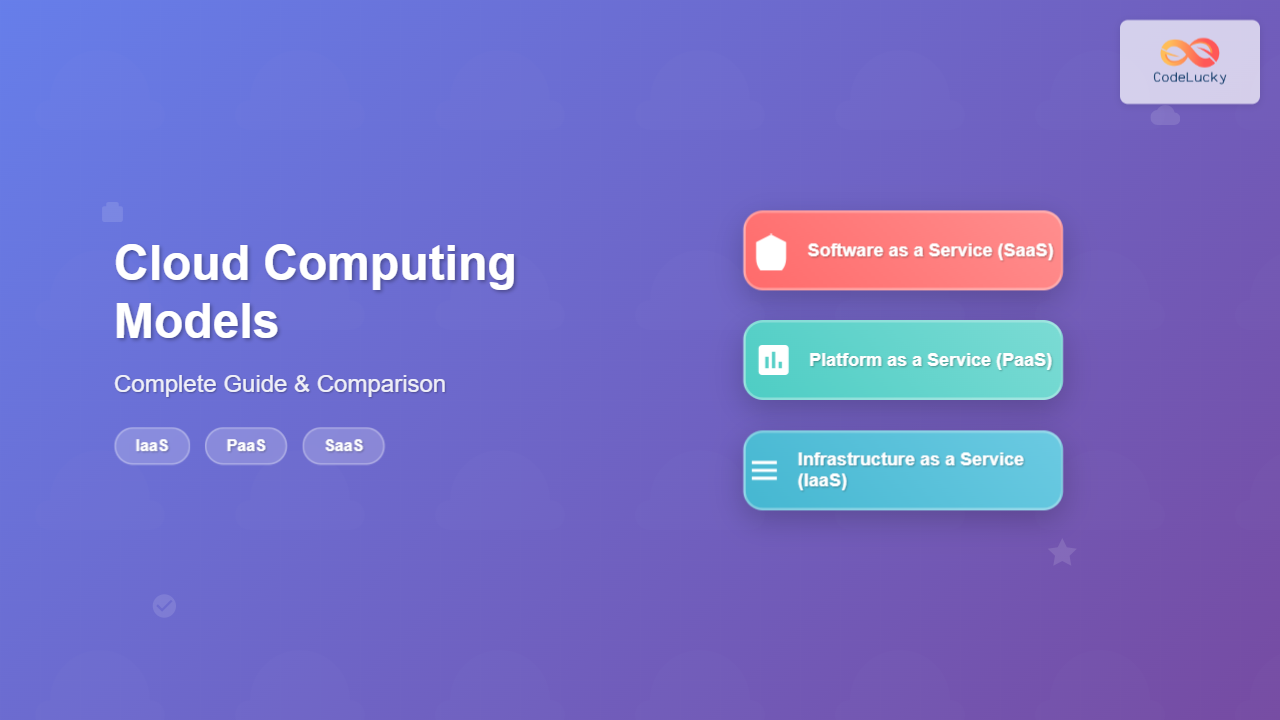
Cloud computing has revolutionized how businesses deploy, manage, and scale their IT infrastructure. Understanding the three primary cloud service models—Infrastructure as a Service (IaaS), Platform as a Service (PaaS), and Software as a Service (SaaS)—is crucial for making informed decisions about your organization’s technology strategy.
These models represent different levels of abstraction and responsibility sharing between cloud providers and users. Each model offers unique advantages, cost structures, and use cases that can significantly impact your business operations and development processes.
Understanding Cloud Computing Service Models
Cloud computing service models follow a layered architecture where each layer builds upon the previous one, abstracting complexity and providing increasingly specialized services. The fundamental concept revolves around the “as-a-Service” model, where computing resources are delivered over the internet on a pay-per-use basis.

Infrastructure as a Service (IaaS)
Infrastructure as a Service (IaaS) provides virtualized computing resources over the internet. It’s the most fundamental cloud service model, offering virtual machines, storage, networks, and other fundamental computing resources where users can deploy and run arbitrary software, including operating systems and applications.
Key Characteristics of IaaS
- Virtual Machine Management: Complete control over virtual machines, including OS selection and configuration
- Storage Solutions: Block storage, object storage, and file storage options
- Network Infrastructure: Virtual networks, load balancers, firewalls, and IP addresses
- Scalability: On-demand resource scaling based on requirements
- Pay-per-use: Billing based on actual resource consumption
Popular IaaS Providers
| Provider | Key Services | Strengths | Best For |
|---|---|---|---|
| Amazon Web Services (AWS) | EC2, S3, VPC, EBS | Extensive service catalog, global reach | Enterprise applications, startups |
| Microsoft Azure | Virtual Machines, Blob Storage, Virtual Network | Hybrid cloud capabilities, Microsoft integration | Windows environments, enterprise |
| Google Cloud Platform | Compute Engine, Cloud Storage, VPC | Machine learning capabilities, competitive pricing | Data analytics, AI/ML workloads |
| DigitalOcean | Droplets, Spaces, Load Balancers | Developer-friendly, simple pricing | Small to medium applications |
IaaS Use Cases and Examples
Web Hosting and Applications: Deploy web servers, databases, and application servers on virtual machines. For example, hosting a WordPress site on an AWS EC2 instance with MySQL database and load balancer for high availability.
Development and Testing Environments: Quickly spin up isolated environments for development teams. Create staging environments that mirror production without investing in physical hardware.
Big Data Analytics: Process large datasets using scalable compute resources. Companies like Netflix use AWS to analyze viewing patterns and recommend content to millions of users.

Platform as a Service (PaaS)
Platform as a Service (PaaS) provides a complete development and deployment environment in the cloud. It includes infrastructure (servers, storage, and networking) plus middleware, development tools, business intelligence services, database management systems, and more.
Core Components of PaaS
- Runtime Environments: Support for multiple programming languages and frameworks
- Database Management: Managed database services with automatic scaling and backups
- Development Tools: Integrated development environments, version control, and collaboration tools
- Application Services: Authentication, caching, messaging, and notification services
- Deployment Automation: Continuous integration and deployment pipelines
Leading PaaS Solutions
| Platform | Primary Focus | Supported Languages | Key Features |
|---|---|---|---|
| Heroku | Application deployment | Ruby, Node.js, Python, Java, PHP | Git-based deployment, add-ons marketplace |
| Google App Engine | Serverless applications | Python, Java, Go, PHP, Node.js | Auto-scaling, integrated monitoring |
| Microsoft Azure App Service | Web and mobile apps | .NET, Java, PHP, Node.js, Python | DevOps integration, enterprise security |
| AWS Elastic Beanstalk | Application management | Java, .NET, PHP, Node.js, Python, Ruby | Easy deployment, health monitoring |
PaaS Development Workflow
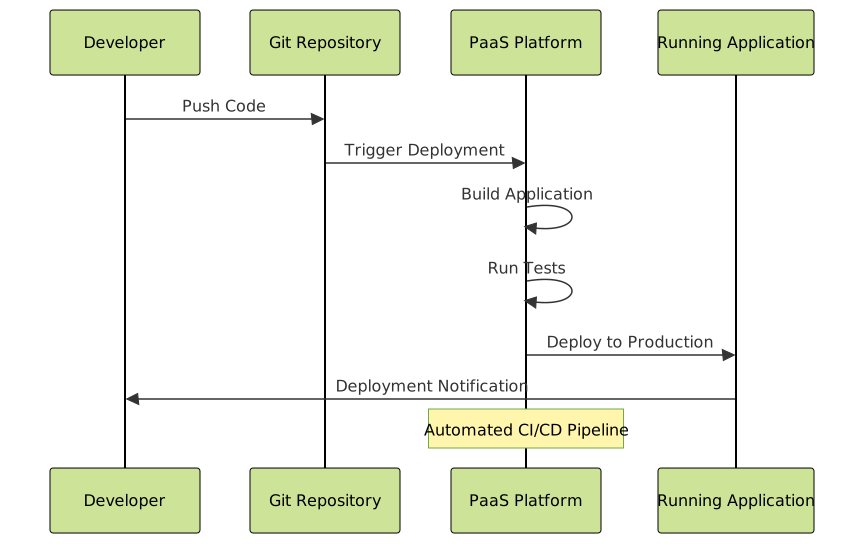
PaaS Benefits and Use Cases
Rapid Application Development: Focus on writing code instead of managing infrastructure. Spotify uses Google App Engine to rapidly develop and deploy features for their music streaming platform.
Microservices Architecture: Deploy and manage multiple small services independently. Each service can scale based on demand without affecting others.
API Development: Create and deploy RESTful APIs quickly with built-in authentication, rate limiting, and monitoring capabilities.
Software as a Service (SaaS)
Software as a Service (SaaS) delivers fully functional applications over the internet. Users access these applications through web browsers or mobile apps without needing to install, maintain, or update software locally.
SaaS Architecture Components
- Multi-tenant Architecture: Single application instance serves multiple customers
- Web-based Interface: Accessible through standard web browsers
- Automatic Updates: Software updates and patches applied automatically
- Subscription-based Pricing: Monthly or annual payment models
- API Integration: Connect with other business applications
Popular SaaS Applications by Category
| Category | Popular Solutions | Key Features | Target Users |
|---|---|---|---|
| Customer Relationship Management | Salesforce, HubSpot, Pipedrive | Lead management, sales pipeline, analytics | Sales teams, marketing departments |
| Productivity and Collaboration | Google Workspace, Microsoft 365, Slack | Email, document editing, team communication | All business users |
| Project Management | Asana, Trello, Monday.com, Jira | Task tracking, team collaboration, reporting | Project managers, development teams |
| Accounting and Finance | QuickBooks Online, Xero, FreshBooks | Invoicing, expense tracking, financial reports | Small businesses, accountants |
SaaS Multi-tenant Architecture

Comparing Cloud Service Models
Understanding the responsibility matrix is crucial for selecting the appropriate cloud service model. Each model shifts different operational responsibilities between the cloud provider and the customer.
Responsibility Matrix
| Component | On-Premises | IaaS | PaaS | SaaS |
|---|---|---|---|---|
| Applications | Customer | Customer | Customer | Provider |
| Data | Customer | Customer | Customer | Shared |
| Runtime | Customer | Customer | Provider | Provider |
| Middleware | Customer | Customer | Provider | Provider |
| Operating System | Customer | Customer | Provider | Provider |
| Virtualization | Customer | Provider | Provider | Provider |
| Servers | Customer | Provider | Provider | Provider |
| Storage | Customer | Provider | Provider | Provider |
| Networking | Customer | Provider | Provider | Provider |
Cost Comparison Analysis
IaaS Costs: Pay for virtual machines, storage, and bandwidth usage. Costs can be optimized through reserved instances and auto-scaling policies. Example: AWS EC2 t3.medium instance costs approximately $30-40 per month.
PaaS Costs: Typically more expensive per resource than IaaS but includes managed services and developer tools. Example: Heroku standard dyno costs $25-50 per month per application instance.
SaaS Costs: Subscription-based pricing per user or feature tier. Often the most expensive per user but includes all infrastructure and maintenance costs. Example: Salesforce Professional edition costs $75 per user per month.
Choosing the Right Cloud Model
Selecting the appropriate cloud service model depends on several factors including technical expertise, control requirements, budget constraints, and business objectives.
Decision Framework

Industry-Specific Recommendations
Startups and Small Businesses: Begin with SaaS for core business functions (CRM, accounting, email) and PaaS for custom applications. This approach minimizes upfront costs and technical complexity.
Enterprise Organizations: Hybrid approach using IaaS for legacy system migration, PaaS for new application development, and SaaS for standardized business processes.
Development Teams: PaaS platforms accelerate development cycles and reduce operational overhead, allowing teams to focus on feature development rather than infrastructure management.
Security and Compliance Considerations
Each cloud service model presents different security responsibilities and compliance requirements. Understanding the shared responsibility model is essential for maintaining proper security posture.
Security Best Practices by Model
IaaS Security: Customers responsible for OS patching, network security, and application-level security. Implement proper IAM policies, network segmentation, and encryption at rest and in transit.
PaaS Security: Focus on application security, data protection, and access management. The platform provider handles infrastructure security, but application vulnerabilities remain customer responsibility.
SaaS Security: Limited security control but should implement strong authentication, data governance policies, and regular access reviews. Ensure data residency and compliance requirements are met.
Future Trends in Cloud Computing Models
The cloud computing landscape continues evolving with emerging technologies and changing business requirements driving new service models and capabilities.
Emerging Trends
- Serverless Computing: Function-as-a-Service (FaaS) models reducing operational overhead further
- Container-as-a-Service: Managed container platforms bridging IaaS and PaaS
- AI-as-a-Service: Machine learning and artificial intelligence capabilities delivered as cloud services
- Edge Computing: Distributed cloud services closer to end-users for reduced latency
- Multi-cloud Strategies: Organizations using multiple cloud providers to avoid vendor lock-in
Migration Strategies and Best Practices
Successfully migrating to cloud service models requires careful planning, phased implementation, and ongoing optimization to realize maximum benefits.
Migration Approaches
Lift and Shift (IaaS): Move existing applications to cloud infrastructure with minimal changes. Quick migration but limited cloud benefits.
Re-platforming (PaaS): Modify applications to take advantage of cloud platform services. Better performance and cost optimization than lift and shift.
Re-architecting (Cloud-Native): Redesign applications using cloud-native principles and microservices architecture. Maximum cloud benefits but highest complexity.
Replace with SaaS: Replace custom applications with commercial SaaS solutions. Fastest implementation but potential feature limitations.
Implementation Timeline
Typical cloud migration projects span 6-18 months depending on application complexity and organizational readiness. Start with non-critical applications to gain experience before migrating mission-critical systems.
Plan for 30-60 days assessment and planning, 90-180 days for initial migration waves, and ongoing optimization for cost management and performance improvements.
Conclusion
Cloud computing models—IaaS, PaaS, and SaaS—offer different levels of abstraction, control, and responsibility to meet diverse business and technical requirements. IaaS provides maximum flexibility and control for organizations with specific infrastructure needs, PaaS accelerates application development by abstracting infrastructure complexity, and SaaS delivers immediate business value through ready-to-use applications.
The key to successful cloud adoption lies in understanding your organization’s technical capabilities, business objectives, and compliance requirements. Many organizations adopt a multi-model approach, using different cloud service models for different use cases to optimize costs, performance, and operational efficiency.
As cloud computing continues evolving, new service models and capabilities will emerge, but the fundamental principles of shared responsibility, service abstraction, and pay-per-use economics will remain central to cloud computing’s value proposition. Start with a clear strategy, begin with low-risk applications, and continuously optimize your cloud usage to maximize return on investment.