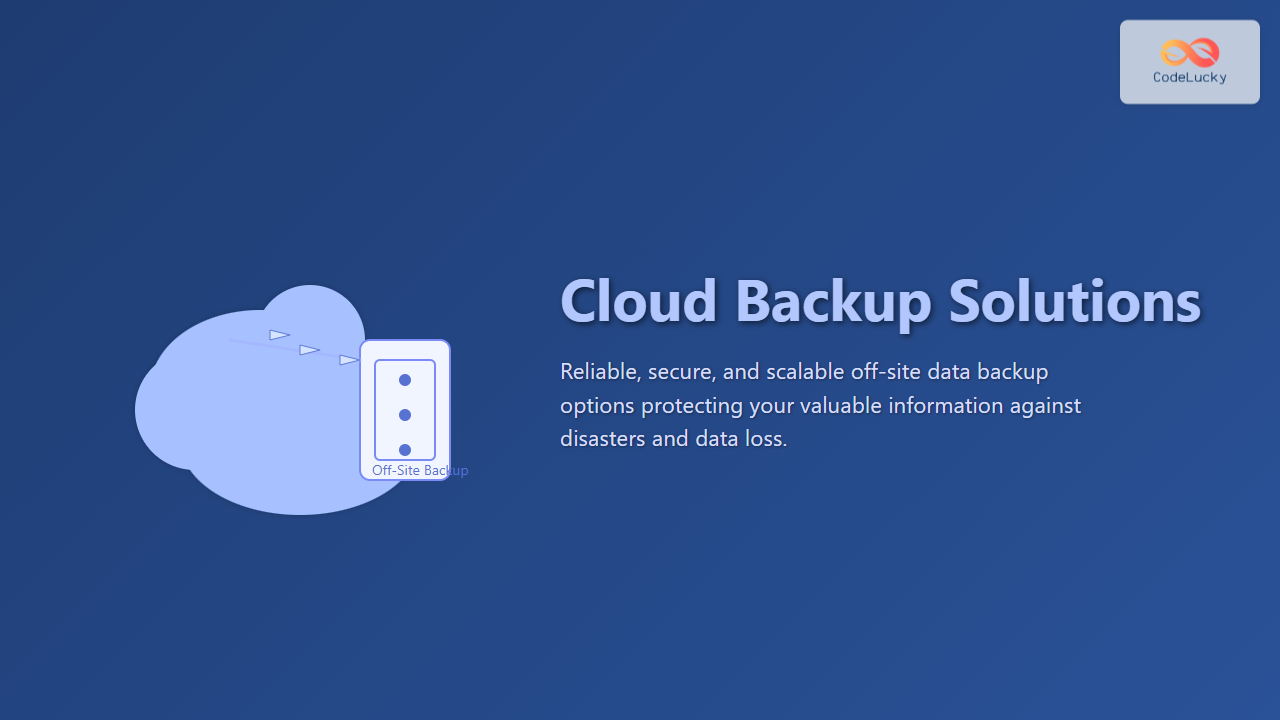
In today’s digital landscape, protecting data has become paramount for individuals and organizations alike. Cloud backup solutions provide reliable off-site backup options, mitigating physical risks and ensuring data availability during disasters or cyberattacks. This article dives into various off-site cloud backup methods, their architectures, pros and cons, and real-world examples to aid informed decisions.
What Is Cloud Backup? Understanding the Basics
Cloud backup, also known as online backup, involves sending a copy of data from a local system or data center to a remote cloud-based server maintained by a backup service provider. The primary goal is disaster recovery, enabling restoration of data in case of loss, corruption, or ransomware attacks.
Unlike traditional backup methods, cloud backups remove physical dependencies and often provide automated, incremental, and encrypted backups accessible anywhere.
Off-Site Backup: The Core Principle
Off-site backup refers to storing backup data at a physically separate location from the primary data source. This separation protects data from site-specific threats such as fire, theft, or natural disasters. Cloud-based backups align perfectly with off-site backup strategies by offering:
- Remote storage infrastructure managed by professionals
- Automated backup schedules and versioning
- Geo-redundancy to enhance data durability

Types of Cloud Backup Solutions
1. Public Cloud Backup
Backing up data directly to public cloud providers such as AWS, Microsoft Azure, or Google Cloud offers scalable, pay-as-you-go storage. Services often include native backup tools like AWS Backup or Azure Backup.
Pros: Cost-effective, scalable, integrated security features.
Cons: Dependence on internet bandwidth, potential concerns over multi-tenancy.
2. Private Cloud Backup
Maintaining a dedicated cloud infrastructure, either on-premises or through private cloud providers, offers enhanced data control and compliance capabilities.
Pros: Stronger security and compliance, greater customization.
Cons: Higher upfront costs, maintenance complexity.
3. Hybrid Cloud Backup
A hybrid approach combines on-premises backup with cloud backup. Frequently used for critical workloads, it allows quick local restores plus off-site cloud protection.

Key Off-Site Backup Options in Cloud Backup Solutions
1. File-Based Backup
Commonly used for personal and small business backups, file-based backup captures and stores individual files and folders to the cloud.
2. Image-Based Backup
This captures an entire disk or volume image, including operating system, applications, and data, enabling full system recovery in case of failure.
3. Continuous Data Protection (CDP)
CDP solutions synchronize data changes instantly to the cloud, offering near real-time backup and minimal data loss in disaster scenarios.

Examples of Cloud Backup Solutions with Off-Site Focus
Example 1: AWS S3 Backup with Lifecycle Policies
Many enterprises use Amazon S3 for off-site backups. Data is encrypted and stored in buckets with policies that transition older backups to cheaper storage classes like Glacier, optimizing costs without sacrificing durability.
Example 2: Microsoft Azure Backup Vault
Azure Backup securely stores application and VM backups off-site in Recovery Services Vaults, enabling ransomware protection and easy recovery. Azure integrates with Azure Site Recovery for full disaster recovery orchestration.
Example 3: Google Cloud Backup & DR
Google Cloud offers managed backup for VMs and databases with multi-region replication, ensuring backups remain available off-site even if one region goes offline.
Security Considerations for Off-Site Cloud Backup
- Encryption: Data must be encrypted both in-transit using TLS and at-rest with strong encryption algorithms like AES-256.
- Access Controls: Implement strict authentication and authorization, including multi-factor authentication and role-based access.
- Compliance: Choose backup providers that comply with regulations relevant to your industry such as GDPR, HIPAA, or PCI-DSS.
Best Practices for Implementing Cloud Off-Site Backup
- Automate Backups: Schedule frequent, automated backups for consistency and reliability.
- Test Restores Regularly: Perform routine recovery drills to validate backup integrity and restore processes.
- Monitor Backup Jobs: Use monitoring tools and alerts for failed backups or irregular activity.
- Optimize Costs: Use lifecycle management policies to transition aged backups to lower-cost storage.
- Data Retention Policies: Define retention timeframes based on business needs and compliance requirements.
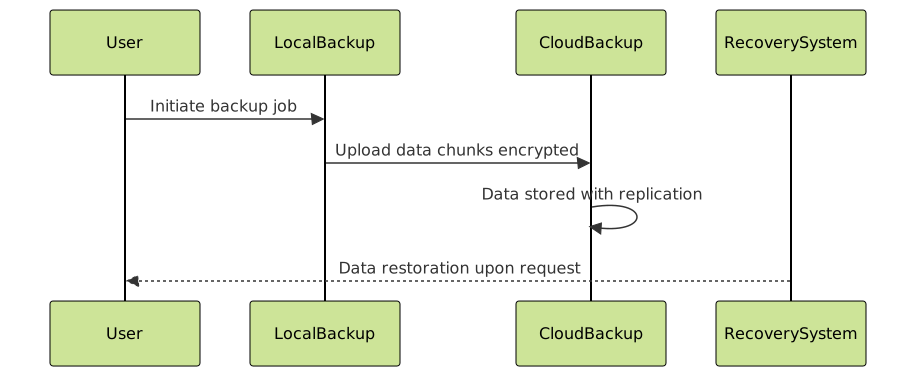
Interactive Diagram: Backup Workflow Overview
Below is an interactive mermaid diagram illustrating a typical cloud backup workflow from data change to off-site storage and potential restoration:
Conclusion
Cloud backup solutions offer robust off-site backup options essential for modern data protection and disaster recovery strategies. By understanding different backup types, architectures, and best practices, organizations can safeguard their critical data against loss and downtime effectively. Implementing carefully selected cloud backup solutions tailored to specific operational needs ensures business continuity and peace of mind.