
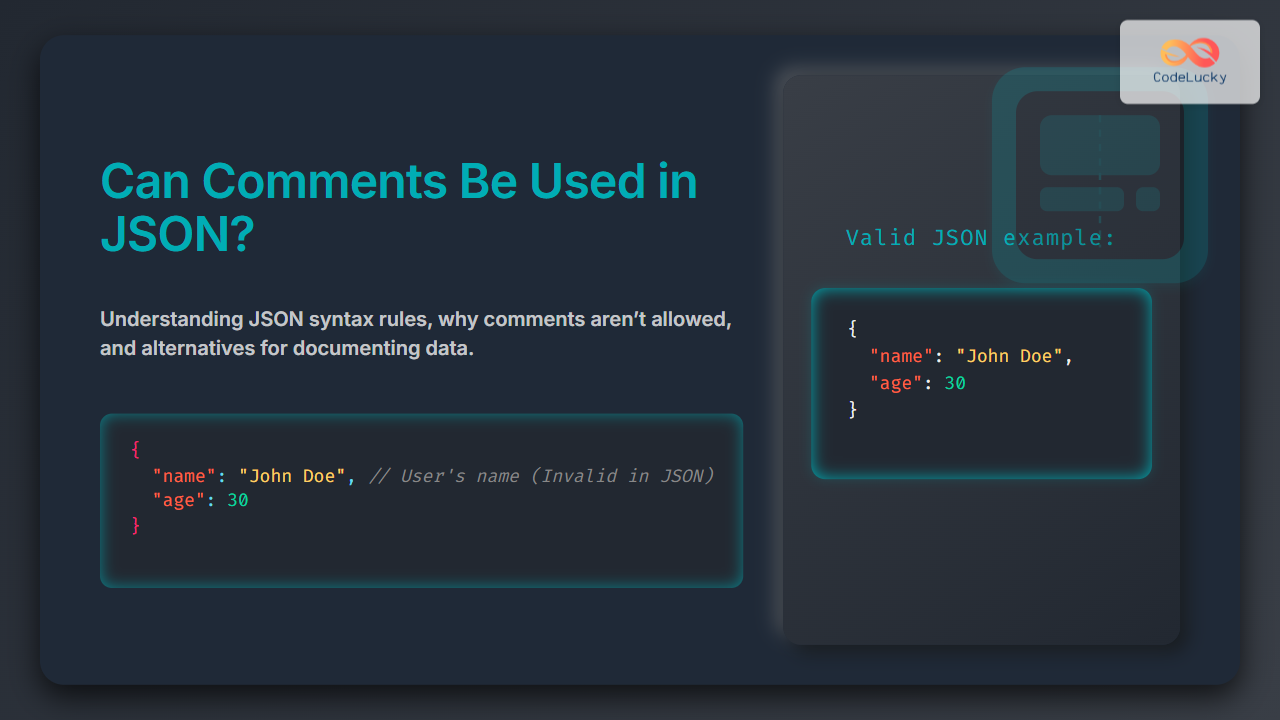
JSON (JavaScript Object Notation) is a widely used data format for exchanging information between servers and web applications, praised for its simplicity, readability, and universality. A common question among developers new to JSON is, “Can comments be used in JSON?” This article dives deep into the rules of JSON, the role and limitations of comments in JSON, alternative ways to document JSON data, and practical examples with visual diagrams to clarify the concepts.
What Is JSON and Why Comments Matter
JSON is a lightweight text-based data format derived from JavaScript object syntax. It stores data in attribute-value pairs and arrays, making it easy to read and write for humans and machines alike. Unlike programming languages or markup languages like HTML that allow comments to document code, JSON’s primary focus is data interchange, which affects how it handles comments.

Are Comments Allowed in JSON?
Official JSON syntax does NOT support comments. According to the JSON specification, any data outside the strict key-value pairs or arrays will cause parsers to fail because JSON is meant to be a pure data format without executable logic or annotation.
This means placing // single-line comments or /* block comments */ inside JSON data will break JSON parsers and cause errors.
Example of Invalid JSON with Comments
{
  "name": "John Doe",       // This is the user's full name
  "age": 30,
  /* User's email address */
  "email": "[email protected]"
}
Trying to parse this JSON in JavaScript or other languages will raise syntax errors.
Why JSON Disallows Comments
- Data Purity: JSON’s purpose is to store data only, avoiding ambiguity caused by embedded comments.
- Parser Simplicity: JSON parsers do not need to handle comment syntax, making parsing lightweight and fast.
- Cross-language Compatibility: Strict syntax ensures JSON works consistently across different programming environments.
Common Alternatives to Comments in JSON
Since comments can’t be embedded in JSON directly, developers use various techniques to include metadata or explanations inside or alongside JSON data.
1. Use Descriptive Key Names
Make keys self-explanatory so the data structure is clear without comments.
{
  "userFullName": "John Doe",
  "userAge": 30,
  "userEmail": "[email protected]"
}
2. Add a Dedicated Metadata Field
Add an extra field like _comment or _notes whose value holds explanations.
{
  "name": "John Doe",
  "age": 30,
  "_comment": "Age is in years, update annually.",
  "email": "[email protected]"
}
This method preserves JSON validity but may require filtering out these fields in application logic.
3. Maintain External Documentation
Keep comments and explanations in separate documentation files like Markdown files or API docs, preserving data purity while providing context.
Interactive Example: Trying to Parse JSON with and without Comments
You can try pasting these JSON strings in any JavaScript environment to see the difference:
// Valid JSON without comments
const jsonStringValid = '{"name":"John","age":30}';
JSON.parse(jsonStringValid); // Works fine

// Invalid JSON with comments
const jsonStringInvalid = `{
  "name": "John", // user name
  "age": 30
}`;
JSON.parse(jsonStringInvalid); // Throws SyntaxError
JSON with Comments in Practice: Workarounds by Tools
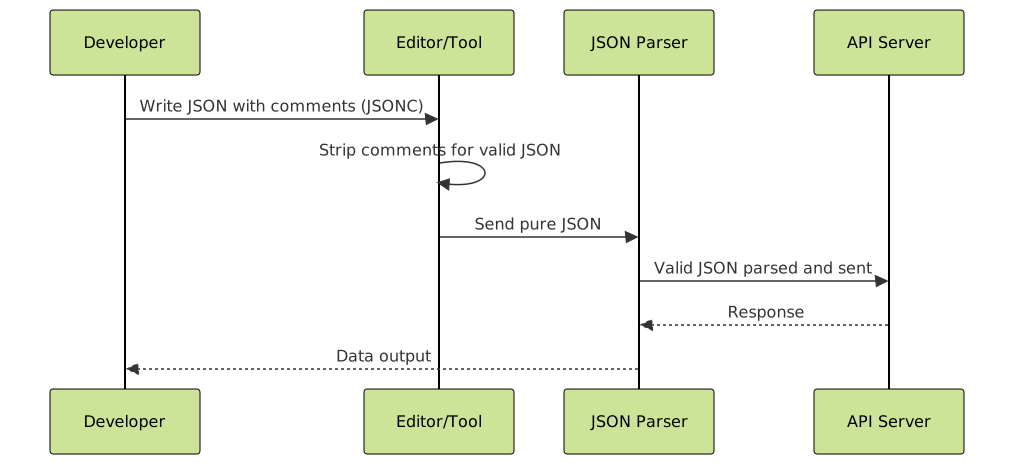
Some tools, like JSONC (JSON with Comments) or some editors and linters, support comments in JSON for ease of development but these are not official JSON standards. Such comments must be stripped out before the JSON is sent to APIs or parsers that expect pure JSON.
JSON Comments in Related Formats
- YAML: Supports comments with
#and is often preferred in configuration files requiring comments. - JSON5: A superset of JSON that supports comments, trailing commas, and more relaxed syntax.

Summary and Best Practices
- Comments are not supported in official JSON syntax.
- To add explanations, prefer descriptive keys or extra metadata fields.
- Use external documentation to describe complex structures.
- For development convenience, tools like JSONC exist, but always convert to pure JSON before production use.
- Consider alternative formats like YAML or JSON5 if comments are essential.
Mermaid Diagram: JSON Parsing Workflow with Comments
Final Thoughts
Understanding that comments are disallowed in JSON helps developers avoid parsing errors and maintain data integrity. Leveraging descriptive keys and supplementary metadata or using external documentation ensures data remains clear and maintainable. For scenarios requiring inline commenting, exploring JSON5 or YAML might be more suitable. This foundational knowledge empowers developers to handle JSON with confidence and create robust web applications.





