
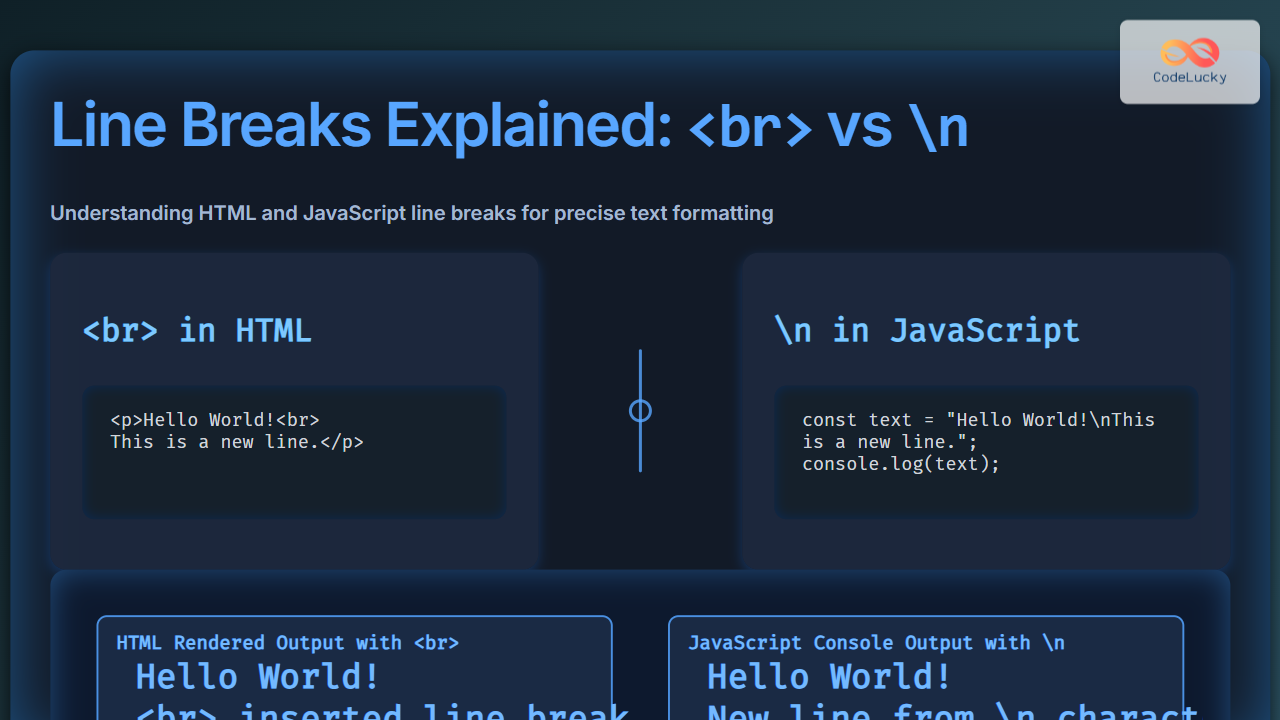
When developing websites or writing scripts that manipulate text for the web, correctly understanding the difference between <br> and \n as line break characters is fundamental. This article explains both concepts deeply from the perspectives of HTML and JavaScript, offering interactive and visual examples to help you master line breaking techniques for better text formatting across platforms and devices.
Understanding Line Breaks in HTML
HTML does not recognize the newline character \n as a line break in rendered content. Instead, it relies on an explicit tag: <br>. This tag is a self-closing element that inserts a line break and forces the following content to appear on the next line in the browser.
Example of Using <br> in HTML
<p>This is line one.<br>This is line two.</p>Visual Output:
This is line one.
This is line two.
Why <br> and Not \n?
The newline character \n is treated by HTML parsers as whitespace and collapsed when rendered in a browser’s viewport. Browsers display HTML ignoring whitespace characters like spaces, tabs, and newlines, except where explicitly specified with tags like <br> or style rules such as white-space: pre;.
Line Breaks in JavaScript: The Role of \n
In JavaScript and many programming languages, \n represents a newline character. It is used to create line breaks in strings or text output but behaves differently depending on its context:
- In Strings: It produces a new line inside string values, especially useful for console output, alerts, or multiline text creation.
- When Rendering to HTML:
\nalone does not create visible line breaks on a webpage unless handled correctly.
JavaScript Example: Using \n in a String
const message = "Hello World!\nWelcome to CodeLucky.com";
console.log(message);
Console Output:
Hello World!
Welcome to CodeLucky.com
Why \n Does Not Convert to Line Breaks in HTML
When JavaScript outputs text into HTML elements, using something like innerHTML or textContent, the newline character \n is only recognized as whitespace and hidden in the visual output by default:
document.getElementById("example").innerHTML = "Hello\nWorld";Visual result (no new line): Hello World on one line.
Bridging the Gap: Displaying Newlines with JavaScript
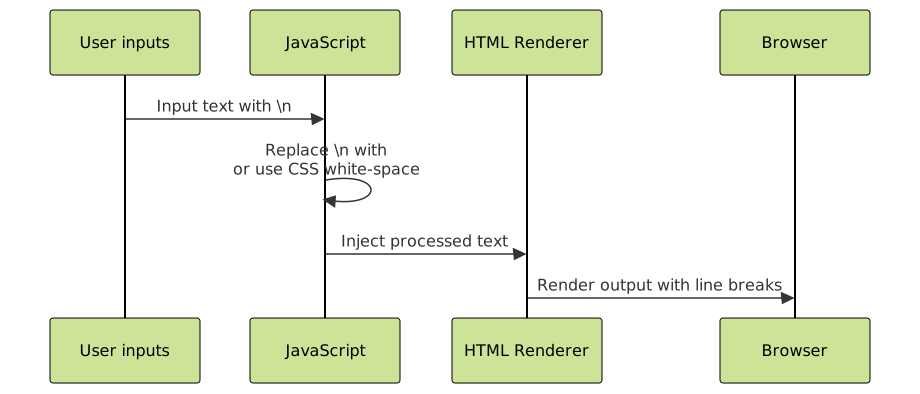
To visually represent line breaks when injecting text from JavaScript into HTML, convert the \n characters to <br> tags:
const text = "Hello\nWorld";
const htmlText = text.replace(/\n/g, "<br>");
document.getElementById("example").innerHTML = htmlText;
This will insert visible line breaks where the newline characters were.

Practical Examples Side-by-Side
| Method | Code Sample | Visual Output | Explanation |
|---|---|---|---|
HTML <br> |
<p>Line 1<br>Line 2</p> |
Line 1 Line 2 |
<br> inserts a visible line break in rendered HTML. |
JavaScript string with \n |
const str = "Line 1\nLine 2"; console.log(str); |
Line 1 Line 2 |
\n creates a new line in console or string output, not in HTML. |
JavaScript injecting \n into HTML |
document.getElementById('out').innerHTML = "Line 1\nLine 2";
|
Line 1 Line 2 | Newline not rendered visually in HTML unless replaced by <br>. |
Convert \n to <br> before injecting |
const text = "Line 1\nLine 2";
document.getElementById('out').innerHTML = text.replace(/\n/g, "<br>");
|
Line 1 Line 2 |
Visible line break by replacing \n with <br> tags. |
Related Concepts: Whitespace and Preformatted Text
Sometimes preserving whitespace and newlines is necessary without manually inserting <br>. CSS offers the white-space property that can change how browsers treat line breaks, including honoring the newline character \n within HTML elements:
<style>
  pre, .preformatted {
    white-space: pre-wrap; /* preserves newlines and wraps text */
  }
</style>

<div class="preformatted">
Hello
World
</div>
This will show line breaks as they appear in the source, including those from \n.
Summary of Differences
| Feature | <br> (HTML) |
\n (JavaScript/String) |
|---|---|---|
| Type | HTML element (line break tag) | Escape character for newline in strings |
| Browser rendering | Creates a visible line break | Ignored in HTML rendering unless converted or styled |
| Used in | HTML markup | JS strings, text files, console output |
| Direct effect | Immediate visible line break in webpage | New line in text strings or console logs, no visual HTML break |
| Conversion needed? | No | Yes, to display in HTML text nodes visually |
Final Thoughts
Understanding the difference between <br> and \n is critical for web developers aiming to control text formatting effectively. Use <br> in your HTML markup whenever you need explicit line breaks that browsers will honor visually. In JavaScript, use \n for logical newlines within strings or console outputs and convert them to <br> tags if you want these newlines rendered on the webpage. Together with CSS white-space properties, these tools allow precise formatting to enhance user experience on the web.
Mastering these concepts will make code more readable, UI more polished, and user communication clearer, especially in applications with dynamic content or text processing.





