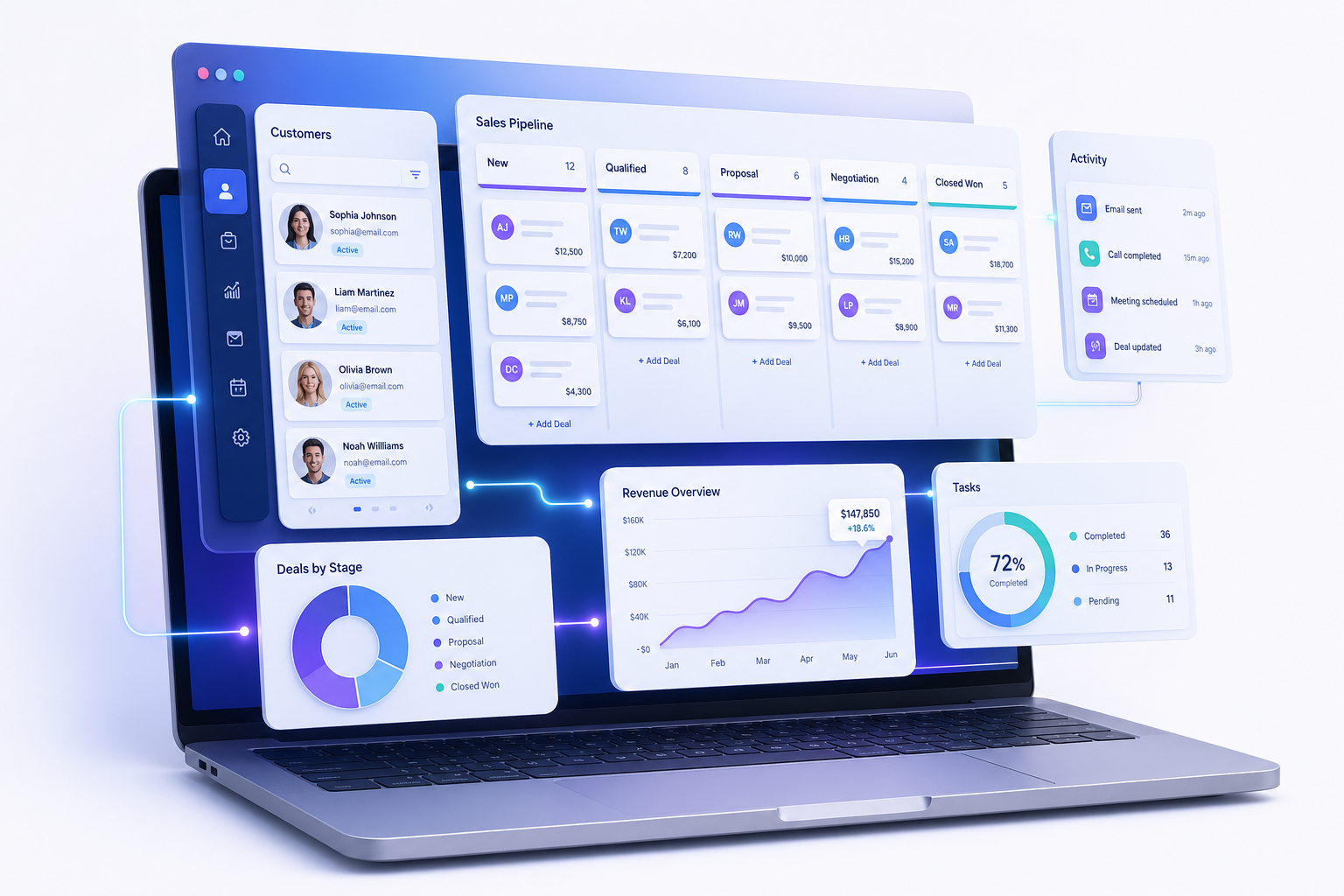
Your sticky notes are lying to you. So is that “master spreadsheet” of leads, the inbox folder labeled “Follow Up,” and the Slack DM where a teammate promised to call back a hot prospect three weeks ago. Small businesses lose deals not because their product is weak, but because customer information leaks out of a dozen disconnected places. The fix is boring, proven, and finally affordable: a real CRM. Choosing the best CRM software for small businesses in 2026 is less about chasing the flashiest AI feature and more about matching a tool to how your team actually sells, supports, and follows up.
This guide cuts through the marketing noise. You will get straight comparisons, honest pricing notes, and clear recommendations based on team size, sales motion, and budget — so you stop evaluating and start closing.
What a CRM Actually Does (and What It Doesn’t)
A Customer Relationship Management (CRM) system is a centralized database and workflow platform that stores every interaction your business has with a contact — emails, calls, meetings, deals, support tickets, invoices — and lets your team act on that information consistently. It replaces scattered spreadsheets, sticky notes, and inbox folders with a single source of truth that the whole company can search, filter, and automate.
What a CRM is not: it is not a magic revenue button, not a replacement for an actual sales process, and not something you “install and forget.” If your team will not log calls or update deal stages, the most expensive CRM on Earth becomes an empty database. Pick a tool your people will actually open every day.
The best CRM is the one your team uses on a Monday morning when nobody is watching. Adoption beats features.
How to Choose a CRM for a Small Business
Before you compare vendors, write down answers to these five questions. They will eliminate 80% of the options for you.
- Team size and growth. Are you a solo founder, a 5-person sales team, or scaling to 50 reps in two years?
- Sales motion. Inbound (people fill out forms), outbound (cold outreach), or transactional (e-commerce repeat buyers)?
- Existing stack. Do you live in Google Workspace, Microsoft 365, Shopify, QuickBooks, or Mailchimp? Native integrations save weeks.
- Budget per user per month. Free, under $20, $20–$50, or $50+?
- Technical comfort. Will a non-technical owner configure this, or do you have a RevOps person?
Match those answers to the picks below. Skip any tool that fails even one non-negotiable.
The Best CRM Software for Small Businesses in 2026
After testing the major platforms across real small-business workflows — onboarding a freelancer, a 4-person agency, and a 12-person SaaS startup — these seven CRMs consistently rise to the top in 2026.
1. HubSpot CRM — Best Free Tier and All-in-One Growth Platform
HubSpot’s free tier is still genuinely free for unlimited users and stores up to one million contacts. You get contact management, a deal pipeline, email tracking, meeting scheduling, and a basic chatbot without a credit card. The catch is that the powerful stuff — sequences, custom reporting, automation — sits behind the Sales Hub Starter ($20/seat/month) and Professional ($100/seat/month) tiers, and prices climb fast as you add seats and Marketing Hub.
Pick HubSpot if inbound marketing is your engine, you value a polished UI, and you would rather grow into one platform than glue five tools together. Read the official HubSpot API documentation if you plan to build custom integrations.
2. Zoho CRM — Best Value for Feature-Hungry Teams
Zoho remains the price-to-feature champion. Standard ($14/user/month) gives you workflow automation, custom fields, and email integration; Professional ($23) adds inventory and Google Ads integration; Enterprise ($40) unlocks the Zia AI assistant and territory management. If your business uses two or more Zoho apps (Books, Desk, Campaigns), Zoho One at roughly $37/employee/month bundles 45+ apps and is hard to beat.
Zoho’s interface feels denser than HubSpot’s and has a steeper learning curve, but the depth is real. It suits owners who like to tinker and tune.
3. Pipedrive — Best for Pure Sales Pipeline Focus
Pipedrive was built by salespeople who hated CRMs, and it shows. The visual kanban-style pipeline is the entire point: drag a deal from “Qualified” to “Proposal Sent” and the activities update themselves. Pricing starts at $14/user/month (Essential) and tops out at $99 (Enterprise). It does sales well and almost nothing else — if you need marketing automation or a help desk, look elsewhere.
4. Salesforce Starter Suite — Best for Future Scale
Salesforce launched the Starter Suite at $25/user/month to win back small businesses it had priced out for years. You get a guided setup, sales pipeline, basic email marketing, and service cases in one bundle. The advantage is the platform’s ceiling: when you hit 50 reps and need custom objects, Apex code, and enterprise governance, you do not migrate — you just upgrade. The cost is complexity even at the entry tier.
5. Freshsales — Best Built-In Phone and AI Scoring
Freshsales (from the makers of Freshdesk) bundles a built-in cloud phone, email sequences, and AI-based contact scoring at $9/user/month (Growth tier). Outbound teams that live on the phone get the most value here because every call is logged automatically without a separate dialer subscription.
6. Monday Sales CRM — Best for Visual, Cross-Functional Teams
If your team already runs projects on Monday, the Sales CRM module ($12/seat/month, three-seat minimum) extends the same colorful boards to deals and contacts. It is light on traditional CRM features (no built-in dialer, limited email tracking) but excellent when sales, operations, and project delivery need to see the same record.
7. Attio — Best Modern CRM for Tech-Forward Startups
Attio is the newcomer that finally feels like CRM software designed in 2026 instead of 2010. It treats data like Notion treats documents — every record is a flexible object with relations, formulas, and views. The free tier covers small teams; Pro is $34/user/month. Choose Attio if your team is technical, your data model is non-standard, and you are tired of rigid record types.
CRM Pricing and Feature Comparison Table
Numbers below reflect publicly listed 2026 entry pricing in USD; volume discounts and annual commitments typically reduce them by 10–20%.
| CRM | Free Tier | Paid Start | Best For | Weakness |
|---|---|---|---|---|
| HubSpot | Unlimited users | $20/seat | Inbound + all-in-one | Cost scales fast |
| Zoho CRM | 3 users | $14/user | Value + customization | Dense UI |
| Pipedrive | 14-day trial | $14/user | Pure sales pipeline | No marketing tools |
| Salesforce Starter | 30-day trial | $25/user | Long-term scale | Complex even at entry |
| Freshsales | 3 users | $9/user | Phone-heavy outbound | Reporting is basic |
| Monday Sales CRM | 2 users | $12/seat | Visual cross-team work | Light CRM features |
| Attio | Small teams | $34/user | Tech-forward startups | Younger ecosystem |
Must-Have Features in a Small Business CRM
Vendors will throw 200-item feature lists at you. Ignore the noise. These are the features that materially change a small team’s results in 2026.
- Two-way email sync with Gmail or Outlook so every conversation logs itself.
- Visual pipeline with drag-and-drop deal stages and customizable probability percentages.
- Workflow automation — assign leads, send follow-ups, create tasks based on triggers.
- Mobile app that supports voice notes after a meeting; reps will not type from a parking lot.
- Native integrations with your calendar, e-signature tool, accounting software, and lead-source forms.
- Reporting that shows pipeline value, win rate, average deal size, and sales-cycle length without a consultant.
- Open API or Zapier connector so you can extend the system without waiting for the vendor’s roadmap.
- AI assistance — summary of long email threads, next-best-action suggestions, and dirty-data detection now ship in nearly every tier above $20/user.
How to Integrate a CRM With Your Existing Tools
Most small businesses do not need custom code. A simple webhook plus a no-code automation tool like Zapier or Make connects 90% of stacks. Here is a minimal example: a lead fills out a form on your website, and you want them created in HubSpot with a tag and a Slack alert. The HubSpot API call looks like this:
# POST a new contact to HubSpot via curl
curl -X POST https://api.hubapi.com/crm/v3/objects/contacts \
  -H "Authorization: Bearer $HUBSPOT_TOKEN" \
  -H "Content-Type: application/json" \
  -d '{
    "properties": {
      "email": "[email protected]",
      "firstname": "Jane",
      "lastname": "Doe",
      "lead_source": "website_form",
      "lifecyclestage": "lead"
    }
  }'
The request authenticates with a private app token, sends standard JSON, and returns the new contact ID. From there, a workflow inside HubSpot can fire the Slack notification, assign the lead to a rep based on territory, and start a nurture sequence. Most teams ship this in an afternoon, not a sprint.
For developers building deeper integrations, a small Python script using the official SDK is a clean starting point:
from hubspot import HubSpot
from hubspot.crm.contacts import SimplePublicObjectInputForCreate

client = HubSpot(access_token="YOUR_PRIVATE_APP_TOKEN")

# Build the contact payload
new_contact = SimplePublicObjectInputForCreate(
    properties={
        "email": "[email protected]",
        "firstname": "Jane",
        "lastname": "Doe",
        "lead_source": "website_form",
    }
)

# Create the contact and capture the response
created = client.crm.contacts.basic_api.create(
    simple_public_object_input_for_create=new_contact
)

print(f"Created contact ID: {created.id}")
This script wraps the same REST call in typed objects, handles retries, and gives you a starting point for batch imports or event-driven pipelines. Pair it with a scheduled job to sync data from your billing system, and your CRM stays accurate without manual entry.
Common Pitfalls When Adopting a CRM
Most CRM rollouts fail for the same handful of reasons. Avoid these and you will land in the 30% of small businesses that actually see ROI inside the first year.
- Migrating dirty data. Importing your messy contacts spreadsheet on day one poisons every report. Clean first, import second.
- Over-customizing too early. Twenty custom fields and seven pipelines kill adoption. Start with vendor defaults; customize only after a month of real use.
- No champion. Without one person who owns the CRM, it rots. Name them before you sign the contract.
- Skipping the sales process step. A CRM enforces a process — if you have not defined yours, the tool will not invent one for you.
- Ignoring training. Two 30-minute sessions in week one outperform any onboarding email. Budget the time.
- Buying for the future you imagine, not the present you have. A 4-person team does not need Salesforce Enterprise. You can always upgrade.
Free vs. Paid CRM: When to Upgrade
Free tiers are real and useful, but they hit a ceiling. Upgrade the moment you experience any of these:
- You need email sequences or cadences (free tiers cap or omit them).
- Your reporting requires custom fields as filters.
- You hire a second salesperson and need lead-routing rules.
- You want to send marketing email to more than 2,000 contacts.
- You hit the contact or storage cap and start deleting records to make room.
For most teams, the right move is six months on a free tier to learn what you actually use, then upgrading the lowest paid tier of the same vendor to avoid migration pain.
Frequently Asked Questions About CRM Software for Small Businesses
What is the cheapest CRM for a small business in 2026?
HubSpot’s free tier is the cheapest serious option — it costs nothing for unlimited users and covers contact management, basic pipelines, and email tracking. Among paid plans, Freshsales Growth at $9/user/month is the lowest entry point with a built-in phone, while Zoho Bigin (a sibling product) starts even lower at $7/user/month for sole proprietors.
Do I need a CRM if I only have a few customers?
If you have more than 20 active prospects or a sales cycle longer than a week, yes. A CRM is less about volume and more about not forgetting to follow up. Solo founders who set up a free CRM early avoid painful data migration when they hire their second person.
How long does it take to implement a CRM?
For a small business, expect one to two weeks for a basic rollout: import contacts, set up your pipeline stages, connect email and calendar, and train the team. More complex setups with custom integrations and reporting can take four to eight weeks. Anything quoted as “live in a day” usually means an empty system, not a useful one.
Can I switch CRMs later if I outgrow my current one?
Yes, and you should not be afraid to. Every modern CRM exports contacts, companies, and deals as CSV files, and most offer migration assistants for major competitors. Activity history (logged calls, emails) is harder to migrate cleanly, so weigh switching costs against the gain. If you outgrow your tool every two years, that is normal — it means your business is growing.
Is an open-source CRM a good choice?
Open-source options like Twenty and SuiteCRM are excellent if you have a developer on staff who can self-host, patch security updates, and handle backups. For everyone else, the total cost of ownership (server, maintenance, support) usually exceeds a $20/user/month SaaS bill.
How does AI change CRM software in 2026?
Useful AI features in 2026 include automatic email summarization, deal-risk scoring based on engagement decay, AI-drafted follow-ups in your tone of voice, and natural-language report queries (“show me deals over $10k that have stalled for 14 days”). The hype features — fully autonomous selling agents — remain experimental. Treat AI as a productivity multiplier, not a replacement.
Conclusion
The best CRM software for small businesses in 2026 is not a single product — it is the one that matches your team size, sales motion, and budget without forcing a culture change you cannot afford. HubSpot wins on free-tier generosity and inbound marketing, Zoho on raw value, Pipedrive on pure sales focus, Salesforce Starter on future scale, Freshsales on built-in calling, Monday on cross-team visibility, and Attio on modern flexibility.
Pick the simplest tool that solves your top three pain points, commit to using it for ninety days, and resist the urge to over-customize. The fastest path to revenue is not a feature-perfect CRM — it is one your team actually opens every Monday morning. Start free, upgrade deliberately, and let the CRM earn its place in your stack.