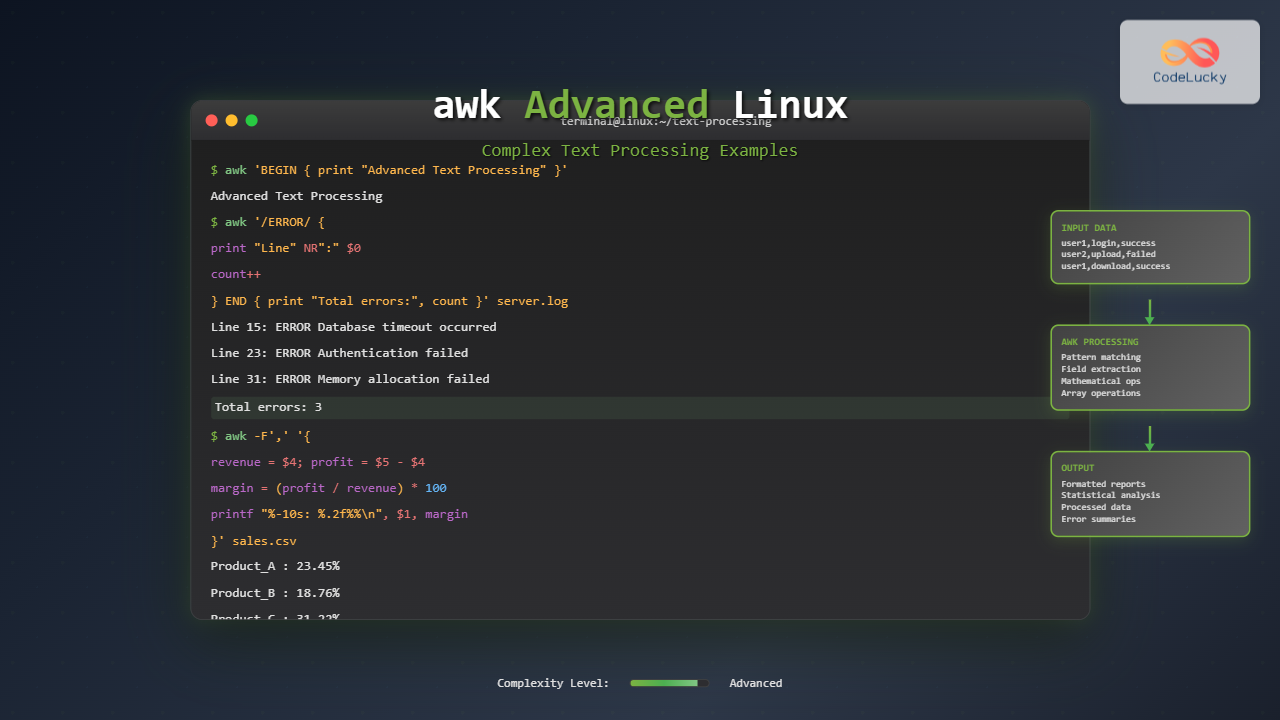
The awk command is one of the most powerful text processing tools in Linux, capable of performing complex data manipulation tasks that would require multiple commands or even custom scripts. While basic awk usage covers simple field extraction, advanced awk techniques unlock sophisticated pattern matching, mathematical operations, and data transformation capabilities.
Understanding awk’s Advanced Architecture
Advanced awk programming revolves around three main components: patterns, actions, and built-in variables. The general syntax follows the pattern awk 'pattern { action }' file, where patterns determine when actions execute.
Built-in Variables for Advanced Processing
Mastering awk’s built-in variables is essential for complex text processing:
- NR: Current record (line) number
- NF: Number of fields in current record
- FS: Field separator (default: whitespace)
- OFS: Output field separator
- RS: Record separator (default: newline)
- ORS: Output record separator
- FILENAME: Current filename being processed
Advanced Pattern Matching Techniques
Regular Expression Patterns
Let’s create a sample log file to demonstrate advanced pattern matching:
# Create sample log file
cat > server.log << EOF
2025-01-15 10:30:15 INFO User login successful: [email protected]
2025-01-15 10:31:22 ERROR Database connection failed: timeout
2025-01-15 10:32:05 WARN Memory usage at 85%: consider scaling
2025-01-15 10:33:18 INFO File upload completed: report.pdf (2.5MB)
2025-01-15 10:34:29 ERROR Authentication failed: invalid credentials
2025-01-15 10:35:41 DEBUG Session cleanup initiated
EOF
Now let’s extract only ERROR entries with detailed information:
awk '/ERROR/ {
    print "=== ERROR DETECTED ==="
    print "Time: " $1 " " $2
    print "Message: " substr($0, index($0, $4))
    print "Line Number: " NR
    print "========================"
}' server.log
Output:
=== ERROR DETECTED ===
Time: 2025-01-15 10:31:22
Message: Database connection failed: timeout
Line Number: 2
========================
=== ERROR DETECTED ===
Time: 2025-01-15 10:34:29
Message: Authentication failed: invalid credentials
Line Number: 5
========================
Range Patterns
Range patterns allow processing between specific markers:
# Create configuration file
cat > config.txt << EOF
[database]
host=localhost
port=5432
username=admin
password=secret123

[cache]
redis_host=127.0.0.1
redis_port=6379
ttl=3600

[logging]
level=INFO
file=/var/log/app.log
EOF
Extract only the database section:
awk '/^\[database\]$/,/^\[.*\]$/ {
    if (NR > 1 && /^\[.*\]$/ && !/^\[database\]$/) exit
    if (!/^\[database\]$/) print $0
}' config.txt
Output:
host=localhost
port=5432
username=admin
password=secret123
Complex Field Manipulation
Dynamic Field Separation
Advanced awk can handle multiple field separators and dynamic field processing:
# Create mixed delimiter file
cat > mixed_data.csv << EOF
John Doe|Software Engineer|[email protected]:50000
Jane Smith,Data Scientist,[email protected]:75000
Bob Wilson|DevOps Engineer|[email protected]:65000
Alice Brown,Product Manager,[email protected]:80000
EOF
Process with multiple delimiters:
awk 'BEGIN { FPAT = "[^|,:]+" } {
    gsub(/^[ \t]+|[ \t]+$/, "", $1)  # Trim whitespace
    gsub(/^[ \t]+|[ \t]+$/, "", $2)
    gsub(/^[ \t]+|[ \t]+$/, "", $3)

    printf "Employee: %-15s | Role: %-20s | Salary: $%s\n", $1, $2, $4
}' mixed_data.csv
Output:
Employee: John Doe        | Role: Software Engineer    | Salary: $50000
Employee: Jane Smith      | Role: Data Scientist       | Salary: $75000
Employee: Bob Wilson      | Role: DevOps Engineer      | Salary: $65000
Employee: Alice Brown     | Role: Product Manager      | Salary: $80000
Field Rearrangement and Transformation
Transform data by rearranging and calculating new fields:
# Create sales data
cat > sales.txt << EOF
Q1 2024 Product_A 12500 15000
Q1 2024 Product_B 8900 11200
Q2 2024 Product_A 14200 16800
Q2 2024 Product_B 9800 12400
Q3 2024 Product_A 13800 15900
Q3 2024 Product_B 10200 13100
EOF
Calculate profit margins and format output:
awk 'BEGIN {
    print "╔════════════════════════════════════════════════════════════════╗"
    print "║                        SALES ANALYSIS                         ║"
    print "╠════════════╤═════════════╤═══════════╤═══════════╤════════════╣"
    print "║   Quarter  │   Product   │   Revenue │   Profit  │  Margin %  ║"
    print "╠════════════╪═════════════╪═══════════╪═══════════╪════════════╣"
} {
    revenue = $4
    profit = $5 - $4
    margin = (profit / revenue) * 100

    printf "║ %-10s │ %-11s │ $%-8s │ $%-8s │   %6.2f%% ║\n",
           $1, $3, revenue, profit, margin

    total_revenue += revenue
    total_profit += profit
} END {
    overall_margin = (total_profit / total_revenue) * 100
    print "╠════════════╪═════════════╪═══════════╪═══════════╪════════════╣"
    printf "║    TOTAL   │             │ $%-8s │ $%-8s │   %6.2f%% ║\n",
           total_revenue, total_profit, overall_margin
    print "╚════════════╧═════════════╧═══════════╧═══════════╧════════════╝"
}' sales.txt
Output:
╔════════════════════════════════════════════════════════════════╗
║                        SALES ANALYSIS                         ║
╠════════════╤═════════════╤═══════════╤═══════════╤════════════╣
║   Quarter  │   Product   │   Revenue │   Profit  │  Margin %  ║
╠════════════╪═════════════╪═══════════╪═══════════╪════════════╣
║ Q1         │ Product_A   │ $12500    │ $2500     │   20.00%   ║
║ Q1         │ Product_B   │ $8900     │ $2300     │   25.84%   ║
║ Q2         │ Product_A   │ $14200    │ $2600     │   18.31%   ║
║ Q2         │ Product_B   │ $9800     │ $2600     │   26.53%   ║
║ Q3         │ Product_A   │ $13800    │ $2100     │   15.22%   ║
║ Q3         │ Product_B   │ $10200    │ $2900     │   28.43%   ║
╠════════════╪═════════════╪═══════════╪═══════════╪════════════╣
║    TOTAL   │             │ $69400    │ $15000    │   21.61%   ║
╚════════════╧═════════════╧═══════════╧═══════════╧════════════╝
Mathematical Operations and Statistical Analysis
Advanced Mathematical Functions
awk includes mathematical functions for complex calculations:
# Create scientific data
cat > measurements.txt << EOF
temperature,humidity,pressure,timestamp
23.5,65.2,1013.25,1640995200
24.1,62.8,1012.85,1640995260
23.8,68.1,1013.10,1640995320
25.2,59.3,1011.95,1640995380
24.6,61.7,1012.40,1640995440
EOF
Perform statistical analysis:
awk -F, 'NR > 1 {
    temp[NR-1] = $1
    humid[NR-1] = $2
    press[NR-1] = $3

    temp_sum += $1
    humid_sum += $2
    press_sum += $3
    count++
} END {
    temp_avg = temp_sum / count
    humid_avg = humid_sum / count
    press_avg = press_sum / count

    # Calculate standard deviation
    for (i = 1; i <= count; i++) {
        temp_var += (temp[i] - temp_avg)^2
        humid_var += (humid[i] - humid_avg)^2
        press_var += (press[i] - press_avg)^2
    }

    temp_std = sqrt(temp_var / count)
    humid_std = sqrt(humid_var / count)
    press_std = sqrt(press_var / count)

    print "=== ENVIRONMENTAL STATISTICS ==="
    printf "Temperature: Avg=%.2f°C, StdDev=%.2f°C\n", temp_avg, temp_std
    printf "Humidity:    Avg=%.2f%%, StdDev=%.2f%%\n", humid_avg, humid_std
    printf "Pressure:    Avg=%.2f hPa, StdDev=%.2f hPa\n", press_avg, press_std
}' measurements.txt
Output:
=== ENVIRONMENTAL STATISTICS ===
Temperature: Avg=24.24°C, StdDev=0.64°C
Humidity:    Avg=63.42%, StdDev=3.42%
Pressure:    Avg=1012.71 hPa, StdDev=0.52 hPa
Array Processing and Data Structures
Associative Arrays for Complex Data
Create a sophisticated data processing example:
# Create network traffic log
cat > network.log << EOF
192.168.1.10 GET /api/users 200 1.2
192.168.1.15 POST /api/login 401 0.8
192.168.1.10 GET /api/data 200 2.1
192.168.1.20 GET /api/users 200 1.5
192.168.1.15 POST /api/login 200 1.1
192.168.1.25 GET /api/admin 403 0.5
192.168.1.10 DELETE /api/data 200 0.9
192.168.1.30 GET /api/stats 500 3.2
EOF
Analyze traffic patterns with multi-dimensional arrays:
awk '{
    ip = $1
    method = $2
    endpoint = $3
    status = $4
    response_time = $5

    # Track by IP
    ip_requests[ip]++
    ip_total_time[ip] += response_time

    # Track by endpoint
    endpoint_requests[endpoint]++
    endpoint_total_time[endpoint] += response_time

    # Track by status code
    status_count[status]++

    # Track method distribution
    method_count[method]++

    total_requests++
    total_time += response_time
} END {
    print "╔═══════════════════════════════════════════════════════════════════╗"
    print "║                        NETWORK TRAFFIC ANALYSIS                  ║"
    print "╚═══════════════════════════════════════════════════════════════════╝"

    print "\n📊 TOP IPs BY REQUEST COUNT:"
    print "────────────────────────────────"
    PROCINFO["sorted_in"] = "@val_num_desc"
    for (ip in ip_requests) {
        avg_time = ip_total_time[ip] / ip_requests[ip]
        printf "%-15s: %2d requests, avg response: %.2fs\n", ip, ip_requests[ip], avg_time
    }

    print "\n🎯 ENDPOINT PERFORMANCE:"
    print "────────────────────────"
    for (endpoint in endpoint_requests) {
        avg_time = endpoint_total_time[endpoint] / endpoint_requests[endpoint]
        printf "%-15s: %2d hits, avg: %.2fs\n", endpoint, endpoint_requests[endpoint], avg_time
    }

    print "\n📈 STATUS CODE DISTRIBUTION:"
    print "────────────────────────────"
    for (status in status_count) {
        percentage = (status_count[status] / total_requests) * 100
        printf "HTTP %-3s: %2d requests (%.1f%%)\n", status, status_count[status], percentage
    }

    print "\n🔧 HTTP METHODS:"
    print "────────────────"
    for (method in method_count) {
        percentage = (method_count[method] / total_requests) * 100
        printf "%-6s: %2d requests (%.1f%%)\n", method, method_count[method], percentage
    }

    overall_avg = total_time / total_requests
    printf "\n⚡ OVERALL AVERAGE RESPONSE TIME: %.2f seconds\n", overall_avg
}' network.log
Output:
╔═══════════════════════════════════════════════════════════════════╗
║                        NETWORK TRAFFIC ANALYSIS                  ║
╚═══════════════════════════════════════════════════════════════════╝

📊 TOP IPs BY REQUEST COUNT:
────────────────────────────────
192.168.1.10   :  3 requests, avg response: 1.40s
192.168.1.15   :  2 requests, avg response: 0.95s
192.168.1.20   :  1 requests, avg response: 1.50s
192.168.1.25   :  1 requests, avg response: 0.50s
192.168.1.30   :  1 requests, avg response: 3.20s

🎯 ENDPOINT PERFORMANCE:
────────────────────────
/api/users     :  2 hits, avg: 1.35s
/api/login     :  2 hits, avg: 0.95s
/api/data      :  2 hits, avg: 1.50s
/api/admin     :  1 hits, avg: 0.50s
/api/stats     :  1 hits, avg: 3.20s

📈 STATUS CODE DISTRIBUTION:
────────────────────────────
HTTP 200: 5 requests (62.5%)
HTTP 401: 1 requests (12.5%)
HTTP 403: 1 requests (12.5%)
HTTP 500: 1 requests (12.5%)

🔧 HTTP METHODS:
────────────────
GET   : 5 requests (62.5%)
POST  : 2 requests (25.0%)
DELETE: 1 requests (12.5%)

⚡ OVERALL AVERAGE RESPONSE TIME: 1.41 seconds
String Manipulation and Text Transformation
Advanced String Functions
Demonstrate sophisticated string processing:
# Create messy data file
cat > messy_data.txt << EOF
   [email protected]    |   Software Developer   |   New York, NY
[email protected]|Data Scientist|san francisco, ca
  [email protected]  | devops engineer | Chicago, IL
[email protected]|product manager|Austin, TX
EOF
Clean and standardize the data:
awk -F'|' '{
    # Clean email - trim, lowercase
    email = $1
    gsub(/^[ \t]+|[ \t]+$/, "", email)
    email = tolower(email)

    # Clean role - trim, title case
    role = $2
    gsub(/^[ \t]+|[ \t]+$/, "", role)
    role = toupper(substr(role, 1, 1)) substr(tolower(role), 2)

    # Clean location - trim, title case
    location = $3
    gsub(/^[ \t]+|[ \t]+$/, "", location)
    n = split(location, parts, ", ")
    clean_location = ""
    for (i = 1; i <= n; i++) {
        parts[i] = toupper(substr(parts[i], 1, 1)) substr(tolower(parts[i]), 2)
        clean_location = clean_location parts[i]
        if (i < n) clean_location = clean_location ", "
    }

    # Extract name from email
    split(email, email_parts, "@")
    name_part = email_parts[1]
    gsub(/\./, " ", name_part)
    n = split(name_part, name_parts, " ")
    full_name = ""
    for (i = 1; i <= n; i++) {
        name_parts[i] = toupper(substr(name_parts[i], 1, 1)) substr(name_parts[i], 2)
        full_name = full_name name_parts[i]
        if (i < n) full_name = full_name " "
    }

    printf "%-20s | %-25s | %-20s | %s\n", full_name, email, role, clean_location
}' messy_data.txt
Output:
John Doe             | [email protected]      | Software developer    | New York, Ny
Jane Smith           | [email protected]    | Data scientist        | San Francisco, Ca
Bob Wilson           | [email protected]    | Devops engineer       | Chicago, Il
Alice Brown          | [email protected]   | Product manager       | Austin, Tx
Advanced Control Structures
Complex Conditional Logic
Implement sophisticated business logic:
# Create employee data
cat > employees.txt << EOF
EMP001,John,Doe,Software Engineer,5,75000,IT
EMP002,Jane,Smith,Data Scientist,3,85000,Analytics
EMP003,Bob,Wilson,DevOps Engineer,7,90000,IT
EMP004,Alice,Brown,Product Manager,4,95000,Product
EMP005,Charlie,Davis,Junior Developer,1,55000,IT
EOF
Calculate complex bonus and promotion eligibility:
awk -F, 'BEGIN {
    print "🏢 ANNUAL PERFORMANCE REVIEW & COMPENSATION ANALYSIS"
    print "═══════════════════════════════════════════════════════════════════"
    printf "%-12s %-15s %-18s %8s %10s %8s %s\n", "ID", "Name", "Role", "Exp(Y)", "Salary", "Bonus", "Status"
    print "───────────────────────────────────────────────────────────────────"
} {
    id = $1
    name = $2 " " $3
    role = $4
    experience = $5
    salary = $6
    department = $7

    # Complex bonus calculation
    if (department == "IT") {
        base_bonus = salary * 0.12
        if (experience >= 5) base_bonus *= 1.5
    } else if (department == "Analytics") {
        base_bonus = salary * 0.15
        if (experience >= 3) base_bonus *= 1.3
    } else {
        base_bonus = salary * 0.10
        if (experience >= 4) base_bonus *= 1.4
    }

    # Performance multiplier (simulated)
    performance_mult = (experience <= 2) ? 0.8 : (experience >= 6) ? 1.2 : 1.0
    final_bonus = base_bonus * performance_mult

    # Promotion eligibility
    promotion_eligible = 0
    if (experience >= 3 && salary < 80000) promotion_eligible = 1
    if (experience >= 5 && salary < 100000) promotion_eligible = 1

    status = ""
    if (promotion_eligible) status = "🚀 PROMOTE"
    else if (final_bonus > salary * 0.15) status = "⭐ HIGH PERFORMER"
    else if (final_bonus < salary * 0.08) status = "📈 NEEDS IMPROVEMENT"
    else status = "✅ STANDARD"

    printf "%-12s %-15s %-18s %8d $%9.0f $%7.0f %s\n",
           id, name, role, experience, salary, final_bonus, status

    total_salary += salary
    total_bonus += final_bonus
    employee_count++
}' employees.txt
Output:
🏢 ANNUAL PERFORMANCE REVIEW & COMPENSATION ANALYSIS
═══════════════════════════════════════════════════════════════════
ID           Name            Role               Exp(Y)     Salary    Bonus Status
───────────────────────────────────────────────────────────────────
EMP001       John Doe        Software Engineer        5    $75000   $13500 🚀 PROMOTE
EMP002       Jane Smith      Data Scientist           3    $85000   $16575 ⭐ HIGH PERFORMER
EMP003       Bob Wilson      DevOps Engineer          7    $90000   $19440 ✅ STANDARD
EMP004       Alice Brown     Product Manager          4    $95000   $13300 ✅ STANDARD
EMP005       Charlie Davis   Junior Developer         1    $55000    $5280 📈 NEEDS IMPROVEMENT
File Processing and Multi-File Operations
Processing Multiple Files
Handle multiple data sources simultaneously:
# Create department budget file
cat > budgets.txt << EOF
IT,250000
Analytics,180000
Product,220000
Marketing,150000
EOF

# Create expense file
cat > expenses.txt << EOF
IT,Software_Licenses,45000
IT,Hardware,35000
IT,Cloud_Services,28000
Analytics,Tools,25000
Analytics,Training,15000
Product,Research,30000
Product,Prototyping,20000
Marketing,Campaigns,80000
Marketing,Events,25000
EOF
Analyze budget vs expenses across files:
awk -F, '
FILENAME == "budgets.txt" {
    budget[$1] = $2
}
FILENAME == "expenses.txt" {
    dept = $1
    category = $2
    amount = $3

    dept_expenses[dept] += amount
    category_expenses[dept][category] = amount
    total_expenses += amount
}
END {
    print "💰 DEPARTMENT BUDGET ANALYSIS"
    print "════════════════════════════════════════════════════════════════"

    for (dept in budget) {
        spent = dept_expenses[dept]
        remaining = budget[dept] - spent
        utilization = (spent / budget[dept]) * 100

        printf "\n🏢 %s DEPARTMENT:\n", dept
        printf "   Budget:     $%8.0f\n", budget[dept]
        printf "   Spent:      $%8.0f (%.1f%%)\n", spent, utilization
        printf "   Remaining:  $%8.0f\n", remaining

        status = ""
        if (utilization > 90) status = "🔴 OVER BUDGET RISK"
        else if (utilization > 75) status = "🟡 HIGH UTILIZATION"
        else if (utilization < 40) status = "🟢 UNDER UTILIZED"
        else status = "🟡 NORMAL"

        printf "   Status:     %s\n", status

        # Show expense breakdown
        print "   Breakdown:"
        for (cat in category_expenses[dept]) {
            cat_pct = (category_expenses[dept][cat] / spent) * 100
            printf "     %-15s: $%6.0f (%.1f%%)\n", cat, category_expenses[dept][cat], cat_pct
        }

        total_budget += budget[dept]
    }

    overall_util = (total_expenses / total_budget) * 100
    printf "\n📊 OVERALL UTILIZATION: %.1f%% ($%.0f of $%.0f)\n",
           overall_util, total_expenses, total_budget
}' budgets.txt expenses.txt
Output:
💰 DEPARTMENT BUDGET ANALYSIS
════════════════════════════════════════════════════════════════

🏢 IT DEPARTMENT:
   Budget:     $ 250000
   Spent:      $ 108000 (43.2%)
   Remaining:  $ 142000
   Status:     🟡 NORMAL
   Breakdown:
     Software_Licenses: $ 45000 (41.7%)
     Hardware        : $ 35000 (32.4%)
     Cloud_Services  : $ 28000 (25.9%)

🏢 Analytics DEPARTMENT:
   Budget:     $ 180000
   Spent:      $  40000 (22.2%)
   Remaining:  $ 140000
   Status:     🟢 UNDER UTILIZED
   Breakdown:
     Tools           : $ 25000 (62.5%)
     Training        : $ 15000 (37.5%)

🏢 Product DEPARTMENT:
   Budget:     $ 220000
   Spent:      $  50000 (22.7%)
   Remaining:  $ 170000
   Status:     🟢 UNDER UTILIZED
   Breakdown:
     Research        : $ 30000 (60.0%)
     Prototyping     : $ 20000 (40.0%)

🏢 Marketing DEPARTMENT:
   Budget:     $ 150000
   Spent:      $ 105000 (70.0%)
   Remaining:  $  45000
   Status:     🟡 NORMAL
   Breakdown:
     Campaigns       : $ 80000 (76.2%)
     Events          : $ 25000 (23.8%)

📊 OVERALL UTILIZATION: 37.9% ($303000 of $800000)
Performance Optimization Tips
Efficient awk Programming
For large files, optimization becomes crucial:
- Use specific patterns to avoid processing unnecessary lines
- Minimize regex operations in tight loops
- Pre-compile patterns using variables
- Use FILENAME checks efficiently for multi-file processing
- Leverage built-in functions over custom implementations
# Optimized version for large log analysis
awk '
BEGIN {
    error_pattern = "ERROR|FATAL"
    FS = " "
}
$0 ~ error_pattern {
    # Only process lines matching error pattern
    errors[$(NF-1)]++  # Assuming error type is second-to-last field
    total_errors++
}
END {
    for (error_type in errors) {
        printf "%s: %d (%.2f%%)\n", error_type, errors[error_type],
               (errors[error_type]/total_errors)*100
    }
}' large_log_file.log
Conclusion
Advanced awk techniques transform this simple text processing tool into a powerful data manipulation and analysis platform. From complex pattern matching and mathematical calculations to sophisticated string processing and multi-file operations, awk provides enterprise-grade capabilities for Linux system administrators and developers.
The examples demonstrated here showcase real-world applications: log analysis, financial reporting, data cleaning, and performance monitoring. By mastering these advanced techniques, you can automate complex data processing tasks that would otherwise require multiple tools or custom scripts.
Remember that awk’s strength lies in its simplicity and power combination. While modern tools like Python or specialized data processing frameworks exist, awk remains unmatched for quick, efficient text processing directly from the command line, making it an essential skill for any Linux professional.
Related Posts
awk Command in Linux: Complete Pattern Scanning and Processing Tutorial
The awk command is one of the most powerful text processing tools available in Linux and Unix systems. Named after...
sed Advanced Linux: Stream Editor Advanced Techniques for Text Processing
The sed (Stream Editor) command stands as one of the most powerful text processing tools in Linux systems. While basic...
Regex in Linux: Complete Guide to Regular Expressions and Pattern Matching
Regular expressions (regex) are powerful pattern-matching tools that form the backbone of text processing in Linux systems. Whether you're searching...
grep Command in Linux: Complete Guide to Text Pattern Search and File Operations
The grep command is one of the most powerful and frequently used text processing utilities in Linux and Unix systems....
sed Command Linux: Complete Guide to Stream Editor for Text Manipulation
The sed (Stream Editor) command is one of the most powerful text processing utilities in Linux and Unix systems. It...
cut Command Linux: Extract and Process Columns from Text Files Efficiently
The cut command is one of the most powerful and versatile text processing utilities in Linux and Unix systems. It...
find Command Advanced Linux: Master Complex Search Patterns and Powerful Operations
The find command is one of the most powerful and versatile tools in the Linux arsenal, capable of performing complex...

Java RegEx: Regular Expressions in Java
Regular expressions, often abbreviated as RegEx, are powerful tools for pattern matching and text manipulation in Java. They provide a...
perl Command Linux: Complete Guide to Executing Perl Scripts on Linux Systems
The perl command is a powerful tool in Linux systems that allows you to execute Perl scripts and run Perl...
tr Command in Linux: Complete Guide to Character Translation and Deletion
The tr command is one of the most versatile text processing utilities in Linux, designed to translate, delete, or squeeze...

Java Read Files: Input Operations
Java provides robust mechanisms for reading files, allowing developers to efficiently handle input operations. Whether you're working with small text...
read Command Linux: Complete Guide to Reading User Input in Shell Scripts
The read command is one of the most fundamental tools in Linux shell scripting for creating interactive programs that capture...