
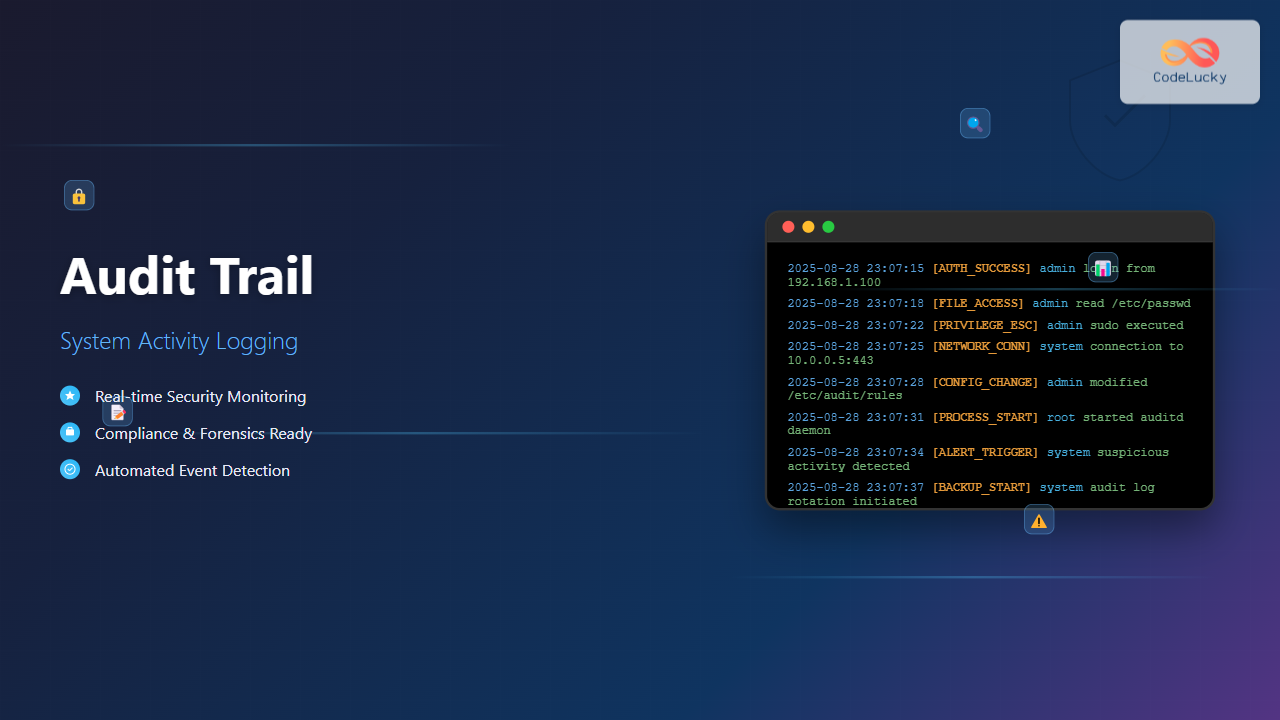
Audit trails serve as the digital fingerprints of system activity, providing crucial insight into what happens within an operating system. These comprehensive logs track user actions, system events, and security incidents, forming the backbone of modern cybersecurity and compliance frameworks.
What is an Audit Trail?
An audit trail is a chronological record of system activities that provides documentary evidence of the sequence of activities that have affected a specific operation, procedure, or event. In operating systems, audit trails capture detailed information about:
- User login and logout activities
- File and directory access attempts
- System configuration changes
- Process execution and termination
- Network connections and data transfers
- Security policy violations
- Administrative actions and privilege escalations

Core Components of Audit Trail Systems
1. Event Detection and Capture
The foundation of any audit trail system lies in its ability to detect and capture relevant events. Modern operating systems employ various mechanisms:
- Kernel-level hooks: Intercept system calls at the lowest level
- Application-level monitoring: Track specific application behaviors
- Network-level capture: Monitor network traffic and connections
- File system monitoring: Track file and directory operations
2. Log Format and Structure
Audit logs typically follow standardized formats to ensure consistency and interoperability. Common formats include:
Timestamp: 2025-08-28 11:05:23
Event Type: FILE_ACCESS
User: admin
Process: /bin/cat
Object: /etc/passwd
Action: READ
Result: SUCCESS
Additional Info: PID=1234, UID=0
3. Storage and Retention
Audit logs require secure storage with appropriate retention policies:
- Local storage: Fast access but limited capacity
- Remote storage: Centralized management and backup
- Encrypted storage: Protection against tampering
- Retention policies: Balance between storage costs and compliance requirements
Implementation in Different Operating Systems
Linux Audit Framework
Linux provides a comprehensive audit framework through the auditd daemon and related tools:
# Install audit daemon
sudo apt-get install auditd audispd-plugins

# Start audit service
sudo systemctl start auditd
sudo systemctl enable auditd

# Configure audit rules
sudo nano /etc/audit/rules.d/audit.rules

# Example audit rules
-w /etc/passwd -p wa -k passwd_changes
-w /etc/shadow -p wa -k shadow_changes
-a always,exit -F arch=b64 -S execve -k process_execution
-w /var/log/auth.log -p wa -k auth_log_changes

# Apply rules
sudo augenrules --load

# View audit logs
sudo ausearch -k passwd_changes
sudo aureport --summary
Windows Event Logging
Windows implements audit trails through Event Logs and Advanced Audit Policy Configuration:
# PowerShell commands for audit configuration
# Enable audit policies
auditpol /set /category:"Logon/Logoff" /success:enable /failure:enable
auditpol /set /category:"Object Access" /success:enable /failure:enable
auditpol /set /category:"Privilege Use" /success:enable /failure:enable

# View current audit policies
auditpol /get /category:*

# Query event logs
Get-WinEvent -FilterHashtable @{LogName='Security'; ID=4624}
Get-WinEvent -FilterHashtable @{LogName='Security'; ID=4625; StartTime=(Get-Date).AddHours(-24)}

Types of Audit Events
Authentication Events
Authentication events track user access and authentication attempts:
| Event Type | Description | Example Log Entry |
|---|---|---|
| Login Success | Successful user authentication | Aug 28 11:05:23 server sshd[1234]: Accepted password for admin from 192.168.1.100 |
| Login Failure | Failed authentication attempt | Aug 28 11:05:25 server sshd[1235]: Failed password for invalid user hacker from 192.168.1.200 |
| Logout | User session termination | Aug 28 11:35:12 server sshd[1234]: pam_unix(sshd:session): session closed for user admin |
File System Events
File system audit events monitor access to sensitive files and directories:
# Linux audit rule for monitoring /etc directory
-w /etc -p wa -k config_changes

# Sample output from ausearch
time->Thu Aug 28 11:05:23 2025
type=SYSCALL msg=audit(1724832323.123:456): arch=c000003e syscall=2 success=yes exit=3 a0=7fff12345678 a1=0 a2=1b6 a3=0 items=1 ppid=1000 pid=1234 auid=0 uid=0 gid=0 euid=0 suid=0 fsuid=0 egid=0 sgid=0 fsgid=0 tty=pts0 ses=1 comm="cat" exe="/bin/cat" key="config_changes"
type=PATH msg=audit(1724832323.123:456): item=0 name="/etc/passwd" inode=123456 dev=08:01 mode=0100644 ouid=0 ogid=0 rdev=00:00 nametype=NORMAL
System Administration Events
Administrative events capture privileged operations and system changes:
- Privilege escalation (sudo usage)
- System configuration changes
- Service start/stop operations
- User account management
- Network configuration changes
Best Practices for Audit Trail Implementation
1. Comprehensive Coverage
Ensure audit trails cover all critical system components:
# Comprehensive Linux audit rules example
# Monitor system calls
-a always,exit -F arch=b64 -S open,openat,creat -F success=1 -k file_access
-a always,exit -F arch=b64 -S unlink,unlinkat,rename,renameat -k file_deletion

# Monitor network connections
-a always,exit -F arch=b64 -S socket -F a0=2 -k network_connect
-a always,exit -F arch=b64 -S bind -F a0=2 -k network_bind

# Monitor privilege escalation
-w /usr/bin/sudo -p x -k privilege_escalation
-w /etc/sudoers -p wa -k sudoers_changes

# Monitor critical directories
-w /bin -p wa -k binaries
-w /sbin -p wa -k system_binaries
-w /usr/bin -p wa -k user_binaries
-w /usr/sbin -p wa -k system_user_binaries
2. Log Integrity and Security
Protect audit logs from unauthorized access and tampering:
# Set appropriate permissions for audit logs
sudo chmod 600 /var/log/audit/audit.log
sudo chown root:root /var/log/audit/audit.log

# Configure log rotation with integrity checking
sudo nano /etc/logrotate.d/audit
/var/log/audit/audit.log {
    weekly
    rotate 52
    compress
    delaycompress
    missingok
    notifempty
    create 0600 root root
    postrotate
        /sbin/service auditd restart 2> /dev/null || true
    endscript
}

# Enable log signing (if supported)
echo "log_format = ENHANCED" >> /etc/audit/auditd.conf
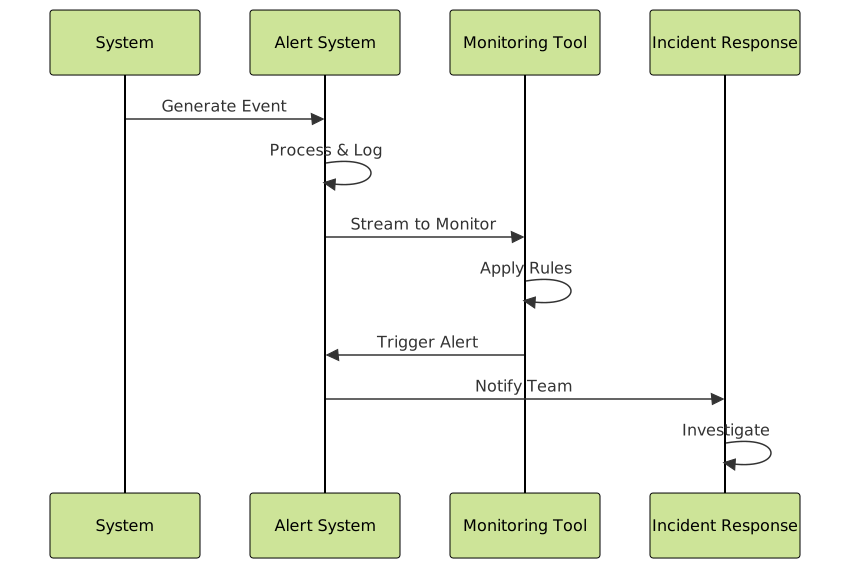
3. Real-time Monitoring and Alerting
Implement real-time monitoring for critical events:
# Example real-time monitoring script
#!/bin/bash
# monitor_audit.sh - Real-time audit log monitoring

tail -f /var/log/audit/audit.log | while read line; do
    # Check for failed login attempts
    if echo "$line" | grep -q "FAILED_LOGIN"; then
        echo "ALERT: Failed login detected - $line" | mail -s "Security Alert" [email protected]
    fi

    # Check for privilege escalation
    if echo "$line" | grep -q "privilege_escalation"; then
        echo "ALERT: Privilege escalation detected - $line" | mail -s "Security Alert" [email protected]
    fi

    # Check for suspicious file access
    if echo "$line" | grep -q "shadow_changes"; then
        echo "ALERT: Shadow file modification - $line" | mail -s "Critical Security Alert" [email protected]
    fi
done
Compliance and Regulatory Requirements
Common Compliance Frameworks
Various regulatory frameworks mandate specific audit trail requirements:
| Framework | Key Requirements | Retention Period |
|---|---|---|
| SOX (Sarbanes-Oxley) | Financial system access logs | 7 years |
| HIPAA | Healthcare data access tracking | 6 years |
| PCI DSS | Payment system audit trails | 1 year minimum |
| GDPR | Personal data processing logs | Varies by purpose |
Audit Trail Report Generation
Generate compliance reports from audit data:
# Linux audit report examples
# Generate summary report
sudo aureport --summary --start today

# User activity report
sudo aureport -u --summary --start yesterday --end today

# File access report
sudo aureport -f --summary --start 01/01/2025 --end 01/31/2025

# Failed events report
sudo aureport --failed --summary
Advanced Audit Trail Techniques
1. Log Correlation and Analysis
Combine multiple log sources for comprehensive analysis:
# Example log correlation script
#!/bin/bash
# correlate_logs.sh - Correlate system and application logs

# Extract failed logins from auth log
grep "Failed password" /var/log/auth.log | awk '{print $1,$2,$3,$11,$13}' > failed_logins.tmp

# Extract corresponding audit events
while read date time pid user ip; do
    ausearch --start $date --end $date -ua $user 2>/dev/null
done < failed_logins.tmp > correlated_events.log

# Generate correlation report
echo "Correlation Report: Failed Logins and System Activity"
echo "=================================================="
cat correlated_events.log | grep -E "(USER_LOGIN|USER_AUTH)"
2. Behavioral Analysis
Implement behavioral analysis to detect anomalies:

3. Centralized Log Management
Implement centralized logging for enterprise environments:
# Configure rsyslog for centralized logging
# On client systems
echo "*.* @@logserver.company.com:514" >> /etc/rsyslog.conf

# On log server
echo '$ModLoad imudp' >> /etc/rsyslog.conf
echo '$UDPServerRun 514' >> /etc/rsyslog.conf
echo '$UDPServerAddress 0.0.0.0' >> /etc/rsyslog.conf

# Restart rsyslog
sudo systemctl restart rsyslog

# Configure audit daemon for remote logging
echo "remote_server = logserver.company.com" >> /etc/audisp/plugins.d/au-remote.conf
echo "port = 60" >> /etc/audisp/plugins.d/au-remote.conf
echo "transport = tcp" >> /etc/audisp/plugins.d/au-remote.conf
Performance Considerations
Optimizing Audit Performance
Balance security requirements with system performance:
- Selective monitoring: Focus on critical events and resources
- Efficient storage: Use log compression and rotation
- Asynchronous processing: Minimize impact on system performance
- Resource allocation: Dedicate appropriate CPU and memory resources
# Audit performance tuning
# Increase audit buffer size
echo "num_logs = 5" >> /etc/audit/auditd.conf
echo "max_log_file_action = rotate" >> /etc/audit/auditd.conf

# Configure log file size and rotation
echo "max_log_file = 50" >> /etc/audit/auditd.conf
echo "num_logs = 10" >> /etc/audit/auditd.conf

# Set appropriate frequency for rule checking
echo "freq = 20" >> /etc/audit/auditd.conf
Troubleshooting Common Issues
Log Volume Management
Handle high-volume logging scenarios:
# Monitor audit log growth
du -h /var/log/audit/

# Check audit daemon status
sudo systemctl status auditd

# Monitor audit performance
sudo auditctl -s

# Temporarily disable specific rules if performance issues occur
sudo auditctl -d -w /tmp -p wa -k temp_files

# Re-enable after resolving performance issues
sudo auditctl -w /tmp -p wa -k temp_files
Log Parsing and Analysis
Common tools and techniques for log analysis:
# Search for specific events
ausearch -k config_changes --start yesterday

# Generate reports
aureport -x --summary --start this-week

# Parse audit logs with custom scripts
awk '/USER_LOGIN/ {print $0}' /var/log/audit/audit.log | head -10

# Use specialized tools
# Install and use auparse library for custom analysis
python3 -c "import auparse; print('Audit parsing tools available')"
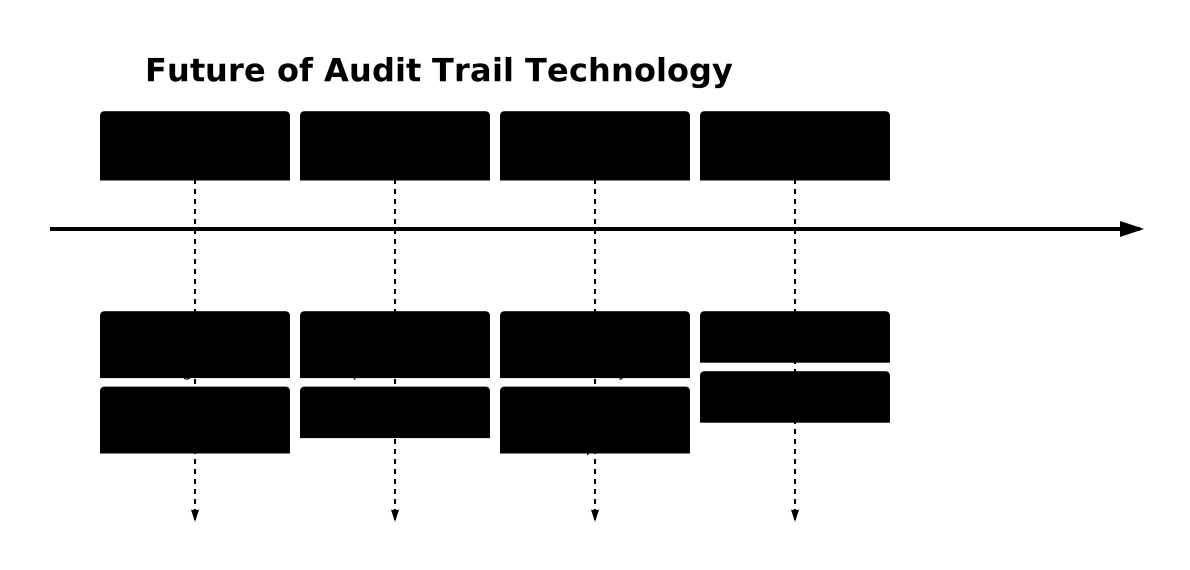
Future Trends in Audit Trail Technology
The evolution of audit trail systems continues with emerging technologies:
- Machine Learning Integration: Automated anomaly detection and pattern recognition
- Cloud-Native Auditing: Container and microservices audit trails
- Blockchain-Based Integrity: Immutable audit logs using distributed ledger technology
- Real-Time Stream Processing: Instant analysis and response capabilities
- Privacy-Preserving Auditing: Techniques that maintain audit capabilities while protecting sensitive data
Conclusion
Audit trails form the cornerstone of modern system security and compliance programs. By implementing comprehensive logging strategies, organizations can maintain visibility into system activities, detect security incidents, and meet regulatory requirements. The key to successful audit trail implementation lies in balancing security requirements with performance considerations while ensuring log integrity and accessibility.
As systems become more complex and distributed, audit trail technologies continue to evolve, incorporating artificial intelligence, cloud-native architectures, and advanced analytics. Organizations that invest in robust audit trail systems today will be better positioned to address future security challenges and compliance requirements.
Remember that audit trails are only as valuable as the processes built around them. Regular review, analysis, and response procedures are essential components of an effective audit trail program that truly enhances organizational security posture.





