
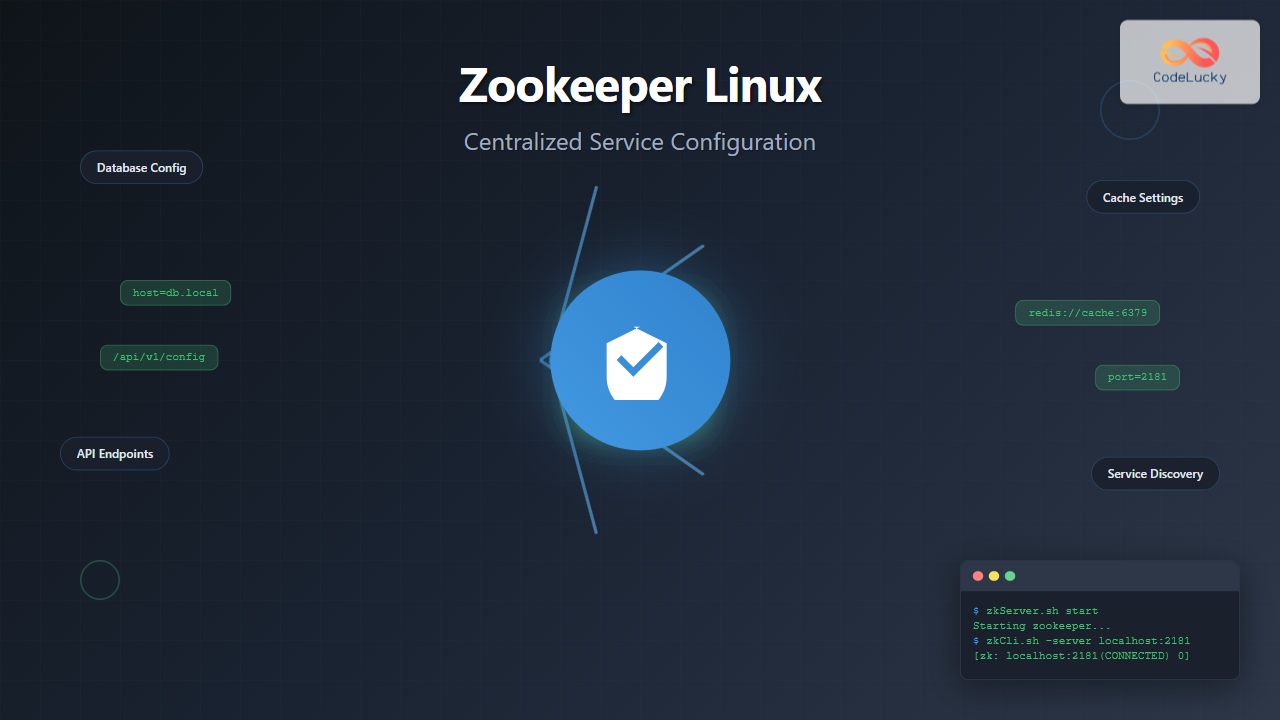
Apache Zookeeper is a centralized service for maintaining configuration information, naming, providing distributed synchronization, and providing group services in distributed applications. In Linux environments, Zookeeper serves as the backbone for many distributed systems, ensuring consistency and coordination across multiple nodes.
What is Apache Zookeeper?
Zookeeper is an open-source coordination service designed for distributed applications. It provides a simple interface for complex coordination tasks, eliminating the need for applications to implement coordination services from scratch. Think of it as a distributed file system that maintains a hierarchical namespace of data nodes called znodes.
Key Features of Zookeeper
- Simple API: Provides operations similar to a file system
- Reliability: Runs on multiple servers with automatic failover
- Ordering: Maintains strict ordering of operations
- Performance: Optimized for read-heavy workloads
- Consistency: Ensures data consistency across all nodes
Installing Zookeeper on Linux
Prerequisites
Before installing Zookeeper, ensure Java is installed on your Linux system:
# Check Java installation
java -version

# Install Java if not present (Ubuntu/Debian)
sudo apt update
sudo apt install openjdk-11-jdk

# Install Java (CentOS/RHEL)
sudo yum install java-11-openjdk-devel
Download and Install Zookeeper
# Download Zookeeper
cd /opt
sudo wget https://downloads.apache.org/zookeeper/zookeeper-3.8.2/apache-zookeeper-3.8.2-bin.tar.gz

# Extract the archive
sudo tar -xzf apache-zookeeper-3.8.2-bin.tar.gz

# Create symbolic link for easier management
sudo ln -s apache-zookeeper-3.8.2-bin zookeeper

# Set ownership
sudo chown -R $USER:$USER /opt/zookeeper
Environment Configuration
Add Zookeeper to your system PATH by editing the ~/.bashrc file:
# Add to ~/.bashrc
export ZOOKEEPER_HOME=/opt/zookeeper
export PATH=$PATH:$ZOOKEEPER_HOME/bin

# Reload the configuration
source ~/.bashrc
Zookeeper Configuration
Basic Configuration File
Create a configuration file in the conf directory:
# Navigate to configuration directory
cd /opt/zookeeper/conf

# Copy sample configuration
sudo cp zoo_sample.cfg zoo.cfg
Edit the zoo.cfg file with basic settings:
# Basic Zookeeper Configuration
tickTime=2000
dataDir=/var/lib/zookeeper
clientPort=2181
initLimit=10
syncLimit=5

# Server configuration (for cluster setup)
# server.1=zoo1:2888:3888
# server.2=zoo2:2888:3888
# server.3=zoo3:2888:3888
Configuration Parameters Explained
| Parameter | Description | Default Value |
|---|---|---|
| tickTime | Basic time unit in milliseconds | 2000 |
| dataDir | Directory for storing snapshots | /tmp/zookeeper |
| clientPort | Port for client connections | 2181 |
| initLimit | Timeout for initial connection | 10 |
| syncLimit | Timeout for sync operations | 5 |
Create Data Directory
# Create data directory
sudo mkdir -p /var/lib/zookeeper

# Set permissions
sudo chown -R $USER:$USER /var/lib/zookeeper
Starting Zookeeper Service
Manual Start
# Start Zookeeper in foreground
zkServer.sh start-foreground

# Start Zookeeper in background
zkServer.sh start

# Check status
zkServer.sh status

# Stop Zookeeper
zkServer.sh stop
Expected Output:
$ zkServer.sh status
ZooKeeper JMX enabled by default
Using config: /opt/zookeeper/bin/../conf/zoo.cfg
Client port found: 2181. Client address: localhost. Client SSL: false.
Mode: standalone
Create Systemd Service
For production environments, create a systemd service:
# Create service file
sudo nano /etc/systemd/system/zookeeper.service
Add the following content:
[Unit]
Description=Apache Zookeeper
After=network.target
Requires=network.target

[Service]
Type=forking
User=zookeeper
Group=zookeeper
Environment=JAVA_HOME=/usr/lib/jvm/java-11-openjdk-amd64
ExecStart=/opt/zookeeper/bin/zkServer.sh start
ExecStop=/opt/zookeeper/bin/zkServer.sh stop
ExecReload=/opt/zookeeper/bin/zkServer.sh restart
TimeoutSec=30
Restart=on-failure

[Install]
WantedBy=multi-user.target
Enable and start the service:
# Reload systemd
sudo systemctl daemon-reload

# Enable service
sudo systemctl enable zookeeper

# Start service
sudo systemctl start zookeeper

# Check status
sudo systemctl status zookeeper
Zookeeper Command Line Interface
Connecting to Zookeeper
# Connect to local Zookeeper instance
zkCli.sh -server localhost:2181

# Connect to remote Zookeeper
zkCli.sh -server remote-host:2181
Expected Connection Output:
Connecting to localhost:2181
Welcome to ZooKeeper!
JLine support is enabled

WATCHER::

WatchedEvent state:SyncConnected type:None path:null
[zk: localhost:2181(CONNECTED) 0]
Basic CLI Commands
Creating Znodes
# Create a persistent znode
create /config "initial configuration"

# Create ephemeral znode
create -e /session "session data"

# Create sequential znode
create -s /queue/item "queue item"

# Create with specific data
create /app/database "host=localhost;port=3306"
Output:
[zk: localhost:2181(CONNECTED) 1] create /config "initial configuration"
Created /config

[zk: localhost:2181(CONNECTED) 2] create /app/database "host=localhost;port=3306"
Created /app/database
Reading Data
# List children of root
ls /

# Get data from znode
get /config

# Get detailed information
stat /config

# List with detailed info
ls -l /
Output Example:
[zk: localhost:2181(CONNECTED) 3] get /config
initial configuration

[zk: localhost:2181(CONNECTED) 4] stat /config
cZxid = 0x2
ctime = Tue Aug 26 09:13:45 IST 2025
mZxid = 0x2
mtime = Tue Aug 26 09:13:45 IST 2025
pZxid = 0x2
cversion = 0
dataVersion = 0
aclVersion = 0
ephemeralOwner = 0x0
dataLength = 20
numChildren = 0
Updating Data
# Update znode data
set /config "updated configuration"

# Update with version check
set /config "new config" 1
Deleting Znodes
# Delete znode (must have no children)
delete /config

# Delete recursively
deleteall /app
Centralized Configuration Management
Configuration Hierarchy Structure
Design a logical hierarchy for your configurations:
# Application structure
/applications
  /webapp
    /database
      /connection-string
      /pool-size
      /timeout
    /cache
      /redis-url
      /ttl
  /api
    /endpoints
    /rate-limits
Setting Up Application Configuration
# Create application hierarchy
create /applications ""
create /applications/webapp ""
create /applications/webapp/database ""

# Set database configuration
create /applications/webapp/database/host "db.example.com"
create /applications/webapp/database/port "5432"
create /applications/webapp/database/username "appuser"
create /applications/webapp/database/pool-size "20"

# Set cache configuration
create /applications/webapp/cache ""
create /applications/webapp/cache/redis-url "redis://cache.example.com:6379"
create /applications/webapp/cache/ttl "3600"
Configuration Update Example
# Update database pool size
set /applications/webapp/database/pool-size "50"

# Verify update
get /applications/webapp/database/pool-size
Output:
[zk: localhost:2181(CONNECTED) 10] set /applications/webapp/database/pool-size "50"

[zk: localhost:2181(CONNECTED) 11] get /applications/webapp/database/pool-size
50
Watching for Configuration Changes
Setting Watches
# Watch for data changes
get -w /applications/webapp/database/pool-size

# Watch for child changes
ls -w /applications/webapp/database
When a watched znode changes, you’ll see a notification:
WATCHER::

WatchedEvent state:SyncConnected type:NodeDataChanged path:/applications/webapp/database/pool-size
Practical Configuration Monitoring Script
Create a bash script to monitor configuration changes:
#!/bin/bash
# config-monitor.sh

ZOOKEEPER_HOST="localhost:2181"
CONFIG_PATH="/applications/webapp"

echo "Monitoring configuration changes at $CONFIG_PATH"

# Function to get current configuration
get_config() {
    zkCli.sh -server $ZOOKEEPER_HOST << EOF
get $CONFIG_PATH/database/host
get $CONFIG_PATH/database/port
get $CONFIG_PATH/cache/redis-url
quit
EOF
}

# Monitor loop
while true; do
    echo "Current configuration:"
    get_config
    echo "Sleeping for 30 seconds..."
    sleep 30
done
Security and Access Control
Setting Up ACLs
# Add authentication
addauth digest admin:secretpassword

# Create znode with ACL
create /secure-config "sensitive data" world:anyone:r,auth::cdrwa

# Set ACL on existing znode
setAcl /applications/webapp/database auth::cdrwa
ACL Schemes
| Scheme | Description | Example |
|---|---|---|
| world | Anyone can access | world:anyone:cdrwa |
| auth | Authenticated users | auth::cdrwa |
| digest | Username/password | digest:admin:hash:cdrwa |
| ip | IP-based access | ip:192.168.1.0/24:r |
Cluster Configuration
Multi-Node Setup
For production environments, set up a Zookeeper ensemble:
# zoo.cfg for 3-node cluster
tickTime=2000
dataDir=/var/lib/zookeeper
clientPort=2181
initLimit=10
syncLimit=5

server.1=zoo1.example.com:2888:3888
server.2=zoo2.example.com:2888:3888
server.3=zoo3.example.com:2888:3888
Node Identity Configuration
On each node, create a unique identifier:
# On zoo1
echo "1" > /var/lib/zookeeper/myid

# On zoo2
echo "2" > /var/lib/zookeeper/myid

# On zoo3
echo "3" > /var/lib/zookeeper/myid
Monitoring and Maintenance
Health Check Commands
# Check if Zookeeper is responding
echo "ruok" | nc localhost 2181

# Get server statistics
echo "stat" | nc localhost 2181

# Monitor connections
echo "cons" | nc localhost 2181
Expected Health Check Output:
$ echo "ruok" | nc localhost 2181
imok

$ echo "stat" | nc localhost 2181
Zookeeper version: 3.8.2
Clients:
 /127.0.0.1:45678[0](queued=0,recved=1,sent=0)

Latency min/avg/max: 0/0/0
Received: 2
Sent: 1
Connections: 1
Outstanding: 0
Zxid: 0x5
Mode: standalone
Node count: 5
Log Management
# Configure logging in conf/log4j.properties
log4j.rootLogger=INFO, CONSOLE, ROLLINGFILE

# View logs
tail -f /opt/zookeeper/logs/zookeeper.log

# Rotate logs
logrotate /etc/logrotate.d/zookeeper
Best Practices
Configuration Organization
- Use meaningful paths:
/app/environment/service/config - Separate environments:
/prod/,/staging/,/dev/ - Version configurations: Include version information in data
- Document structure: Maintain clear documentation of znode hierarchy
Performance Optimization
- Keep data small: Znodes should contain minimal data (< 1MB)
- Use efficient watches: Remove unnecessary watches
- Optimize client connections: Reuse connections when possible
- Monitor memory usage: Regular cleanup of ephemeral nodes
Security Guidelines
- Use authentication: Always enable authentication in production
- Implement proper ACLs: Follow principle of least privilege
- Secure network communication: Use SSL/TLS for client connections
- Regular audits: Monitor access patterns and permissions
Troubleshooting Common Issues
Connection Problems
# Test connectivity
telnet localhost 2181

# Check if service is running
sudo systemctl status zookeeper

# Review logs for errors
grep ERROR /opt/zookeeper/logs/zookeeper.log
Data Consistency Issues
# Force sync across cluster
echo "sync" | zkCli.sh

# Check ensemble status
zkServer.sh status
Performance Issues
# Monitor JVM memory usage
jstat -gc $(pgrep -f zookeeper)

# Check disk space
df -h /var/lib/zookeeper

# Network latency test
echo "stat" | nc -w 5 localhost 2181
Integration Examples
Configuration Management Script
#!/bin/bash
# deploy-config.sh - Deploy configuration to Zookeeper

ENVIRONMENT=$1
CONFIG_FILE=$2
ZOOKEEPER_HOST="localhost:2181"

if [ -z "$ENVIRONMENT" ] || [ -z "$CONFIG_FILE" ]; then
    echo "Usage: $0  "
    exit 1
fi

# Read configuration from file and update Zookeeper
while IFS='=' read -r key value; do
    if [[ ! $key =~ ^#.*$ ]] && [[ -n $key ]]; then
        zk_path="/applications/$ENVIRONMENT/$key"
        echo "Setting $zk_path = $value"
        zkCli.sh -server $ZOOKEEPER_HOST << EOF
create $zk_path "$value"
quit
EOF
    fi
done < "$CONFIG_FILE"
Apache Zookeeper provides a robust foundation for centralized configuration management in Linux environments. By following these practices and examples, you can implement reliable, scalable configuration management that grows with your distributed system needs. Remember to always test configuration changes in non-production environments first and maintain proper backup procedures for your Zookeeper data.
Related Posts
Consul Linux: Complete Guide to Service Mesh and Service Discovery
Consul is a powerful service mesh and service discovery tool developed by HashiCorp that enables organizations to connect, secure, and...
serf Linux: Complete Guide to Decentralized Cluster Membership and Service Discovery
Serf is a powerful decentralized solution for cluster membership, failure detection, and orchestration that runs on Linux systems. Unlike traditional...

mesos Linux: Complete Guide to Distributed Systems Kernel and Cluster Management
Apache Mesos is a powerful distributed systems kernel that abstracts CPU, memory, storage, and other compute resources across machines, enabling...

SaltStack Linux: Complete Guide to Intelligent IT Automation and Configuration Management
SaltStack has revolutionized the way system administrators and DevOps engineers manage infrastructure at scale. As a powerful configuration management and...
ganglia Linux: Complete Guide to Distributed Monitoring System
Ganglia is a powerful, open-source distributed monitoring system designed specifically for high-performance computing clusters, grids, and cloud infrastructures. Originally developed...

Distributed File System: Complete Guide to NFS, CIFS and Network Storage Solutions
A Distributed File System (DFS) allows multiple computers to access and share files over a network as if they were...
Marathon Linux: Complete Guide to Container Orchestration Platform
Marathon is a powerful container orchestration platform built on top of Apache Mesos that enables you to deploy, manage, and...
Distributed Operating System: Complete Guide to Network-based OS Architecture
What is a Distributed Operating System? A distributed operating system is a sophisticated software system that manages and coordinates multiple...
herd Command Linux: Complete Guide to Managing Shepherd Services
The herd command in Linux is a powerful utility designed for managing Shepherd services, particularly in the context of Laravel...
nomad Linux: Complete Guide to HashiCorp’s Workload Orchestrator
What is HashiCorp Nomad? HashiCorp Nomad is a simple yet powerful workload orchestrator that enables organizations to deploy and manage...

Kubernetes Linux: Complete Guide to Container Orchestration Platform
Kubernetes has revolutionized how we deploy, manage, and scale containerized applications on Linux systems. As the leading container orchestration platform,...
Puppet Linux: Complete Configuration Management Guide for System Administrators
Puppet is a powerful configuration management tool that revolutionizes how system administrators manage Linux infrastructure. By automating system configuration, software...





