

Understanding the Hosting Landscape
When building a website, choosing the right hosting solution is crucial for your site’s performance, security, and ease of management. The decision between WordPress hosting and regular hosting can significantly impact your website’s success, maintenance requirements, and long-term costs.
WordPress powers over 40% of all websites on the internet, making it the most popular content management system (CMS) globally. This popularity has led to specialized hosting solutions designed specifically for WordPress sites, offering unique advantages over traditional hosting approaches.
What is WordPress Hosting?
WordPress hosting, also known as managed WordPress hosting, is a specialized hosting service designed exclusively for WordPress websites. These platforms are optimized at the server level to provide enhanced performance, security, and management features specifically for WordPress installations.
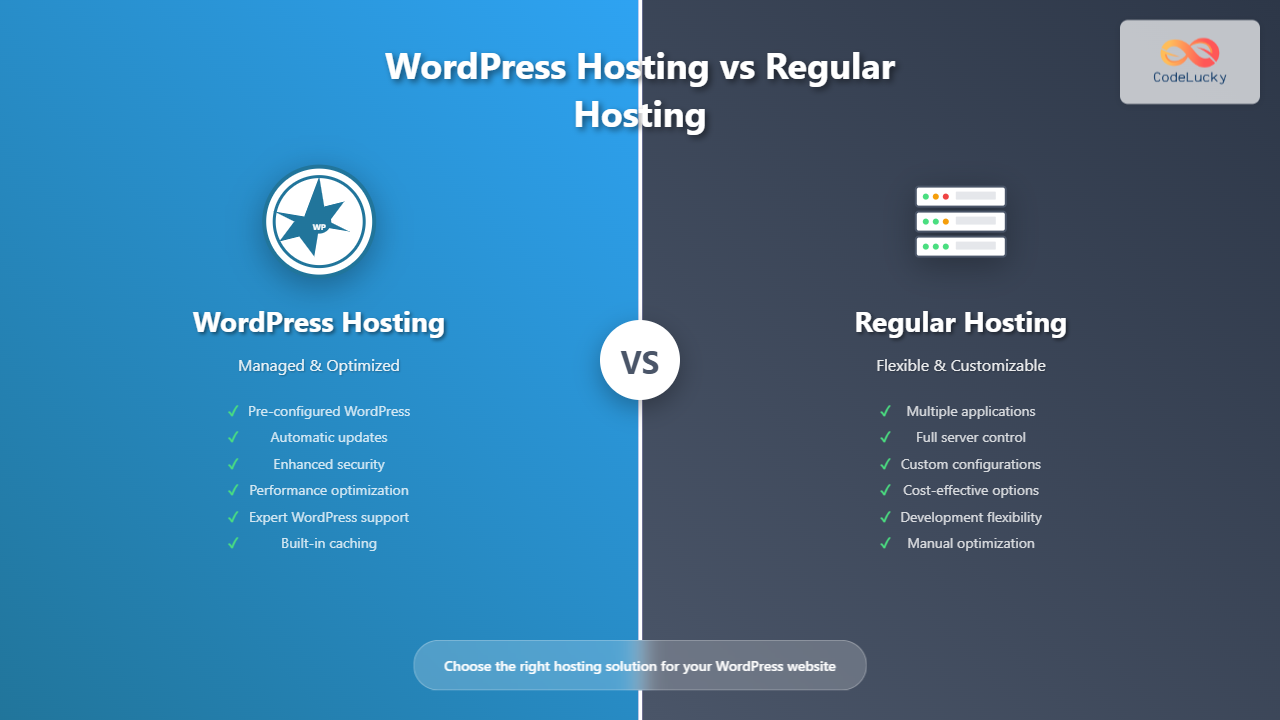
Key Characteristics of WordPress Hosting:
- Pre-installed WordPress: WordPress comes pre-configured and ready to use
- Automatic updates: Core, theme, and plugin updates are handled automatically
- Enhanced security: WordPress-specific security measures and malware scanning
- Performance optimization: Server configurations tuned for WordPress
- Specialized support: Support teams trained specifically in WordPress
- Built-in caching: Advanced caching systems optimized for WordPress
WordPress Hosting Architecture

What is Regular Hosting?
Regular hosting, also called traditional web hosting, provides a general-purpose hosting environment that can accommodate various types of websites and applications. This includes shared hosting, VPS (Virtual Private Server), dedicated servers, and cloud hosting solutions.
Types of Regular Hosting:
- Shared Hosting: Multiple websites share resources on a single server
- VPS Hosting: Virtual private servers with dedicated resources
- Dedicated Hosting: Entire physical server dedicated to your website
- Cloud Hosting: Distributed hosting across multiple servers
Regular Hosting Flexibility

Performance Comparison
WordPress Hosting Performance
WordPress hosting platforms implement several performance optimizations:
- Server-level caching: Built-in caching mechanisms like Varnish, Redis, or Memcached
- Content Delivery Network (CDN): Often included automatically
- SSD storage: Faster solid-state drives for improved I/O performance
- PHP optimization: Latest PHP versions with OPcache enabled
- Database optimization: MySQL configurations tuned for WordPress
Example Performance Metrics:
- Page load time: 1-3 seconds average
- Time to First Byte (TTFB): Under 200ms
- Uptime: 99.9%+ guaranteed
Regular Hosting Performance
Performance on regular hosting depends heavily on:
- Server specifications: CPU, RAM, and storage type
- Resource allocation: Shared vs. dedicated resources
- Manual optimization: Caching plugins and configuration
- Server management: Updates and maintenance responsibility
Security Features Comparison
| Feature | WordPress Hosting | Regular Hosting |
|---|---|---|
| Malware Scanning | Automatic, WordPress-specific | Basic or manual setup required |
| Firewall Protection | Web Application Firewall (WAF) included | Varies by provider |
| SSL Certificates | Free SSL included | May require separate purchase |
| Brute Force Protection | Built-in protection | Plugin-dependent |
| Automatic Updates | Core, themes, plugins | Manual or plugin-managed |
| Backup Frequency | Daily automatic backups | Varies or manual setup |
Management and Ease of Use
WordPress Hosting Management
Advantages:
- One-click WordPress installation: No technical setup required
- Staging environments: Test changes before going live
- WordPress-specific dashboard: Simplified management interface
- Expert support: WordPress specialists available 24/7
- Automatic maintenance: Updates, backups, and security handled automatically
Example WordPress Hosting Dashboard Features:
- WordPress version management
- Plugin and theme update notifications
- Performance analytics
- Security scan results
- Backup restoration options
Regular Hosting Management
Requirements:
- Manual WordPress installation: Download, configure, and install WordPress
- Server configuration: PHP settings, database optimization
- Security hardening: Install security plugins and configure firewalls
- Performance optimization: Implement caching and CDN solutions
- Regular maintenance: Updates, backups, and monitoring
Cost Analysis
WordPress Hosting Pricing
- Entry-level: $15-30/month
- Professional: $30-100/month
- Enterprise: $100-500+/month
Included services typically cover:
- Managed WordPress installation
- Automatic backups and updates
- Security monitoring
- Performance optimization
- Expert WordPress support
- CDN and SSL certificate
Regular Hosting Pricing
- Shared hosting: $3-15/month
- VPS hosting: $10-80/month
- Dedicated hosting: $80-500+/month
Additional costs may include:
- Premium themes and plugins
- Security plugins and services
- Backup solutions
- CDN services
- SSL certificates
- Performance optimization tools
Scalability and Flexibility

WordPress Hosting Scalability
- Automatic scaling: Resources adjust based on traffic
- Load balancing: Distribute traffic across multiple servers
- Global CDN: Improve performance worldwide
- Enterprise features: Multi-site management and advanced caching
Regular Hosting Flexibility
- Custom configurations: Full control over server settings
- Multiple applications: Host various types of websites and applications
- Development environments: Test different technologies
- Root access: Complete server administration (VPS/Dedicated)
Support Quality and Response Times
| Aspect | WordPress Hosting | Regular Hosting |
|---|---|---|
| Support Expertise | WordPress specialists | General hosting support |
| Response Time | Often faster (15-30 minutes) | Varies (1-24 hours) |
| Issue Resolution | WordPress-specific solutions | General troubleshooting |
| Proactive Monitoring | Continuous WordPress monitoring | Basic server monitoring |
When to Choose WordPress Hosting
WordPress hosting is ideal for:
- Non-technical users: Want a hands-off hosting experience
- Business websites: Need reliable performance and security
- High-traffic sites: Require optimized performance and scalability
- E-commerce stores: Need enhanced security and performance
- Professional blogs: Want focus on content creation, not technical management
- Agencies: Managing multiple client WordPress sites
Example use cases:
- Corporate websites with 10,000+ monthly visitors
- WooCommerce stores processing online transactions
- Professional blogs monetized through advertising
- Membership sites with recurring payments
When to Choose Regular Hosting
Regular hosting is better for:
- Technical users: Comfortable with server management
- Budget-conscious projects: Need cost-effective solutions
- Custom applications: Running non-WordPress websites
- Development environments: Testing multiple platforms
- Full control requirements: Need root access and custom configurations
- Multi-platform hosting: Hosting various types of applications
Example scenarios:
- Personal blogs with minimal traffic
- Custom web applications built with frameworks like Laravel or Django
- Development and testing environments
- Multiple websites with different CMSs
Migration Considerations
From Regular to WordPress Hosting
Migration process typically includes:
- Site backup: Complete database and file backup
- DNS configuration: Update nameservers
- Content transfer: Move WordPress files and database
- Testing: Verify functionality on new hosting
- Go-live: Switch DNS to new hosting
Most WordPress hosts offer:
- Free migration services
- Migration plugins and tools
- Expert assistance during transition
- Minimal downtime guarantees
From WordPress to Regular Hosting
Consider these factors:
- Technical requirements: Server configuration knowledge needed
- Security responsibility: Manual security implementation
- Performance optimization: Cache and CDN setup
- Backup solutions: Implement automated backup systems
Popular WordPress Hosting Providers
- WP Engine: Premium managed WordPress hosting with advanced features
- Kinsta: Google Cloud-powered WordPress hosting
- SiteGround: WordPress-optimized hosting with excellent support
- Bluehost: Officially recommended by WordPress.org
- Cloudways: Managed cloud hosting for WordPress
Popular Regular Hosting Providers
- DigitalOcean: Developer-friendly cloud hosting
- Linode: High-performance VPS hosting
- AWS: Comprehensive cloud hosting platform
- Hostinger: Affordable shared and VPS hosting
- InMotion Hosting: Business-class hosting solutions
Making the Final Decision

WordPress Hosting is Right If You:
- Run exclusively WordPress websites
- Prefer hands-off hosting management
- Need enterprise-level performance and security
- Value expert WordPress support
- Want automatic updates and backups
- Have budget for premium hosting services
Regular Hosting is Right If You:
- Have technical expertise or dedicated IT resources
- Need maximum control over hosting environment
- Host multiple types of websites and applications
- Have budget constraints
- Require custom server configurations
- Want to learn hosting management skills
Conclusion
The choice between WordPress hosting and regular hosting ultimately depends on your technical expertise, budget, performance requirements, and time availability. WordPress hosting offers convenience, optimization, and expert support at a premium price, while regular hosting provides flexibility, control, and cost-effectiveness with increased responsibility.
For most WordPress website owners, especially businesses and non-technical users, managed WordPress hosting provides the best balance of performance, security, and ease of use. However, developers and technically-minded users may prefer the flexibility and cost savings of regular hosting.
Consider your long-term goals, growth projections, and maintenance preferences when making this crucial decision. Remember that you can always migrate between hosting types as your needs evolve, so start with the option that best fits your current situation and requirements.





