WooCommerce powers over 28% of all online stores, making it the world’s most popular e-commerce platform. However, your hosting choice can make or break your online store’s success. The right WooCommerce hosting solution ensures fast loading times, reliable uptime, and seamless scalability as your business grows.
What Makes WooCommerce Hosting Different?
WooCommerce hosting isn’t just regular WordPress hosting with a different label. Online stores have unique requirements that demand specialized hosting solutions:
- Higher resource demands – E-commerce sites handle more database queries, user sessions, and dynamic content
- Enhanced security needs – Payment processing requires PCI compliance and robust security measures
- Performance optimization – Slow loading times directly impact conversion rates and revenue
- Scalability requirements – Traffic spikes during sales and seasonal events need flexible resources

Types of WooCommerce Hosting
Shared Hosting
Best for: New stores with low traffic and tight budgets
Shared hosting places multiple websites on a single server, sharing resources among all users. While cost-effective, it’s the least suitable option for established online stores.
Pros:
- Lowest cost option ($2-10/month)
- Easy setup and management
- Suitable for testing and development
Cons:
- Limited resources and performance
- Security vulnerabilities from neighboring sites
- Poor performance during traffic spikes
- Limited customization options
Virtual Private Server (VPS) Hosting
Best for: Growing stores with moderate traffic (1,000-10,000 monthly visitors)
VPS hosting provides dedicated resources within a shared physical server, offering better performance and control than shared hosting.
Pros:
- Dedicated resources and better performance
- Root access for custom configurations
- Scalable resources
- Better security isolation
Cons:
- Requires technical knowledge
- Higher cost ($20-100/month)
- Server management responsibilities
Dedicated Server Hosting
Best for: Large stores with high traffic and specific requirements
Dedicated servers provide complete control over hardware and software, offering maximum performance and customization.
Pros:
- Maximum performance and resources
- Complete control and customization
- Enhanced security
- No resource sharing
Cons:
- Highest cost ($100-500+/month)
- Requires advanced technical expertise
- Full server management responsibility
Managed WordPress/WooCommerce Hosting
Best for: Store owners wanting optimized performance without technical hassle
Managed hosting providers handle server optimization, security, updates, and technical maintenance specifically for WordPress and WooCommerce sites.
Pros:
- Optimized for WooCommerce performance
- Automatic updates and security
- Expert support
- Built-in caching and CDN
- Staging environments
Cons:
- Higher cost than shared hosting
- Limited plugin restrictions
- Vendor lock-in
Cloud Hosting
Best for: Stores with unpredictable traffic patterns
Cloud hosting uses multiple servers to ensure reliability and instant scalability, making it ideal for stores with varying traffic loads.
Pros:
- Instant scalability
- Pay-as-you-use pricing
- High reliability and uptime
- Global infrastructure
Cons:
- Complex pricing structure
- Requires technical knowledge
- Potential for unexpected costs

Top WooCommerce Hosting Providers
1. SiteGround
SiteGround offers specialized WooCommerce hosting with excellent performance optimization and support.
Key Features:
- SuperCacher technology for faster loading
- Free SSL certificates and daily backups
- WooCommerce auto-installation and updates
- 24/7 expert support
- Multiple data center locations
Pricing: $3.99-$11.99/month
Best for: Small to medium stores seeking reliable managed hosting
2. WP Engine
WP Engine provides premium managed WordPress hosting with specific WooCommerce optimizations.
Key Features:
- EverCache technology
- Genesis Framework included
- Staging environments
- Advanced security features
- CDN included
Pricing: $25-$290/month
Best for: Professional stores requiring premium performance
3. Bluehost
Officially recommended by WordPress.org, Bluehost offers affordable WooCommerce hosting solutions.
Key Features:
- One-click WooCommerce installation
- Free domain and SSL certificate
- 24/7 support
- Marketing credits included
- Cloudflare CDN integration
Pricing: $2.95-$13.95/month
Best for: Beginners and budget-conscious store owners
4. Kinsta
Kinsta offers premium managed WordPress hosting powered by Google Cloud Platform.
Key Features:
- Google Cloud Platform infrastructure
- LXD containers for isolation
- Advanced caching
- Free site migrations
- MyKinsta dashboard
Pricing: $35-$1,500/month
Best for: High-traffic stores requiring enterprise-level performance
5. Liquid Web
Liquid Web specializes in managed hosting with exceptional performance and support.
Key Features:
- Managed WordPress hosting
- Cloudflare Enterprise CDN
- Staging sites
- Automatic updates
- 24/7/365 support
Pricing: $19-$299/month
Best for: Growing businesses needing reliable managed solutions
Essential Features for WooCommerce Hosting
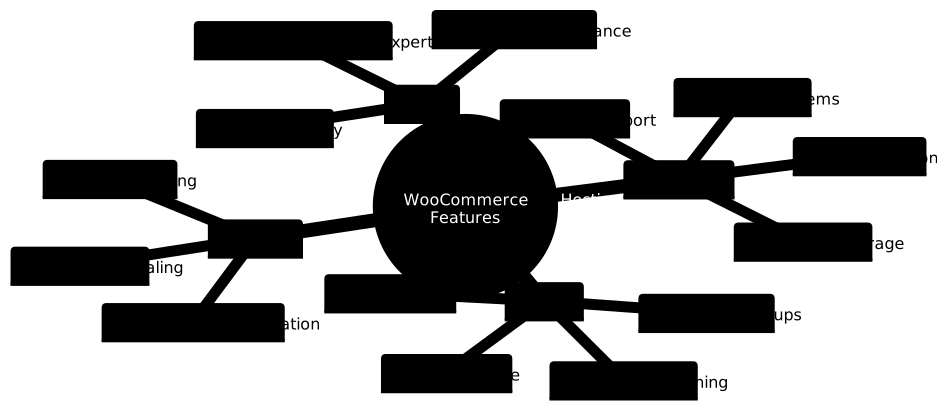
Performance Features
SSD Storage: Solid State Drives provide significantly faster data access than traditional hard drives, crucial for database-heavy WooCommerce sites.
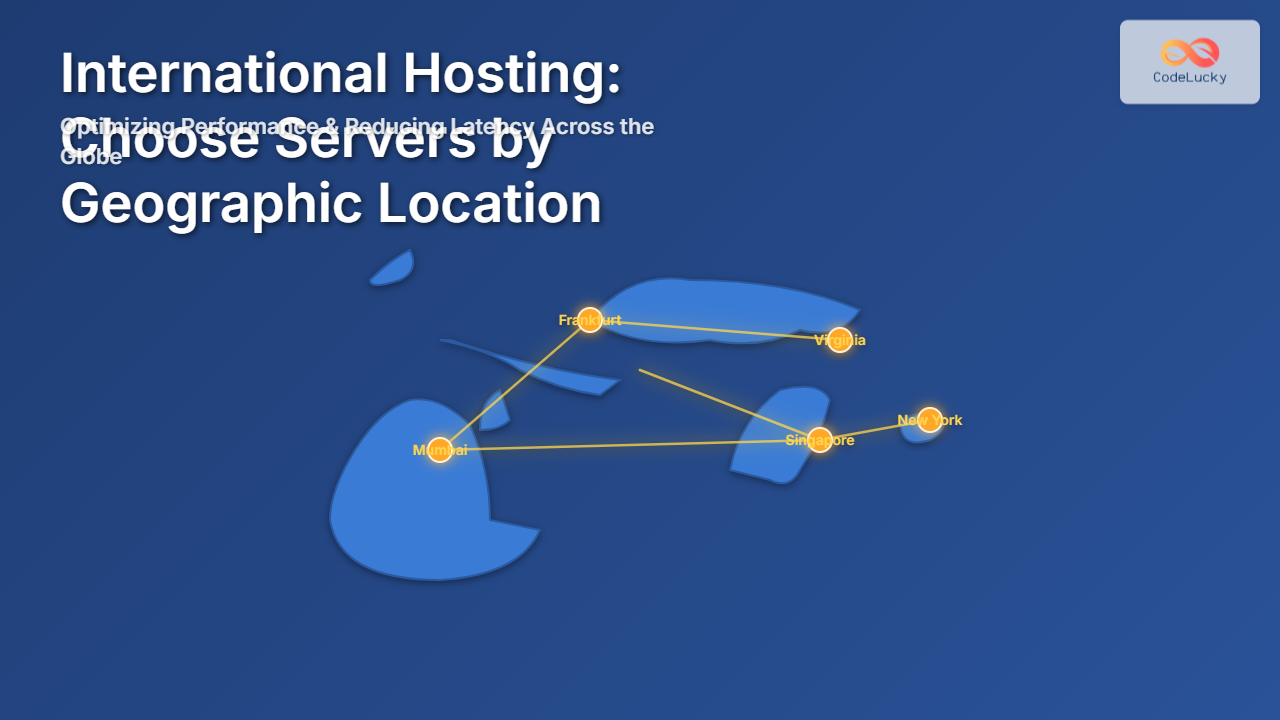
Content Delivery Network (CDN): CDNs cache your content across global servers, reducing loading times for international customers.
Advanced Caching: Server-level caching systems like Redis or Memcached dramatically improve page loading speeds.
PHP Version Support: Ensure your host supports PHP 8.0 or higher for optimal WooCommerce performance.
Security Features
SSL Certificates: Essential for secure payment processing and customer trust.
Regular Backups: Automated daily backups protect against data loss.
Malware Scanning: Continuous monitoring for security threats.
PCI Compliance: Required for processing credit card payments safely.
Scalability Features
Auto-Scaling: Automatic resource allocation during traffic spikes.
Load Balancing: Distributes traffic across multiple servers.
Database Optimization: Optimized database configurations for e-commerce queries.
WooCommerce Performance Optimization
Even with excellent hosting, additional optimization ensures maximum performance:
Caching Configuration
// wp-config.php optimization
define('WP_CACHE', true);
define('COMPRESS_CSS', true);
define('COMPRESS_SCRIPTS', true);
define('CONCATENATE_SCRIPTS', false);

// Memory limit increase
ini_set('memory_limit', '512M');
Database Optimization
Regular database cleanup removes unnecessary data:
- Remove spam comments and revisions
- Clean up expired transients
- Optimize database tables
- Use database indexing
Image Optimization
Product images significantly impact loading times:
- Use WebP format when possible
- Implement lazy loading
- Compress images without quality loss
- Use appropriate image dimensions
Choosing the Right Hosting Plan

Budget Considerations
Startup Budget ($5-25/month):
- Shared hosting with SiteGround or Bluehost
- Basic SSL and backup features
- Suitable for new stores testing the market
Growth Budget ($25-100/month):
- Managed WordPress hosting or VPS
- Enhanced performance features
- Perfect for established stores with steady traffic
Enterprise Budget ($100+/month):
- Dedicated servers or premium cloud hosting
- Custom configurations and enterprise support
- Ideal for high-traffic, mission-critical stores
Traffic and Resource Planning
Calculate your hosting needs based on:
- Monthly visitors: Current and projected traffic
- Product catalog size: Number of products and images
- Peak traffic periods: Sales events and seasonal spikes
- International reach: Need for global CDN coverage
Migration Best Practices
When switching WooCommerce hosts, follow these steps:
Pre-Migration Checklist
- Create full site and database backups
- Document current plugin and theme versions
- Test new hosting environment
- Plan migration during low-traffic periods
Migration Process
- Transfer files and database to new host
- Update wp-config.php settings
- Test all functionality thoroughly
- Update DNS records
- Monitor for 24-48 hours post-migration
Common WooCommerce Hosting Mistakes
Choosing Based on Price Alone: The cheapest option often leads to poor performance and lost sales.
Ignoring Backup Solutions: Not having reliable backups can result in catastrophic data loss.
Overlooking Security Features: E-commerce sites are prime targets for hackers and need robust security.
Inadequate Resource Planning: Underestimating resource needs leads to site crashes during peak periods.
Neglecting Performance Monitoring: Regular performance testing identifies issues before they impact customers.
Future-Proofing Your WooCommerce Hosting
Consider these factors for long-term success:
- Scalability options: Choose hosts that can grow with your business
- Technology updates: Ensure your host stays current with PHP, WordPress, and WooCommerce updates
- Global expansion: Consider hosts with international data centers
- Integration capabilities: Verify compatibility with essential plugins and services
Conclusion
Selecting the right WooCommerce hosting provider is crucial for your online store’s success. Consider your current needs, growth projections, and technical expertise when making your decision. Start with a reputable managed WordPress host if you’re unsure, as they offer the best balance of performance, security, and support for most WooCommerce stores.
Remember that hosting is an investment in your business’s infrastructure. While it might be tempting to choose the cheapest option, the cost of poor performance, security breaches, or downtime far exceeds the savings from budget hosting. Choose a host that aligns with your business goals and can support your growth trajectory.