The Windows Operating System stands as one of the most widely used operating systems globally, powering billions of devices from personal computers to enterprise servers. Understanding its architecture and components is crucial for developers, system administrators, and IT professionals working in Windows environments.
This comprehensive guide explores the intricate architecture of Windows OS, breaking down its core components, explaining how they interact, and providing practical insights into system behavior.
Windows Operating System Architecture Overview
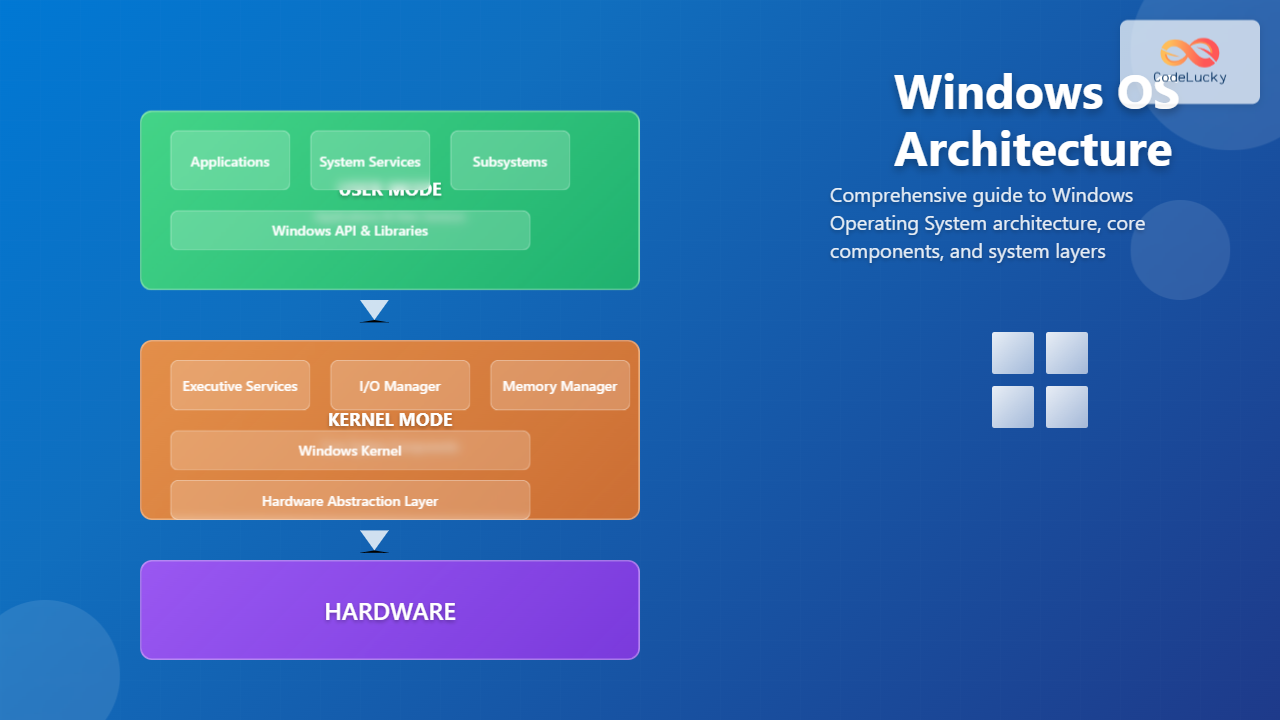
Windows follows a layered architecture design that separates system functionality into distinct layers. This modular approach ensures stability, security, and maintainability while providing a robust foundation for applications and services.

The Windows architecture consists of two primary modes:
- User Mode: Where applications and user-level services execute with limited system access
- Kernel Mode: Where core system components run with full hardware access privileges
User Mode Components
User mode represents the protected execution environment where applications and user-level services operate. This mode provides security isolation and prevents direct hardware access, ensuring system stability.
Windows API and System Libraries
The Windows API (Application Programming Interface) serves as the primary interface between applications and the operating system. Key API sets include:
- Win32 API: Traditional Windows programming interface
- Windows Runtime (WinRT): Modern API for Universal Windows Platform apps
- .NET Framework APIs: Managed code interfaces for .NET applications
Environment Subsystems
Environment subsystems provide compatibility layers for different programming models:
- Windows Subsystem: Native Windows application support
- POSIX Subsystem: Unix-like application compatibility
- Windows Subsystem for Linux (WSL): Linux binary compatibility
System Services and Processes
System services run as background processes, managing various system functions:
| Service | Function | Process Name |
|---|---|---|
| Session Manager | Session management and initialization | smss.exe |
| Client/Server Runtime | Windows API implementation | csrss.exe |
| Windows Logon | User authentication and logon | winlogon.exe |
| Service Control Manager | Service lifecycle management | services.exe |
Kernel Mode Components
Kernel mode components form the core foundation of Windows OS, providing essential system services and hardware management capabilities.

Windows Executive
The Windows Executive provides high-level operating system services and manages system resources. Its key managers include:
Object Manager
The Object Manager creates, manages, and destroys all Windows objects. It provides a unified namespace for system resources including files, processes, threads, and synchronization objects.
Security Reference Monitor
This component enforces the Windows security model by:
- Validating access tokens
- Checking object permissions
- Generating security audit logs
- Managing security policies
Process and Thread Manager
Manages process and thread lifecycle, including:
- Process creation and termination
- Thread scheduling coordination
- Handle management
- Job object implementation
Memory Manager
The Memory Manager handles virtual memory allocation and management:
- Virtual Memory: Provides each process with isolated address space
- Paging: Swaps memory pages between RAM and storage
- Memory Protection: Prevents unauthorized memory access
- Heap Management: Manages dynamic memory allocation
Windows Kernel
The Windows Kernel provides low-level operating system functions including:
- Thread Scheduling: Manages CPU time allocation across threads
- Interrupt and Exception Handling: Processes hardware interrupts and software exceptions
- Synchronization: Provides synchronization primitives like mutexes and semaphores
- Timer Services: Manages system timers and time-based operations
Hardware Abstraction Layer (HAL)
The Hardware Abstraction Layer provides a consistent interface between the kernel and different hardware platforms. HAL enables Windows to run on various hardware architectures by abstracting hardware-specific details.

HAL responsibilities include:
- Interrupt management and routing
- Timer and clock management
- Direct Memory Access (DMA) operations
- Bus and I/O port access
- Power management coordination
Device Drivers Architecture
Device drivers enable Windows to communicate with hardware devices. Windows supports multiple driver models:
Windows Driver Model (WDM)
The legacy driver model supporting:
- Plug and Play functionality
- Power management
- Windows Management Instrumentation (WMI)
Windows Driver Framework (WDF)
Modern driver framework offering:
- Kernel-Mode Driver Framework (KMDF): For kernel-mode drivers
- User-Mode Driver Framework (UMDF): For user-mode drivers
I/O System Architecture
The Windows I/O system manages all input/output operations through a layered driver architecture.

Key I/O components include:
- I/O Manager: Central coordinator for all I/O operations
- File System Drivers: Implement file systems like NTFS, FAT32, ReFS
- Filter Drivers: Intercept and modify I/O requests
- Device Drivers: Communicate directly with hardware devices
Registry System
The Windows Registry serves as a centralized configuration database storing system and application settings. The registry organizes data in a hierarchical structure:
| Registry Hive | Abbreviation | Purpose |
|---|---|---|
| HKEY_LOCAL_MACHINE | HKLM | System-wide settings |
| HKEY_CURRENT_USER | HKCU | Current user settings |
| HKEY_CLASSES_ROOT | HKCR | File associations and COM objects |
| HKEY_USERS | HKU | All user profiles |
| HKEY_CURRENT_CONFIG | HKCC | Hardware configuration |
Windows Boot Process
Understanding the Windows boot process helps diagnose startup issues and optimize system performance:

Boot process stages:
- Pre-boot: UEFI/BIOS initialization and hardware detection
- Boot Manager: Selects operating system and loads Windows Loader
- Kernel Initialization: Loads NT kernel and essential drivers
- System Initialization: Starts critical system services
- User Session: Loads user profile and desktop environment
Security Architecture
Windows implements a comprehensive security model based on several key principles:
Access Control Model
- Security Identifiers (SIDs): Unique identifiers for users and groups
- Access Control Lists (ACLs): Define permissions for objects
- Access Tokens: Contain user security information
- Privileges: Special rights for system operations
Integrity Levels
Windows Vista introduced mandatory integrity controls:
- System Integrity: Highest level for system processes
- High Integrity: Administrative processes
- Medium Integrity: Standard user processes
- Low Integrity: Sandboxed processes like web browsers
Performance and Monitoring
Windows provides extensive performance monitoring capabilities:
System Performance Tools
- Task Manager: Basic process and resource monitoring
- Performance Monitor: Detailed performance counter analysis
- Resource Monitor: Real-time resource usage tracking
- Event Viewer: System event logging and analysis
Key Performance Metrics
| Metric | Description | Normal Range |
|---|---|---|
| CPU Usage | Processor utilization percentage | 0-80% average |
| Memory Usage | Physical RAM utilization | 50-80% typical |
| Disk Queue Length | Pending disk operations | <2 per disk |
| Network Utilization | Network bandwidth usage | <80% capacity |
Modern Windows Features
Recent Windows versions introduced several architectural enhancements:
Windows Subsystem for Linux (WSL)
WSL provides Linux binary compatibility through:
- WSL 1: Translation layer converting Linux system calls
- WSL 2: Full Linux kernel running in lightweight virtual machine
Windows Containers
Container support enables application isolation:
- Windows Server Containers: Process isolation using namespaces
- Hyper-V Containers: Enhanced isolation using virtualization
Universal Windows Platform (UWP)
Modern application model providing:
- Cross-device compatibility
- Sandboxed execution environment
- Automatic updates through Microsoft Store
- Enhanced security through app containers
Best Practices for Windows System Administration
Effective Windows system management requires understanding architectural principles:
System Optimization
- Service Management: Disable unnecessary services to reduce resource usage
- Startup Programs: Minimize startup applications for faster boot times
- Virtual Memory: Configure page file settings based on system requirements
- Registry Maintenance: Regular registry cleanup and optimization
Security Hardening
- User Account Control (UAC): Configure appropriate UAC levels
- Windows Defender: Ensure real-time protection is enabled
- Windows Updates: Maintain current security patches
- Firewall Configuration: Configure Windows Firewall rules properly
Troubleshooting Common Issues
Understanding Windows architecture helps diagnose and resolve system problems:
Boot Issues
- Boot Configuration Data (BCD): Repair corrupted boot configuration
- System File Checker (SFC): Repair corrupted system files
- Startup Repair: Automated boot problem resolution
Performance Problems
- Driver Issues: Update or rollback problematic device drivers
- Memory Leaks: Identify processes with excessive memory usage
- Disk Fragmentation: Defragment hard drives for improved performance
The Windows Operating System architecture represents decades of evolution and refinement. Its layered design, comprehensive security model, and extensive compatibility features make it a robust platform for modern computing environments. Understanding these architectural principles enables IT professionals to effectively deploy, manage, and troubleshoot Windows systems while optimizing performance and maintaining security.
As Windows continues to evolve with cloud integration, containerization, and cross-platform compatibility features, its architectural foundations remain crucial for anyone working with Microsoft technologies. This knowledge forms the basis for advanced topics like Windows internals, driver development, and enterprise system administration.
Related Posts
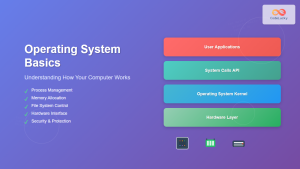
Operating System Basics: Complete Guide to What is an OS and How it Works
An operating system (OS) is the fundamental software that manages computer hardware and software resources, acting as an intermediary between...
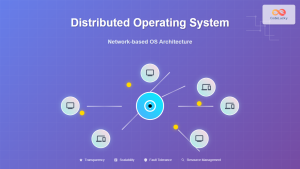
Distributed Operating System: Complete Guide to Network-based OS Architecture
What is a Distributed Operating System? A distributed operating system is a sophisticated software system that manages and coordinates multiple...
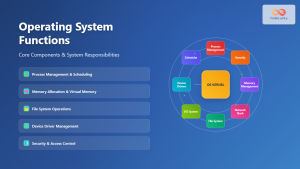
Operating System Functions: Core Components and System Responsibilities
An operating system (OS) serves as the fundamental software layer that manages computer hardware resources and provides essential services to...
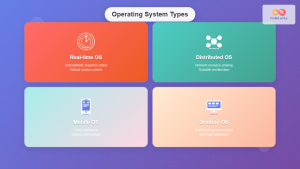
Operating System Types: Real-time, Distributed, Mobile and Desktop Systems Explained
Operating systems serve as the crucial bridge between computer hardware and software applications, but not all operating systems are created...
Embedded Operating System: Complete Guide to Resource-Constrained Environments
Embedded operating systems form the backbone of countless devices we interact with daily, from smart home appliances to automotive control...
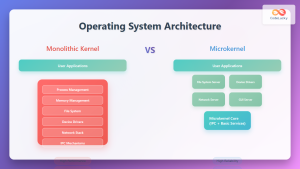
Operating System Architecture: Monolithic vs Microkernel Design Patterns
Introduction to Operating System Architecture Operating system architecture defines how the core components of an OS are organized and interact...
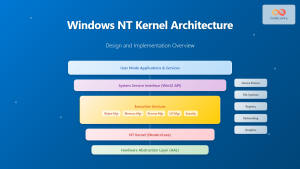
Windows NT Kernel: Complete Guide to Design, Architecture and Implementation
Introduction to Windows NT Kernel The Windows NT Kernel forms the foundation of all modern Windows operating systems, from Windows...
Microkernel Operating System: Modular Architecture for Enhanced System Reliability
What is a Microkernel Operating System? A microkernel operating system represents a minimalist approach to kernel design where only the...
Virtual Machine in Operating System: Complete Guide to Hardware Virtualization Technology
What is a Virtual Machine in Operating System? A Virtual Machine (VM) is a software-based emulation of a physical computer...
Kernel in Operating System: Core Functions and Memory Management
The kernel stands as the fundamental cornerstone of any operating system, serving as the critical bridge between hardware components and...
Windows Services: Complete Guide to Background Process Management and Administration
Windows Services form the backbone of the Windows operating system, running silently in the background to provide essential functionality that...
Cloud Operating System: Complete Guide to Virtualized Infrastructure Management
Cloud Operating Systems represent a paradigm shift in how we manage and orchestrate computing resources across distributed environments. Unlike traditional...
- Windows Operating System Architecture Overview
- User Mode Components
- Kernel Mode Components
- Hardware Abstraction Layer (HAL)
- Device Drivers Architecture
- I/O System Architecture
- Registry System
- Windows Boot Process
- Security Architecture
- Performance and Monitoring
- Modern Windows Features
- Best Practices for Windows System Administration
- Troubleshooting Common Issues