
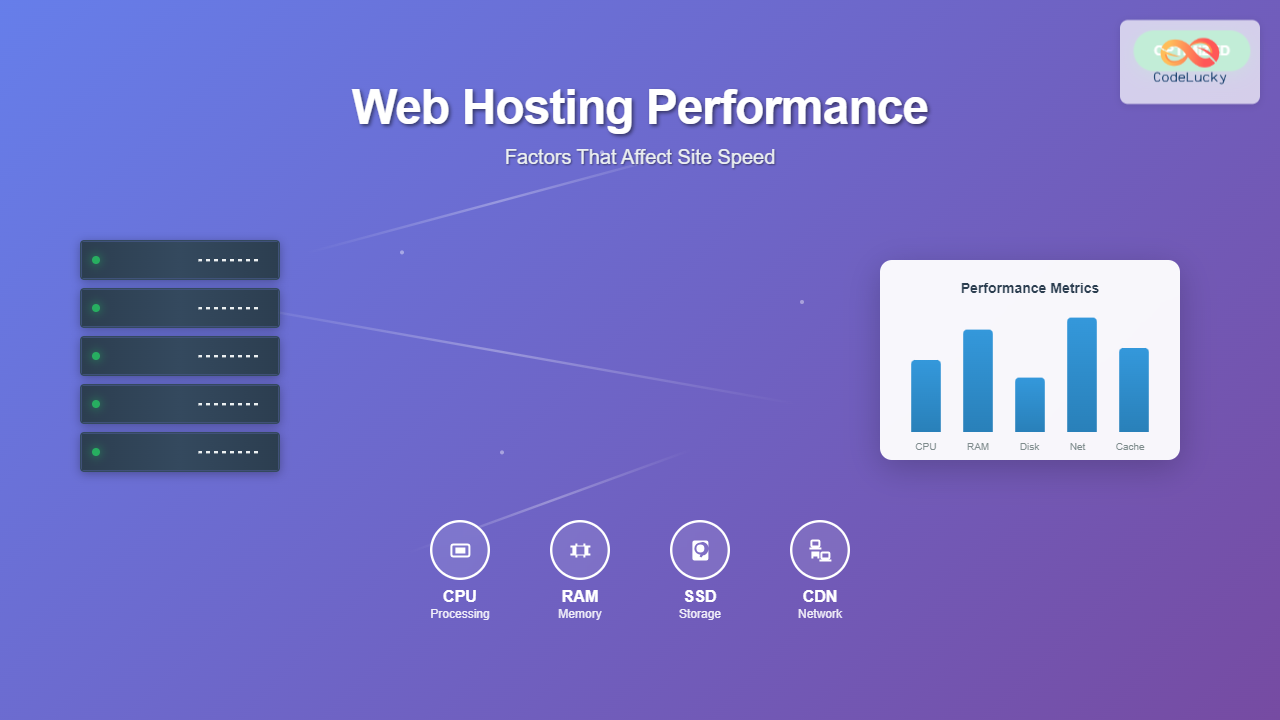
Website performance is crucial for user experience, SEO rankings, and conversion rates. While frontend optimization gets much attention, your web hosting environment plays an equally important role in determining how fast your site loads. Understanding the key hosting performance factors can help you make informed decisions and optimize your site’s speed.
Server Hardware Components
The physical infrastructure of your hosting server directly impacts performance. Modern hosting providers use various hardware components that significantly affect site speed.
CPU Performance
Your server’s CPU processes all requests, executes scripts, and handles database queries. The CPU’s clock speed, number of cores, and architecture determine how quickly these operations complete.
- Clock Speed: Measured in GHz, higher frequencies process instructions faster
- Core Count: More cores allow parallel processing of multiple requests
- Cache Size: Larger CPU caches reduce memory access times

Memory (RAM)
RAM stores frequently accessed data and running processes. Adequate memory prevents the server from using slower disk storage for temporary data.
A server with insufficient RAM will use swap space on disk, which is thousands of times slower than memory access.
Storage Technology
The type of storage significantly impacts read/write speeds:
| Storage Type | Read Speed | Write Speed | Best Use Case |
|---|---|---|---|
| HDD (Traditional) | 100-200 MB/s | 100-200 MB/s | Backup storage |
| SSD (SATA) | 500-600 MB/s | 400-500 MB/s | General hosting |
| NVMe SSD | 3,000-7,000 MB/s | 2,000-6,000 MB/s | High-performance hosting |
Network Infrastructure
The network connection between your server and users determines data transfer speeds. Several factors influence network performance.
Bandwidth and Connection Speed
Bandwidth represents the maximum data transfer capacity, while connection speed is the actual transfer rate achieved. Your hosting provider’s network infrastructure includes:
- Uplink Capacity: Connection speed to internet backbone
- Network Hardware: Quality of routers, switches, and network cards
- Peering Agreements: Direct connections with other networks
Geographic Location
Physical distance affects latency – the time for data to travel between server and user. Closer servers typically provide faster response times.

Server Software Configuration
The software stack running on your server significantly impacts performance. Proper configuration and optimization are essential for maximum speed.
Web Server Software
Different web servers have varying performance characteristics:
- Apache: Feature-rich but resource-intensive
- Nginx: High-performance, efficient for static content
- LiteSpeed: Commercial solution with built-in caching
PHP and Application Runtime
For dynamic websites, the application runtime version and configuration matter:
- PHP Version: Newer versions (PHP 8.x) offer significant performance improvements
- OpCode Caching: Stores compiled PHP code in memory
- Memory Limits: Adequate memory allocation prevents crashes
Database Optimization
Database performance directly affects dynamic content loading:
- Query Optimization: Efficient database queries reduce processing time
- Indexing: Proper indexes speed up data retrieval
- Connection Pooling: Reuses database connections efficiently
Caching Mechanisms
Caching stores frequently accessed data in faster storage locations, reducing server load and improving response times.

Server-Side Caching
Multiple caching layers can be implemented on the server:
- File System Cache: Stores generated pages as static files
- Memory Cache: Uses RAM for ultra-fast data access
- Database Query Cache: Caches frequent database results
Content Delivery Networks (CDN)
CDNs distribute your content across global servers, serving users from the nearest location:
- Reduces latency through geographic proximity
- Decreases server load by serving static assets
- Provides redundancy and improved availability
Hosting Environment Types
Different hosting environments offer varying performance characteristics and resource allocation methods.
Shared Hosting
Multiple websites share server resources, which can impact performance:
- Pros: Cost-effective, managed infrastructure
- Cons: Resource competition, “noisy neighbor” effects
- Best For: Small websites with low traffic
Virtual Private Servers (VPS)
Dedicated resource allocation within a shared physical server:
- Pros: Guaranteed resources, better isolation
- Cons: Requires more technical knowledge
- Best For: Growing websites needing consistent performance
Dedicated Servers
Exclusive access to entire server hardware:
- Pros: Maximum performance, full control
- Cons: Higher cost, management complexity
- Best For: High-traffic websites requiring optimal performance
Cloud Hosting
Scalable infrastructure with dynamic resource allocation:
- Pros: Scalability, redundancy, pay-as-you-use
- Cons: Complex pricing, potential latency variations
- Best For: Websites with variable traffic patterns

Performance Monitoring and Optimization
Continuous monitoring helps identify performance bottlenecks and optimization opportunities.
Key Performance Metrics
Monitor these essential metrics to track hosting performance:
- Time to First Byte (TTFB): Server response time
- Page Load Time: Complete page rendering time
- Uptime Percentage: Server availability
- Concurrent Users: Simultaneous user capacity
Load Testing
Simulate traffic to understand your server’s capacity and identify breaking points:
- Gradual load increase testing
- Spike traffic simulation
- Sustained load testing
Optimization Techniques
Implement these strategies to improve hosting performance:
- Enable Compression: Gzip compression reduces transfer sizes
- Optimize Images: Use appropriate formats and compression
- Minify Resources: Remove unnecessary code from CSS/JS
- HTTP/2 Implementation: Faster protocol for modern browsers
Security Impact on Performance
Security measures can affect performance, but proper implementation minimizes impact:
- SSL/TLS Certificates: Enable HTTP/2 and build user trust
- Firewall Configuration: Filter malicious traffic efficiently
- DDoS Protection: Maintain availability during attacks
Cost vs. Performance Considerations
Balancing hosting costs with performance requirements requires strategic planning:
Budget-Friendly Optimizations
- Choose hosting location near your audience
- Implement effective caching strategies
- Optimize your website code and assets
- Use free CDN services for static content
Premium Performance Investments
- Upgrade to SSD or NVMe storage
- Increase server RAM and CPU resources
- Implement premium CDN services
- Use managed hosting with optimization included

Future-Proofing Your Hosting Performance
Consider emerging technologies and trends that will shape hosting performance:
- Edge Computing: Processing closer to users
- HTTP/3: Next-generation protocol improvements
- AI-Powered Optimization: Automatic performance tuning
- Green Hosting: Sustainable performance solutions
Web hosting performance depends on multiple interconnected factors, from hardware specifications to software configuration. By understanding these elements and their relationships, you can make informed decisions about your hosting environment. Regular monitoring, testing, and optimization ensure your website maintains optimal performance as your audience grows.
Remember that the best hosting solution balances performance requirements with budget constraints while providing room for future growth. Start with solid fundamentals like SSD storage and adequate RAM, then scale up as your performance needs increase.





