
When you visit a website by typing a URL into your browser, have you ever wondered what happens behind the scenes? How does your browser know where to find the website’s files, images, and content? The answer lies in web hosting – the fundamental service that makes the internet possible.
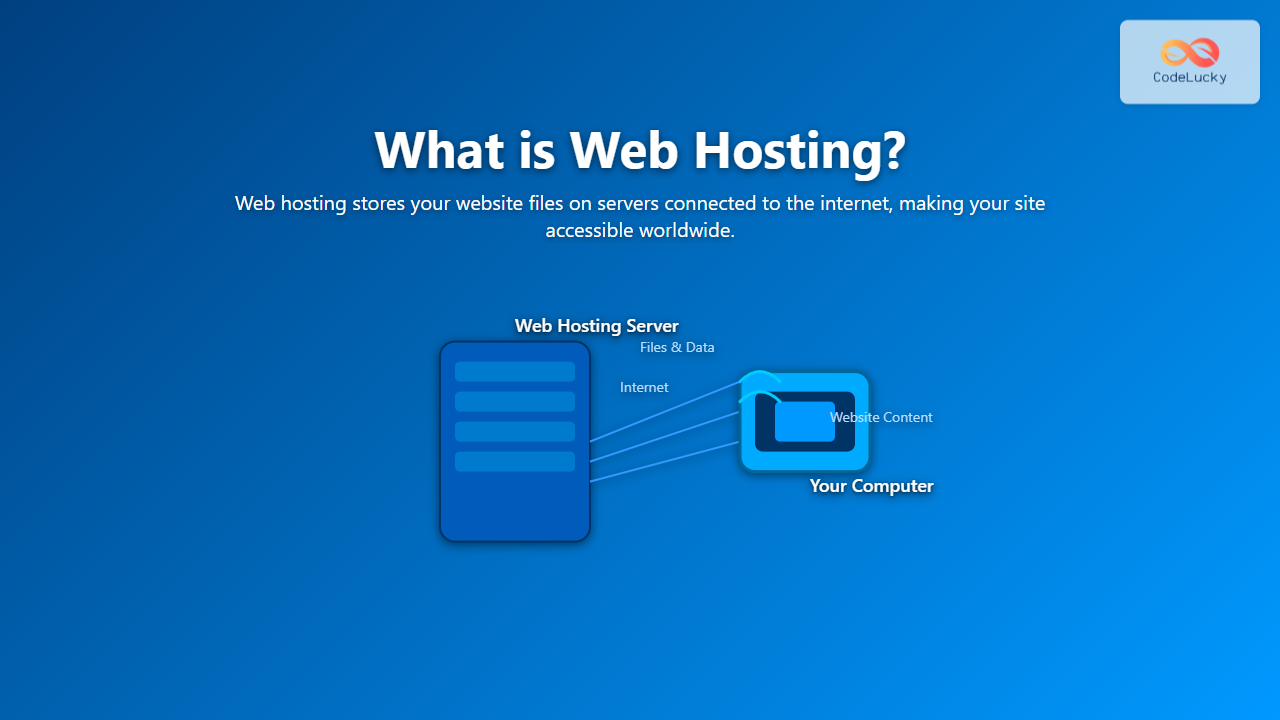
Web hosting is essentially renting space on a computer (called a server) that’s connected to the internet 24/7. This server stores all your website’s files and makes them accessible to visitors worldwide. Think of it like renting an apartment for your website to live in – except this apartment never sleeps and can accommodate millions of visitors simultaneously.
How Web Hosting Works: The Complete Process
Understanding how web hosting works requires breaking down the entire process from when someone types your website’s address to when they see your content on their screen.

Step 1: Domain Name Resolution
When you type “example.com” in your browser, your computer doesn’t know where to find this website. It needs to translate this human-friendly domain name into an IP address (like 192.168.1.1) that computers can understand. This process is called DNS (Domain Name System) resolution.
Step 2: Server Connection
Once your browser has the IP address, it sends a request to the web server located at that address. This server is a powerful computer running 24/7 in a data center, housing your website’s files.
Step 3: File Delivery
The web server receives your request and locates the requested files (HTML, CSS, JavaScript, images, etc.). It then packages these files and sends them back to your browser over the internet.
Step 4: Website Display
Your browser receives the files and renders them into the visual website you see on your screen.
Types of Web Hosting Services
Not all web hosting is created equal. Different websites have different needs, which is why hosting providers offer various types of services:
1. Shared Hosting
Shared hosting is like living in an apartment building where you share resources with other tenants. Multiple websites are hosted on the same server, sharing its CPU, RAM, and storage space.
Pros:
- Most affordable option ($3-10/month)
- Easy to set up and manage
- Perfect for beginners and small websites
- Hosting provider handles server maintenance
Cons:
- Limited resources and performance
- Other websites can affect your site’s performance
- Fewer customization options
- Security risks from neighboring sites
2. Virtual Private Server (VPS) Hosting
VPS hosting is like having your own condo in a building. While you still share the physical server, you get dedicated resources and more control over your environment.

Best for: Growing websites, e-commerce stores, and businesses needing more control and resources than shared hosting provides.
3. Dedicated Hosting
Dedicated hosting gives you an entire server to yourself – like owning a house instead of renting an apartment. You get all the server’s resources and complete control over its configuration.
Key Features:
- Complete server control and customization
- Maximum performance and security
- Ability to host multiple websites
- Full root/administrator access
4. Cloud Hosting
Cloud hosting distributes your website across multiple servers in different locations. If one server fails, another takes over seamlessly.

Essential Web Hosting Features
When choosing a web hosting provider, several features determine the quality and reliability of the service:
Storage and Bandwidth
Storage refers to the amount of space available for your website files, databases, and emails. Bandwidth determines how much data can be transferred between your website and visitors each month.
For example:
- A simple blog might need 1-5 GB storage and 10-50 GB bandwidth
- An e-commerce site might require 10-100 GB storage and 100-500 GB bandwidth
- A media-heavy site could need 100+ GB storage and unlimited bandwidth
Uptime and Reliability
Uptime measures how often your website is accessible to visitors. A 99.9% uptime guarantee means your site might be down for about 8.77 hours per year. Premium hosts often guarantee 99.95% or higher uptime.
Security Features
Modern web hosting should include:
- SSL certificates for encrypted data transmission
- Firewalls to block malicious traffic
- Malware scanning and removal
- Regular backups to protect against data loss
- DDoS protection against cyber attacks
The Web Hosting Infrastructure
Understanding the physical and technical infrastructure behind web hosting helps you make better decisions about your hosting needs.

Data Centers
Data centers are specialized facilities designed to house and maintain servers. They feature:
- Redundant power supplies including backup generators
- Climate control systems to prevent overheating
- Physical security with biometric access controls
- Multiple internet connections for reliability
Content Delivery Networks (CDNs)
CDNs improve website performance by storing copies of your website’s files on servers around the world. When someone visits your site, they receive content from the nearest server location, reducing loading times significantly.
How to Choose the Right Web Hosting
Selecting the appropriate web hosting service depends on several factors specific to your website and business needs:
Assess Your Website Requirements
Traffic Volume: Estimate how many visitors you expect monthly. A personal blog might receive hundreds of visitors, while an e-commerce site could attract thousands.
Technical Requirements: Different websites need different technologies:
- WordPress sites work well with PHP and MySQL
- E-commerce sites might need specific shopping cart software
- Custom applications may require particular programming languages
Budget Considerations
Web hosting costs vary dramatically based on the service type and features:
- Shared Hosting: $3-15/month
- VPS Hosting: $20-100/month
- Dedicated Hosting: $100-500/month
- Cloud Hosting: $10-200/month (based on usage)
Growth Scalability
Choose a hosting provider that allows easy upgrades as your website grows. Starting with shared hosting and upgrading to VPS or dedicated hosting later is a common progression path.
Common Web Hosting Terms Explained
Understanding hosting terminology helps you make informed decisions and communicate effectively with hosting providers:
cPanel: A web-based control panel for managing your hosting account, creating email addresses, and installing software.
FTP (File Transfer Protocol): A method for uploading and downloading files to your web server.
MySQL: A popular database system used by websites to store dynamic content.
PHP: A programming language commonly used for web development, especially with WordPress.
Domain Name: Your website’s address (like codelucky.com).
Subdomain: A subdivision of your main domain (like blog.codelucky.com).
Web Hosting vs Other Services
It’s important to understand how web hosting relates to other website services:

Domain Registration vs Web Hosting
Many people confuse domain registration with web hosting. A domain name is your website’s address, while web hosting is the space where your website files live. You need both to have a functioning website.
Website Builders vs Traditional Hosting
Website builders like Wix or Squarespace include hosting in their service, but traditional hosting gives you more flexibility and control over your website’s functionality and design.
Setting Up Your First Website
Once you understand web hosting, setting up your first website involves these steps:
- Choose a domain name that represents your brand or content
- Select a hosting provider based on your needs and budget
- Purchase hosting and register your domain (can often be done together)
- Install a content management system like WordPress
- Upload your website files using FTP or your hosting control panel
- Configure email accounts associated with your domain
- Set up security measures like SSL certificates
Future of Web Hosting
Web hosting continues to evolve with technological advances:
Edge Computing: Processing data closer to users for faster response times.
Serverless Architecture: Running code without managing traditional servers.
Green Hosting: Using renewable energy and eco-friendly practices in data centers.
AI-Powered Optimization: Automatically optimizing server performance and resource allocation.
Conclusion
Web hosting is the foundation that makes your website accessible to the world. Whether you’re starting a personal blog, launching an e-commerce store, or building a corporate website, understanding how web hosting works helps you make informed decisions that affect your site’s performance, security, and success.
Start with shared hosting if you’re new to websites, but be prepared to scale up as your traffic and requirements grow. Remember that the cheapest option isn’t always the best – invest in reliable hosting with good support, security features, and room for growth.
Your choice of web hosting provider and service type will significantly impact your website’s performance, so take time to research and compare options based on your specific needs, budget, and long-term goals.





