
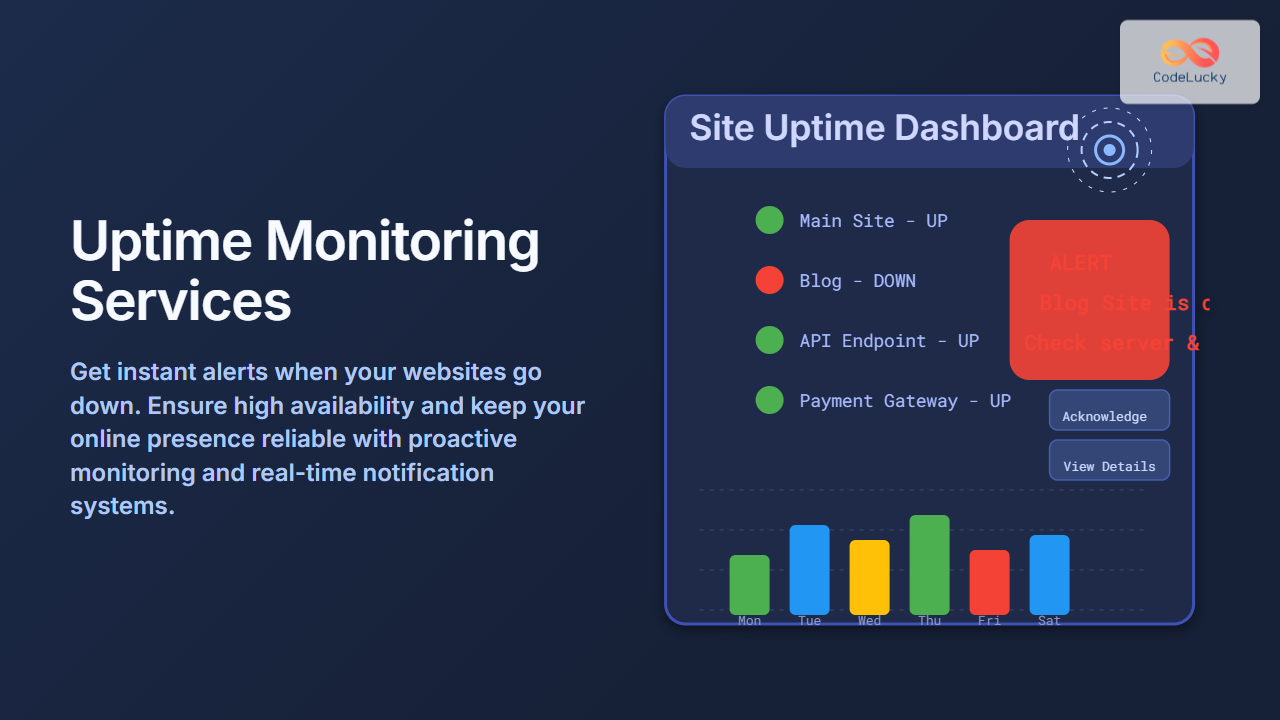
Introduction to Uptime Monitoring Services
In today’s digital-first world, website availability is critical. Downtime directly impacts user experience, trust, and revenue. Uptime monitoring services provide a vigilant watch over your website’s operational status, sending you real-time alerts when your site becomes unreachable or experiences performance issues. This article breaks down how uptime monitoring works, how to set it up with practical examples, and how it benefits your online presence.
What Is Uptime Monitoring?
Uptime monitoring is the automatic process of checking a website’s availability and responsiveness at regular intervals, typically ranging from every minute to every five minutes. When a site cannot be reached or is slower than a predefined threshold, the monitoring service alerts stakeholders via email, SMS, push notification, or other communication channels.

The above flowchart illustrates the basic uptime monitoring mechanism: a monitoring server regularly checks your website and triggers alerts if downtime is detected.
Why Is Uptime Monitoring Essential?
- Minimize Revenue Loss: Downtime can cost money due to lost sales or service interruptions.
- Improve Customer Trust: Reliable uptime strengthens user confidence in your brand.
- Proactive Issue Detection: Identify server, DNS, or network issues before users do.
- Optimize Performance: Some uptime monitors also track response times to highlight slowdowns.
Types of Uptime Monitoring Checks
Understanding different types of checks can help tailor monitoring to your specific needs:
- HTTP/HTTPS Check: Standard request to check if your web server is responding.
- Ping Check: Tests if the server is reachable at the network level.
- TCP Port Check: Checks if specific ports (like 80 or 443) are open.
- Transaction Checks: Simulate user actions like login, form submission, or checkout to ensure site functionality.
Popular Uptime Monitoring Services
There are many uptime monitoring tools available, ranging from free to enterprise-grade solutions:
- UptimeRobot: Free tier allows monitoring up to 50 sites with 5-minute intervals.
- Pingdom: Offers detailed reports and multi-location monitoring.
- StatusCake: Provides advanced testing options and integrations.
- New Relic Synthetics: Combines uptime with deep performance monitoring and scripting.
Example: Setting Up a Basic Uptime Monitor with UptimeRobot
This example shows how to set up an uptime check and receive alerts via email using UptimeRobot.
- Create a free account on UptimeRobot.
- Click Create New Monitor.
- Choose Monitor Type as HTTP(s).
- Enter your website URL (e.g.,
https://yoursite.com). - Set the monitoring interval (default 5 minutes).
- Add your email address for notifications.
- Save and activate the monitor.
Once configured, UptimeRobot will check your site in the interval specified and send an email if downtime is detected.
Example Output: UptimeRobot Alert Email
Subject: UptimeRobot Alert - YourSite.com is DOWN!

Dear User,

The monitor for YourSite.com (https://yoursite.com) detected that the site is down as of 02 Sep 2025 14:45 UTC.

Monitor Type: HTTP(s)
Duration: Approximately 10 minutes
Please check your server or hosting provider to resolve the issue.

Regards,
UptimeRobot Team
Interactive Check Example: Basic Ping Monitoring Script (Node.js)
Below is a simple Node.js script example for ping monitoring using the ping module. This script performs a ping check and outputs the result, which can be extended for alerting integrations.
const ping = require('ping');
const host = 'yoursite.com';

ping.sys.probe(host, function(isAlive){
    const msg = isAlive ? `${host} is alive` : `${host} is unreachable`;
    console.log(msg);
});
How Uptime Monitoring Integrates With Incident Management
Many uptime monitoring tools integrate with incident management platforms to streamline alert handling and resolution. Below is a diagram showing an example integration flow with alerts feeding into incident response:

Best Practices for Using Uptime Monitoring Services
- Monitor from multiple locations: Avoid false positives due to regional outages.
- Set appropriate intervals: Balance monitoring frequency and resource usage.
- Use multiple checks: Combine ping, HTTP, and transaction checks for thoroughness.
- Test alert channels: Ensure notifications are received and acted upon promptly.
- Review logs regularly: Analyze downtime patterns and improve infrastructure accordingly.
Visualizing Uptime Trends
Many platforms provide dashboards with uptime history and performance metrics. Visualizing these trends helps in proactive capacity planning and identifying recurring issues.

Conclusion
Uptime monitoring services are indispensable tools for modern website reliability. By proactively detecting downtime and performance problems through regular monitoring and automated alerts, businesses can minimize disruptions and ensure smooth online experiences. Setting up monitoring is straightforward, and combining multiple monitoring techniques with good incident management practices will strengthen your site’s resilience.
Implementing proper uptime monitoring not only safeguards your web presence but also builds trust with your users and customers.





